Custom Sidebar in Brizy

In Brizy, is it possible to create a custom sidebar that runs down the entire side of a page?
-

Hello Edwin,
Yes; your blog post template can have a two column design. On a blank template, add the Brizy Column element and set widths of the two columns in the ratio of 7:3. (One column having 70% width and other 30%). Then add the blog post content in the wider column and the sidebar elements in the narrow column. Have a look at https://jesusinbible.com/christ-meets-abrahams-household/ for an example of a custom sidebar design for a blog post in Brizy.
0 -
Hi, thank you for sending the example website. I am trying to make the "Follow Me" section in the sidebar have a completely white background. However, I am unable to add a new column or row within the sidebar. Could you please show me if this is possible?
 0
0 -
Hello Edwin,
It is possible to create a design similar to https://darkorchid-koala-469939.hostingersite.com/home/. Have a look at https://brizy.support/two-columns/ Do you want us to take a look at your project to help you with this design?
0 -
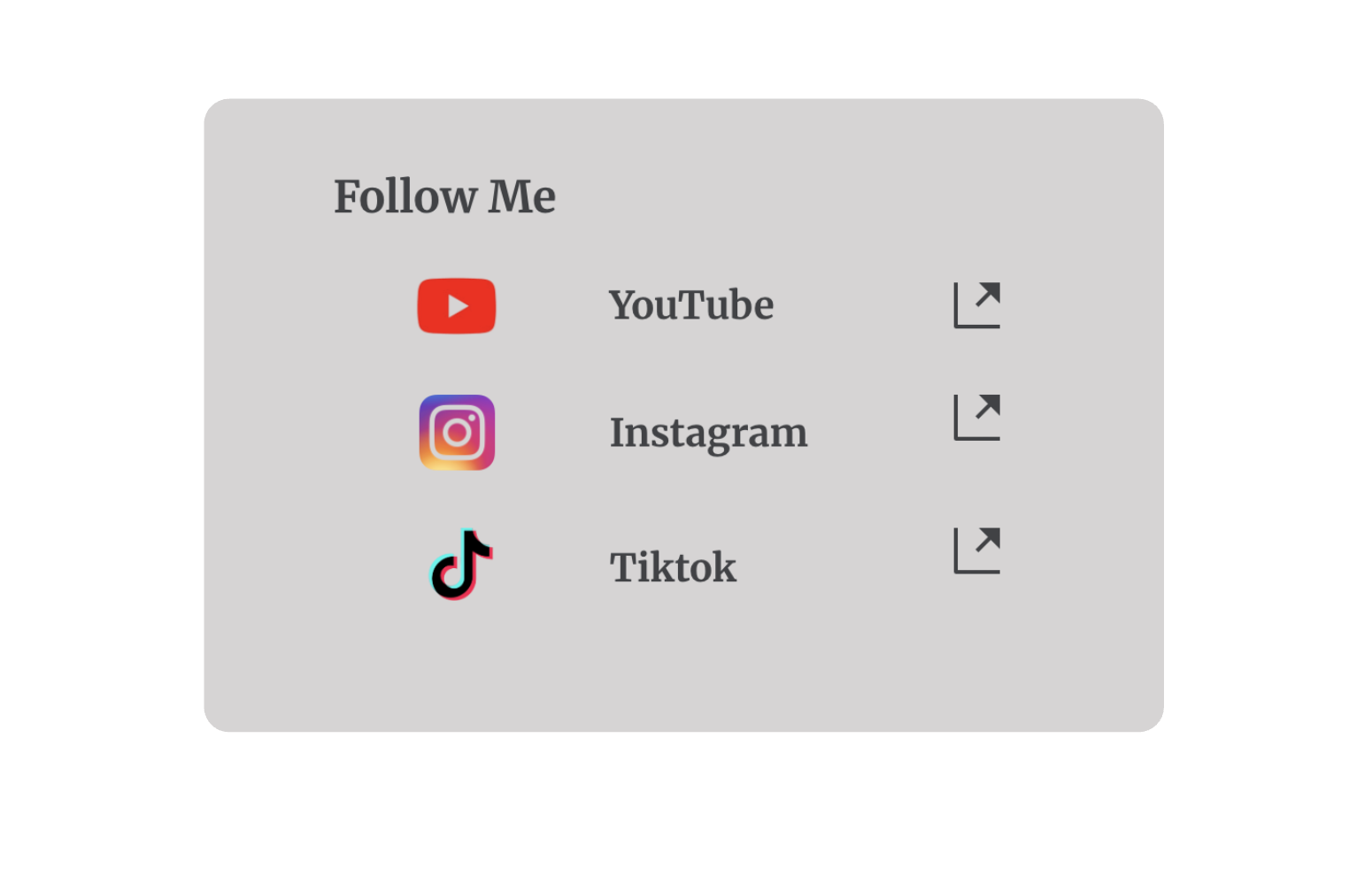
Hi, I saw your example, but I don't see a distinct background color for the "Follow Me" section. I am trying to make the entire "Follow Me" block have a separate background color. Am I missing something?
Please see my example:
 0
0 -
Hello Edwin,
It is possible to have a background color for the "Follow Me" section of the sidebar. Have a look at https://brizy.support/two-columns/ Feel free to download my block design with the sidebar at https://jmp.sh/ufpJq2bG and import it to your "Saved Blocks and Layouts library" by selecting the "Import New Block" button and look at how I have designed it.
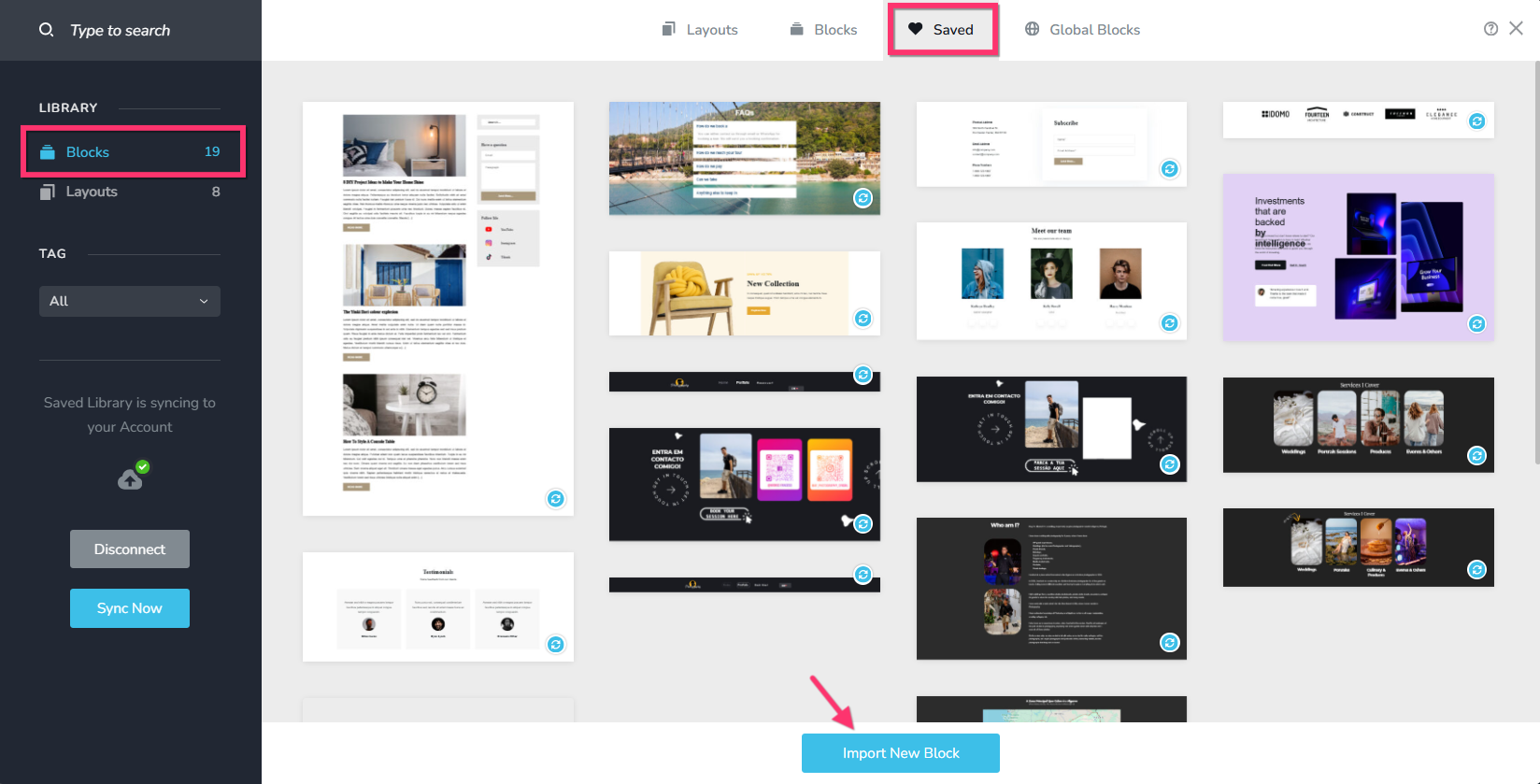
In the screen recording at https://jmp.sh/ZeKmEdNM, I explain how I have implemented the design.
0 -
Hi, thank you for sharing the screen recording! I successfully implemented the background. However, I was wondering if it's possible to treat entire rows as a single element. I’d like to adjust the drop shadow and apply curved corners for a smoother look.
0 -
Hello Edwin,
Yes; you can have rounded corners and a drop shadow for the "Follow Me" section like you can see at https://brizy.support/two-columns/
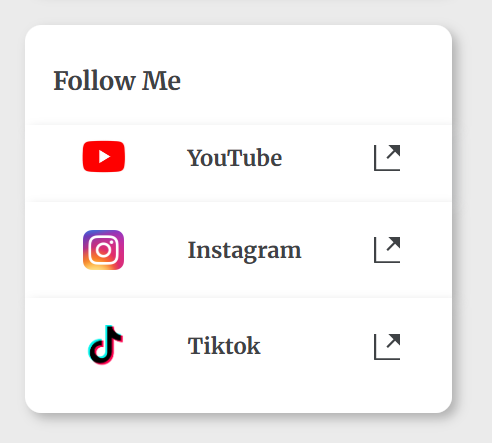
Among the four rows that make up the "Follow Me" section,
- First Row: Make the top left and top right corners rounded
- Fourth Row: Make the bottom left and bottom right corners row rounded
To add a drop shadow for the "Follow Me" section, apply these values to all rows and set opacity of the selected color to something close to 25%.
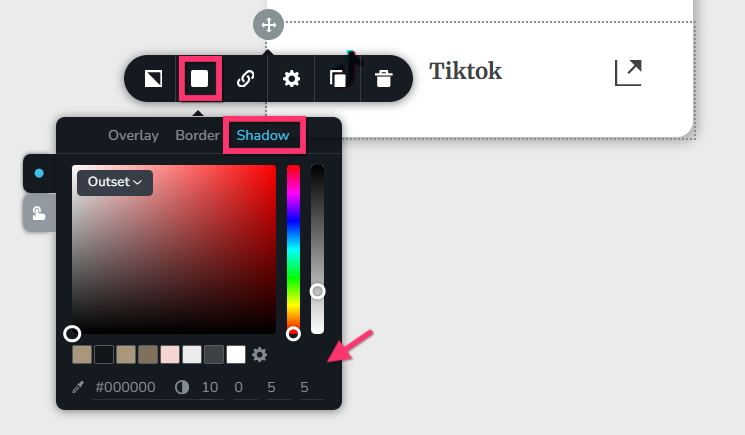
Feel free to check out how I have impemented the design by importing this block to your page: https://jmp.sh/OeASCHDm. For a more detailed explanation, have a look at https://jmp.sh/4wnkLtie
0 -
Hi, how can I remove the drop shadow in a specific direction?
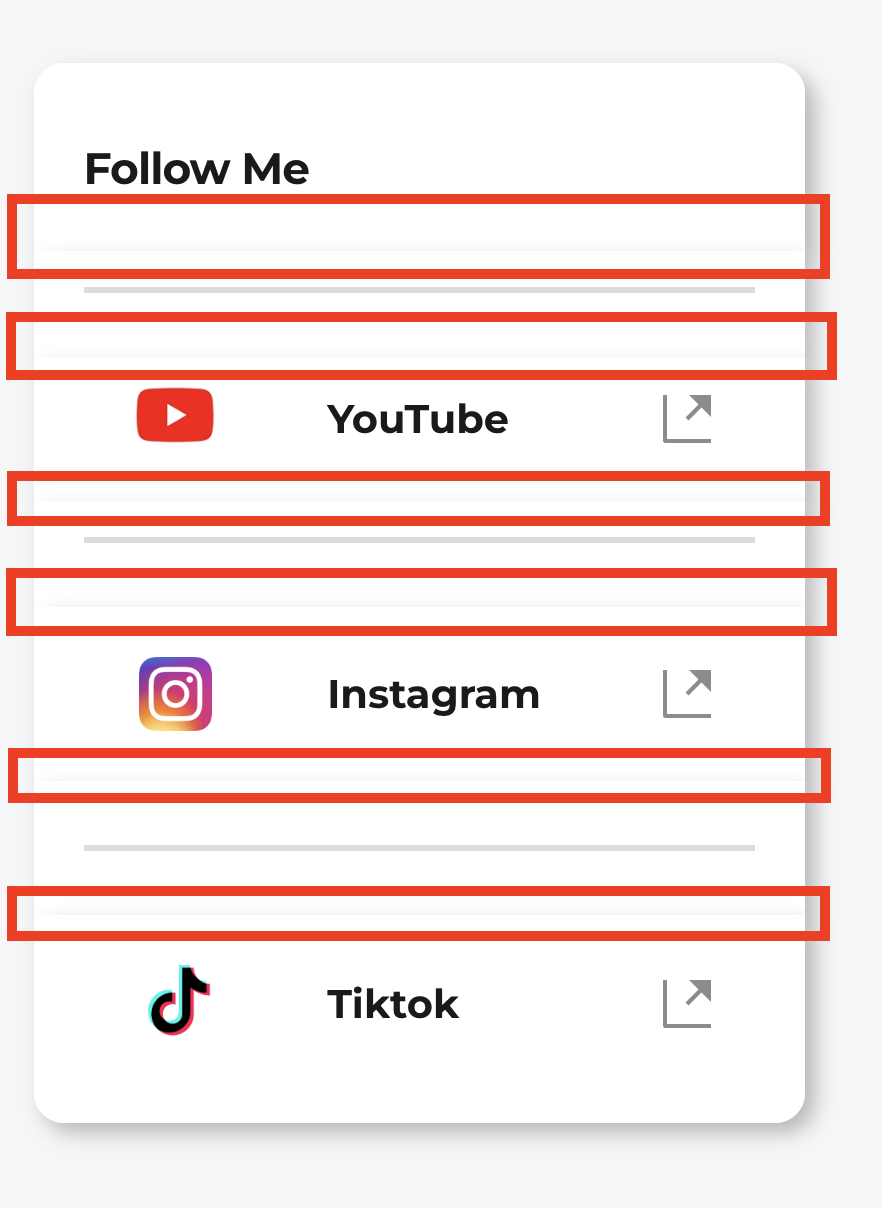 0
0 -
Hello Edwin,
Shadows cannot be configured for each side of the Row. However, you can achieve a design similar to the one at https://brizy.support/two-columns/, by removing the line elements and applying a bottom border for the first three Row elements.

To add a bottom border to a Row, click on its left top corner, then select the "Color" icon and, under the "Border" tab, enter the border values for each side: 0 0 2 0. Consider setting the color opacity to around 20%.
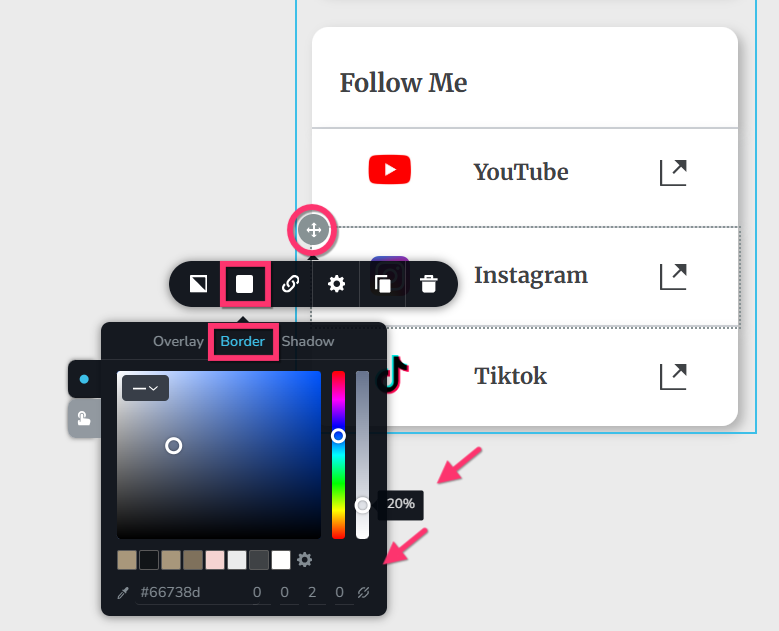
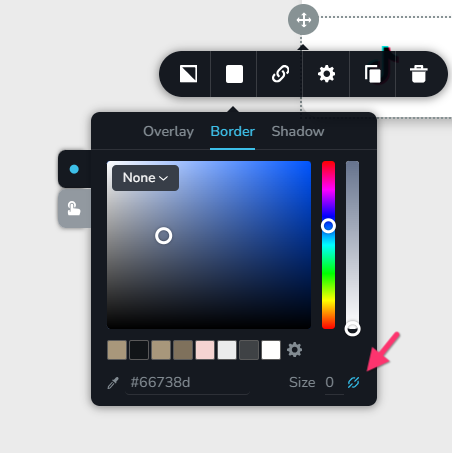
To set different borders for different sides, you will have to first click on the "chain" icon.
If you would like to look at how I have implented the design, feel free to import my design from https://jmp.sh/OeASCHDm
0 -
Thank you for the example. While this is suitable for a temporary design, I would like my own custom shorter line. Can Brizy implement this in the next update?0
-
Hello Edwin,
You're using a two-column design, and one column contains a "Follow Me" area with four rows with a drop shadow. Adding a line element between the four rows is not an aesthetically acceptable design choice. When developing an alternative design, you can use Brizy's Line element to make a shorter line.
0
Please sign in to leave a comment.
Comments
11 comments