Can't edit in Brixy

Hi guys,
We'e just put a site live, going from dev url https://atd.freshhq.co.uk to live site https://www.access-the-dales.com/.
When I now try and edit pages it spins and says something went wrong.
Is there something I need to do? I've used the update URLs under Brizy > Tools.
Thanks,
Darren
-

Hi Darren,
Thank you for reaching out.
This usually points to a conflict or a URL-related issue after going live, so let’s try a few quick checks to narrow it down.
First, could you please temporarily disable all third-party plugins (leave only Brizy active) and try editing the page again? If it works, you can re-enable the plugins one by one while testing to identify which one is causing the issue.
If the issue persists, please try resetting the permalinks:
- Go to WordPress Dashboard → Settings → Permalinks
- Without changing anything, click Save ChangesAfter that, you can also try the Replace URL tool again:
- Go to Brizy → Tools → Replace URL
- Make sure the old dev URL (https://atd.freshhq.co.uk) is correctly replaced with the live URL (https://www.access-the-dales.com)If none of the steps above resolve the issue, feel free to share temporary WP Admin access with us so we can take a closer look. Please send your site credentials to communitysupport@brizy.io and add ref: 34703818755986 in the subject.
Best regards,
Ariel H.0 -
Hi Darren,
Thank you for your cooperation.
It appears the issue is caused by a conflict with the WPConsent plugin. When the plugin is disabled, the Brizy editor works as expected.
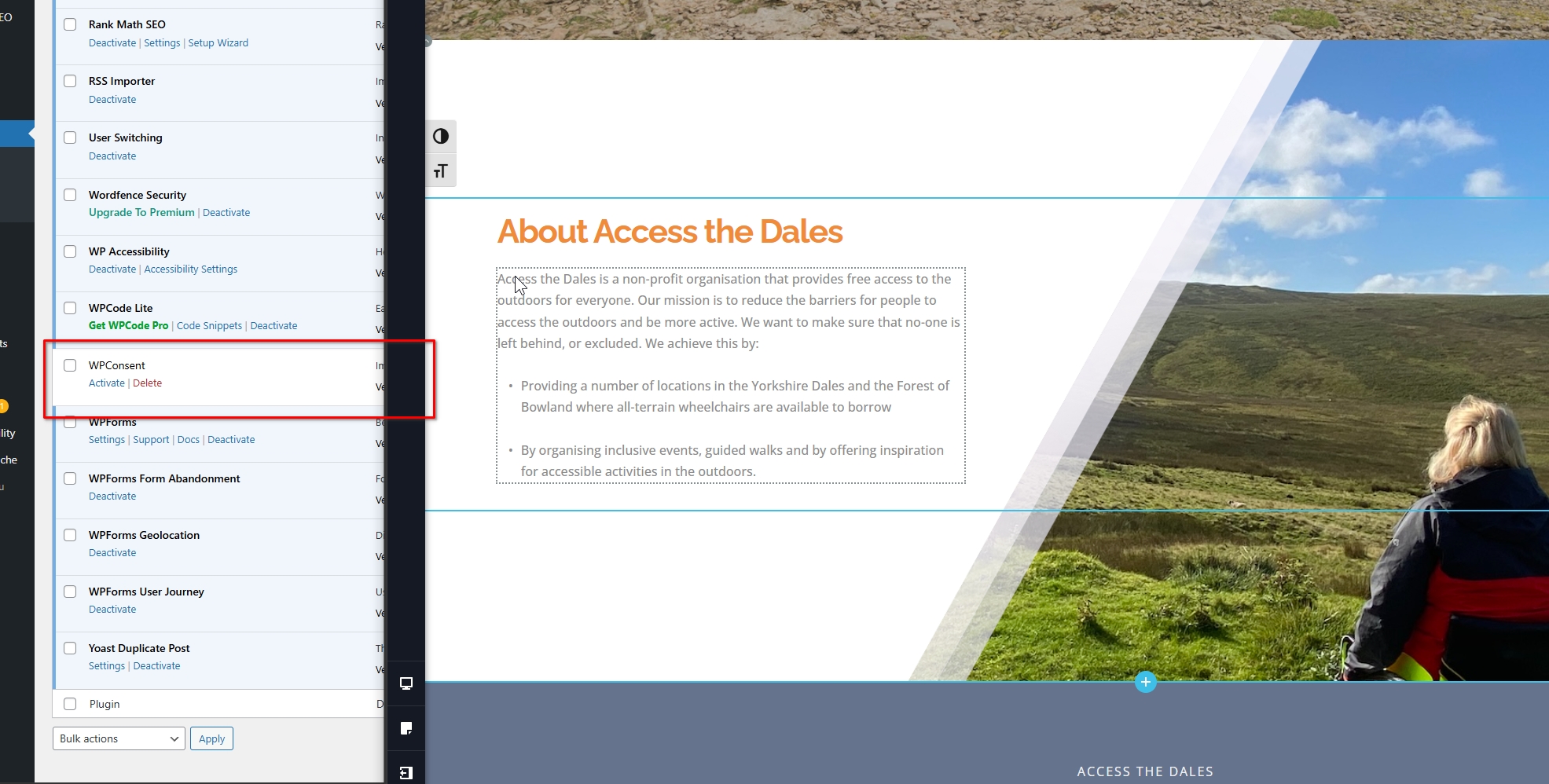
For now, we recommend temporarily disabling WPConsent while editing your pages, then enabling it again after publishing your changes.
If you have any further questions, please let us know.
Best regards,
Ariel H.0 -
Thanks Ariel.
That's strange. When I disabled plugins I still had the same issue?
Thanks,
Darren0 -
Hi Darren,
I’ve created a short screencast below to show how it appears on my end - https://youtu.be/P7tHjrC5jrM
Could you please try clearing your browser cache or using a different browser and see if that makes any difference?
Looking forward to your update.
0 -
Hi Ariel,
Ok, I went to the homepage after logging in and can now edit the page in Brizy. That's with the WP Consent plugin disabled.
Thanks,
Darren0
Please sign in to leave a comment.
Comments
5 comments