Woo Product Template no longer functional

I was using brizy template for Woo product page and Products archives for a shopping page
Products page is still working as designed.
However product page functionality is totally unusable. It looks like product page elements are no longer connected to the locations I placed them in. Global header and footer blocks that work just fine elsewhere on the site are totally malformed.
This is a product site so in order to maintain customer access to my products I have had to turn off the product page Brizy template and revert to the default woo product layout within my default theme.
Something needs to be done to fix this bug. It is limited only to the product template.
-

Hello Chris,
Can we look at your WordPress dashboard to help you resolve this issue? Please add a new user to your WordPress Dashboard and send the following details to our email: communitysupport@brizy.io
- Support Forum reference: https://support.brizy.io/hc/en-us/community/posts/34542607261074
- WordPress Admin URL:
- Username
- Password
Your email must include a link to this thread's URL, otherwise we will be unable to locate your support ticket. Please notify us in this thread when you send us the email.
0 -
Check your support email for access email and further information
0 -

Hi Chris,
Thank you for reaching out.
At the moment, we’re unable to update the page due to an error on the site.
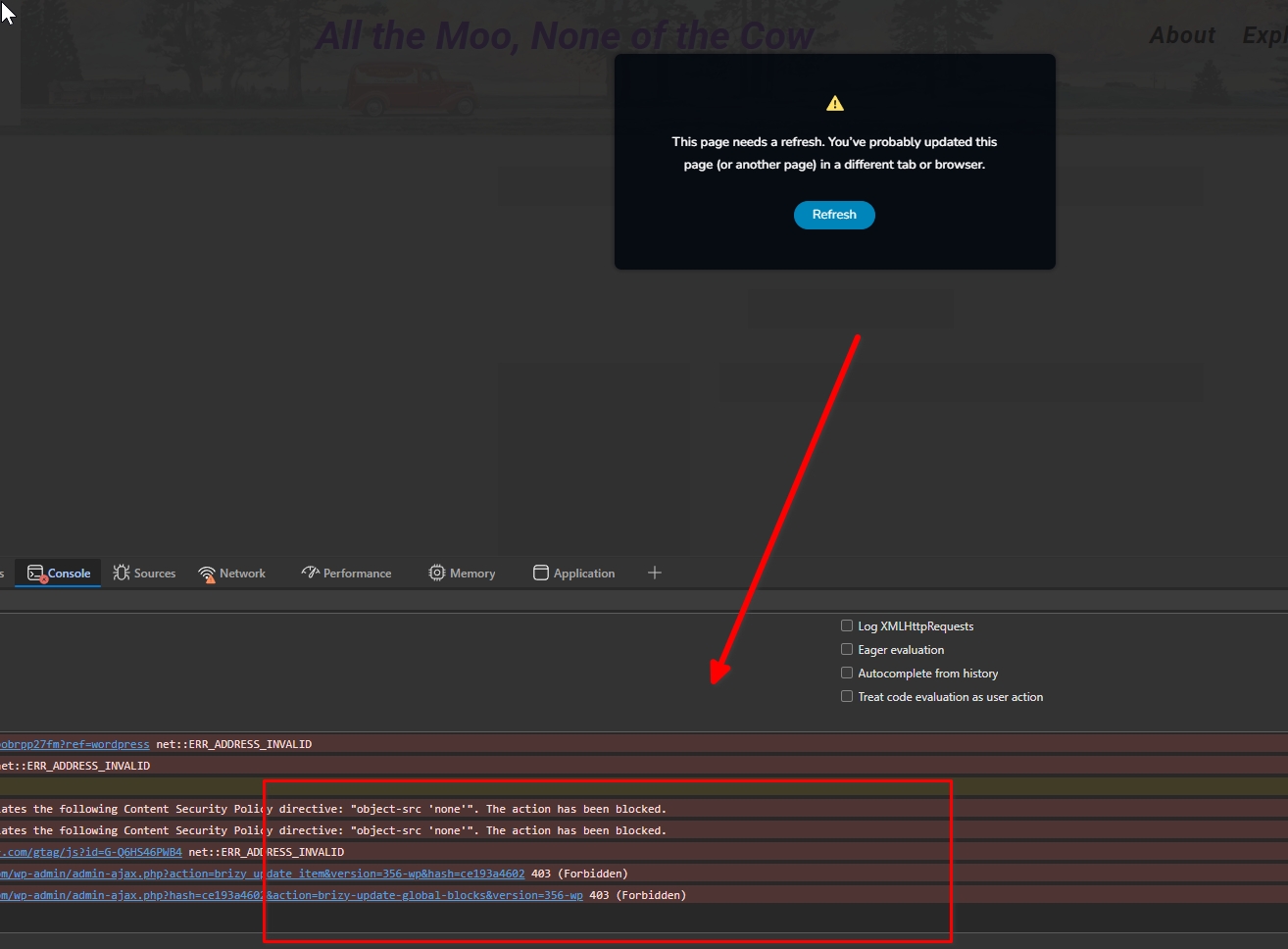
To help isolate the issue, could you please log in as the Network Admin and try temporarily disabling all plugins except for WooCommerce, Brizy, and Brizy Pro? After doing that, please check if you’re able to update the template. Making a small change to any block (for example, moving an element slightly) and then clicking "Update" can help force the page to recompile. This often resolves the type of issues you reported.
Please let us know how it goes or if you need any further assistance.
Kind regards,
Ariel H.0 -
Hi Chris,
We’ve released Brizy 2.8.10 and Brizy Pro 2.8.4.
Could you please update to the latest versions and let us know if there’s any improvement or if the issue still persists?
We look forward to your feedback.
Best regards,
Ariel H.0 -
I am not sure why you are getting security errors. I am able to login and access the temp acct. Site is updated to both 2.8.10 and 2.8.4 Pro. No change in behavior. I deactivated all plugins except network security and found no difference in the product page. From previous update issues, I am familiar the method of tweaking a font to force update process. I have tried this a few times without success.
One observation is that when building or editing the template usually if I hover over a control like price or sku I would see the icon associated with the control. Right now, I only see a text icon or no icon at all in the blocks even if I try to insert new control on the page.
I would suggest you try and create a simple product page with some of the controls from the left side menu as I think that is an important symptom for this problem.
I am going to restore the database to yesterday to make reseting the plugins easier, your access should no be affected.
0 -
I built a new Brizy template called Nshop. In it, I applied my normal header and footer. I then I built row blocks to mimic my regular product page and placed text explaining what brizy control should be displayed below the text. I then used drag-n-drop from control menu to the page and inserted each control in the correct location.
This layout roughly mimics my old product page that is currenly not working.
If I set the template to display for all product, set Brizy as the template and then publish, I can see the header, footer and the text in its correct block and location. However the content from the woo product does not display.
It really suggests something has changed between Woo and the Brizy- Woo controls as shown in the left hand menu. As mentioned before the icons used to show up if you hover on the control on the page and right now they are not showing.
The Nshop page is still in template library, It is currently in "pending review" status with the brizy template turned off and no products set to display so it does not interfere with production. Please feel free to experiment with this page to see if you can spot the problem.
0 -
Hi Chris,
We’re currently encountering a 403 (Forbidden) error on requests to /wp-admin/admin-ajax.php, which is preventing the editor from functioning properly (triggering a "page needs refresh" message).
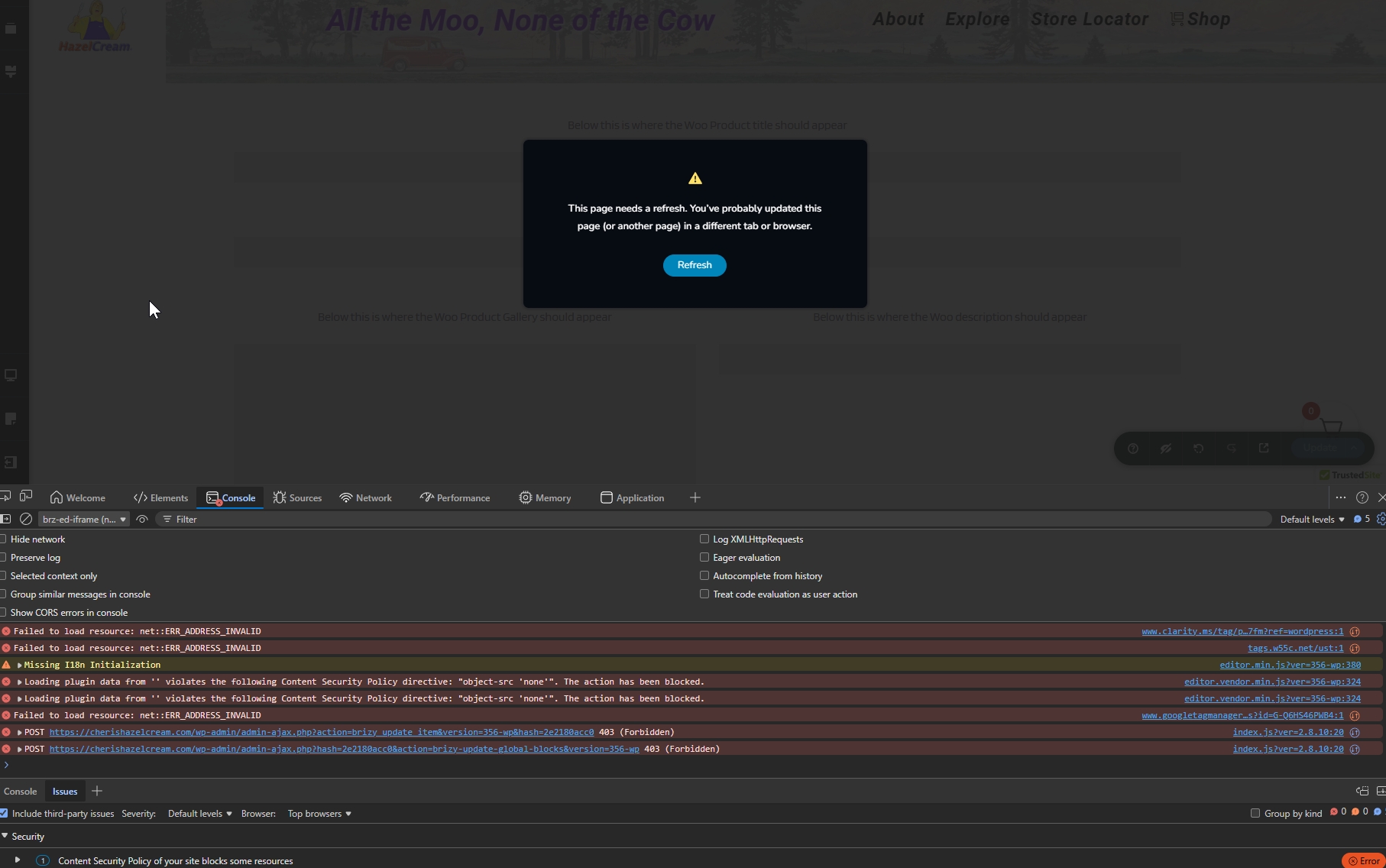
Since this is a Multisite setup, could you please check if there are any network-level security rules, firewall settings, or mu-plugins that might be blocking or restricting admin-ajax.php requests?
Additionally, to help us further investigate this from our end, we would need temporary access to cPanel/FTP and Super Admin access, if possible.
Best regards,
Ariel H.0 -
Using incognito browser, I was able to login to the temp acess user. I then copied and executed the request https://cherishazelcream.com/wp-admin/admin-ajax.php?action=brizy%20update%20item&version=365-wp&hash=2e2180acc0 without 403 error. The website responded with value 0
I do not know what security protocol is being invoked that could be blocking you. I am not experiencing the problem when I access from the incognito browser to try and simulate the problem. The only suggestion I can make is to VPN to a US based IP as the security software may be tagging the login from a restricted IP country.
I can not allow full access to server and superadmin at this time. If you give me instructions to test specific things I can do them for you are report results.
Also, whoever was on the site with the Brizy access last switched off several plugins including the store cart and left my Nshop test template active which lead to the store failing when the site cache updated about 4 hours later. I discovered it this eveining and had to restart the plugins / reset the template. Please undo any changes you test before leaving the site or please advise me of what changes have been made so if I find a problem I have a clue where to start.
0 -
Hello Chris,
An approprate Display Condition for the product template was selected, but was not added. Hence your Brizy product template did not take effect. We have fixed the issue by adding the Display Condition. Have a look at your product pages such as https://cherishazelcream.com/product/cheris-hazelcream-15-qt-pail-online-subscription/
There are several guide texts you have added for us on the product template. We have attempted to delete the texts; but could not as we are unable to save the product template in the Brizy editor. Kindly delete all the guide texts and update the product temaplate at your end.
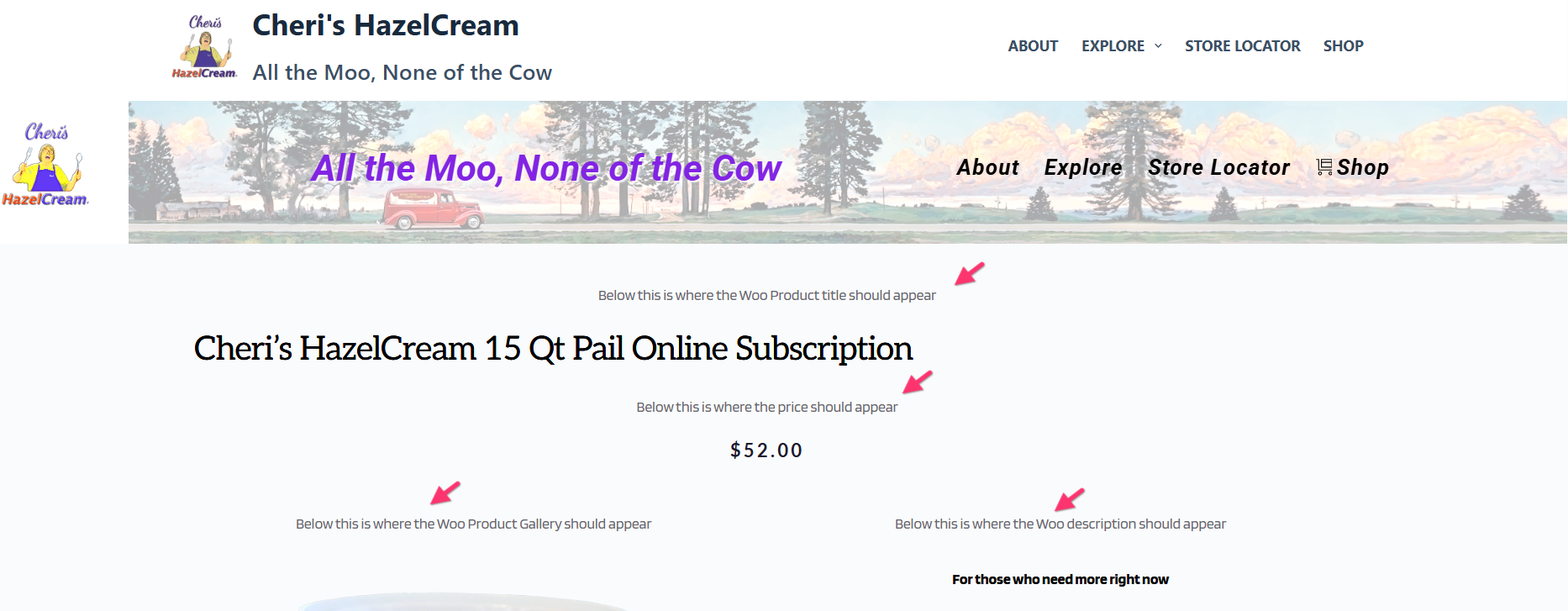
No security protocol was blocking our access to your WordPress Dashboard. Let me rephrase what Ariel said above. When attmepting to update the product template in the Brizy Editor, we are seeing an error in the Chrome DevTools. Please see the screenshot: https://jmp.sh/NxcgF38v
"A potentially unsafe operation has been detected in your request to this site. Your access to this service has been limited. (HTTP response code 403). If you think you have been blocked in error, contact the owner of this site for assistance"
This error prevents us from saving changes to any Brizy page including the product template. The "403 Forbidden" error implies that requests like https://cherishazelcream.com/wp-admin/admin-ajax.php?action=brizy_update_item&version=356-wp&hash=0d1b918528 are being blocked by a security software in your WordPress Dashboard (possibly Wordfence) or on the web server.
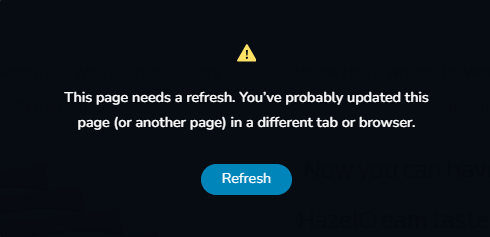
When attempting to save changes to a Brizy page, if you also enounter the below error in the Brizy Editor, kindly disable security software on your server temporarily and attempt to save your work. Once you identify which software is blocking admin_ajax.php request, kindly get back to us. We will help you implement a permanent solution.
 0
0 -
I can report that whatever you did during your last session, it corrected the problem. Both the Nshop test template and the reguklar NewProduct Template are working as expected.
Regarding the comment on display condition, That was not the solution to the problem itself as I had removed the display condition on both templates to allow the default theme template to be used for production while we were debugging. You must have changed something else before restoring the display condition to correct the template.
In any event, the issue is now corrected and I have been able to have the original prouct template return to use corrrectly on the production site. While I do not know what you actually did to effect the change, it worked and I will consider this ticket to be closed for now. I will advise it the problem re-occurs.
Thank you.
0
Please sign in to leave a comment.
Comments
10 comments