Keyboard navigation bug in Brizy menu

Hi,
It seems like one of the latest updates messed with the Brizy Menu keyboard navigation, something that is very importand for ADA compliance in the US.
Users should be able to navigate the menu using the <tab> key. When you use the tab key in my sites, you can only access the first item in the menu, pressing <tab> again takes you out of the menu instead of going to the next item in the menu or accessing the submenu options.
you can see this in my site:
https://hr.imperialcounty.org/
I have attached a video so that you can see the beahavior, it goes from the first item in the menu to the search bar skipping the rest of the menu options.
https://jmp.sh/5m0N3ZC6
Keyboard navigation used to work well, this needs to be fixed before April 24 2026 for all of the government sites in the US
-

Hello Leonel,
In the most recent versions of Brizy, we have modified the keyboard navigation as per the requirement at https://www.w3.org/WAI/ARIA/apg/patterns/menubar/examples/menubar-navigation/. Users can navigate using these keys in the keyboard.
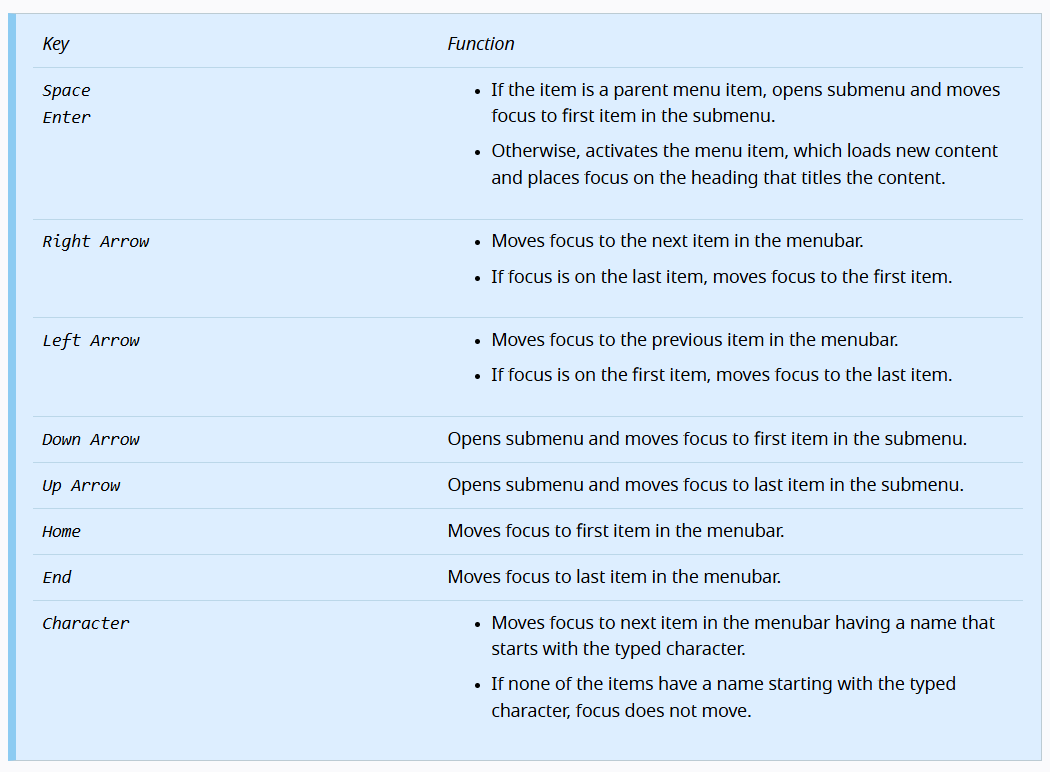
Can you study this document and let us know if these changes would align to the ADA requirements?
0 -
Hi, thank you for your prompt response. I went over the document and followed the instructions to navigate with the mentioned keyboards.
Using those keys worked well with menu and submenu, however, the submenu keys don't work on the Brizy Megamenu.Pressing the Escape key is supposed to close submenu and move focus to parent menubar, this doesn't work in Megamenu. Navigating the Megamenu with arrows or Home and End keys doesn't work either. The only way to navigate inside the Megamenu is with the Tab key but there's no way to go back to the parent menubar from Megamenu. Clicking Escape Key takes you out of the parent menu and that is not ADA compliant.
I have attached a video showing the behavior:
Could you please fix the Megamenu keyboard navigation to match the submenu behavior by April 24th?
Otherwise we'll have to remove the megamenus.
Regards,
Leonel0 -
Hello Leonel,
We will start working on a fix for this issue in the coming week. We may be able to release a fix before April 24th. In case we get delayed, kindly be prepared to swith to drop down menu (instead of the mega menu). We will keep you informed.
0 -
Hello Leonel,
We have released new versions of Brizy and Brizy Pro, which includes a fix for the mega menu keyboard navigation.
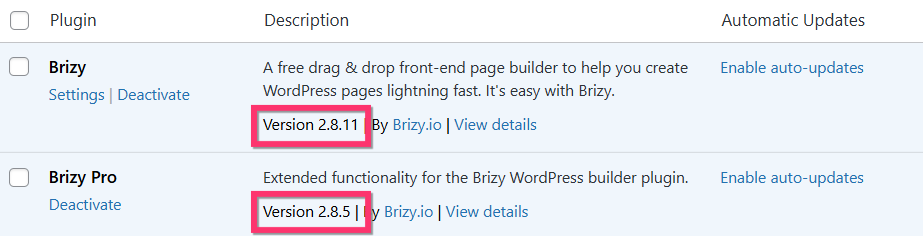
As per the guidelines at https://www.w3.org/WAI/ARIA/apg/patterns/menubar/examples/menubar-navigation/, you should be able to navigate the mega menu (and sub menus) using these keys in your keyboard.
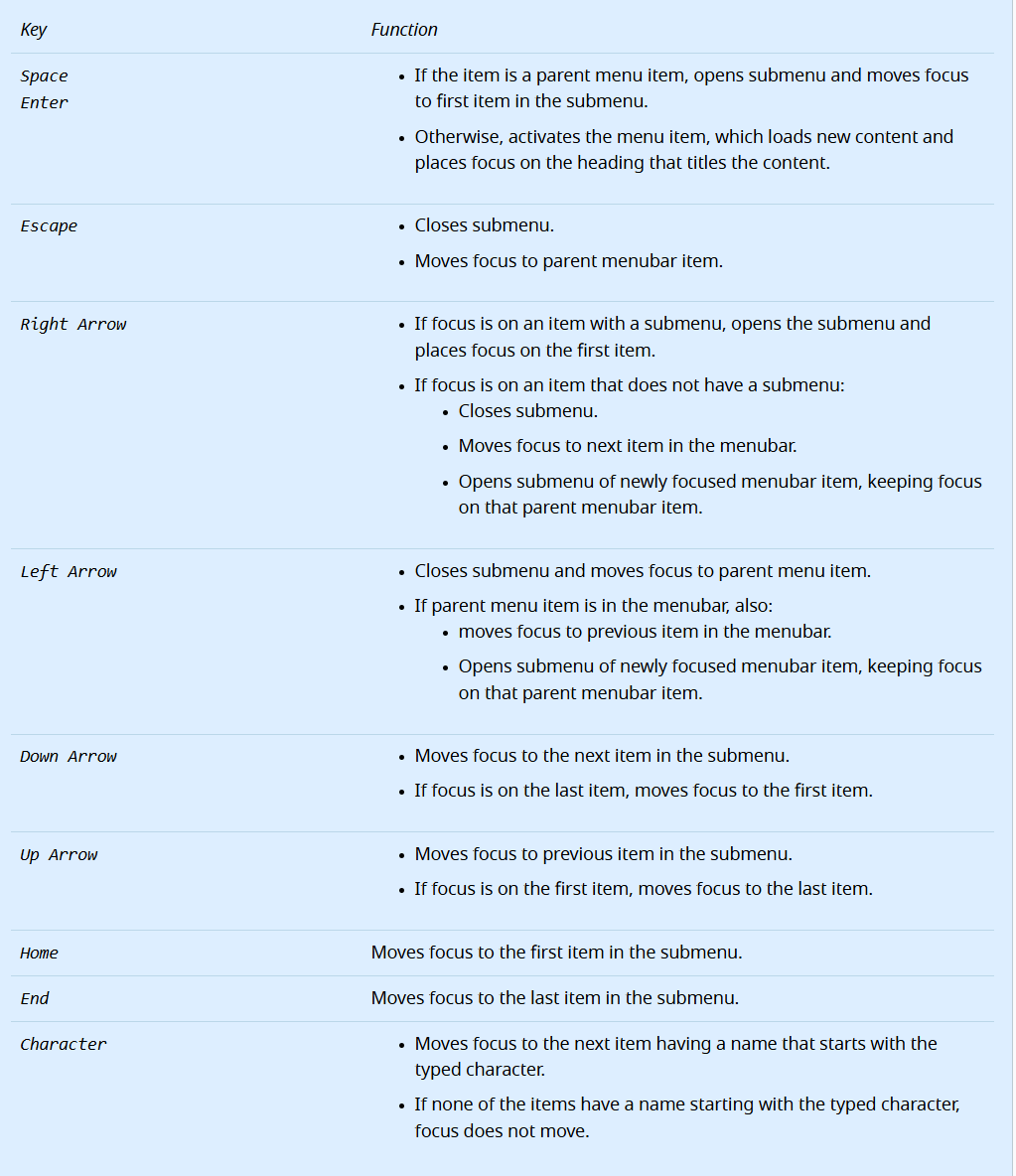
Kindly let us know if this implementation of the mega menu navigation complies with the ADA guidelines
0 -
Hi, thank you for fixing this issue so quickly. I tried navigating through the megamenu using only the keyboard and it worked.
I want to report another keyboard navigation bug in the menu which happens when the header is set up to sticky. When you use keyboard navigation, it first goes through the options in the 2nd header (the one that shows up when you scroll down) even though they're not on screen, and then goes through the 1st header.
This makes duplicated links which is also not ADA compliant.
You can try this in my site, you have to press the Tab key 3 times to get to the first option of the header because the sticky menu has 2 stops.
I was planning on removing sticky menus from my sites because of this but, if you can fix this, it would be better.
Regards,
Leonel
0 -
Hello Leonel,
Our developers have been informed of this issue. Fixing it will take some time. Please change the header to "Static" or "Fixed" while we work on this bug fix. We will let you know once we release a fix.
0
Please sign in to leave a comment.
Comments
6 comments