Carousel Image alignment backend doesn't match frontend

What is previewed and designed in the backend using a carousel element, if the cell or column height is 600px tall and the next column is 600px tall (specifically and exactly to match previous column height) but the column has an background image (or colour) with an image in the foreground, the column is no longer 600px tall even if the foreground image is shorter and narrower than the column it's in. (These are all done with all padding and margins set to 0px; we're talking just bare image size to cell border). It bumps the column heights even though everything is set exactly to 600px tall. There hasn't been a workaround for over 5 years so you can't use a coloured background with a foreground image in a carousel column if the other colums aren't designed exactly the same.
@kcgeorge I'd love your follow up help with this.
Again, it's not a matter of the column being set to top or bottom alignment and all margins and padding on images and the column are set to 0px. This misalignment happens when column and image heights are specifically set to 600px.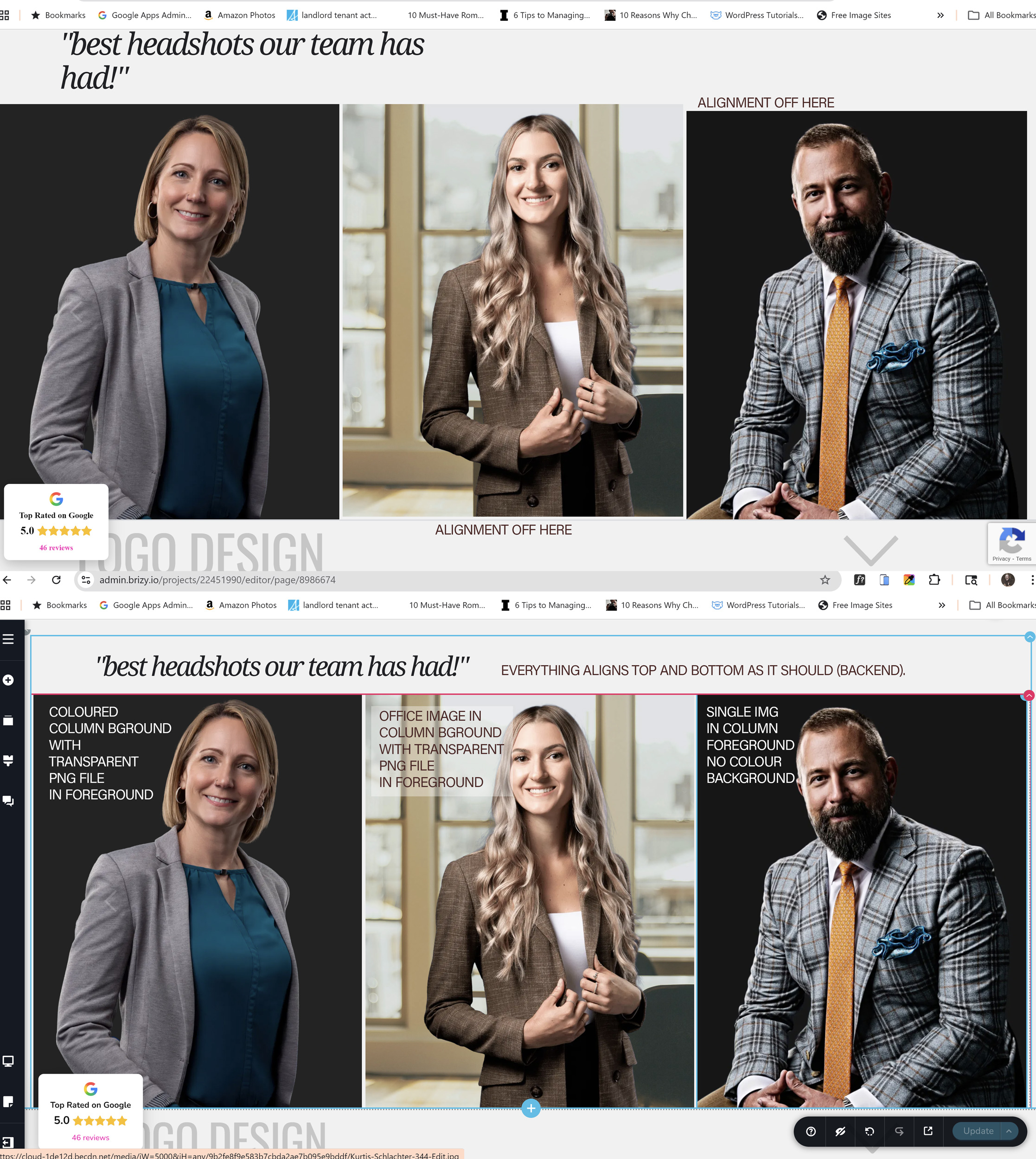
-

Hello Jeff,
I worked on the "Executive Portraits". Kindly check it at https://www.jnoon.ca/new-layout. Except for the two photos below, all should be properly aligned. You have added a background image/color to these photographs, which causes them to misalign with other photos.

To fix the above issue, can you reupload the two photos with the background color/ image (instead of adding it to the column around it)
0 -
So are the bugs all fixed now and I can proceed without jumping through any of the suggested hoops? All I ever wanted or expected of a wysiwyg editor like Brizy is to create and publish. So is a 600px height actually 600px or is it still going to shift appearance from the backend to the front end? Otherwise, it's still broken.
0 -
Hello Jeff,
I have made these two changes
- Applied the same height and width to all images in the carousel
- Set the "Auto" height and the "Justified" alignment for the columns around the images in the Carousel
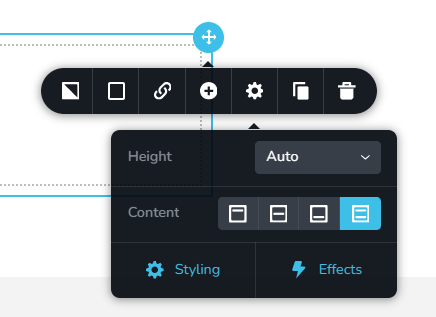
After reuploading the two suggested photos with their respective background image and color, all images should align properly. The image height looks the same in the backend and frontend to me. Please let me know if you also feel the same way.
If everything looks good in "Executive Portraits", I will start work on the "Sports Team Photos". Please confirm.
0 -
Looks good. I'd like to see how you handle the Sports carousel for sure - thank you, KC!
0 -
Hello Jeff,
I worked on the "Sports/Team Photos". Please have a look at https://www.jnoon.ca/new-layout.
- I have applied the same height and width to all images. Height and width are currently set to 550 pixels. If you want to make it rectangular, feel free to set appropriate height and width
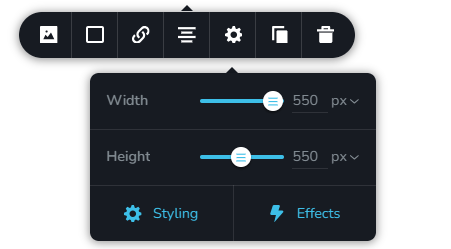
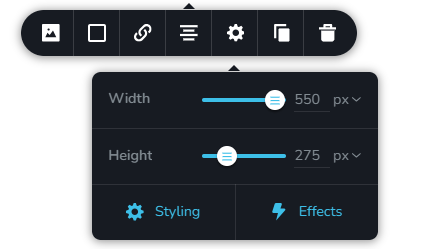
- When stacking images one on top of the other, width is set to 550 pixels and height to 275 pixels. The height of the images add up correctly.
- Set the "Auto" height and the "Centre" alignment for the columns around the images in the Carousel
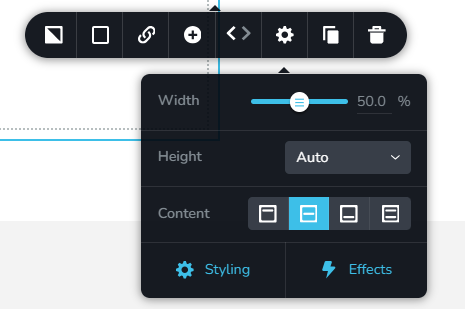
Alignment of the photos look good to me. The width and height of the images look idential in the frontend and backend. Please let us know your thoughts.
0 - I have applied the same height and width to all images. Height and width are currently set to 550 pixels. If you want to make it rectangular, feel free to set appropriate height and width
Please sign in to leave a comment.
Comments
5 comments