Issue with Global Header Display (Logged-in vs Public View)

Hello Brizy Support Team,
I hope you’re doing well.
We are currently experiencing an issue with the global header/menu on our website using Brizy Pro.
We are using the Global Header feature, and everything appears normal when we are logged into the WordPress dashboard. However, when the site is accessed publicly (logged-out users), the header layout becomes broken and does not display as expected.
Here are the details of the issue:
- Header is set as Global
- Display looks correct when logged in
- Layout breaks when accessed publicly (guest view)
- The issue seems consistent across pages
We have attached screenshots for your reference: https://mtsn1bantul.sch.id/ppdb-reguler/
Could you please help us identify what might be causing this discrepancy? Let us know if you need access or additional technical details. I sent an email to support@brizy.io for more details.
Thank you for your support.
Best regards,
~ Fuad
-

Hello Fuad,
Can we look at your WordPress dashboard to help you resolve this issue? Please add a new user to your WordPress Dashboard and send the following details to our email: communitysupport@brizy.io
- Support Forum link: https://support.brizy.io/hc/en-us/community/posts/34438861037970
- WordPress Admin URL:
- Username
- Password
Your email should include a link to this thread's URL, otherwise we will be unable to locate your support ticket. Please notify us in this thread when you send us the email.
0 -
Hello, George.
Thank you for your help, I also have Basharat from Brizy Pro Support helping me for this issue.
I will inform you further development.
Regards, F.
0 -

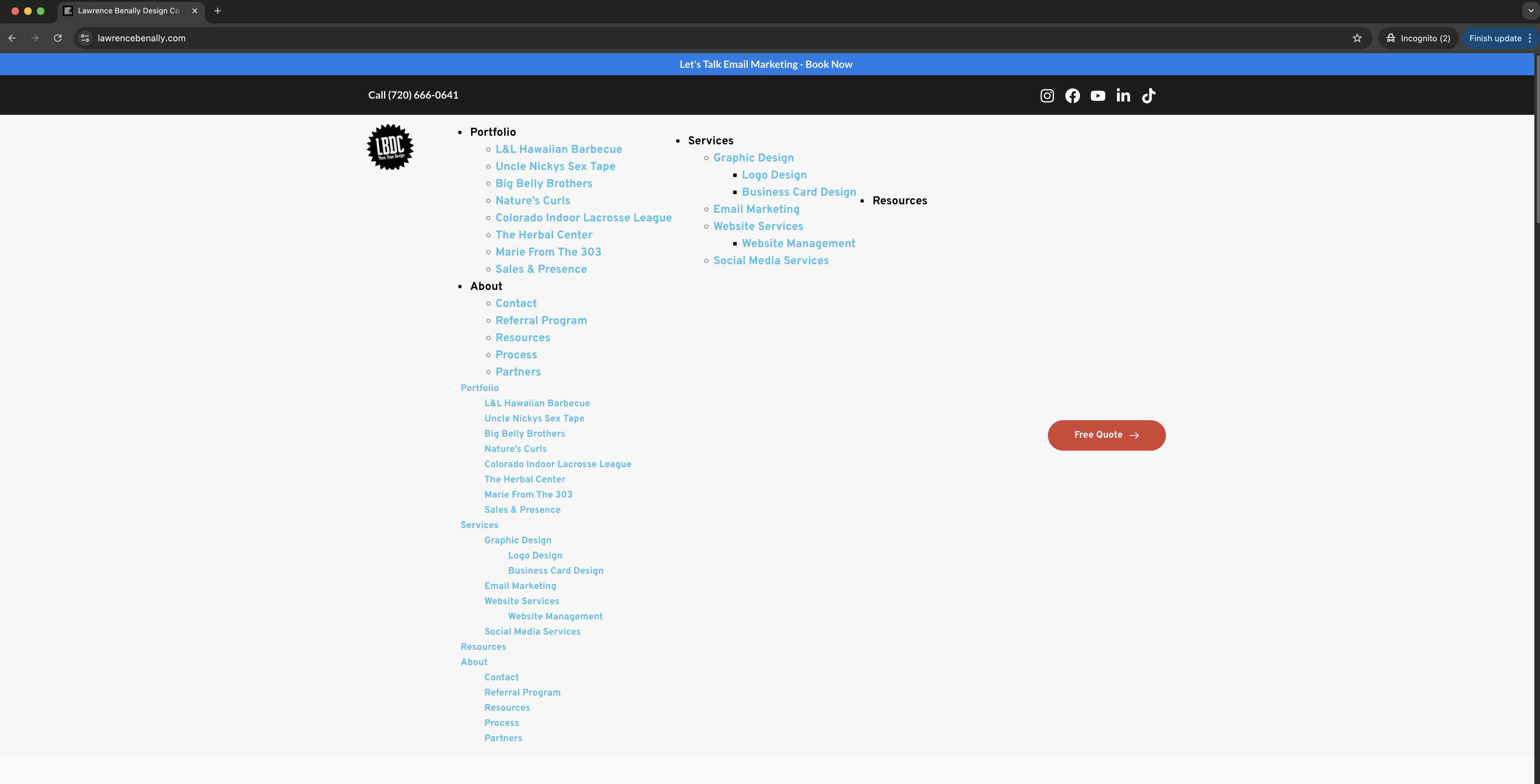
I have the same problem on my site please help. Also my Hero Slider isn't appearing either. I will send an email to communitysupport@brizy.io

 0
0 -

Hi Lawrence,
Thank you for your cooperation.
It appears that the issue is being caused by aggressive settings in your LiteSpeed Cache configuration. We recommend reviewing and adjusting these settings, as they may be overly optimizing or caching elements that affect the page behavior. It is currently disabled so it will render the site correctly.

Please try lowering or disabling the more aggressive options and check if that resolves the issue. If you need any guidance on which settings to adjust, feel free to let us know—we’re happy to help.
Best regards,
Ariel H.0 -
You guys are the best! Thank you! I wont be aggressive next time and be more careful. I'll leave it off for now and watch some video and read some articles in the meantime before I mess with it again. Site seems to run better than ever now =D
Thank you!!!0
Please sign in to leave a comment.
Comments
5 comments