URL explosion caused by malformed pagination / internal linking.

hello can you have a look a my site
https://allstatewaterproofing.com/
seeing in that crawl log is a URL explosion caused by malformed pagination / internal linking. Pagination (/bpage/X/) is being stacked repeatedly. Leading to thousands of fake pages (5770)
wondering how to fix this
-
also cloudways is till more issue coming from brizy plugin, maybe some files are missing, I have lots of brizy sites without these issues, :
Here’s what’s happening on your site:-
Folder access errors – Some requests are trying to open folders like
/wp-includes/js/jquery/directly. This doesn’t break the site; it just shows in the logs. - Plugin warnings (Brizy) – Brizy is trying to fetch content (like images or posts) that doesn’t exist yet. This can make pages load slowly if many requests happen at once.
- Database errors – Some queries are timing out or using too much memory, which also affects page loading speed.
0 -
Folder access errors – Some requests are trying to open folders like
-

Hi Edgar,
Thank you for contacting us.
Could you please try replicating the issue with all plugins disabled except for Brizy and Brizy Pro? This will help us check if the issue is caused by a plugin conflict.
If the issue continues, this is something we’ll need to inspect from your WordPress Admin. Kindly add us as an Admin user to your dashboard and send the following details to: communitysupport@brizy.io
- Community Post https://support.brizy.io/hc/en-us/community/posts/34433396202642
- WordPress Admin URL:
- Username:
- Password:
Additionally, if possible, please share a short screencast or a few screenshots demonstrating the issue so we can better understand what’s happening on your end.
Please make a full backup of your site as a precaution before sharing access.
Best regards,
Ariel H.0 -
backed up! I tired redoing redoing the pagination block in the blog template, and reset permalinks, check general to be https. nothing seems to help with the infinite loop. also changes brizypro 8.3 back to 8.2 to see if it would rebuild . not sure, back end can be a little slow right now. thank you in advance
0 -
Hi Edgar,
Thank you for your cooperation.
We’re currently unable to access your website due to a database connection error on the server. Because of this, we’re not able to proceed with checking or troubleshooting from our side at the moment.
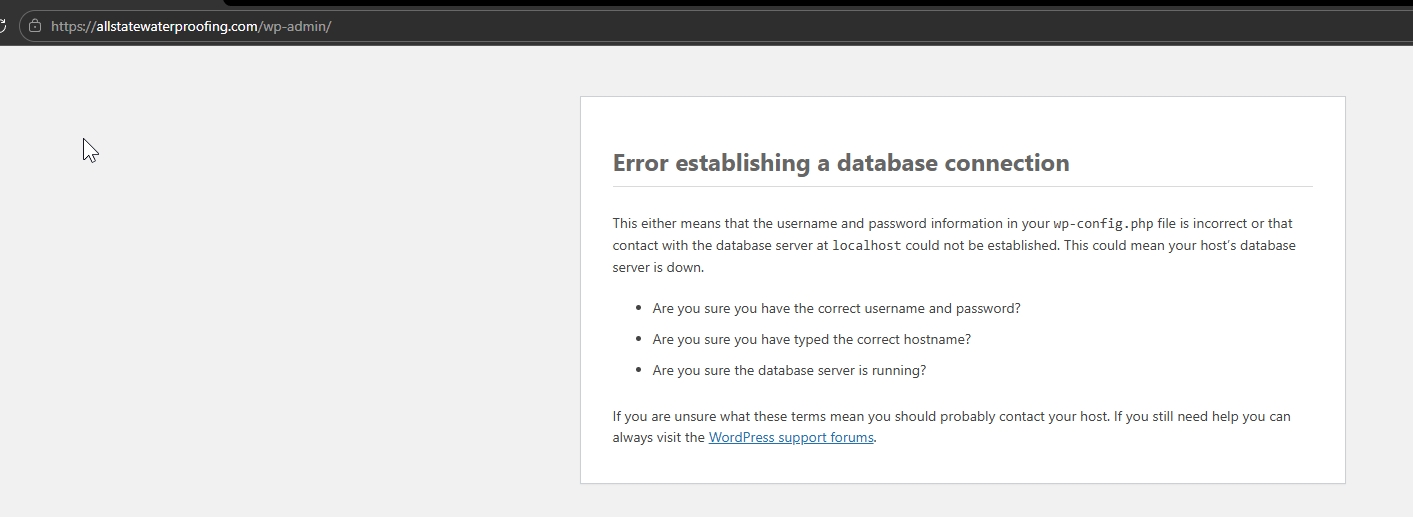
We recommend reaching out to your hosting provider to investigate and resolve the database connection first. Once the site is accessible again, feel free to let us know and we’ll be happy to continue checking further.
Looking forward to your update.
Best regards,
Ariel H.0 -
Hi Edgar,
We now have access to your WP admin dashboard and have updated both Brizy and Brizy Pro to their latest versions.

Could you please check again on your end? Editing appears to be fast now, and pagination is working as expected from our side.
If you notice anything unusual, feel free to let us know.
Best regards,
Ariel H.0
Please sign in to leave a comment.
Comments
5 comments