Consently banner breaks responsive full-width header video in Brizy Cloud

Hello Support Team,
I am using Consently on a website built with Brizy Cloud, and I am experiencing a recurring layout issue.
The Consently script is embedded via the header code injection in Brizy Cloud. The cookie banner itself loads and works correctly. However, as soon as the banner is active, the full-width responsive header video becomes cropped on the left and right side and is no longer properly responsive.
This issue is not limited to one project. I have now experienced the same behavior on two different websites built with Brizy Cloud.
I have already tested the usual configuration changes in Consently, including:
- changing the banner position
- testing different banner layouts
- disabling website interaction / overlay options
Unfortunately, none of these changes solved the issue.
At this point, it seems like there may be a CSS or rendering conflict between the Consently banner script and Brizy Cloud’s hero/video layout.
Could you please check:
- whether this is a known compatibility issue with Brizy Cloud
- whether the banner injects styles or wrappers that affect the viewport or hero container width
- whether there is a recommended fix or workaround for responsive full-width background/header videos
If helpful, I can also provide the affected URL and screenshots/video recordings of the issue.
Best regards,
Nico
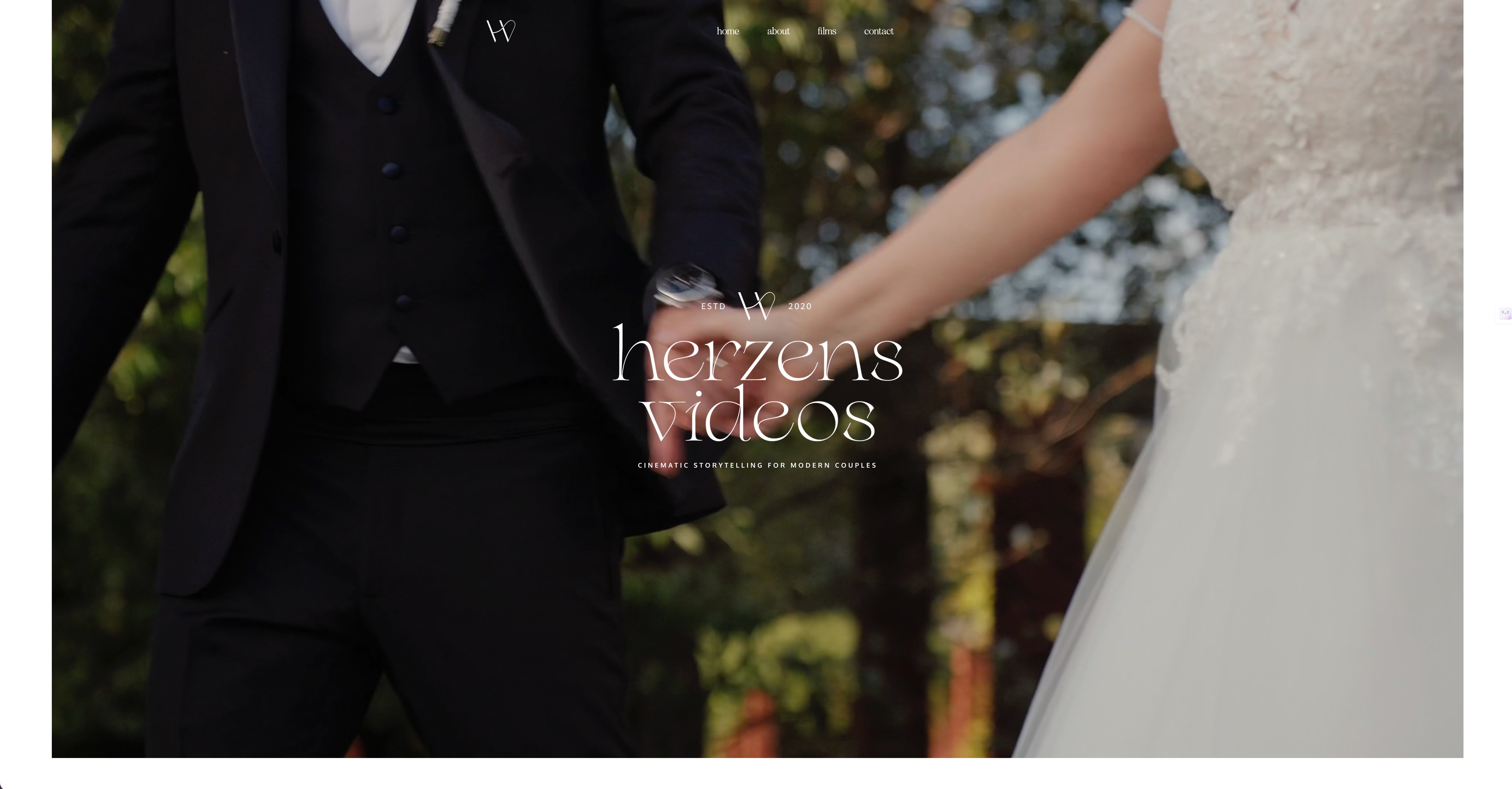
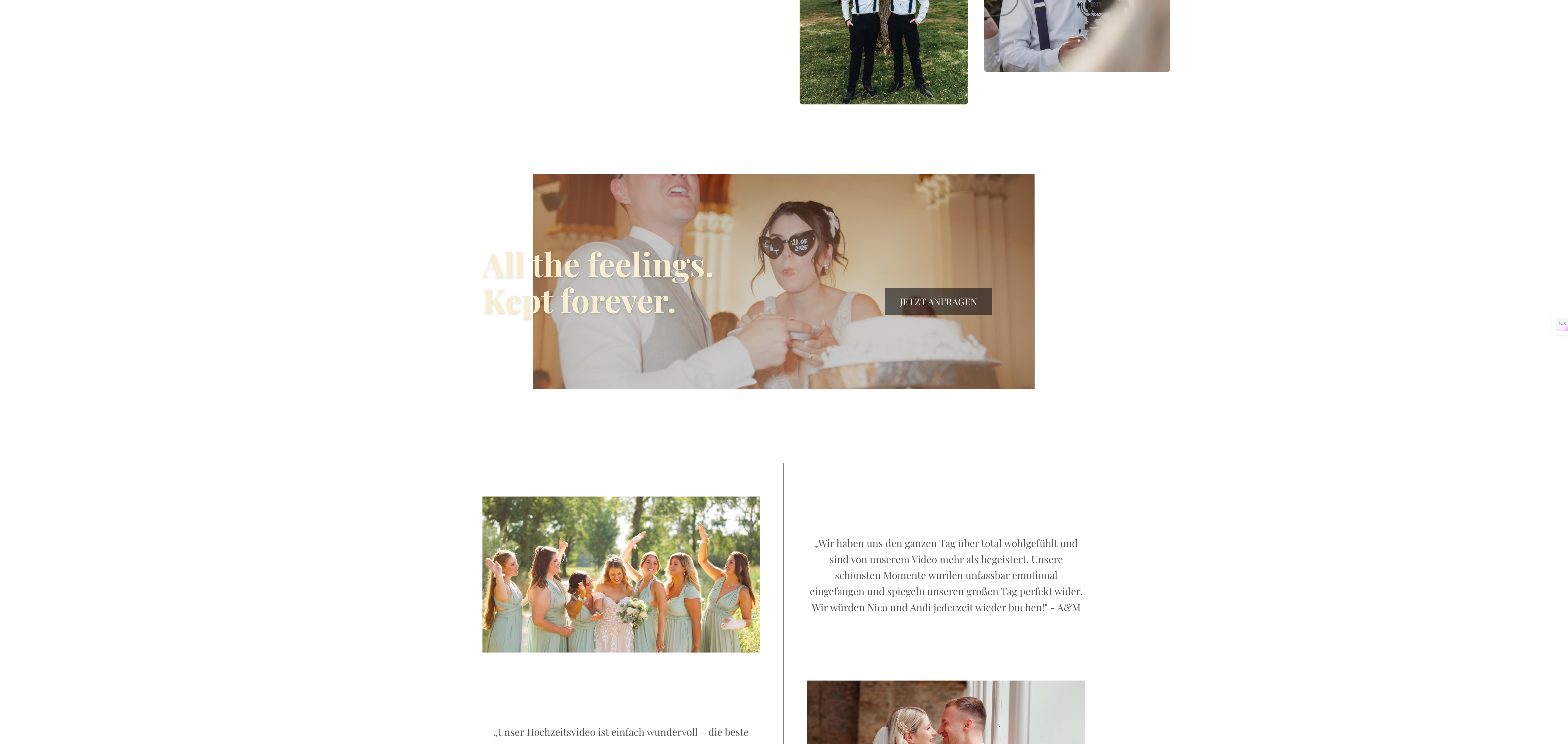
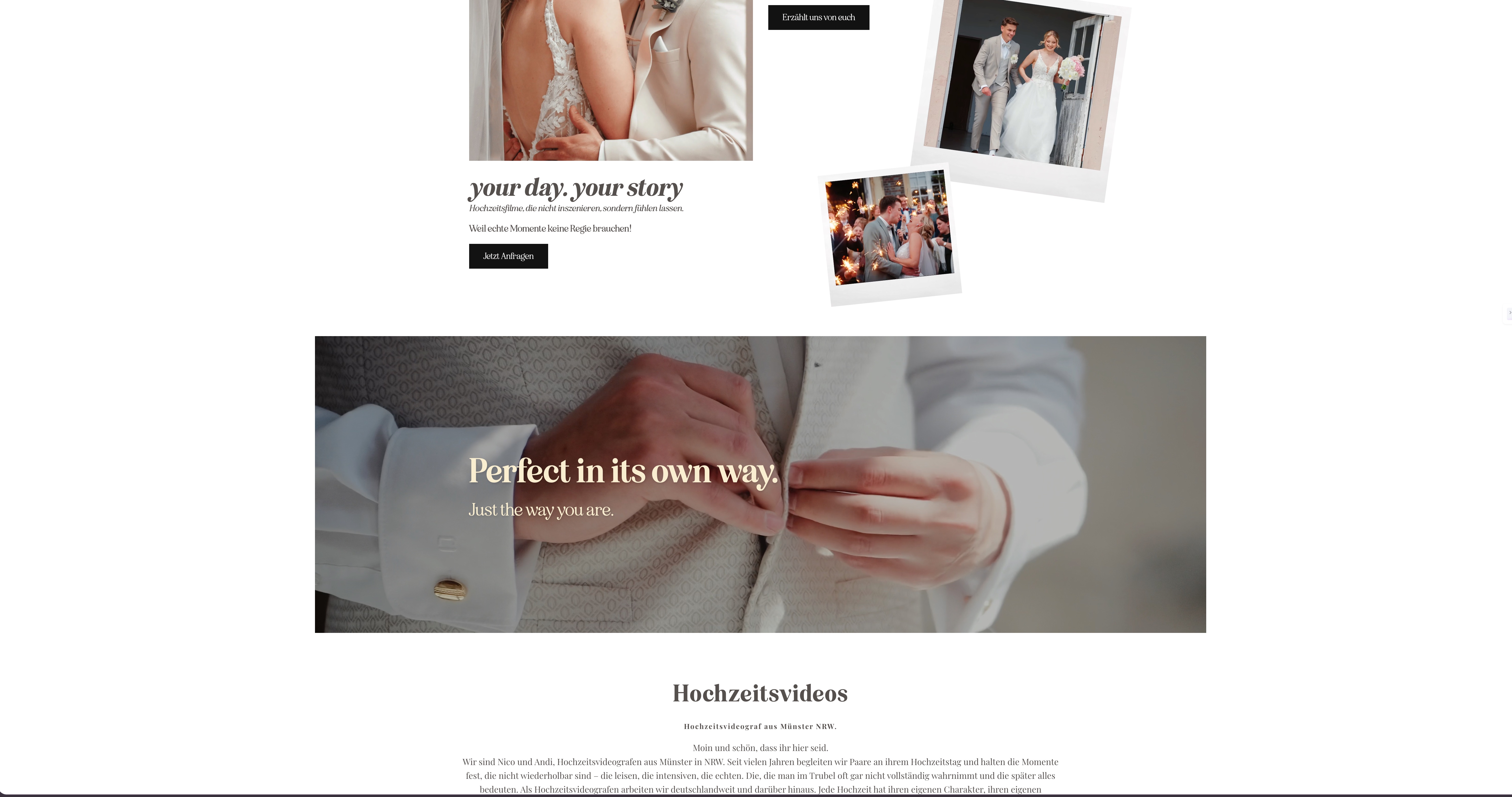
-

Hello Nico,
When you say Consently, do you mean https://consently.net/ or https://www.consently.in/?
0 -
Sorry, https://consently.net/
0 -
Hello Nico,
I have added the Consently script to the project https://jaguar5a15f44b.brizy.site/. I also added a full width video background at https://jaguar5a15f44b.brizy.site/full-width-video. The video plays in full width in the frontend. We are unable to replicate the issue you have mentioned.
This is the script I have added to the project.
<!-- Start Consently Banner --> <script src="https://app.consently.net/consently.js" data-bannerid="69c53f9ffcb4e5cf4504bae0"></script> <!-- End Consently Banner -->
-1 -
Hi George,
thanks for your message.
I’ve also added the Consently script on my side, but unfortunately the issue still persists. That’s why I’m currently not sure what exactly is causing the problem. It seems to affect all full-width video backgrounds on my site.
When I open the example link you sent, everything works perfectly fine, so the issue appears to be specific to my setup. I just can’t figure out what the difference is.
Would it help if I send you some code, screenshots, or anything else from my side so you can take a closer look?
Thanks a lot for your support!
Best regards,
Nico0 -
Hello Nico,
Please send add the script here. We can delete it before publishing your comment.
We will attempt to fix the issue on your project after adding the script.
0 -
Which code do you need and where can I find it?
0 -
Hello Nico,
Please send us the embed code from Consently. (just like I have pasted the Consently code in my previous comment). We will try adding it to your website and check if we can fix any issues that come up.
0 -
Consently script..
0 -
Hello Nico,
I have added the Consently script to https://www.herzensvideos.de/de/ and I do not see any issues. Can you check at your end if you see any issue.
0 -
Hello,
thank you for your response and for testing this on your side.
I’ve taken a closer look again and wanted to provide some additional context, as the issue seems to depend on screen size.
On my setup:
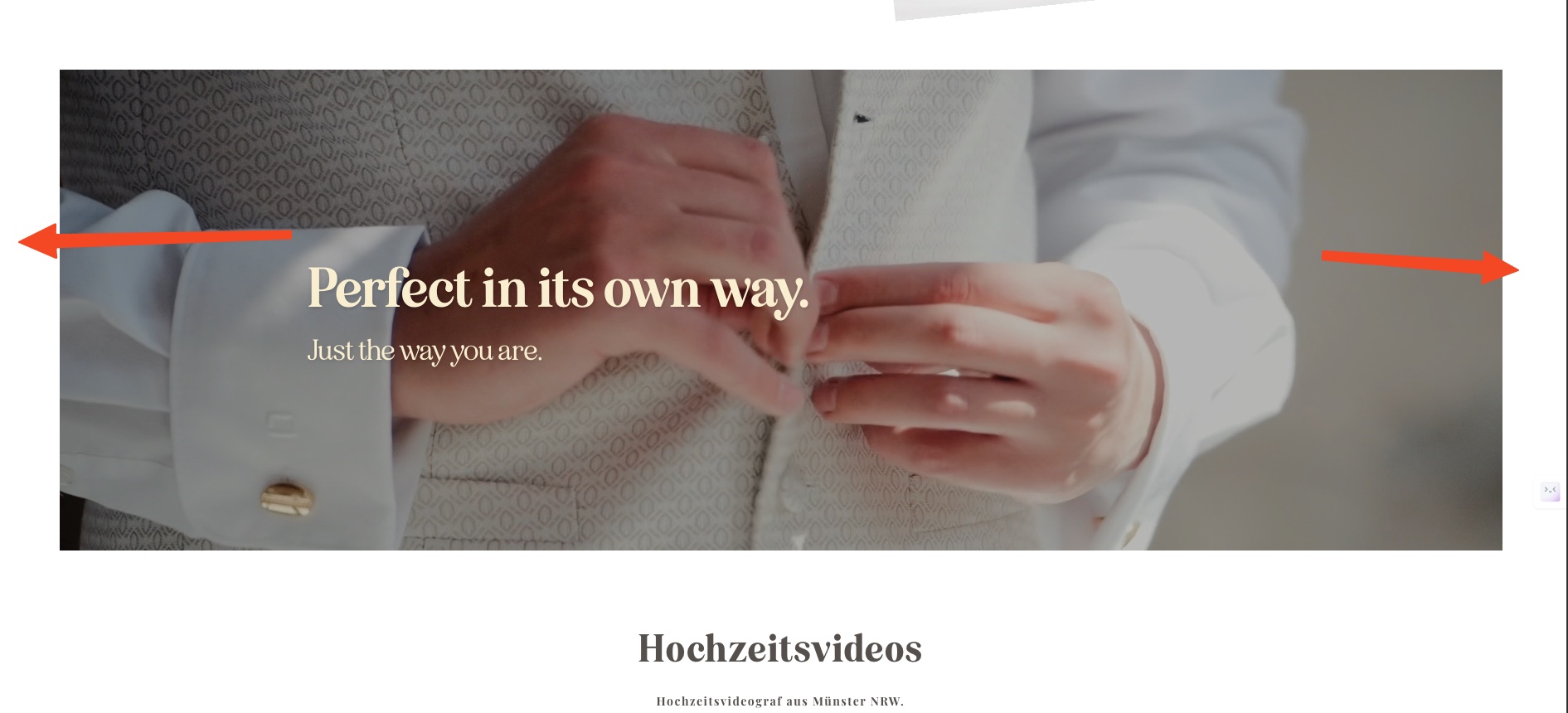
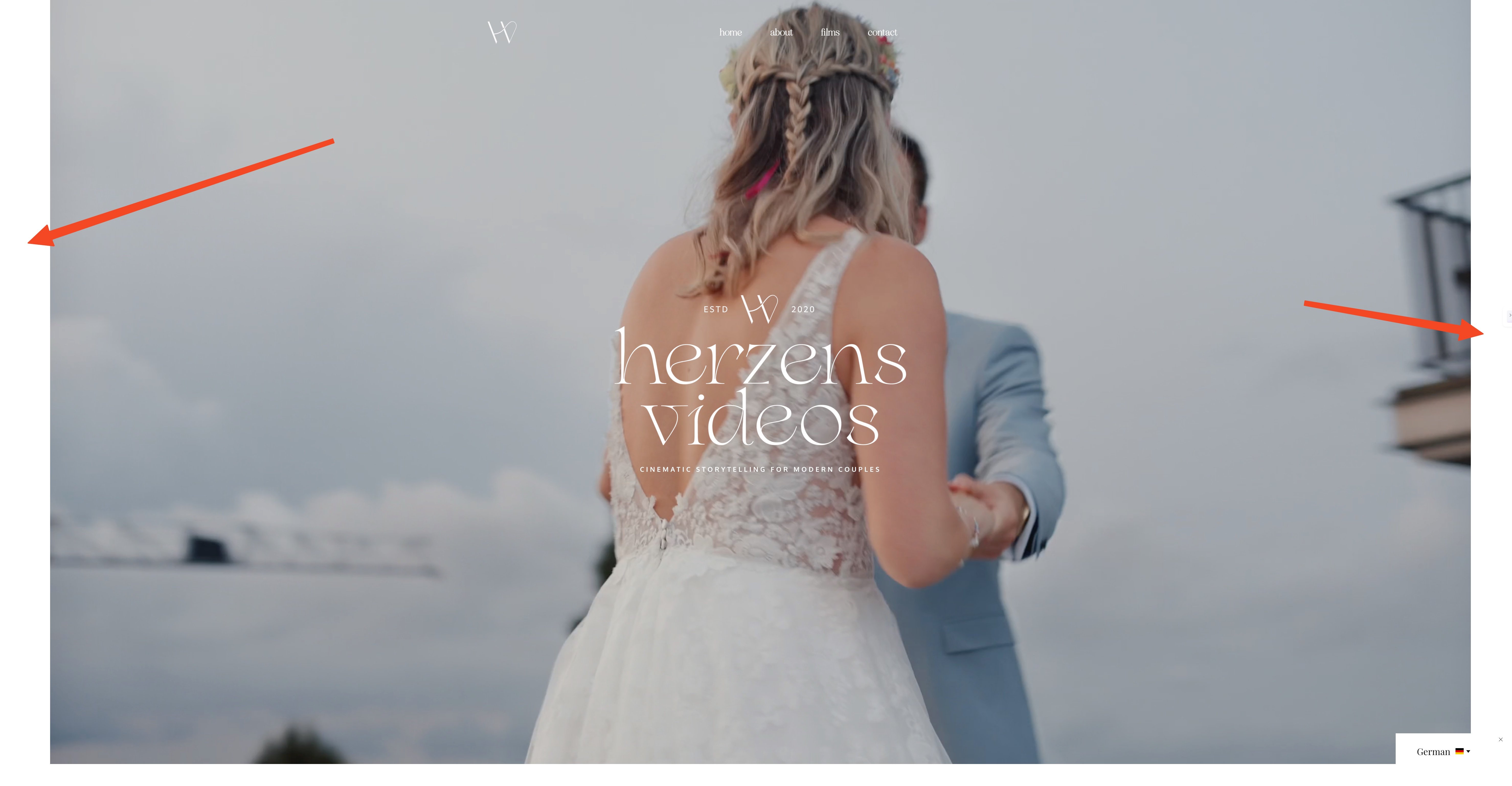
- On a 32-inch monitor, the problem is clearly visible: the full-width header video is cropped on the sides and no longer fully responsive.
- On a 24-inch monitor, it appears mostly fine in the main header, but I can still see gaps on the sides in other sections/banners (I’ve marked these with red arrows in the screenshots).
I’ve attached screenshots to illustrate both cases.
Because of this, it seems the issue might be related to how the layout behaves on larger viewports rather than a general rendering problem.
Since I’ve now seen this behavior on multiple websites using the same setup, it still seems like there might be some kind of interaction or layout conflict.
I would really appreciate it if you could take another look based on these screenshots and details.
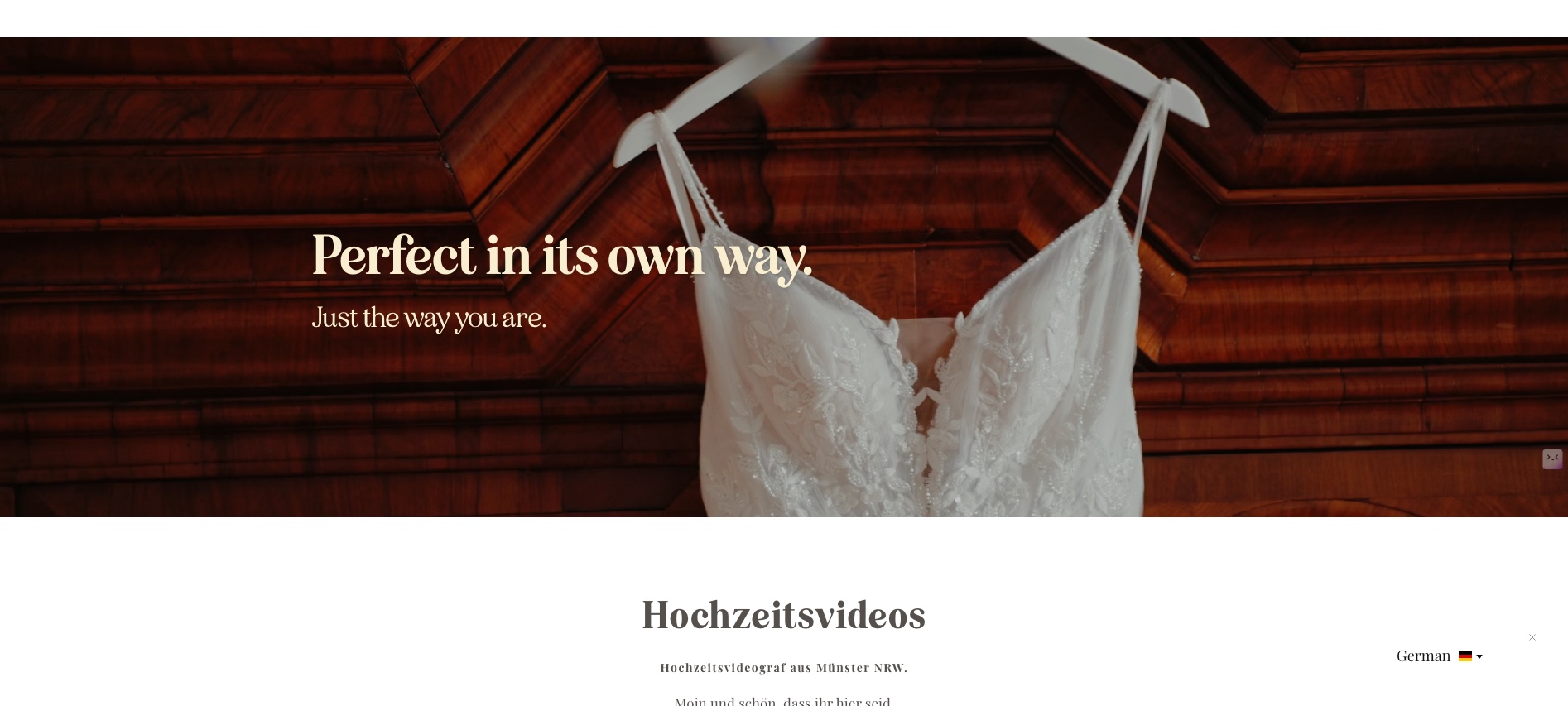
 0
0 -
Hello Nico,
We are unable to replicate the issue on our end since we do not have access to 32 and 24 inch monitors. Instead of using your script, if you use the following script, do you have the same issue?
<!-- Start Consently Banner --> <script src="https://app.consently.net/consently.js" data-bannerid="69c53f9ffcb4e5cf4504bae0"></script> <!-- End Consently Banner -->
If the issue repeats, kindly check with Consently Support if their script behaves differently on different screen sizes.
If you feel a percentage of the target audience of the website may use these monitor sizes to view the website, you may need to consider an alternate cookie consent solution.
0 -
Hello Nico,
thank you for your reply.
I tested the exact script you provided, and unfortunately the issue still remains.
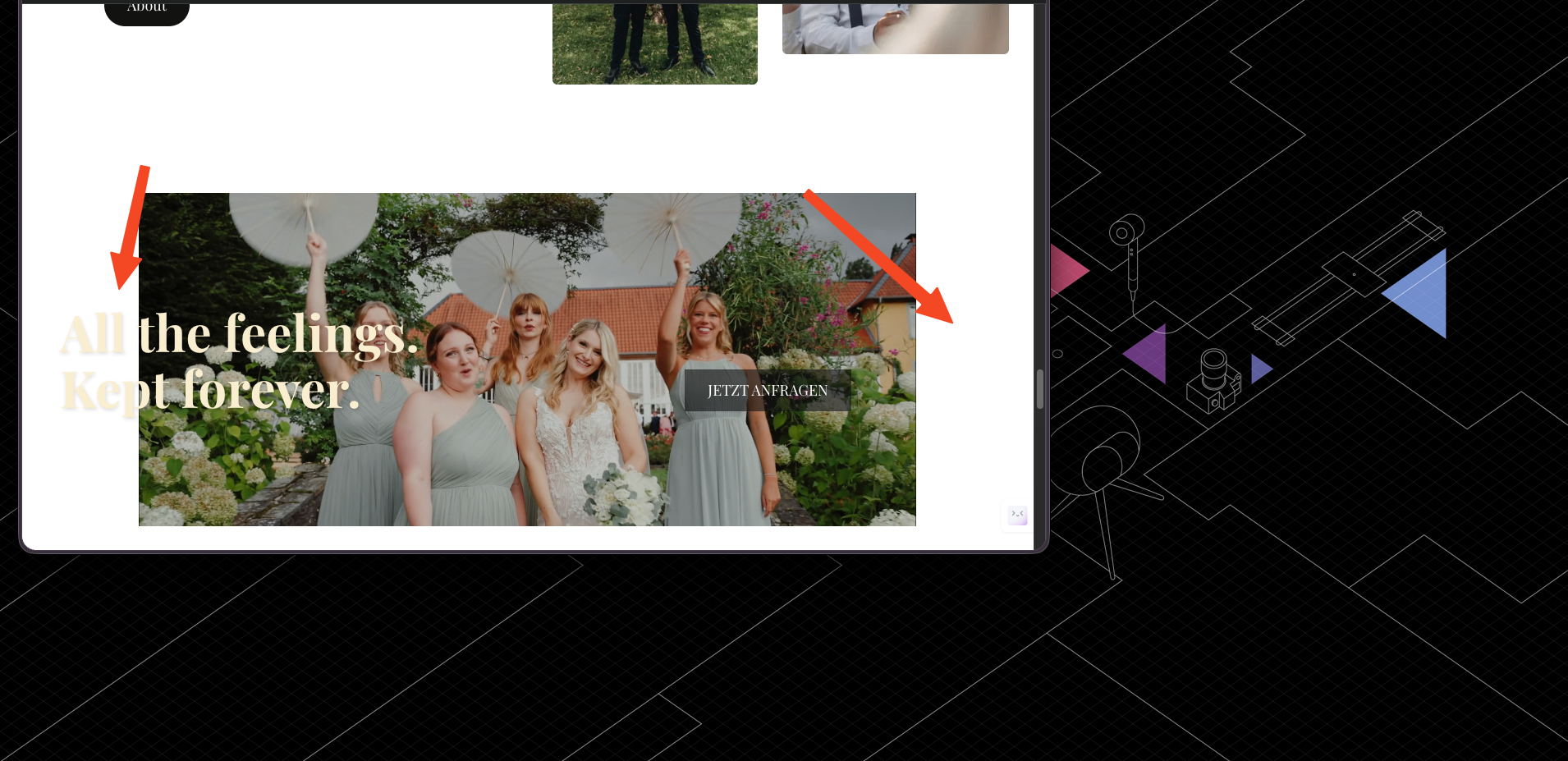
I also checked it again very carefully on a 24-inch monitor. To rule out that this is only related to very large screens, I reduced the browser window significantly — even smaller than a typical laptop-sized viewport. The problem is still visible as soon as the cookie banner script is active.
In this case, the banner/content is visibly cut off, and the text is no longer displayed correctly. Without the cookie banner script, the section displays normally.
So based on my testing, this does not seem to be caused by the banner configuration itself or only by very large monitor sizes. It seems more like there is some kind of incompatibility or layout conflict between Consently and Brizy Cloud.
I will also contact Consently support, but since the issue persists even with the script you sent, I wanted to document clearly that:
- the issue still happens with your script
- it is not limited to 32-inch screens
- it can also be reproduced on a 24-inch monitor and even with a much smaller browser window
- the problem only appears when the cookie banner script is active
I am attaching another screenshot showing this more clearly.
At this point, it really looks like a compatibility issue rather than a simple setup mistake.
 0
0 -
Hello Nico,
You are right, the issue is not caused by any configuration of the Consently banner, but could be due to incompatibility between Brizy and Consently.
I have duplicated the project and made some changes for testing purpose and the Consently script is added to the project. Can you please check how https://mallard289c6c8f.brizy.site/en/ appears in 32 and 24 inch monitors?
 0
0 -
thank you for setting up the test project.
I checked the test link on my side, and it now appears correct. The issue is no longer visible for me there.
Could you please let me know exactly what changes were made in the duplicated project so I can apply the same fix to my original website?
At first glance, I cannot see any obvious visual difference, so I am not sure whether:
- only the script integration was changed,
- something in the layout or section settings was adjusted,
- or whether any other technical changes were made in Brizy.
It would be very helpful if you could tell me precisely what was modified, so I can reproduce the same setup on my live project.
Thank you very much for your help.
0 -
just wanted to send a quick follow-up after checking the test project more closely.
While the layout looks correct on larger screens at first glance, I noticed two additional issues:
- On mobile devices, the layout appears to be broken. Several elements seem misaligned or shifted, and the page does not display correctly on smaller screens.
- After taking a closer look on desktop as well, I can see that the overall layout is not exactly the same as before. Some elements seem slightly shifted or scaled differently, and the page appears a bit larger compared to the original version.
Because of this, I’m a bit concerned about applying the same changes to my live project without knowing exactly what was modified.
Could you please clarify:
- what changes were made in the test project,
- and whether it is possible to fix the original issue without affecting the overall layout (desktop and mobile)?
Ideally, I would like to keep both:
- correct behavior on larger screens (no cropped header video)
- and a clean, fully responsive layout across all devices
0 -
Hello Nico,
Have a look at https://jmp.sh/j1wA1lK6 where I show you the design changes I made to your homepage to resolve the issue that arose after adding the Consently script.
0 -
thank you for your video and explanation.
I understand your point about the boxed layout, but I believe the issue is not related to the content being boxed or full-width.
The content inside the sections (text, elements, etc.) looks correct in my case. The actual problem is with the background — specifically the videos/banners. As soon as the cookie banner script is active, all full-width background videos (not just the header) get cropped on the left and right side.
I recorded a video to show this more clearly: https://drive.google.com/file/d/1WA69ZV7q1wHxPgjYKWuUTF5w_bALx2bd/view?usp=sharing
As you can see there:
- the issue is not related to boxed vs full-width content
- the content itself is displayed correctly
- all full-width background videos/banners are affected
- the videos are no longer spanning the full width and get cropped on the sides
The only way I can temporarily fix it is by manually increasing the height (in pixels) of the section, so the video visually fills the width again. However, this is not a proper solution, because it makes the banners much larger than intended.
What I would like to achieve is:
- keep the section height relatively small (as originally designed)
- while still having all background videos displayed correctly in full width without being cropped
0 -
Hello Nico,
You had earlier confirmed that when you checked the link, https://mallard289c6c8f.brizy.site/en/, the issue is no longer visible for you there. Has that changed?
You said that the "all full-width background videos/banners are affected". Can you confirm that all full width background videos are affected at https://mallard289c6c8f.brizy.site/en/?
You have mentioned that "What I would like to achieve is:
- keep the section height relatively small (as originally designed)
- while still having all background videos displayed correctly in full width without being cropped"
Do you means that these two objectives are not fulfilled at https://mallard289c6c8f.brizy.site/en/?
The simplest solution for you would be to use an alternate consent provider like CookieYes.
0
Please sign in to leave a comment.
Comments
18 comments