Cant save changes

Hi there,
On this multi site https://friedascott.org.uk/ we can't save changes on any page when editing in Brizy. And get the following screen:
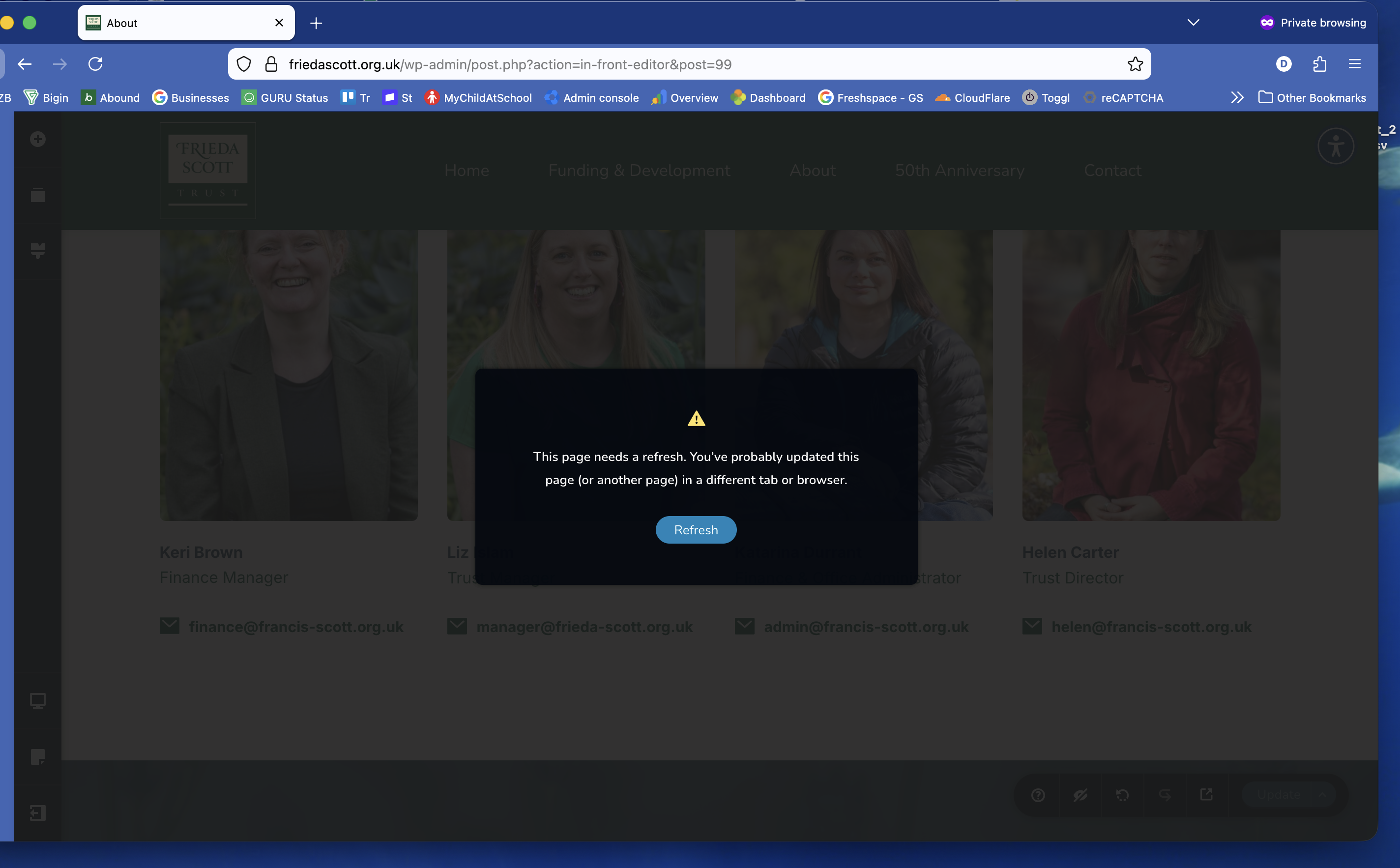
Editing on the other site https://francis-scott.org.uk/ works fine
-

Hi Darren,
Could you please confirm if the issue only occurs on this specific page?
If that’s the case, kindly try duplicating the page using the Yoast Duplicate Post plugin, then check if you’re able to edit the duplicated version. This will help us determine whether the issue is isolated to that particular page.
Looking forward to your update.
Best regards,
Ariel H.0 -
Hi Ariel,
I can replicate the issue on multiple pages of the site. I've tried about 8 of them so far, so it looks to be site wide from my point of view. And our client can also reolicate the issue.
Thanks,
Darren0 -
Hi Darren,
Please send the site credentials to communitysupport@brizy.io so we can take a closer look.
Kindly include the reference number 34306556278034 in the subject line so we can easily locate your request
Looking forward to your update.
Best regards,
Ariel H.0 -
Hi Darren,
Thank you for sending the login details.
Unfortunately, we’re unable to access the site as the credentials don’t seem to be working on our end. Could you please review them and ensure they are correct, then send them again?
Looking forward to your update.
0 -
Hi Darren,
From the console, the error shows a Strict-Origin policy, which usually indicates a mismatch in the domain or protocol being used.
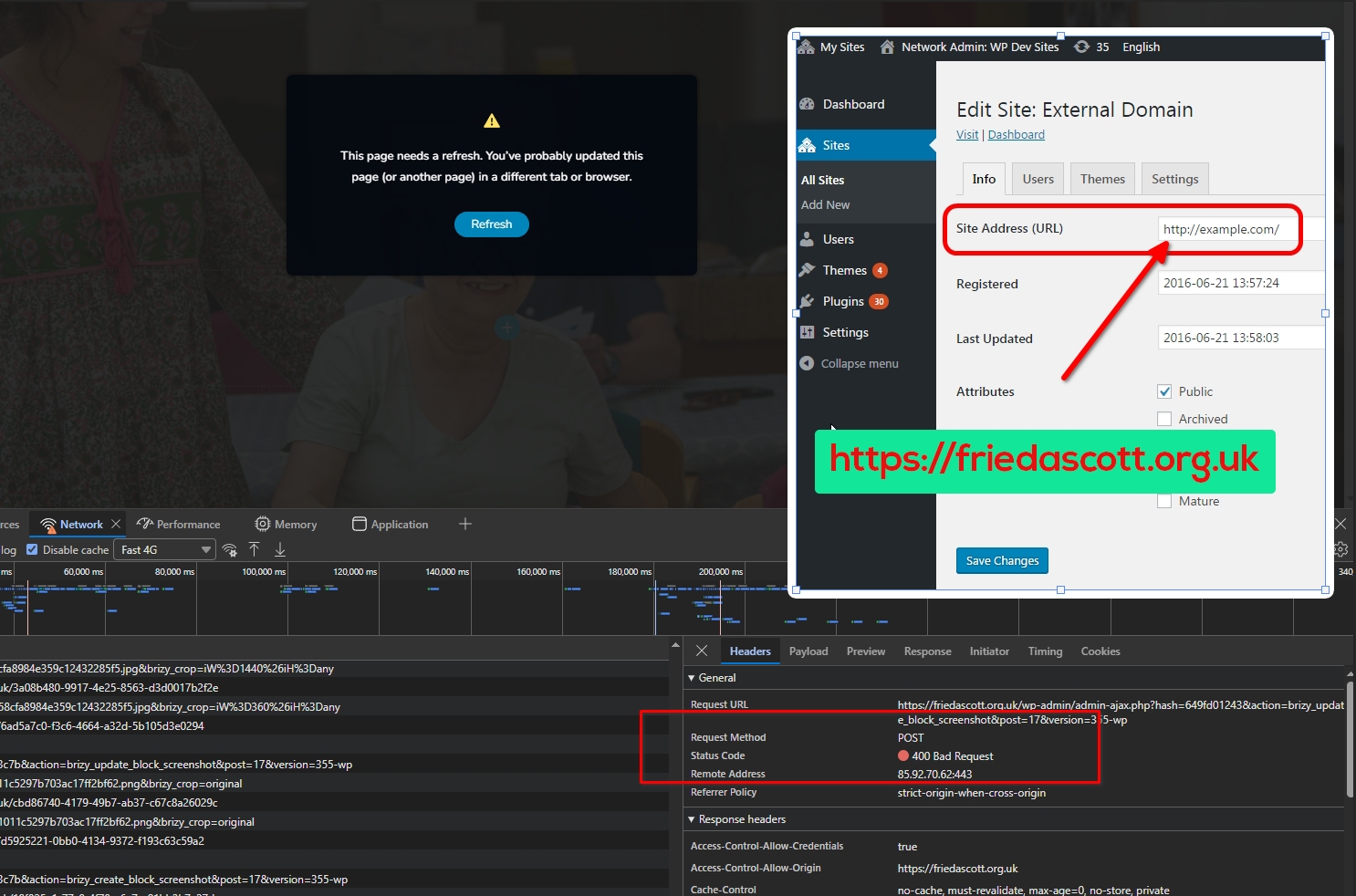
Could you please double-check your domain mapping in the Multisite settings and ensure that the Site Address (URL) is set to use https (e.g., https://friedascott.org.uk)?
This kind of issue often occurs when there’s a mismatch between http and https.
Let me know how it goes.
0 -
Hi Ariel,
I've checked in phpMyAdmin and the siteurl and home are both set to https://friedascott.org.uk
It's worth noting that this site has been working fine for around a year and it's only since Brizy updates it's stopped working. In fact it was working last week when editing in Brizy.
Happy to give you cpanel access if that helps at all.
In the error_log there are a few lines as follows:
[25-Mar-2026 09:17:36 UTC] PHP Warning: Cannot modify header information - headers already sent in /home/fcsct/public_html/wp-includes/ms-settings.php on line 84
[25-Mar-2026 13:25:56 UTC] Cron reschedule event error for hook: brizy-cloud-synchronize, Error code: invalid_schedule, Error message: Event schedule does not exist., Data: {"schedule":"5minute","args":[],"interval":300}0 -
Hi Darren,
Thank you for the update.
Would it be possible for you to also provide Super Admin access to the WordPress Multisite? This would allow us to take a closer look at the network-level settings and investigate the issue more thoroughly.
We appreciate your offer to share cPanel access as well; that may come in handy if we need to check anything on the server side.
Please include the reference number 34306556278034 when sending them.
Looking forward to your update.
Best regards,
Ariel H.0 -
Hi Darren,
I’ve replied to you in the private ticket with more details. Please have a look, and feel free to let me know if you have any questions.
Best regards,
Ariel H.0 -
Hi Darren,
Thank you for your patience.
We’ve fixed the issue on your About Us page (https://www.flattfarm.co.uk/about-us/). It appears the problem was caused by the Shield Security plugin, once it was disabled, the issue no longer occurred. This is demonstrated on this screencast - https://youtu.be/hC65LLIS_qc
As a workaround, please temporarily disable Shield Security while working on your pages. You can re-enable it afterward.
If you have any questions or need further assistance, feel free to let us know.
Best regards,
Ariel H.0 -
Thanks Ariel.
That's much appreciated. Its a really random issue and I think we'll look tol replace Shield Security plugin. Are there any other security plugins you would suggest?
Thanks,
Darren0 -
Hi Darren,
Thank you for the update.
If you're considering replacing Shield Security, one option you might want to try is NinjaFirewall by NinTechNet. I’ve been using it for quite some time, and it has worked well without interfering with Brizy.
Best regards,
Ariel H.0 -
Hi Darren,
About hoddamcontracting.co.uk, we’ve made a few adjustments to the LiteSpeed Cache settings on your site to help address the unusual requests showing in the logs.
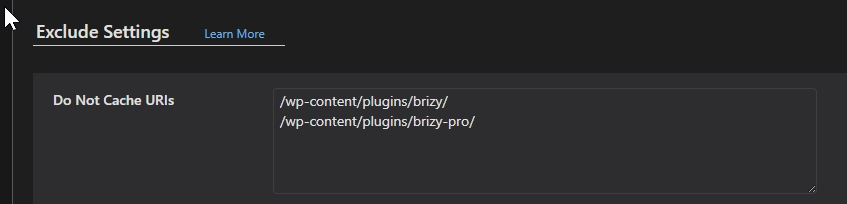
We temporarily disabled JS/CSS minification, disabled the crawler, and excluded the following paths from caching:
- /wp-content/plugins/brizy/
- /wp-content/plugins/brizy-pro/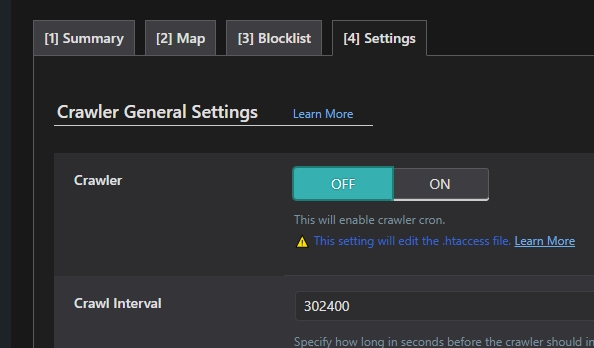
Could you please monitor the logs and let us know if you notice any improvement after these changes?
If there is an improvement, please try re-enabling JS/CSS minification while keeping the crawler disabled and retaining the excluded paths. After that, observe the logs again and let us know how it goes.
Kind regards,
Ariel H.0 -
Hi Ariel,
Thanks for this. I'll let our hosting company know about the changes you've made.
One that they might querry is disabling the crawler as I think it plays an important part of how LiteSpeed works.
Thanks again though.
Darren
0
Please sign in to leave a comment.
Comments
13 comments