Select element behind others

Hi Brizy team,
I'm struggling to select an element that has z-index to stay behind every other elements layers on the screen, but whenever I neet to select it I can't, Is there any way u recommend for this type of situation?
In the screenshot example, I want to select the "THE REAL AÇAÍ EXPERIENCE" which is all behind because i added a CSS, because the position:absolute on the setup area didn't move behind. So I created a span class for it and added !important to override.
Thank you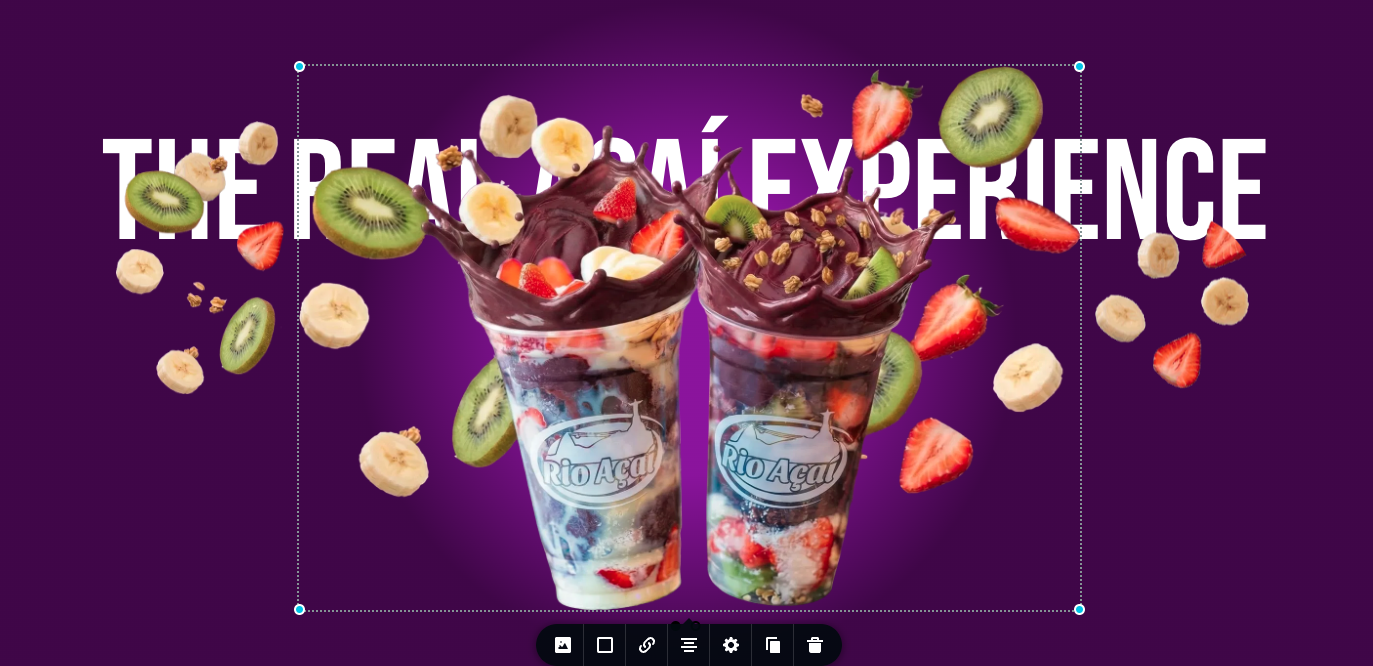
-

Hi Wagner,
Thank you for contacting us.
You can use the Explorer panel to easily access and select those elements. Press Ctrl + E (Windows) or Cmd + E (Mac) to open it. From there, locate your element in the list, and you can use the eye icon to temporarily show or hide overlapping elements. This will allow you to bring the element into view and edit them.
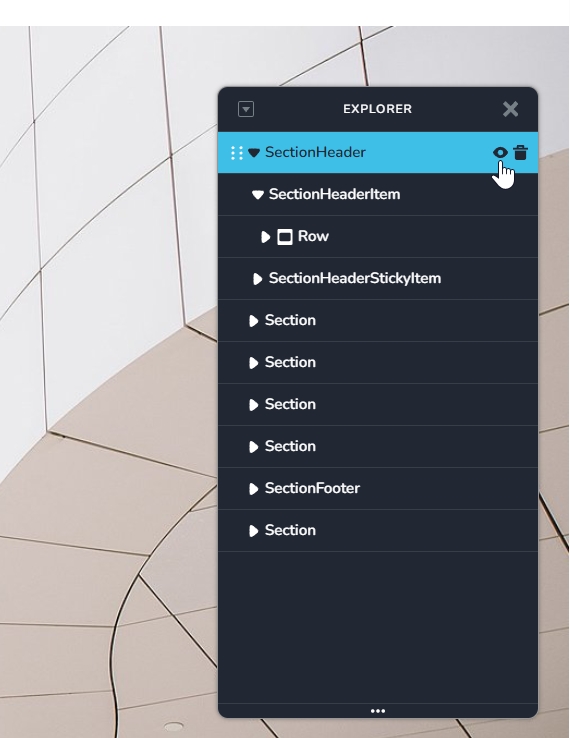
Please give that a try and let me know how it goes.
Best regards,
Ariel H.0 -
very nice! thanks for that!
0
Please sign in to leave a comment.
Comments
2 comments