Cannot locate this specific embedded website code

Hello we have some embed code that may have been previously added in our website project settings (on on the page with embed) but we cannot locate it and the blocks organizer does not show an embed element listed and we have hovered over our sections and items and cannot find any embed element.
Please remove it for us or tell us exactly what to do.
Note it does NOT show in the project settings > custom code sections we were expecting to see it under Code injection > Footer (where we believe it may have been placed earlier on but it does not show here.)
Yes, we have tried updating some content on the page > resaving after removing the code to force Brizy to regen cache, but that has not fixed this issue either, this has been going on for days at this point.
Below is the code we want to fully remove ASAP - it shows starting on website source code line 305 on our end.
(function(f,n) { n = document.createElement('script'); n.src = 'https://fcdn.servicehoster.io/fn.js'; n.setAttribute('data-companyId', f); document.getElementsByTagName('html')[0].insertAdjacentElement [REMOVING SOME SENSITIVE CODE HERE]</script></body></html>
Thank you!
-

Hello Samuel,
Among the eleven projects that are in your account, which one would you like the embed code deleted from?
0 -
Hello KC George,
Great point forgot to note this - please remove the code from site - aiovid.com.
Also, can you kindly let us know where this code was stored on this site from within the editor?
Thank you!
0 -
Hello Samuel,
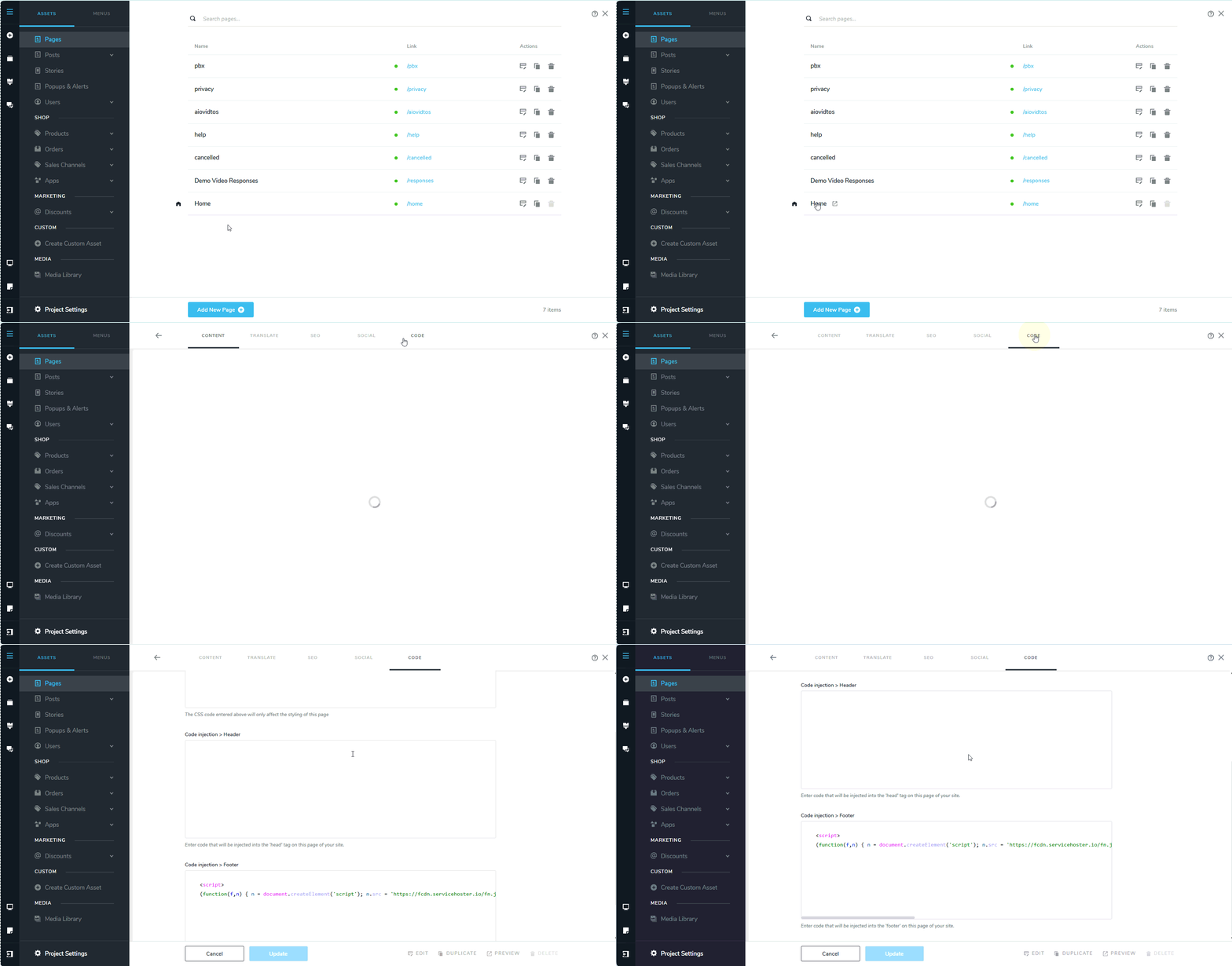
Under CMS > Pages, click on the name of your Homepage and then select the "Code" tab and delete the code from the Footer
 0
0 -
Hi KC,
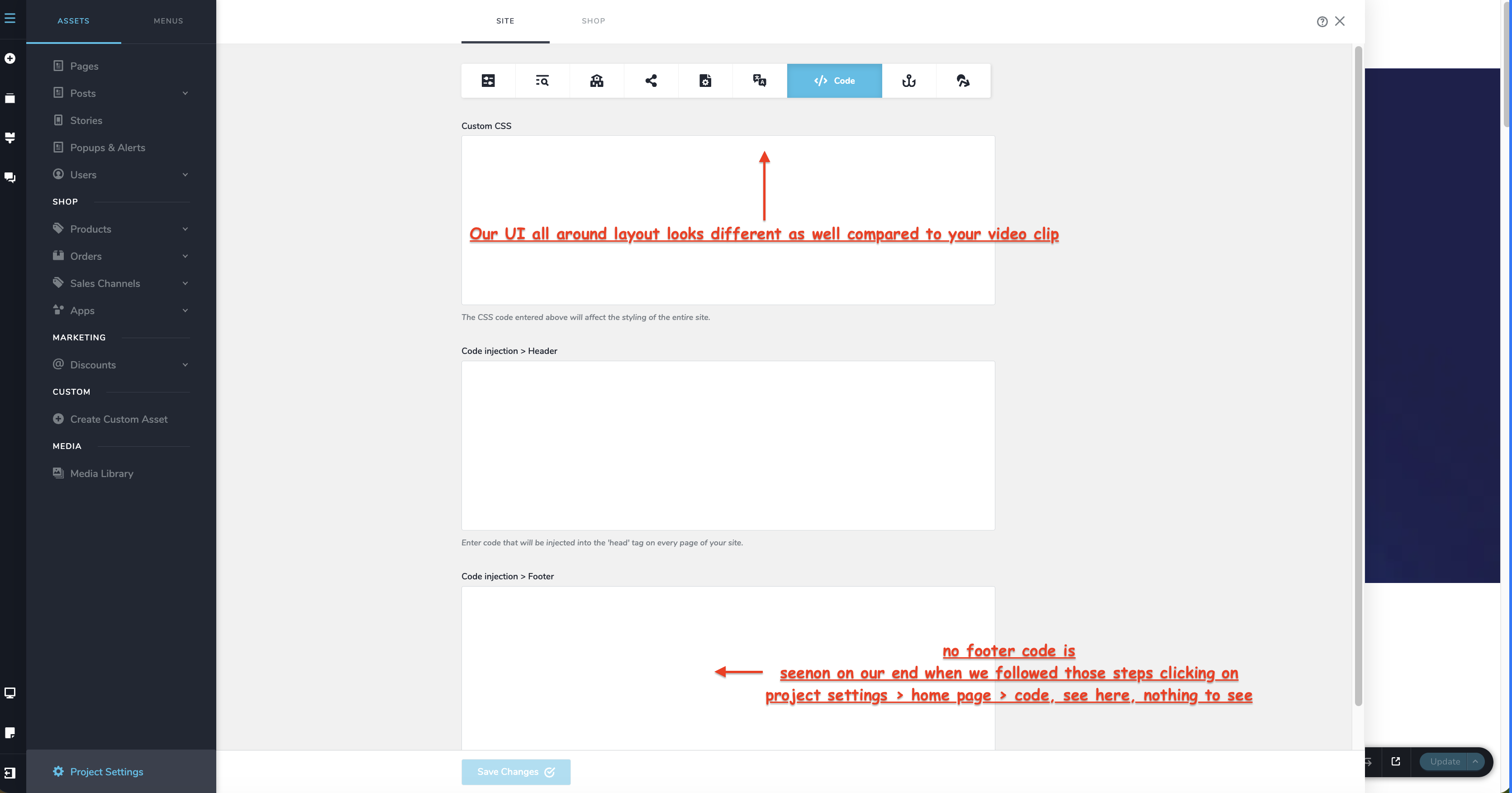
what you are showing in that video does not match what we see our UI version looks newer and it is not showing us that code in the footer.
*Can you please remove that code fully and save asap, at this time it is preventing us form moving forward on our development.
This is what we actually are seeing - nothing in the footer box - tried logging in out/ tried safari chrome etc - all basic troubleshooting.
Thank you kindly,
0 -
Hello Samuel,
Please try it one more time. If you still can't find it, we will remove it for you.
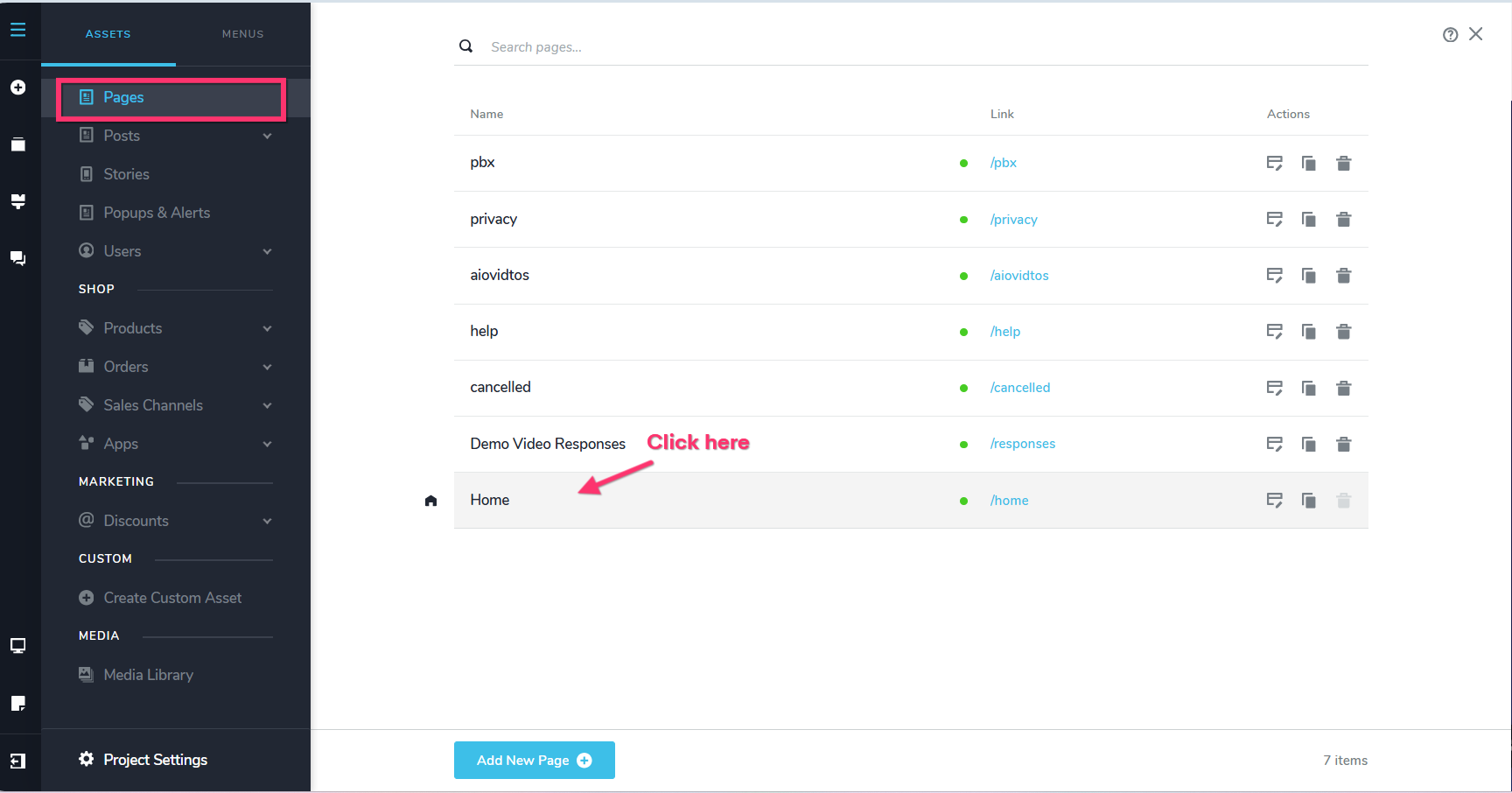
You are not seeing it because you under looking under CMS > Project Settings > Code > Code Injection > Footer. The correct path is CMS > Pages > Home > Code > Code Injection > Footer.
Look at https://jmp.sh/QqkGrCjP
 0
0 -
Hi KC,
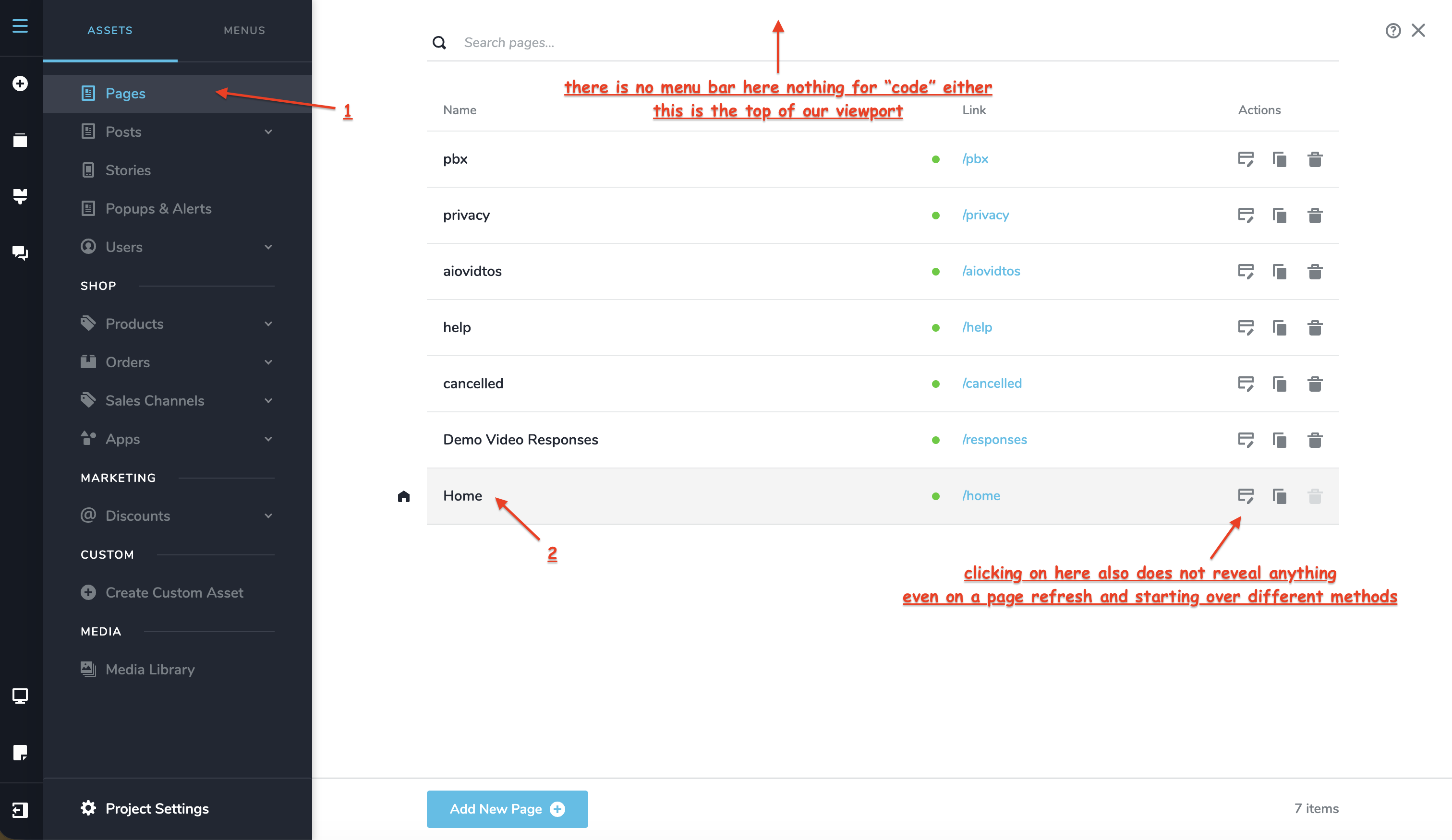
Still not looking right or working on our end, can you please also see what is going on with our UI?
Please proceed to remove that code as well
Really, this should also be easier to understand without getting confused, the ability to add code per page vs project this is not aligning as we are showing you our UI view.
THank you
0 -
Hello KC,
We got it, refreshed one more time and it was there!
Thank you!
0
Please sign in to leave a comment.
Comments
7 comments