Column not vertically centering in the hero section

-

Hi Ryan,
Thank you for taking the time to create the screencast.
At the moment, we no longer have access to your site, but I’ve created a similar example for you.
To ensure the elements appear vertically centered within a row or column, you’ll need to add a Spacer element inside any empty rows or columns. When these areas are left empty, they can create gaps that affect the alignment.
You can also confirm that the elements are properly centered by temporarily adding a small CSS snippet, as shown in this screencast: https://youtu.be/06vTX8QZ7XM
This will help you clearly see the alignment while making adjustments.
Please give that a try and let me know how it goes.
Best regards,
Ariel H.0 -
Hey Ariel,
Yes super helpful. That's a great tip about the spacer.
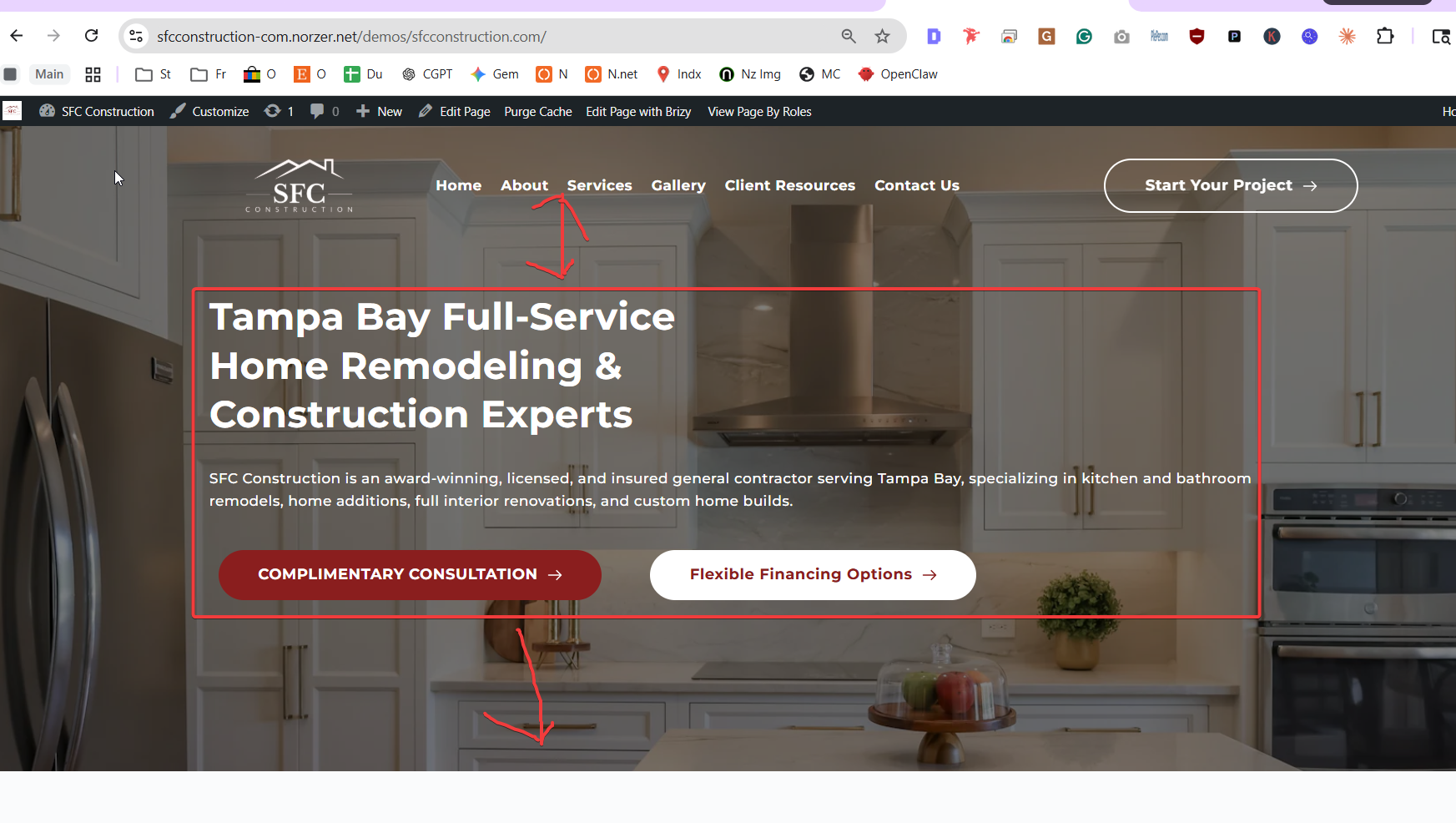
However, I'm talking about the vertical centering of the entire column in the hero section. See attached. thanks
 0
0 -
Hi Ryan,
Thank you for the update.
The header section in your design appears to be overlapping the hero section using a negative bottom margin, which makes it visually sit on top of the hero. Because of this, the hero content may appear slightly off-center vertically, even though it’s centered within its own block.
To balance this visually, you can add some top padding to the hero section. This pushes the content down just enough to compensate for the space taken by the overlapping header, making everything appear properly centered on screen.
You can try increasing the top padding gradually, until it looks aligned to your preference. This is demonstrated on this screencast - https://youtu.be/SeEtEJes3YI
Best regards,
Ariel H.0 -
I just sent you email w/ login account. I'm nore sure what overlap you are talking about. Can you show me?
I want this to work (see attached). Right now im using a spacer but that jacks it up on mobile. I know I can make changes on mobile only but if you have a feature for vertical centering, I'd like to use it. Thank you.
 0
0 -

Hello Ryan,
I have made a copy of your homepage. The page I have created is available at https://sfcconstruction-com.norzer.net/demos/sfcconstruction.com/homepage-copy/ In the screen recording at https://jmp.sh/1Lt1t5CH, I demonstrate how you can position the hero block content in its vertical middle.
0 -
ohhhhhh i didnt know you could do that negative for that bg image. thank you.
0
Please sign in to leave a comment.
Comments
6 comments