Menu Showing Elements On the page behind and Adding Gap At Top

The drawer menu once clicked from the hamburger menu on the page is showing elements from behind such as the logo or social icons. It also keeps shifting down leaving a 1/4" gap above it. It's fine in the editor but shifts on the live site. Please help.
-

Hello Zakkiyah,
Please click on the hamburger drawer, select the "Color" icon, then the "Background" tab and check the opacity setting of the background color. If the opacity is set to 100%, you should not see elements from the page behind it.
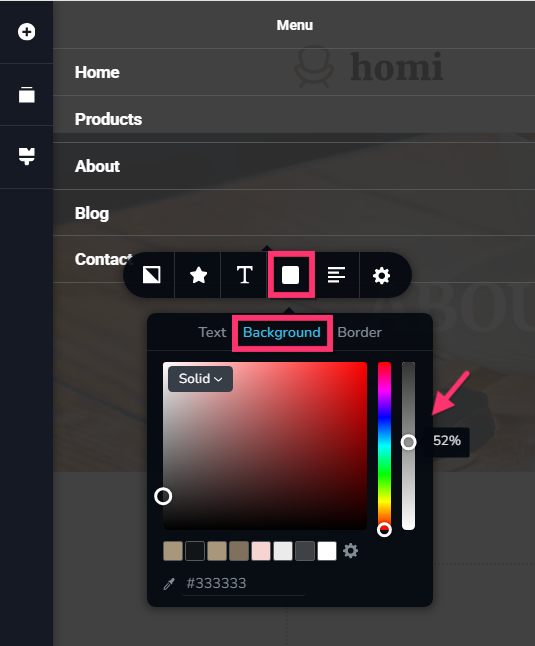
Can you please share the URL of the project where you are experiencing the above issue? We will take a look.
0 -
I am still having issues with my menu in the live view. Only one page is displaying properly. I have deleted all of my headers and started over and the problem persists. I have provided my credentials in an email. Please have a look. Thank you.
0 -

Hi Zakkiyah,
Thank you for providing your site credentials.
We’ve inspected your website, and the menu appears to be working properly on our end. This is demonstrated on this screencast - https://streamable.com/212j8n
Could you please try clearing your browser cache or checking the site using another browser to see if that makes any difference?Please let us know how it goes, and we’ll be glad to continue assisting you if the issue persists.
Best regards,
Ariel H.0
Please sign in to leave a comment.
Comments
3 comments