Brizy Pro

Hi for some reason my hamburger menu is not showing on mobiles and tablets whats going on please - https://sw19designandprint.co.uk have checked that its not hidden, looks OK when tranbsfering on desktop to tablet to mobile. But on mobile not showing
-

Hello Prakash,
Can we look at your WordPress dashboard to investigate the cause behind the above issue? Please add a new user to your WordPress Dashboard and send the following details to our email: communitysupport@brizy.io
- Support Forum link: https://support.brizy.io/hc/en-us/community/posts/34014273003794
- WordPress Admin URL:
- Username
- Password
Your email should include a link to this thread's URL, so that we can refer to your support ticket. Please notify us in this thread when you send us the email.
0 -

Hi Prakash,
We attempted to recover the password so we could access your website; however, it appears that Jetpack is currently blocking the password reset.
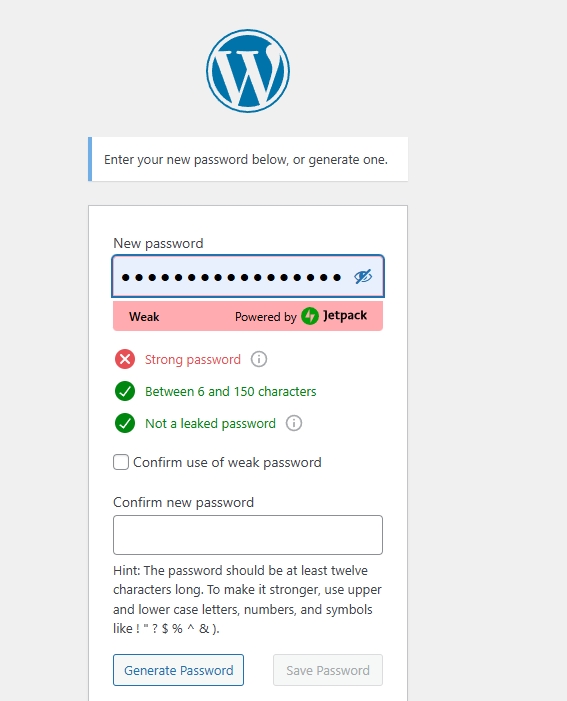
Could you please temporarily disable Jetpack so we can proceed with the password recovery and continue inspecting your website?
Please let us know once this has been done so we can proceed.
Best regards,
Ariel H.0 -
Hi Prakash,
Thank you for your message.
We noticed that your website currently has 37 active plugins. With this many plugins running, it becomes difficult to accurately troubleshoot the issue, since plugin conflicts can affect the behavior of the site.
We also avoid disabling multiple plugins during troubleshooting, as this could temporarily affect your website’s functionality. For this reason, it would be best to perform the isolation test on your end.
Please try temporarily disabling all other plugins except Brizy and Brizy Pro and see if the issue still occurs. If it doesn't, reactivate the rest of the plugins one by one until the issue occurs. This will help you identify which plugin is causing the issue.
Best regards,
Ariel H.0 -
Hi Prakash,
We’ve recently released Brizy v2.8.5 and Brizy Pro v2.8.2. If you haven’t had a chance to update yet, please do so and let us know if the issue still persists.
Best regards,
Ariel H.0
Please sign in to leave a comment.
Comments
4 comments