Forms button formatting broken?

As of this morning, I can no longer format a button within a form (change corner style, etc.). I've tried it in four different sites built with Brizy to no avail. Is this a bug in the latest version? Is there a workaround?
-

Hello Gregg,
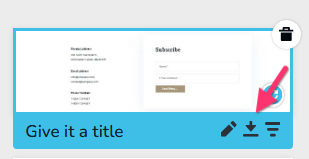
Form Submit button cistomizations stopped working with the latest Brizy versions. We are working on a fix for it. In the interim, kindly consider saving the specific block to the "Saved Blocks Library", download it to your computer as a ZIP file, import it to Brizy Cloud, make the necessary changes there and import it back to WordPress project.
 0
0 -
Hello Gregg,
The above bug has been fixed. Kindly update to Brizy 2.8.4 or above to customize the form submit buttons.
0 -

I don't think this has been fixed KC - I've got a fresh install on WP and having the same issue. I cannot do anything with the form button on WP. I can type different button text but it doesn't save, can't edit styling at all. When I try to change the color, the color selector appears but cannot select a color. After I leave the editing window, I get the gray box saying an error happened. Here has what I've tried:
1. I tried your instructions above and it works, but this isn't a solid solution because it doesn't even take the global styling for the WP site.
2. I duplicated the form - didn't work.
3. Updated both Brizy plugins to the latest - 2.8.8 and 2.8.3 - that didn't fix it.
4. I've also noticed now that syncing has stopped working. So it isn't syncing with my account any longer. I know this wasn't an issue on Friday. Updating hasn't changed anything.
Here's a video: https://nimb.ws/uAP3aQB0 -
UPDATE: Sync seems to be working as of now.
0 -

Hi David,
Thank you for the detailed information and for sharing the video.
We’ve encountered similar behavior in the past when optimization plugins are active. Could you please try temporarily disabling any optimization plugins on your site and check if that resolves the issue?
If it works after disabling them, we recommend reviewing the plugin settings. As a starting point, please try disabling CSS/JS combine first. If the issue persists, proceed with disabling CSS/JS minification as well.
Please try this and let us know how it goes.
Best regards,
Ariel H.0 -
Will do.
0
Please sign in to leave a comment.
Comments
6 comments