Custom Assets - Fields cannot be re-ordered

Hi, I'm working on an asset listing and I need to re-order my fields but they won't save. They got messed up when I added a new field, and tried to move it towards the top. It seems to mix all the others up at the same time. Now when I try and drag to re-order them to their correct positions, they initially stay put but when you click 'save and finish' they drop straight back to their incorrect positions again. I've tried refreshing my editor, exiting and entering the editor again but to no avail. The site I'm working on is https://litchfieldtouristpark.brizy.site
Hope you can help, thanks.
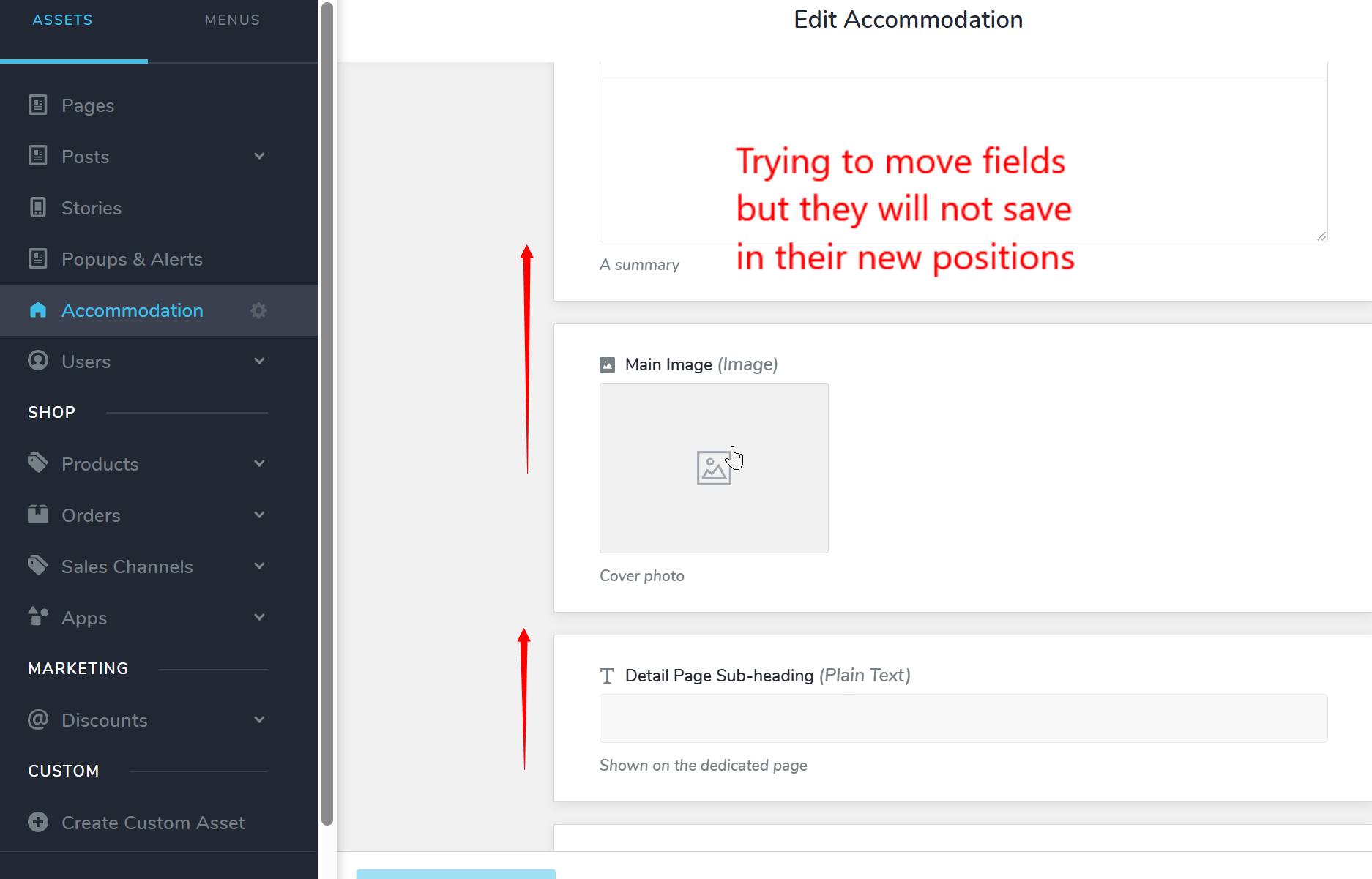
-

Hello Eva,
Reordering of custom fields does not work smoothly. Please provide us with the desired custom asset order. We will attempt to reorder it as close as possible to the preferred order
- Accomodation Title
- Slug
- Cover Sub heading
- Details Page Sub heading
- Features
- Intro
- Main Image
- Floor Plan
- Sort Order
0 -
Oh no, that's not good. Will this be fixed? (I actually thought this used to work before??)
If you could just move "Intro" up, so it's above Features, the others are actually ok to stay where they are.
Thanks.
0 -
Hello Eva,
When bringing "Intro" above the "Features", the "Details Page Sub heading" moved down. This is the current order.
- Accomodation Title
- Slug
- Cover Sub heading
- Intro
- Features
- Floor Plan
- Main Image
- Details Page Sub heading
- Sort Order
0 -
Thanks but that's probably worse. Is it planned for this re-order function to be fixed ?
0 -

Hi Eva,
Thank you for your feedback, and my apologies for the inconvenience.
At the moment, we don’t have a planned fix for the reordering issue yet. If this functionality is important for your workflow, we recommend submitting it to our Ideas and Roadmap page (https://www.brizy.io/ideas-and-roadmap) so it can be reviewed by our product team and gain support from the community.
Our team regularly reviews requests posted there when considering future improvements.
Best regards,
Ariel H.0
Please sign in to leave a comment.
Comments
5 comments