Header not showing in blog posts

Hi,
Updated and the header on blog posts is not showing on the front end.
Shows fine in the builder, on the archive page and on other pages.
Have cleared cache including hosting, Cloudflare, checked in Incognito.
Also tried the old adding a space and saving trick.
https://southofenglandtouristguides.org/blog/
Thanks!
-

Hi Claudia,
Thank you for contacting us.
This issue can usually be resolved by making a small change to the affected block to trigger a page recompilation.
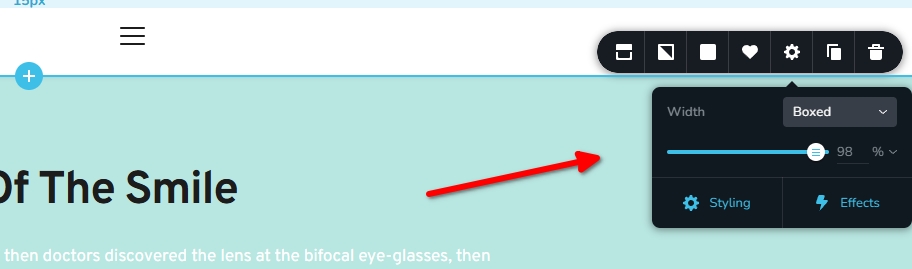
On your site, try to slightly reduce the width of the header block, setting it back to 100%, and then clicking Update. This forces Brizy to recompile the page and restores the menu section on the front end.
If you have any further questions, please let us know.
Best regards,
Ariel H.0 -
Hi, No, it didn't resolve it.
0 -
Hi Claudia,
Could you please provide temporary administrator access to your WordPress dashboard so we can take a closer look at the issue?
Kindly send the following details to communitysupport@brizy.io:
Community post link: https://support.brizy.io/hc/en-us/community/posts/33979776409490
WordPress Admin URL:
Username:
Password:We’ll be glad to assist as soon as we have access.
Best regards,
Ariel H.0 -
Hi Claudia,
Thank you for your cooperation.
The missing header issue on the blog pages has been resolved by adding Brizy Templates to the display conditions.
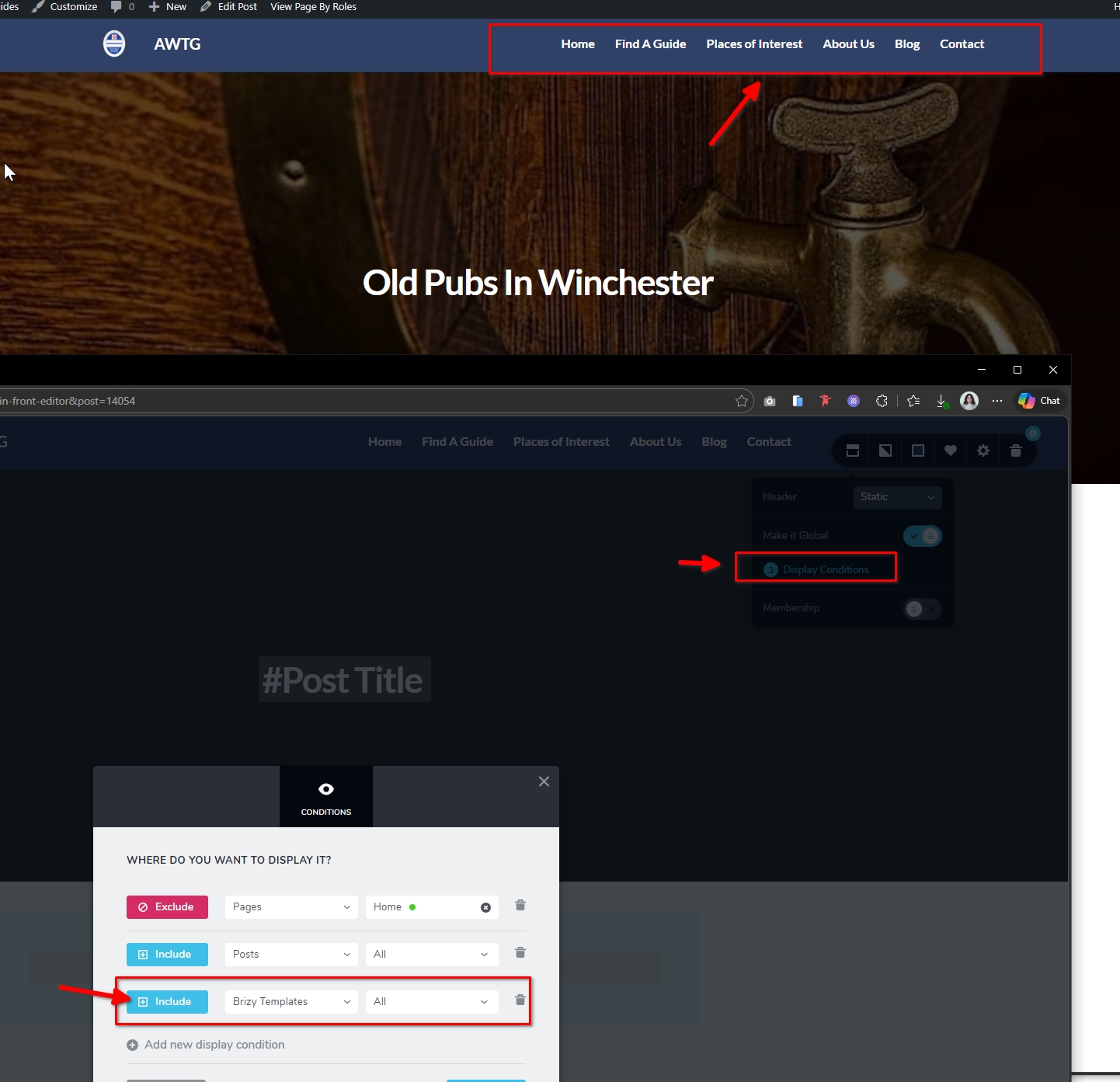
Please feel free to check on your end and let us know if you have any further questions.
Best regards,
Ariel H.0 -
Thanks very much back to normal now!
0
Please sign in to leave a comment.
Comments
5 comments