Unable to modify submenu display in Brizy editor

Hello,
I cannot modify the submenu in the Brizy editor. Clicking on the main menu item does not open the submenu; instead, the block’s context menu appears. As a result, it is impossible to edit submenu styles (background color, text color, font size, padding, etc.).
Key points:
-
No small arrow or icon exists to show the submenu.
- The submenu works correctly on the live site.
- This happens on multiple sites, on different computers and networks. All sites are fully updated.
Could you please confirm if this is a known issue and advise on a solution?
Best regards,
Patrick
-

Hi Patrick,
Could you please provide temporary administrator access to your WordPress dashboard so we can take a closer look at the issue?
Kindly send the following details to communitysupport@brizy.io:
Community post link: https://support.brizy.io/hc/en-us/community/posts/33975754683154
WordPress Admin URL:
Username:
Password:We’ll be glad to assist as soon as we have access.
Best regards,
Ariel H.0 -
Hi Patrick,
Thank you for your cooperation.
After checking the issue, it appears to be coming from the Blocksy Companion (Premium) plugin. When the plugin is disabled, the issue no longer occurs, and the submenu can be edited normally in the Brizy editor.
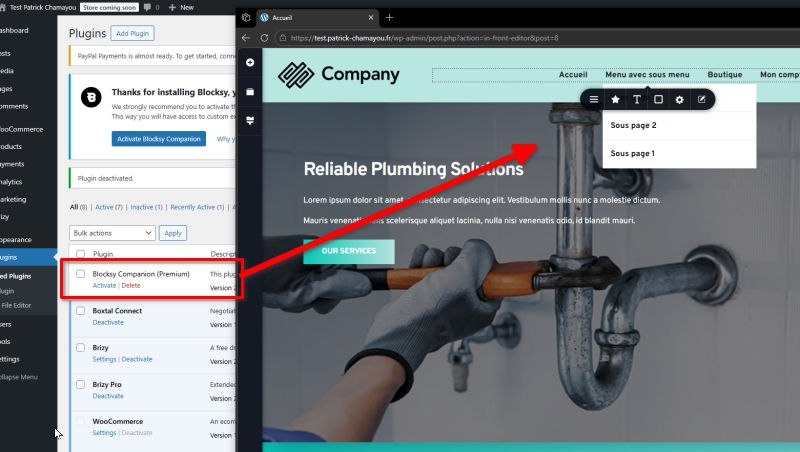
As a temporary workaround, we recommend disabling Blocksy Companion (Premium) while editing your pages in Brizy, and then enabling it again once you’ve finished making your changes.
It would also be helpful to report this to the Blocksy support team so they are aware of the conflict and can potentially provide a proper fix.
Best regards,
Ariel H.0 -
Hello Ariel,
Thank you for your reply and for the temporary workaround.
You explain that this is a conflict (most likely JavaScript — my own addition) between Blocksy and Brizy, and your solution is to ask me to contact Blocksy to resolve a problem that occurs within Brizy.
In French we call that "passing the buck".
For my part, I believe that if the problem occurs within the Brizy interface, it is Brizy's responsibility to find the solution.
Please escalate this issue to your developers.
Kind regards,
Patrick0 -
Hi Patrick,
Thank you for your reply and for sharing your concerns.
I completely understand your point. However, after testing on our end, we were unable to reproduce the issue on our test site.
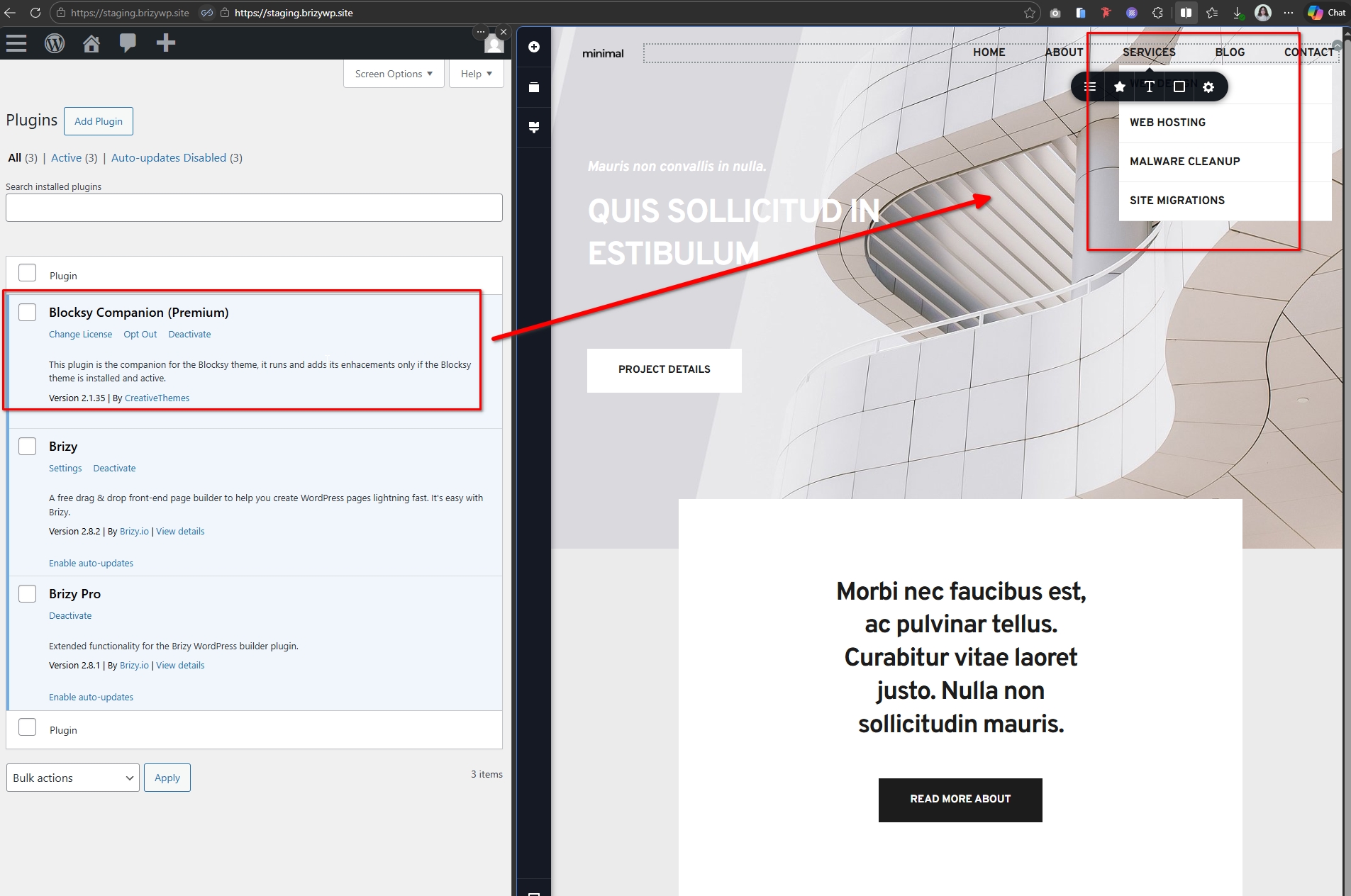
Since the behavior only occurs when the Blocksy Companion (Premium) plugin is enabled and the plugin controls part of the menu functionality, it may be related to a specific setup or configuration on the site.
Because of this, the Blocksy developers would be in the best position to investigate the interaction and possibly provide a solution. Of course, we will also keep this noted on our side in case similar reports appear.
Best regards,
Ariel H.0
Please sign in to leave a comment.
Comments
4 comments