"Add to cart" button display problem.

Hello,
I'm experiencing a display inconsistency with a button created in the editor.
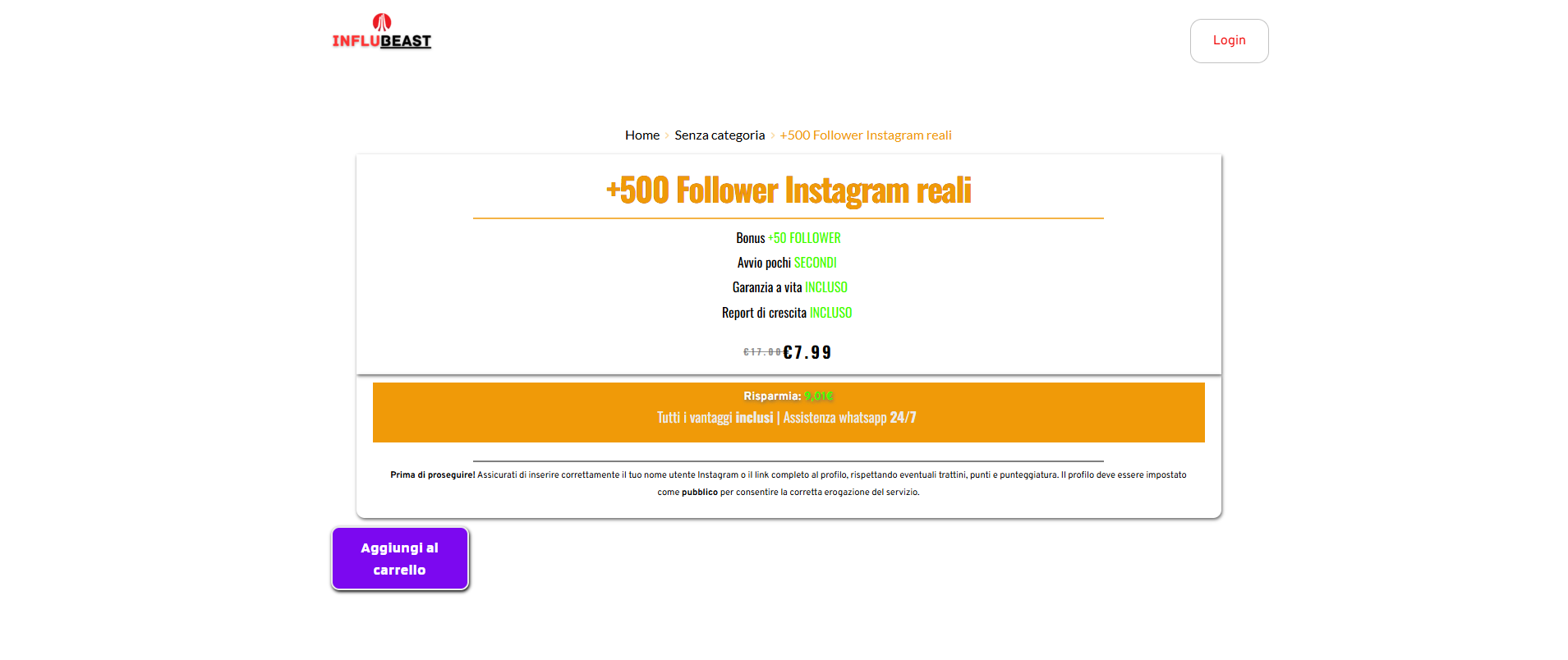
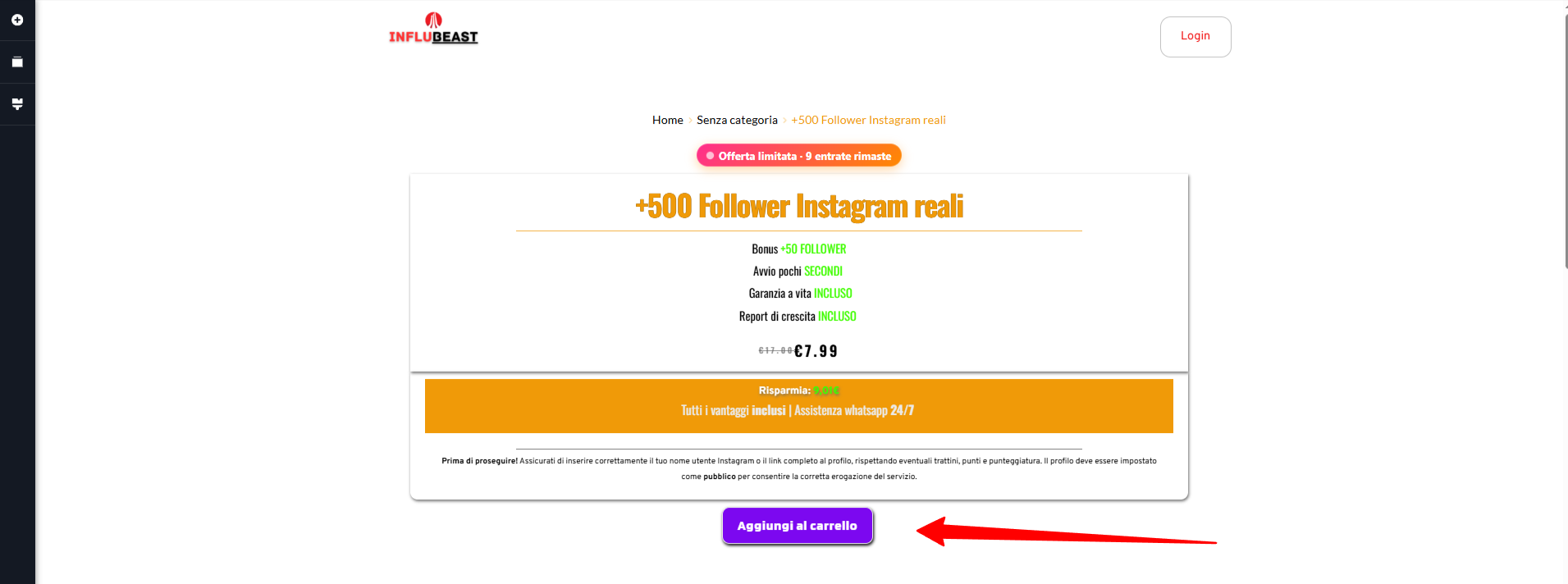
In the Brizy editor the button appears correctly, but when the page is viewed live on the website the button style changes and is displayed differently.
Steps to reproduce:
-
Open the page in Brizy editor
-
Check the button style
-
View the same page on the live site
Expected result:
The button should appear exactly the same as in the editor.
Actual result:
The button style/layout changes on the live page.
Important note:
I'm building product pages without using a global product template because in previous tests applying a template to all products caused multiple layout issues.
Could you help identify why the editor and frontend rendering are different?
If needed I can provide:
-
page URL
-
screenshot of the editor
-
screenshot of the live page
Thank you.
URL of the product: https://influbeast.it/prodotto/500-follower-instagram-reali/
You already have editing permissions on my site
-

Hi,
Thank you for reaching out.
From what we can see, the wrapper wcpay-express-checkout-wrapper is being dynamically added on the frontend by a plugin.
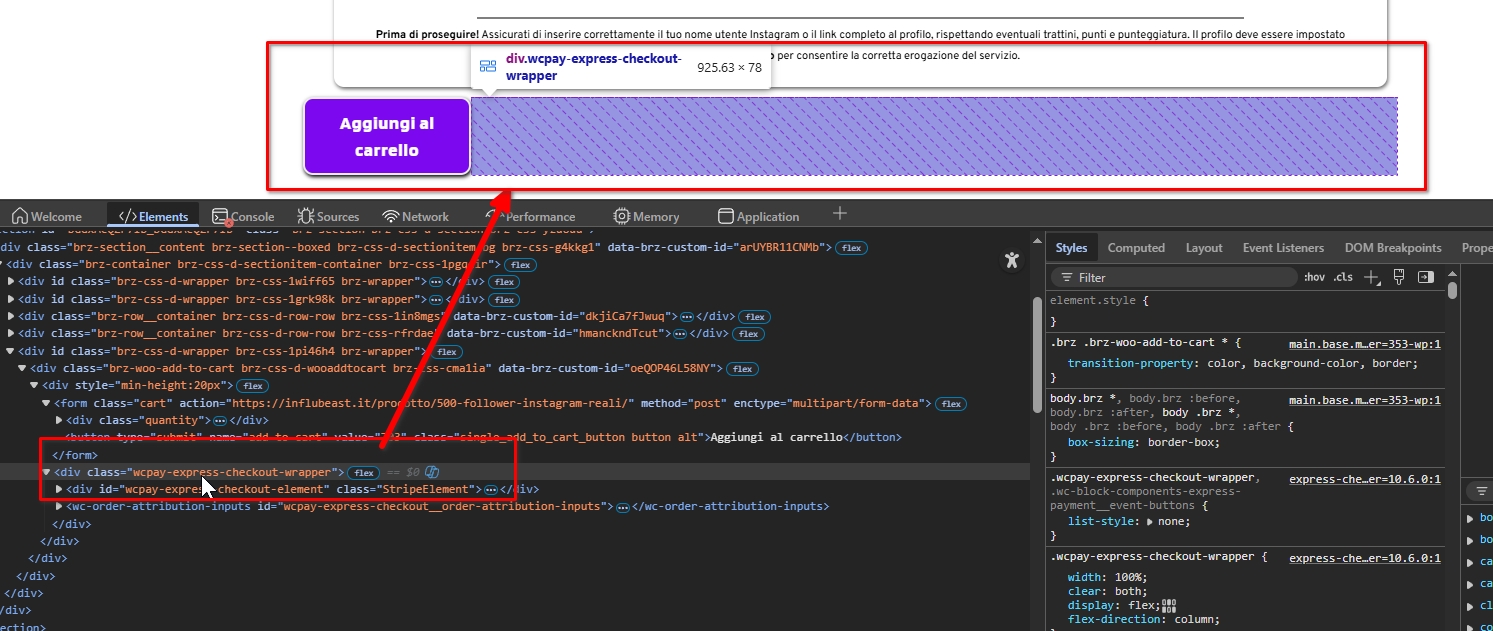
This is most likely coming from WooCommerce Payments (Express Checkout), WooCommerce Direct Checkout, or WooCommerce PayPal Payments. Because the element is injected dynamically by the plugin, it ends up affecting the layout and causing the issue you’re seeing.
For now, we’ve added a CSS fix to prevent the wrapper from affecting the layout.
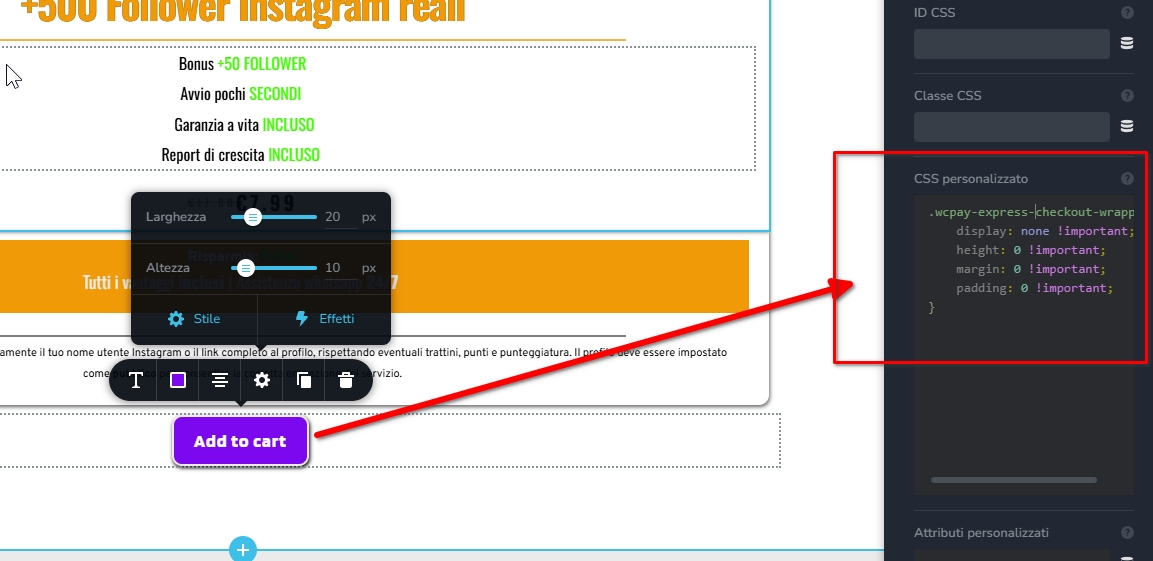
However, since this element is generated by the plugin itself, the more reliable long-term solution would be to report this behavior to the developers of the plugin so they can review it and possibly provide a proper fix or configuration option.
Best regards,
Ariel H.0
Please sign in to leave a comment.
Comments
1 comment