Can't Update to 2.8.1

I updated KleanFarmSolutions.com to 2.8.1 and it thoroughly messed up the site. Yesterday, I updated this site to 2.8.0 on a Staging site as recommended, and all went well. I don't know what you 'fixed' in 2.8.1 but something is definitely wrong. Just saying.
-

Hi Michael,
Thank you for contacting us.
Could you please try temporarily disabling all other plugins before updating to v2.8.1, and then check if the issue still occurs? This will help us determine if there may be a plugin conflict causing the problem.
I also tested the update on one of my sites and didn’t notice any issues, which suggests the issue might be related to the site environment or a plugin conflict.
Kind regards,
Ariel H.0 -
So, I:
- set up a new staging site,
- Disabled all other plugins,
- U
- pdated Brizy/Brizy Pro
- Enabled all plugins
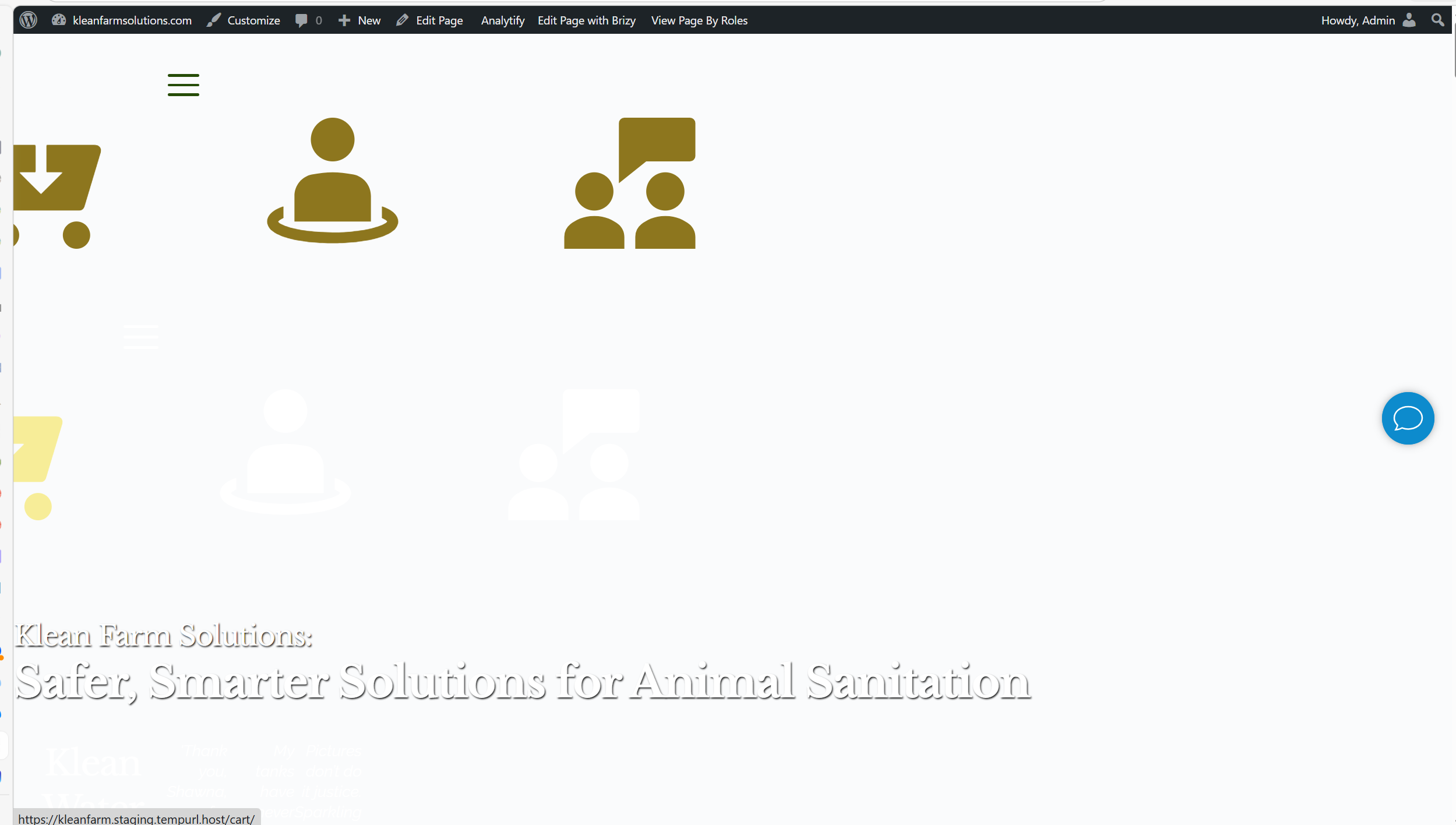
- Checked site - same issue
- Disabled all plugins but Brizy/Brizy Pro and Classic Editor
- Checked site - same issue
 0
0 -
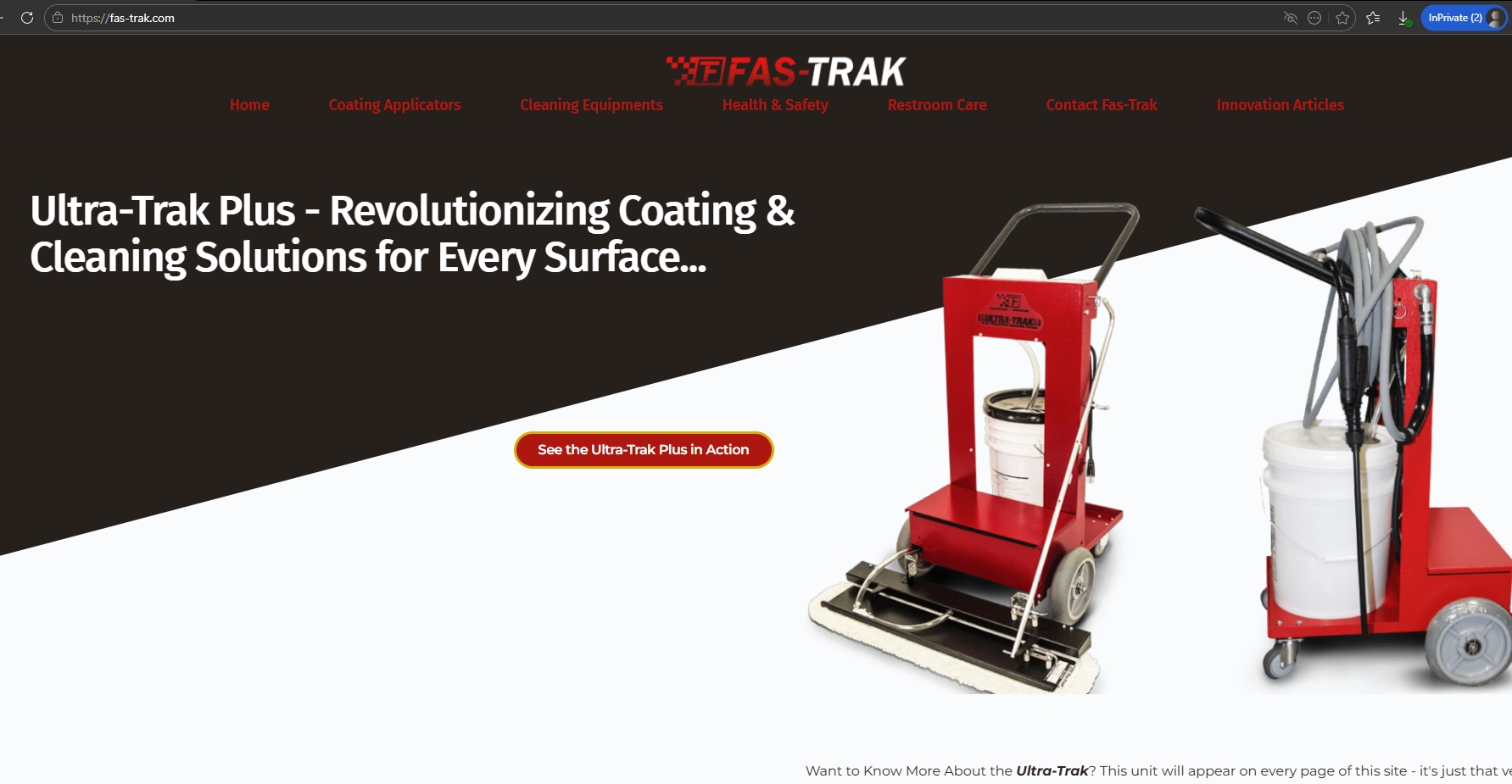
I now have a second site showing issues, https://fas-trak.com.
In this case, items with animation (sliding in elements, autoplay carousels of posts) are NOT showing up at all.
Ariel -
I manage nearly 60 sites. I CAN'T be babysitting them every time you folks roll out an update.
1 -
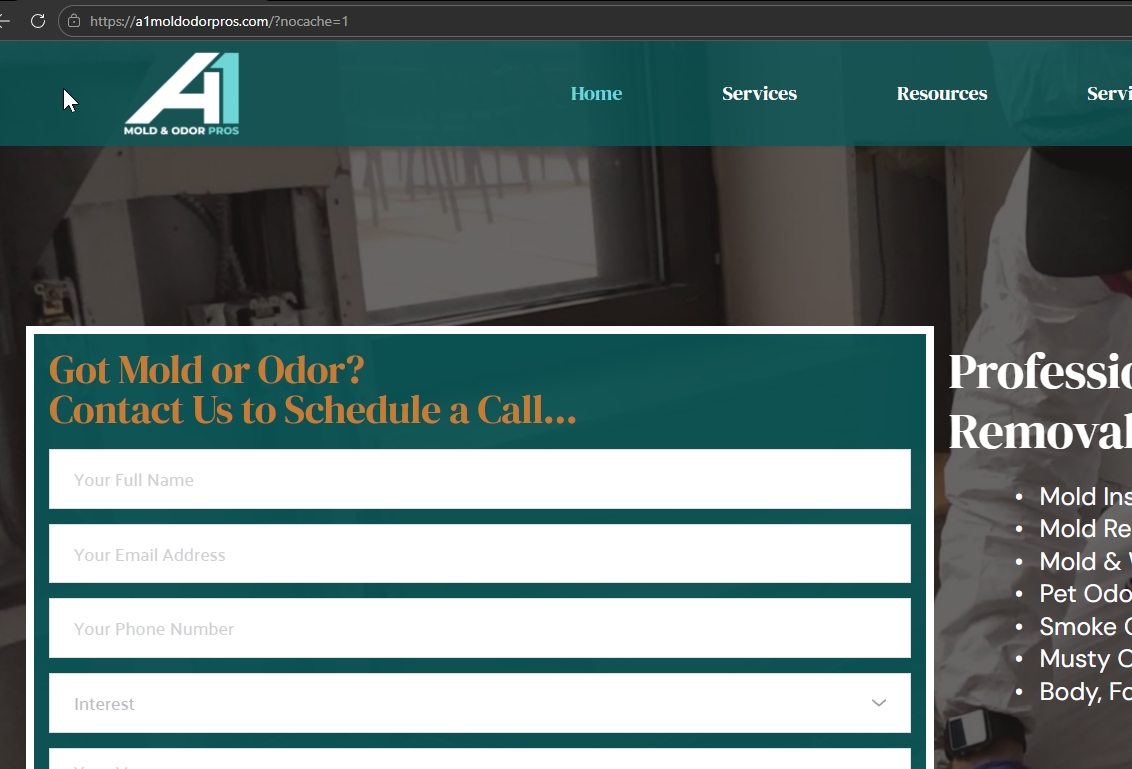
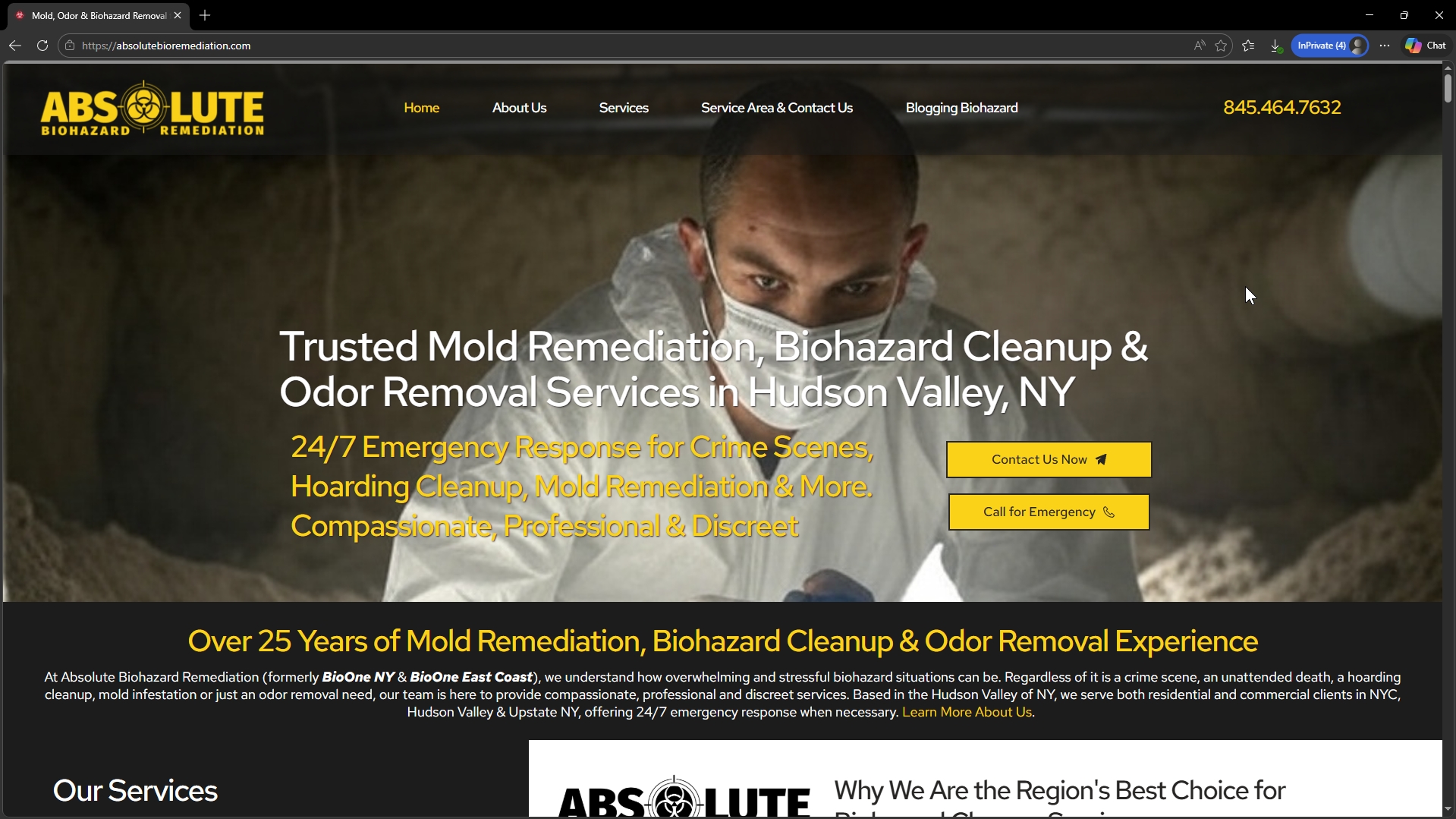
Now a 3rd site, A1MoldOdorPros.com. This is getting rediculous!
0 -
Hi Michael,
For A1MoldOdorPros.com, the issue appears to be related to caching.
For fas-trak.com, the site appears to be loading properly on my end.
You may try the following steps to resolve the caching issue:
1. Clear your browser cache or try accessing the site in an incognito/private window.
2. Purge all cache from your caching plugin (if one is installed).
3. Clear any server-level cache from your hosting panel.
4. If you are using a CDN such as Cloudflare, purge the CDN cache as well.After clearing all caches, please check the site again and let us know if the issue persists.
Kind regards,
Ariel H.0 -

I can confirm 2.8.1 broke our site as well.
Brizy, is this a known issue at this point? We rolled back and disabled auto-update for the moment.-David
1 -
Ariel -
I just had to restore ANOTHER site from last night's backup - ClO2Tablets.com.
I cleared both the local and static cache and it made NO EFFECT.
0 -

I was having similar issues with my website. Along with clearing caches, I also found updating the blocksy theme helped get things back to normal.
0 -

Hello Michael,
We have received credentials to your KleanFarm staging dashboard. We also need credentials to sign in to your staging site.
 0
0 -
In the majority of cases, I have been able to repair the break by a combination of clearing all 3 cache:
- Local
- Static
- Object
But am finding more sites that I must just roll back to an earlier version and turn off the Auto-Updates for your plugins. Among these are:
- AbsoluteBioRemediation.com and I need help on this one ASAP. I can't lose this customer.
0 -
Hi Michael,
Could you please send the site credentials to communitysupport@brizy.io so we can take a closer look at the issue?
Kindly include the reference number 33948054790034 in the subject line so we can easily locate your request and assist you in resolving the issue as soon as possible.
Thank you, and we look forward to your reply.
Best regards,
Ariel H.0 -
Hi Michael,
We’ve reverted Brizy and Brizy Pro to the last stable versions and temporarily disabled automatic updates while we work on a permanent fix for the issue.
We apologize for the inconvenience and appreciate your patience. We’ll keep you updated as soon as a proper fix becomes available.
Best regards,
Ariel H.0 -
Hi Michael,
Just to let you know, we’ve also reverted https://pilgrimcd.com/ to the previous stable version.

Please let us know if you notice anything unusual on the site. We’ll continue monitoring the situation while we work on a permanent fix.
Best regards,
Ariel H.0 -
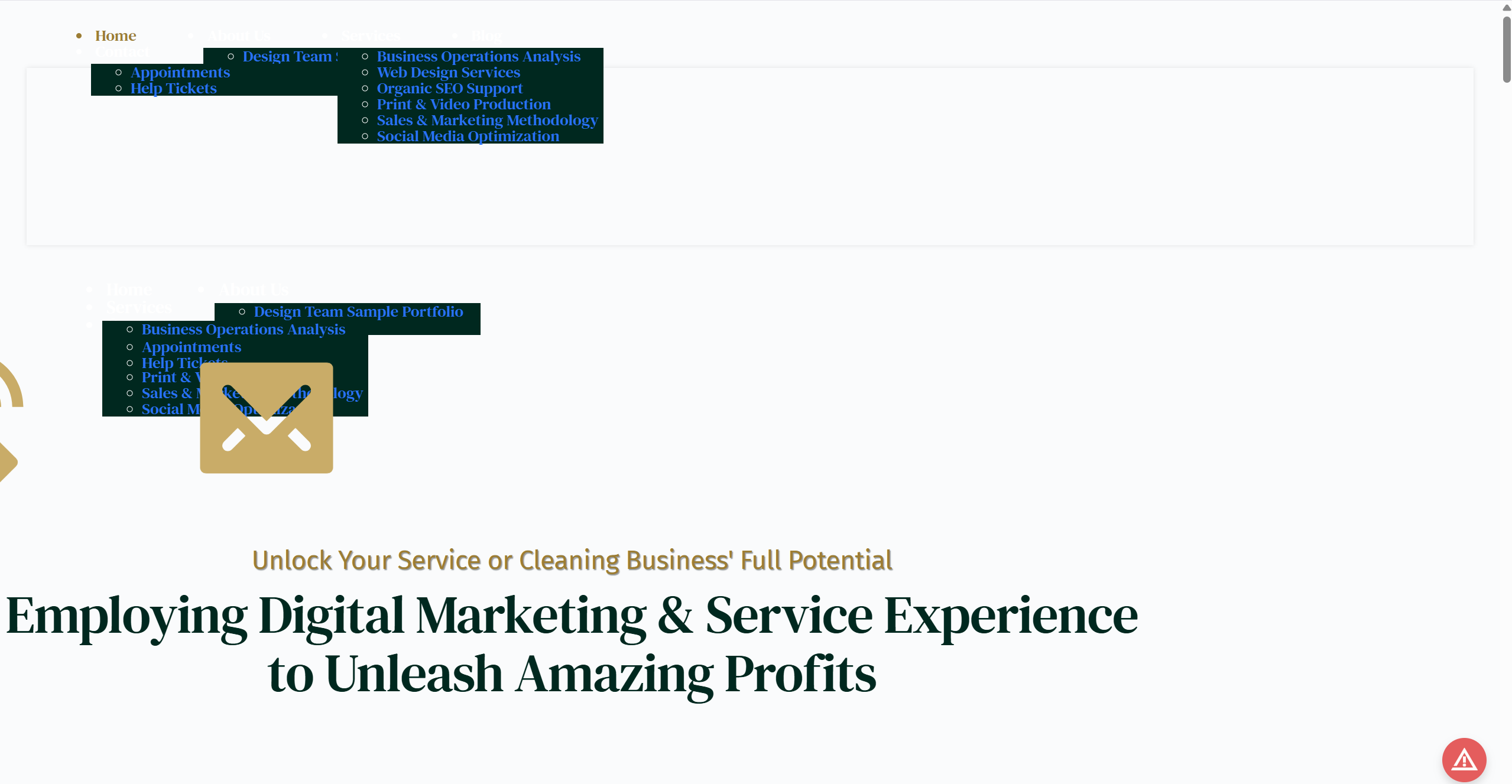
When I saw that you had released a Brizy 2.8.2, I went ahead and updated both Odor-Pros.com and PilgrimCD.com. The first went fine, but not the second - as you will see below. This is after both a Static Server and Object Cache clearing.
 0
0 -
Hi Michael,
We've reverted Brizy and Brizy Pro to version 2.8.0. Please keep both plugins on this version for now until we have a fix available for the issue.
Thank you for your patience.
Best regards,
Ariel H.0 -
Hi Michael,
We’ve recently released Brizy v2.8.5 and Brizy Pro v2.8.2. If you haven’t had a chance to update yet, please do so and let us know if the issue still persists.
Best regards,
Ariel H.0
Please sign in to leave a comment.
Comments
16 comments