Congratulations on AI + Question

Very exciting to have access to the AI builder in WP, as well as the improvements in generation. However, I white label all of my WP installations for clients to self manage, and the new 'Generate with Brizy AI' button is obtrusive. As you can see, I have white label enabled, but there is no way to remove the generate button. I'm sure I will be able to target it with a functions.php script to disable, but it would be preferable if there was an option in the white label menu to remove it.
I know this technically could be considered a 'feature request', but it's more of a bug in my eyes, thus I am posting it here.
Thanks very much!
-

Hi Roland,
Thank you for sharing your feedback.
I understand your concern, especially when white labeling WordPress installations for clients.
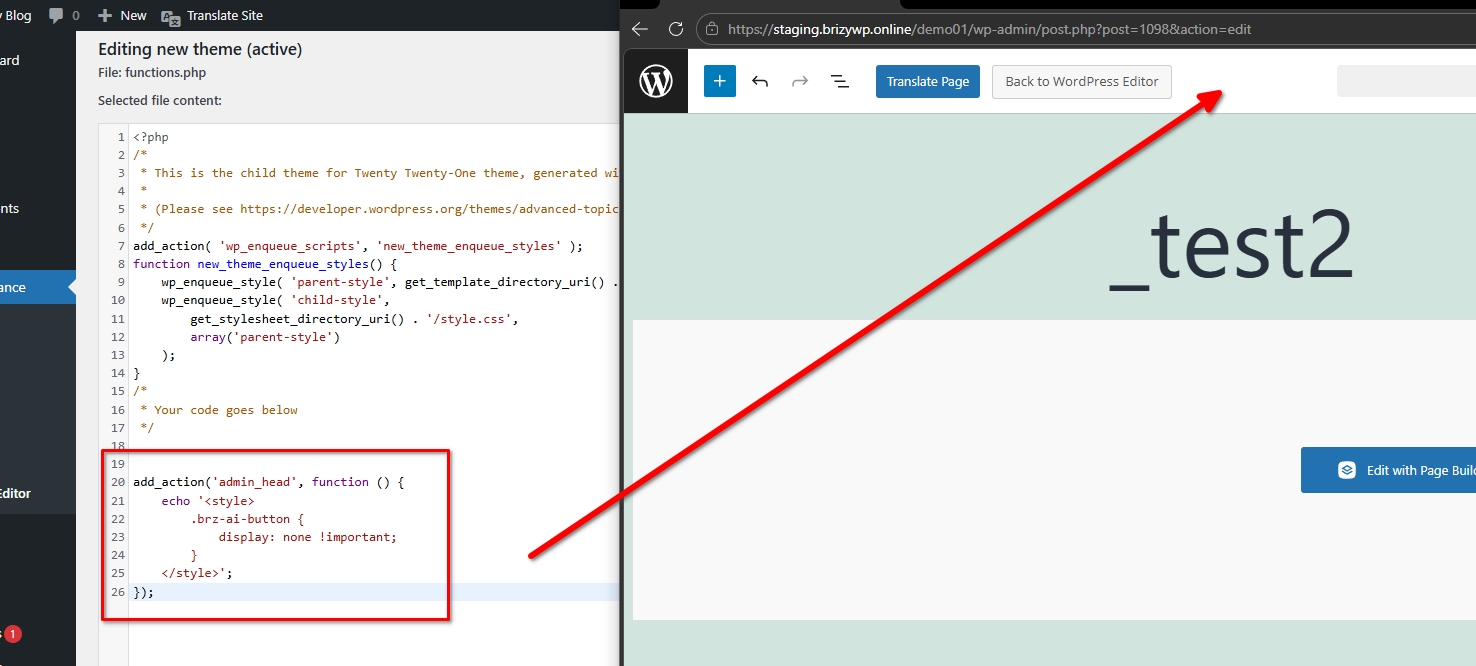
In the meantime, you can hide the button by adding the following snippet to your child theme’s functions.php file:
add_action('admin_head', function () {
    echo '<style>
        .brz-ai-button {
            display: none !important;
        }
    </style>';
});
This will hide the "Generate with Brizy AI" button in the WordPress admin interface.
I will also raise this issue with our developers for consideration so they can add an option in the White Label settings to disable the button.
Best regards,
Ariel H.0 -

Hello,
I have the same problem.
I have created 70 websites with white label for my clients, and this feature is not interesting at all in this case for my customer.
Please add an option in the Brizy setting in order to hide this functionnality.
Thanks for your quick answer and effective solution.
0 -

Hello Chartron,
We have escalated this issue to our developers and a future update will have a fix for this issue.
0
Please sign in to leave a comment.
Comments
3 comments