A lot of the help content is completely outdated

I’m trying to get into Brizy again but the help sections are outdated e.g. if I want to edit a menu the Design -> Menus is no longer accessible, but where can I edit the menu items now? There is a brz-ai-menu where I also can not edit the menu items. I still see my main menu which I created in DIVI 5 using the Design -> Menus option, but this is no longer accessible.
I also can not use Adobe variable fonts since Brizy does not recognize them.
A lot of issues...
-

Hi Andi,
Thank you for your message.
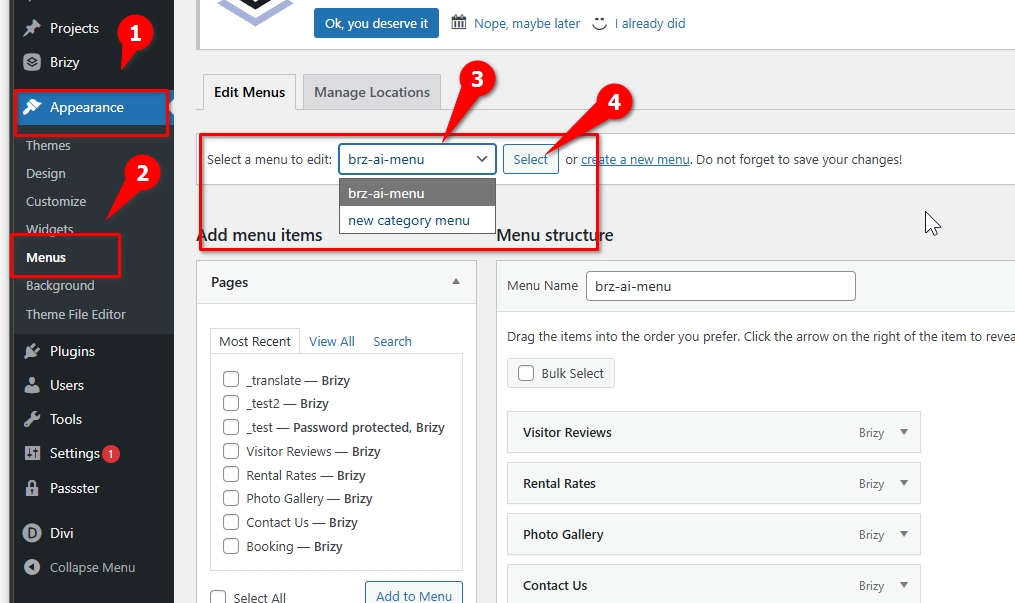
To edit the menu items, please go to Appearance > Menus in your WordPress dashboard (as shown in the screenshot). At the top of the page, you will see the "Select a menu to edit" dropdown. From there, choose your menu (for new category menu) and click the Select button. Once the menu loads, you will be able to modify the menu items on that screen.
Regarding the Adobe variable fonts, I tested accessing variable fonts through Adobe Fonts, and it is working as expected on our side. Could you please try disconnecting the Adobe Fonts integration and then connecting it again? This usually refreshes the connection and resolves the issue.
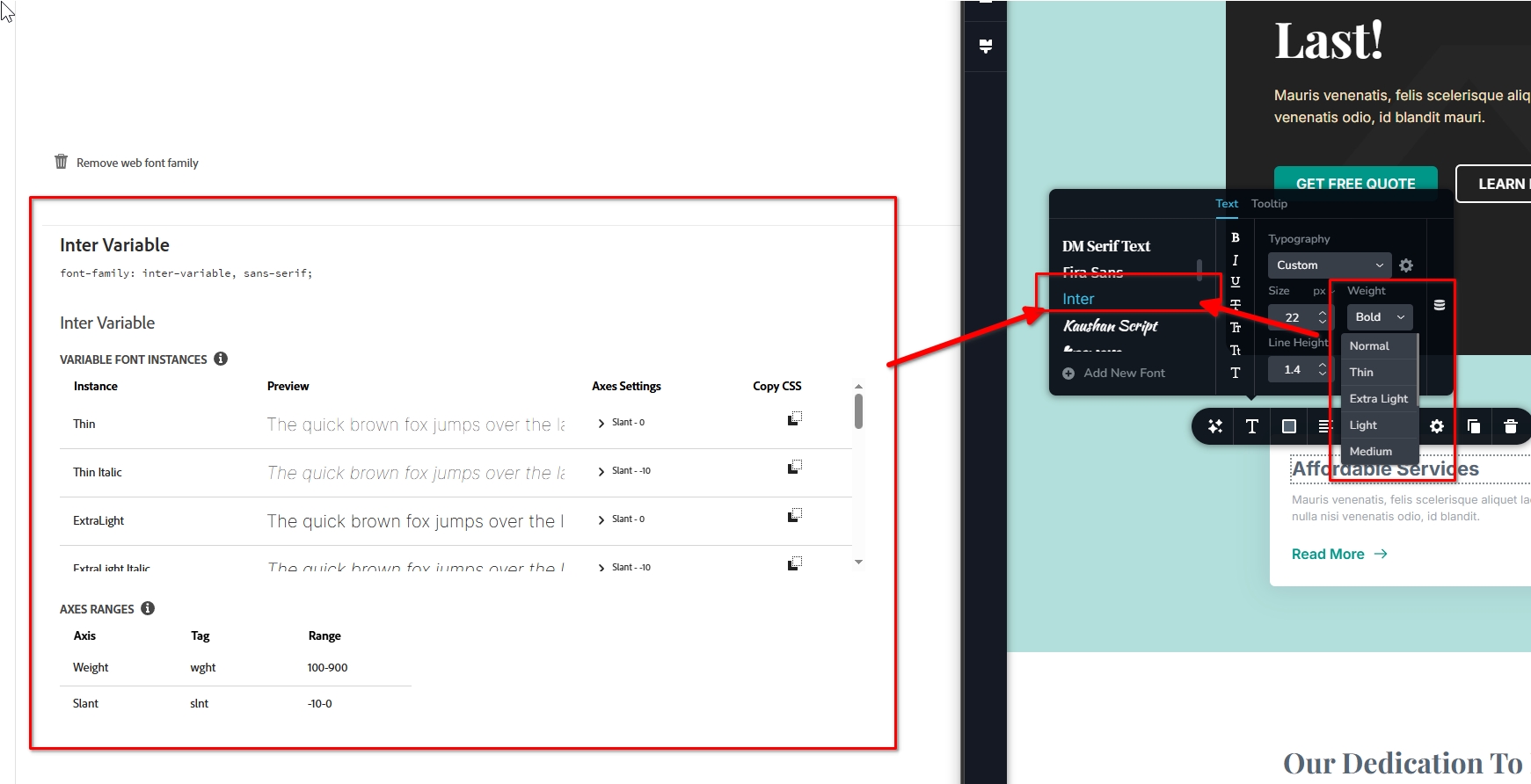
Please let us know how it goes.
Best regards,
Ariel H.0 -
Wrong. With the version 2.8.0 the Appearance > Menus is no longer visible. I tried it on different servers.
And the Adobe variable fonts also do NOT work on a cpletely new website on another server:
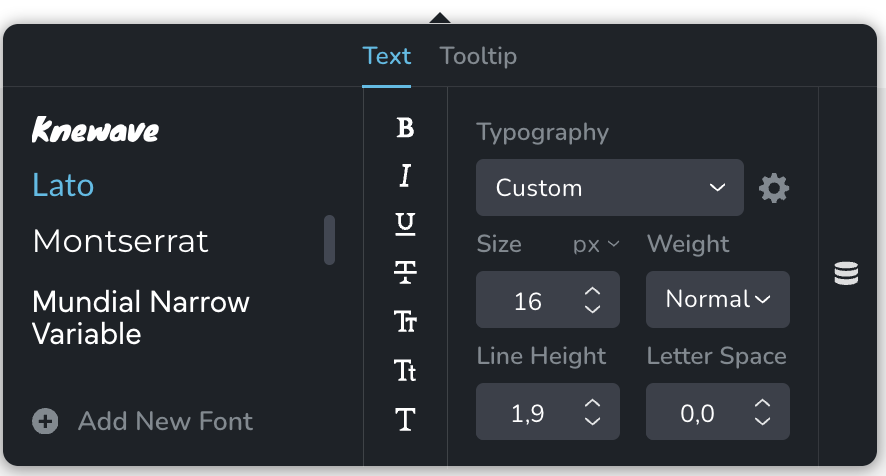 0
0 -
Hi Andi,
Thank you for the update.
In my previous reply, I suggested temporarily switching to Twenty Twenty-One or Blocksy. The Twenty Twenty-Five theme uses block-based navigation, which does not include the classic Appearance → Menus screen. Because of this, the Menus option will remain hidden even if the Brizy plugin is disabled.
At the moment, Brizy does not support block-based navigation, which is why we recommend using a theme that supports the classic WordPress menu, such as Twenty Twenty-One or Blocksy. Once you switch to one of these themes, the Appearance > Menus option should become available again.
Regarding the "block-based navigation,” it is edited through the Site Editor in WordPress. However, since Brizy does not integrate with this navigation system, using a classic-menu theme is the recommended approach when building your header with Brizy.
Please let me know if you need any help switching the theme or locating the menu settings.
Best regards,
Ariel H.0 -
Hi! With Twenty Twenty-One the menus appear again (very strange workaround!). But now the page content is gone🤷🏻♂️
How can this be fixed?
0 -
Hi Andi,
Thank you for the update.
In one of your previous replies, you mentioned that you were using Divi. It’s possible that the page content you’re referring to was originally created using the Divi Builder. You can confirm this by temporarily switching back to the Divi theme and checking if the page content appears again.
If the content returns after switching back to Divi, it means the page was built using the Divi Builder. Unfortunately, Brizy cannot edit pages that were created with other page builders. In that case, the page would need to be rebuilt using Brizy Builder.
If you have any further questions, please let us know.
Best regards,
Ariel H.0 -
No, of course not. All content was created from scratch in Brizy. I couldn’t find any solution to create and edit a menu even on an completely new Wordpress installation.
I always get this:
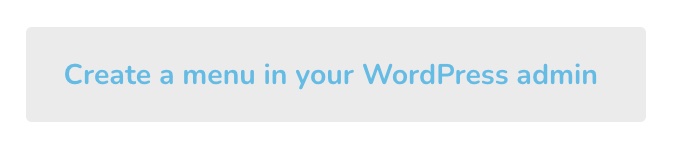

Never ever had these issues with any other page builder.
0 -

Hello Andi,
The above error has nothing to with your page builder or whether your WordPress installation is new or old. "Your theme does not support navigation menus or widgets" notification implies that you are using a "Block theme" which does not support Menus and Widgets under the "Appearance" menu.
To resolve this issue, you must switch to a "Classic theme". Few examples of "Classic themes" are
- Blocksy
- Astra
- Twenty Twenty One
0
Please sign in to leave a comment.
Comments
7 comments