**{{brizy_dc_image_alt}} dynamic tag not pulling alt text from WordPress Media Library**

Hi Brizy team,
I wanted to flag an issue I discovered with the dynamic alt text tag, even though I found a workaround addressed in another post.
**The Problem**
When images are inserted via the Brizy editor, the alt attribute is automatically set to the dynamic tag {{brizy_dc_image_alt imageSrc=...}}. This tag is supposed to pull the alt text value from the WordPress Media Library attachment. However, it is not working — instead of rendering the alt text, the raw unrendered template tag is being printed literally into the live page HTML like this:
alt="{{brizy_dc_image_alt imageSrc=" wp-xxxxxxxxxxxxxxxx.jpg"}}"
This affects every image across my entire site — homepage, portfolio, and all service pages — regardless of whether the Alt Text field in the Media Library is filled in or empty.
**Workaround I Found**
I was able to fix it by manually entering the alt text via:
Brizy editor → click image → Advanced tab → Alt Title field
This correctly renders the alt text in the live HTML. So the workaround works, but it requires manually editing every single image on every page one by one, which is very time consuming for a large site.
**What Would Be Better**
Ideally the {{brizy_dc_image_alt}} dynamic tag should automatically pull from the WordPress Media Library as intended, so that updating the alt text in one place (the Media Library) applies it sitewide without needing to open every page in the editor.
Hoping this can be looked at as a bug fix in a future update. Happy to provide more details if helpful.
Thank you!
-
I wanted to add an additional finding to this ticket that makes the issue even more critical.
While investigating further, I discovered that the Advanced → Alt Title field workaround only works for individual Image elements. For images inside a Gallery module, this option does not exist at all — there is no field anywhere in the Brizy editor to set alt text for gallery images.
This means my portfolio page, which uses a Gallery module with 54 images, has absolutely no way to fix the alt text from within the editor. The only viable solution for gallery images is for the {{brizy_dc_image_alt}} dynamic tag to correctly pull alt text from the WordPress Media Library as originally intended.
So to summarize the full scope of the issue:
1. The {{brizy_dc_image_alt}} dynamic tag is not pulling from the WordPress Media Library on any image sitewide
2. For individual Image elements, the Advanced → Alt Title field works as a manual workaround
3. For Gallery module images, there is no workaround at all — alt text cannot be set from anywhere in the editorThis makes fixing the dynamic tag pull from the Media Library the only complete solution for both cases. For a photography business like mine, the portfolio gallery is the most important page on the site — having 54 images with no readable alt text is a significant SEO problem with no current workaround.
Please let me know if a fix is planned or if there is something I am missing.
Thank you!
0 -

Hi Ar,
Thank you for the detailed explanation.
We’re aware of this issue, and it is currently being investigated by our developers. A fix is planned for an upcoming update.
I understand that filling out the Alt Title field in Brizy does not apply to images inside the Gallery module, and I agree that restoring the {{brizy_dc_image_alt}} dynamic tag to correctly pull ALT text from the WordPress Media Library is the proper long-term solution. I’ve added this as a note for our developers in the ticket we escalated.
We appreciate your patience while our team works on resolving this.
Best regards,
Ariel H.0 -
Hi, I’m following up on this issue, it's been over a month since I reported it, and it seems your team may have been aware even earlier based on other user reports. Could you please share an update on the status? Also, what is the expected timeline for a fix? This is quite an important SEO-related matter, so I’d appreciate any clarity you can provide.
0 -
Hi Ar,
Alt tags are now working in the latest version of Brizy.
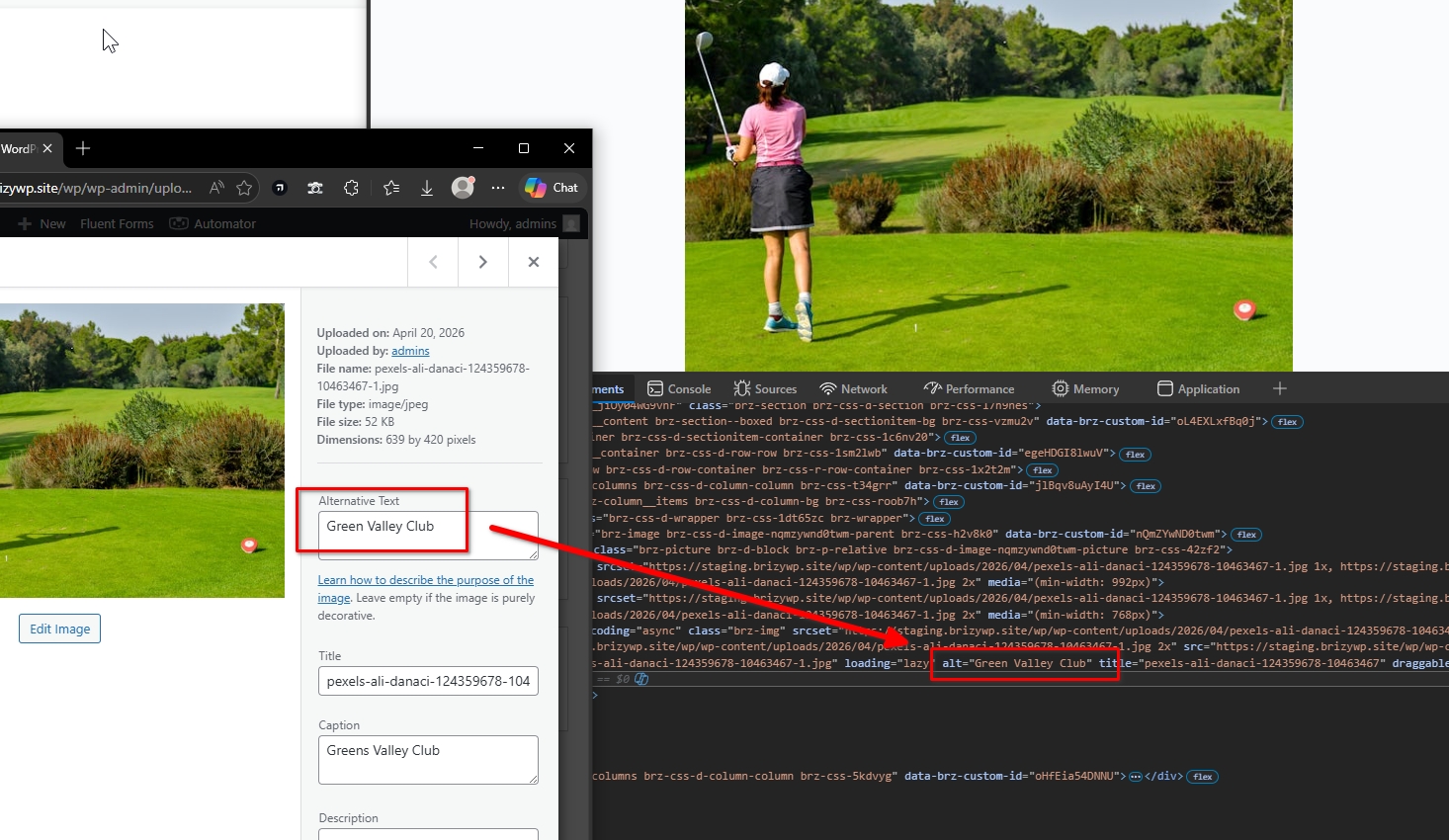
Please try recompiling the blocks that contain your images by making a minor change, such as adjusting padding or slightly resizing the image. This will activate the update button. You can then revert the change and click update. This process forces the page to recompile.
After that, you can check your browser’s developer tools to confirm that the alt tags are now present.
Let me know how it goes.
Best regards,
Ariel H.0
Please sign in to leave a comment.
Comments
4 comments