Brizy menu drop down alignment

Hi,
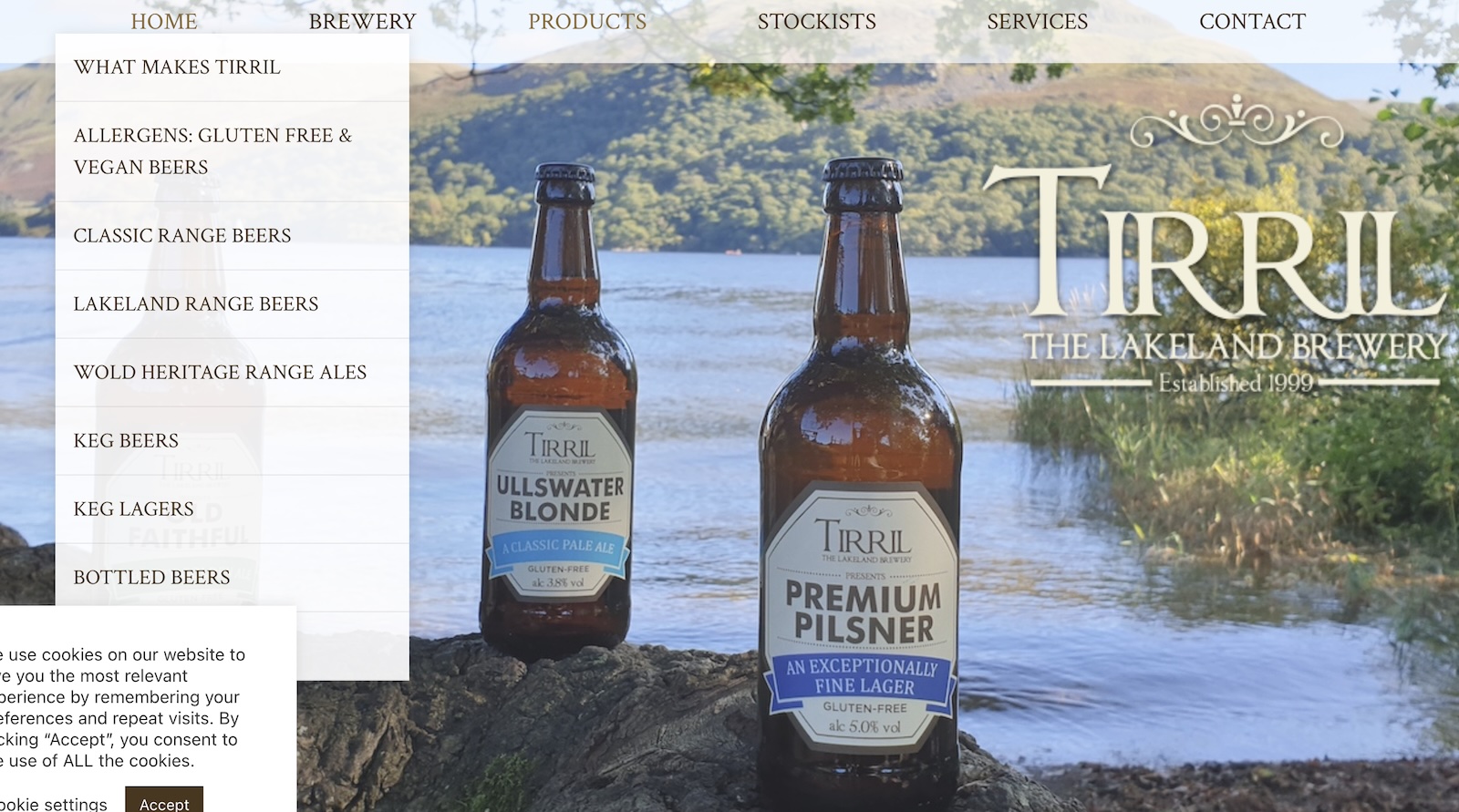
Since the recent update the drop down alignment under Products on this site sits way off to the left and can't be navigated around. It is fine in the backend. Can you please advise?
Thanks,
Eilidh
-

Hi Eilidh,
Thank you for reaching out.
Could you please share a screenshot of how the Products dropdown is currently displaying on your end?
Looking forward to your reply.
Best regards,
Ariel H.0 -
Hi Ariel,
Here you go.
Thanks,
Darren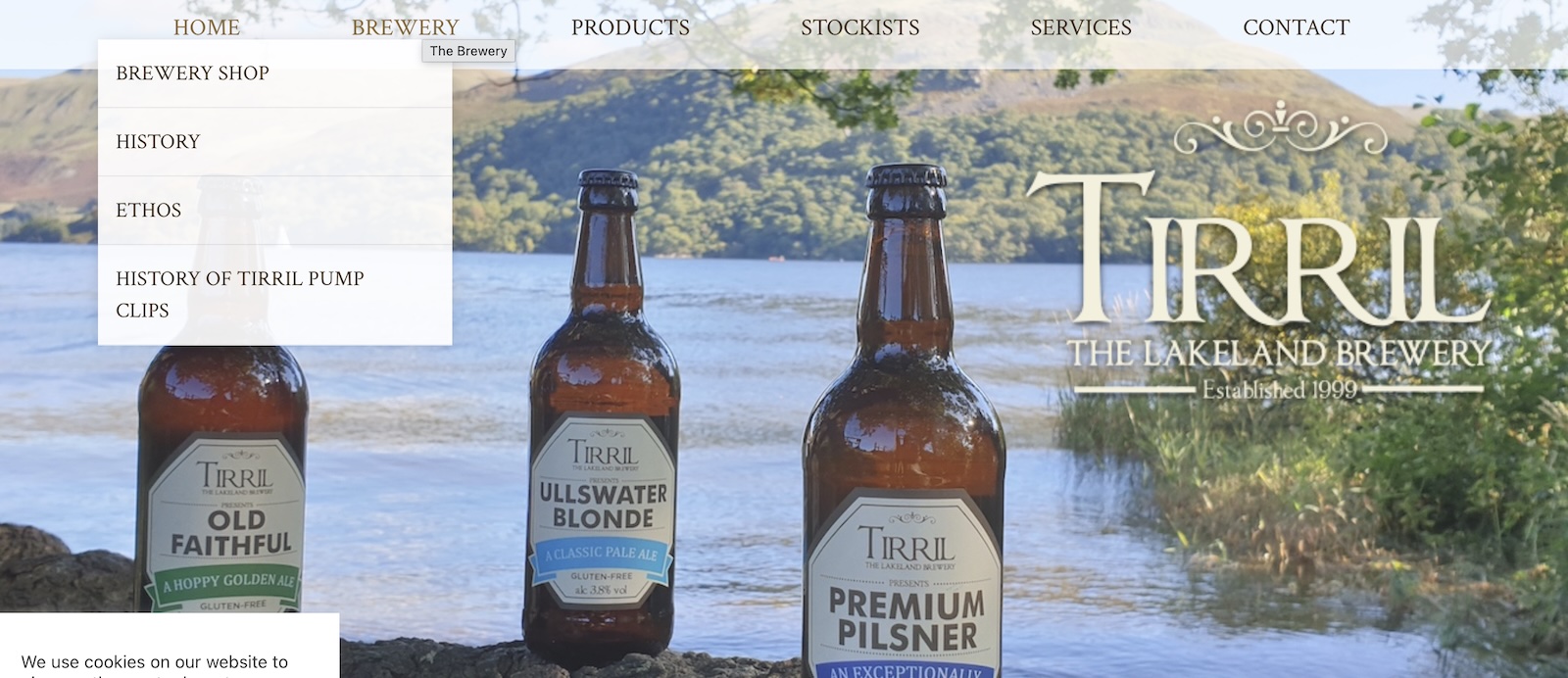
 0
0 -
Hi Darren,
Thank you for the update.
Please try reducing the menu container width or if it’s set to Full Width, switch it to Boxed, then revert it back and hit Update. This triggers a recompilation and often fixes dropdown alignment issues.
This is demonstrated on this screencast: https://streamable.com/h5xf0p
Please try this and let me know how it goes.
Best regards,
Ariel H.0 -
Hi Ariel,
I've tried that and if anything it's made it worse! I also cleared cache
Thanks,
Darren0 -
Hi Darren,
Could you please send your site credentials to communitysupport@brizy.io so we can take a closer look? Kindly include the reference number 33474391517714 in the subject line for tracking.
Best regards,
Ariel H.0 -
Hi Darren,
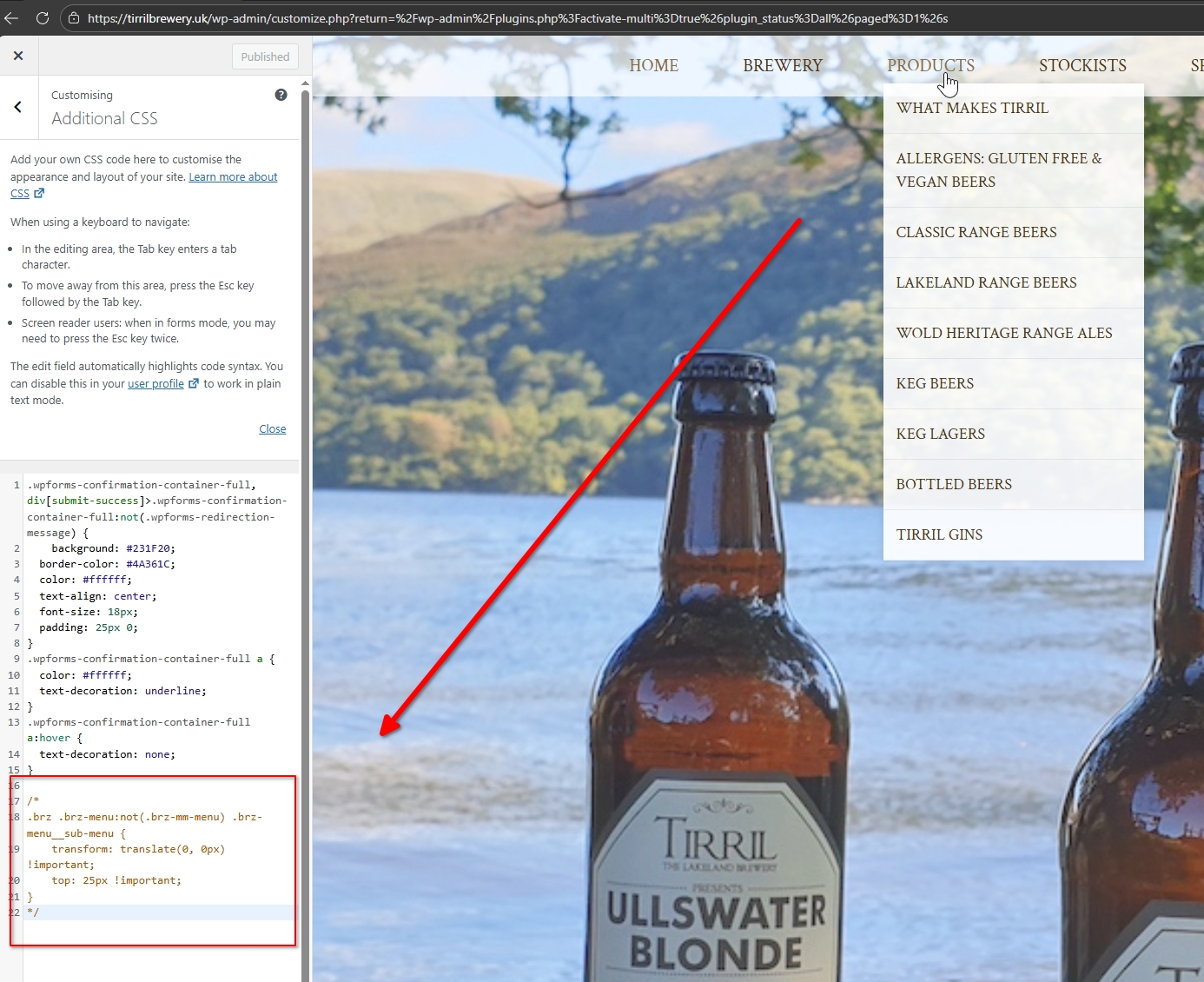
Thank you for your cooperation.We’ve identified that the issue is coming from the custom CSS added under Customizer → Additional CSS. We’ve commented out that code so it will no longer execute.
Best regards,
Ariel H.0 -
Thanks Ariel,
I think that was code that was previously provided when there was another update issue some time ago?
But thanks for fixing this for us.
Darren
0 -
Hi Darren,
Yes, that’s likely from a previous fix we provided after an earlier update which is no longer needed in the current version.
Ariel H.
0
Please sign in to leave a comment.
Comments
8 comments