Problems after moving to another provider, also the domain name

We have problems with brizy after moving our website too another provider, when i want to change pages with brizy it stay on the loading image. All the information on the site is mixed up and missing images so we want solve this as soon as possible. Thank you very much in advance!
-

Hi Theo,
Thanks for contacting us.
Since the site was moved to a new provider, could you please try the following steps and let us know if they help?
First, refresh the permalinks:
Go to your WordPress dashboard → Settings → Permalinks and click Save Changes without modifying anything.If refreshing the permalinks doesn’t help, please use Brizy’s Replace URL tool: Navigate to Brizy → Tools → Replace URL, then enter your old domain and your new domain, and click on Replace URL.
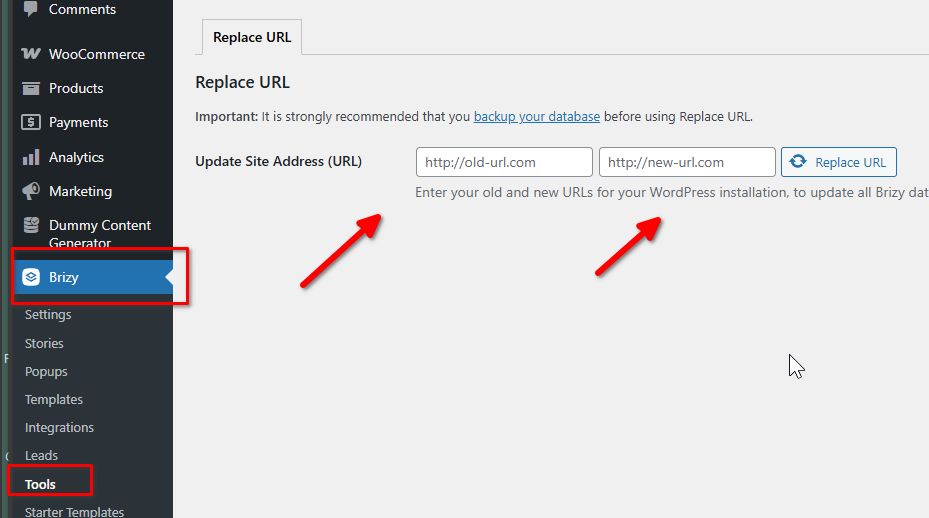
Please try this and let me know how it goes.
Best regards,
Ariel H.0 -
Thank you!
Both possible solutions didn't work, Can we try something else or do i need to remove the plugin and connect the plugin again?
Already thanks
0 -
Hi Theo,
Thank you for the update.
Could you please provide temporary access to your WP Admin so we can take a closer look at your site? Kindly add us as an Admin user in your WordPress Dashboard and send the details to communitysupport@brizy.io:
Community Post link: https://support.brizy.io/hc/en-us/community/posts/33097640780178
WordPress Admin URL:
Username:
Password:Best regards,
Ariel H.0 -
Hi Max,
Thank you for your cooperation.
We’re seeing a 403 error, which suggests the editor isn’t loading because the server is blocking one of Brizy’s requests. As a result, the page cannot be opened in the editor.
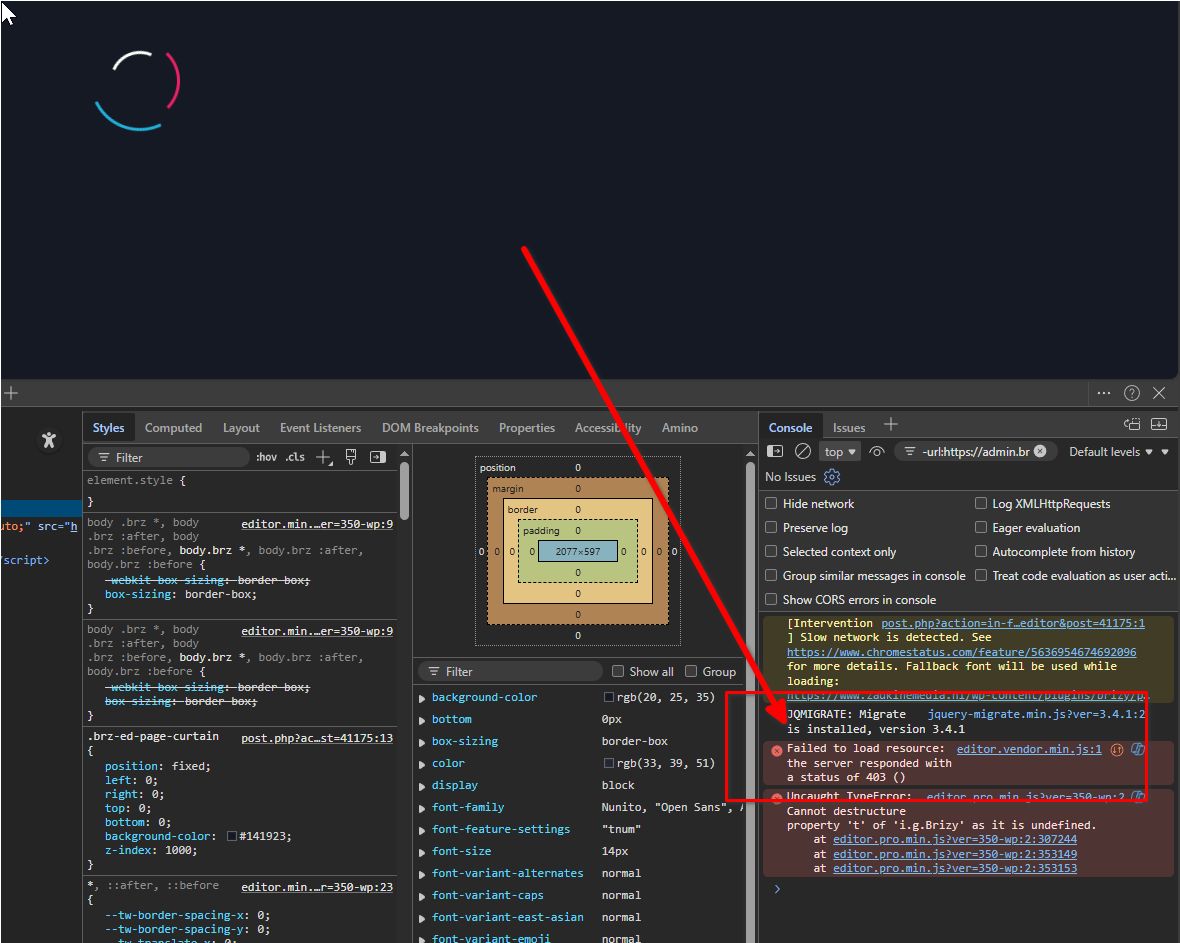
To further investigate, could you please share access to your web hosting control panel?
It would also help if you could provide the login details for the original site so we can assist with a proper migration.
Best regards,
Ariel H.0
Please sign in to leave a comment.
Comments
4 comments