Subject: Possible bot/WAF blocking on specific Brizy Cloud pages

Subject: Possible bot/WAF blocking on specific Brizy Cloud pages
Hi Brizy Support,
I’m having an issue where some pages on my Brizy Cloud site are not accessible to AI/HTTP clients, even though they are published, indexed, and work fine in normal browsers.
Here are the details.
Site and pages:
-
Domain: pragmaticpeople.co
-
Working pages:
-
Problem pages:
-
Business Apprenticeship: https://www.pragmaticpeople.co/en/business-apprenticeship
-
Accelerator Plans: https://www.pragmaticpeople.co/en/accelerator-plans
-
What works:
-
All of these URLs open correctly in normal browsers (Chrome, etc.).
-
I can find the Business Apprenticeship and Accelerator pages via Google search, and other AI systems (e.g., Google Gemini) can read and quote content from them.
-
The About page is fully visible to AI tools as well.
What doesn’t work:
-
I previously accessed information from the Accelerator page using Perplexity to help me develop and refine my website copy. At that time, Perplexity could read the Accelerator content without any issues.
-
Now, the same AI client (Perplexity) can:
-
Successfully load the Home page and the About page.
-
But consistently fails to load the Business Apprenticeship and Accelerator Plans pages.
-
-
The error behaviour is consistent over multiple attempts and different questions targeting those specific URLs.
Testing I have done:
-
Confirmed that:
-
The site and all pages are publicly published.
-
The problematic URLs work in incognito/private browser windows.
-
-
Confirmed that:
-
The About page is readable to the AI client.
-
The Business Apprenticeship and Accelerator Plans pages are not readable to that same client, even though they are visible in my browser and indexed by Google.
-
-
Noted that this is a change in behaviour: the Accelerator page used to be accessible to Perplexity and now is not, without any intentional configuration changes on my side.
My suspicion:
-
It looks like the hosting/CDN/WAF layer is treating some deep URLs (especially pricing/offer pages) differently from the main marketing pages.
-
Browsers and major search/AI providers are allowed, but generic data‑center/AI clients are being blocked or served an error on:
-
/en/business-apprenticeship
-
/en/accelerator-plans
-
Requests:
-
Could you please check whether there are any bot protection, rate‑limit, firewall, or security rules on Brizy Cloud (or your CDN layer) that might:
-
Allow /en/ and /en/about
-
But block or challenge /en/business-apprenticeship and /en/accelerator-plans for non‑browser/AI clients?
-
-
Are there any known settings at:
-
Project level (e.g., protection, membership, secure areas), or
-
Page level (e.g., password, restricted access, special caching mode)
that could cause these specific pages to be inaccessible to generic HTTP clients while still being visible to normal browsers?
-
-
If such rules exist, could you:
-
Either whitelist these specific URLs for normal bot/AI access, or
-
Advise what settings I should change in the Brizy dashboard to make sure these pages are treated the same as my Home and About pages?
-
My goal is to use Perplexity to improve and iterate on my website copy, which requires that it can read the Accelerator Plans and Business Apprenticeship pages in the same way it can read the Home and About pages.
Thank you very much for your help, and please let me know if you need any additional technical details or logs from my side.
Best regards,
Ash
-

Hello Ash,
I have attempted to reproduce the issue you have described above. Please have a look at the screen recording at https://jmp.sh/qwjnDZz3 for my test. Kinldy give us the exact steps we must follow to reproduce the problem you are facing with Perplexity accessing your webpages.
0 -
Hi Kc George
Yes Perplexity that is the correct Perplexity. You are testing exactly how it failed for me. When I test the business apprenticeship and accelerator links I get nothing. Perplexity can see my home page though.
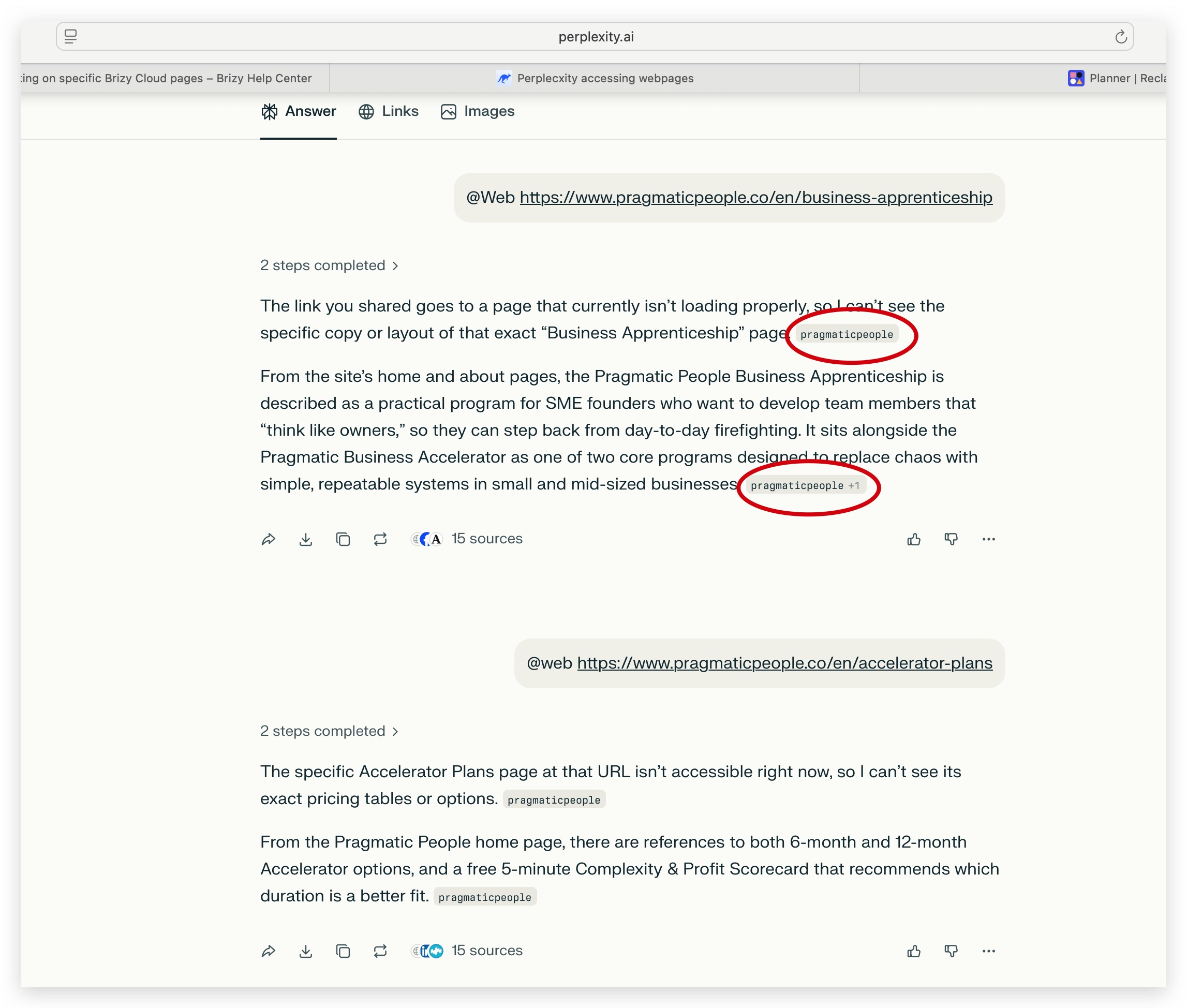
Here is Perplexity seeing my home page
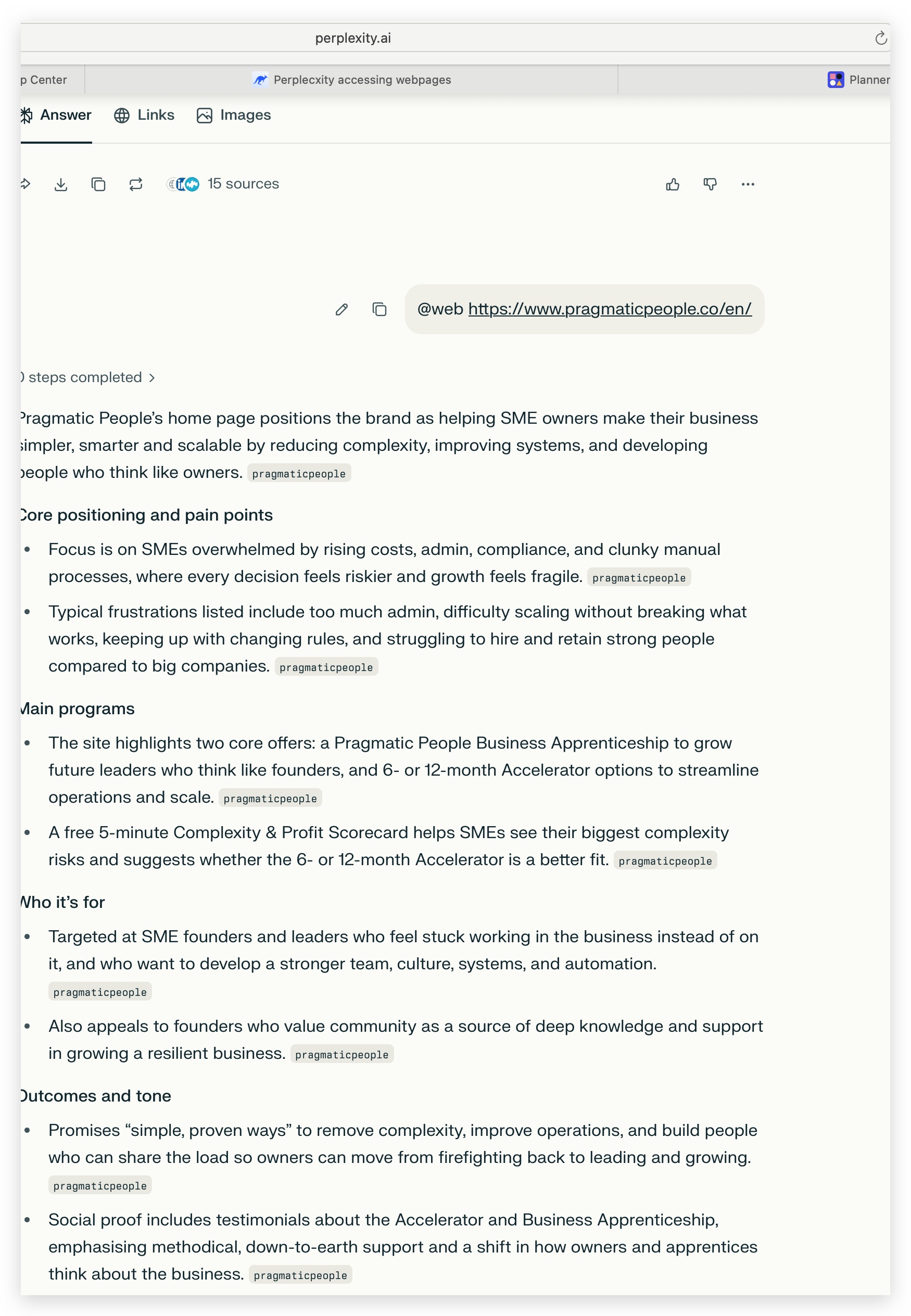
Is it a geography issue? I am in Portugal. Some security measure about the type of layer perplexity uses and your security blocking how it does it?
I was only working on the accelerator program a week or two ago and it was working then. I published the Business apprenticeship this week and ran into this issue.
Thoughts?
Thanks
Ash0 -
Hi Kc George
Again Thank you for checking my site and confirming that Perplexity can access the Business Apprenticeship page. I appreciate the quick help. I have been trying a few different things and working with Perplexity to try a debug from this side.
Like I said in my last comments and screen shots, I’m still seeing a discrepancy that suggests this might be related to specific IP ranges or routing paths rather than the page configuration itself.
Recap of the situation:
-
Domain: pragmaticpeople.co
-
Working pages for all clients (including Perplexity in your test):
-
Problem pages in my current Perplexity environment:
-
Business Apprenticeship: https://www.pragmaticpeople.co/en/business-apprenticeship
-
Accelerator Plans: https://www.pragmaticpeople.co/en/accelerator-plans
-
What we now know:
-
You tested from your side and Perplexity successfully accessed and summarized the Business Apprenticeship page, which confirms the page is public and accessible in at least one Perplexity context.
-
In my Perplexity environment (presumably using a different backend path/IP range), the same URLs still cannot be fetched, even though:
-
The Home and About pages load correctly.
-
The site is public and works normally in my browser.
-
This suggests that:
-
Some Perplexity traffic/IP ranges or regions can reach
/en/business-apprenticeshipand/en/accelerator-plans. -
Other Perplexity traffic/IP ranges (including the one I’m using) are being blocked, challenged, or errored by the hosting/CDN/WAF layer on those specific URLs, while
/en/and/en/aboutare allowed.
My request:
-
Could you please check whether there are any:
-
IP‑range‑based, ASN‑based, or region‑based rules, or
-
Path‑specific security/bot/WAF rules
that might treat/en/business-apprenticeshipand/en/accelerator-plansdifferently from/en/and/en/aboutfor certain data‑center/AI traffic?
-
-
If possible, could you:
-
Confirm whether Brizy/Bunny uses different security profiles for “deep” or “money/offer” pages that might explain why some Perplexity instances work and others don’t?
-
Whitelist these two URLs (or relax bot rules for them) for reputable AI/HTTP traffic, so that all Perplexity environments can read them consistently?
-
My goal still, is to use Perplexity across sessions to improve and iterate my website copy for the Accelerator and Business Apprenticeship pages, and this requires reliable access from different Perplexity environments.
Thank you again for your assistance, and please let me know if there’s any additional information I can provide (timestamps, example queries, etc.) to help you trace the blocked requests.
Best regards,
Ash0 -
-
Hello Ash,
Kindly carryout these tests and get back to us with your findings.
-
Try Incognito Mode: Open a new incognito/private window of your current browser and check if Perplexity.ai can access the two pages
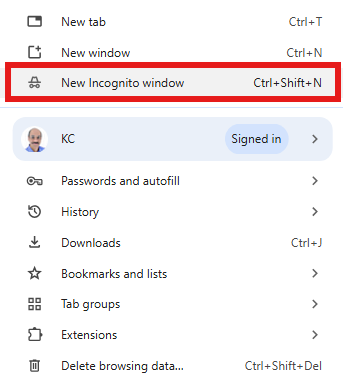
- Try alternate browsers: Visit https://www.perplexity.ai/ using an alternate browser (like Firefox, Opera, Microsoft Edge, Comet) and check if the two pages are accessible to Perplexity
- Try a different computer: Visit https://www.perplexity.ai/ on an alternate computer and check if the two pages are accessible to Perplexity
0 -
Try Incognito Mode: Open a new incognito/private window of your current browser and check if Perplexity.ai can access the two pages
-
Hi Kc George
Again thank you for the help and persistence. I had already tried Chrome (not incognito) as part of my initial testing. As requested I have now completed the following tests:
1. Incognito - Safari (Macbook)- Fail
2. Incognito - Chrome (Macbook) - Fail
3. Another Computer entirely (PC) - Fail
4. Via the perplexity application on my iPhone (Wifi) - fail
5. Via the perplexity application on my iPhone (5G) - fail
Again I have screen shots of needed, but they show as per the last and the only difference is incognito is being used. I will try later tonight a different network - to see if it's my router. But given I have the issue on the 5G network on the perplexity app I do not think that will work either.
ThanksAsh
0 -
Hello Ash,
Kindly downlaod Comet browser from https://www.perplexity.ai/comet and check if that helps. If there is anyway you can visit https://www.perplexity.ai/ from another computer which uses different ISP and different WiFi router, that would be helpful too.
0 -
Hi Kc George
I asked a friend in the UK to run the test and it Fails - so that is different computer, different country, different ISP - different everything.
I won't try comet yet as I have too much sensitive data on my laptop. I need to work out a way to isolate it.
ThanksAsh
0 -
Hello Ash,
We have a confirmation from our developement team that Brizy Cloud doesn't have differential blocking rules for different regions. All rules apply equally to all regions.
There could be other factors that can affect Perplexity's ability to crawl a webpage.
- Perplexity is protected by Cloudflare and users have reported that using a VPN often triggers security checks by Cloudflare. If you have a VPN in your WiFi network, this can interfere with Perplexity's functioning
- Cloudflare can block Perplexity from crawling websites: You can read more at https://www.searchenginejournal.com/cloudflare-delists-and-blocks-perplexity-from-crawling-websites/552899/
You may also want to check with Perplexity Support if they know a reason why the two pages are inaccessible to Perplexity when accessed from Portugal. Have a look at https://www.perplexity.ai/help-center/en/articles/10354888-need-support for ways you can contact their support.
0 -
Ok Thanks Kc George for confirming your side.
Can you confirm Brizzy cloud is protected by Cloud flare?
I will reach out to Perplexity support next.
I am on a different ISP to day and having the same problem. I have also made sure no private networks/VPN and or apples private relay is off - still a fail.
Thanks for the help
Ash
0 -
Hello Ash,
Brizy Cloud is deployed on Bunny CDN and is not protected by Cloudflare.
0
Please sign in to leave a comment.
Comments
10 comments