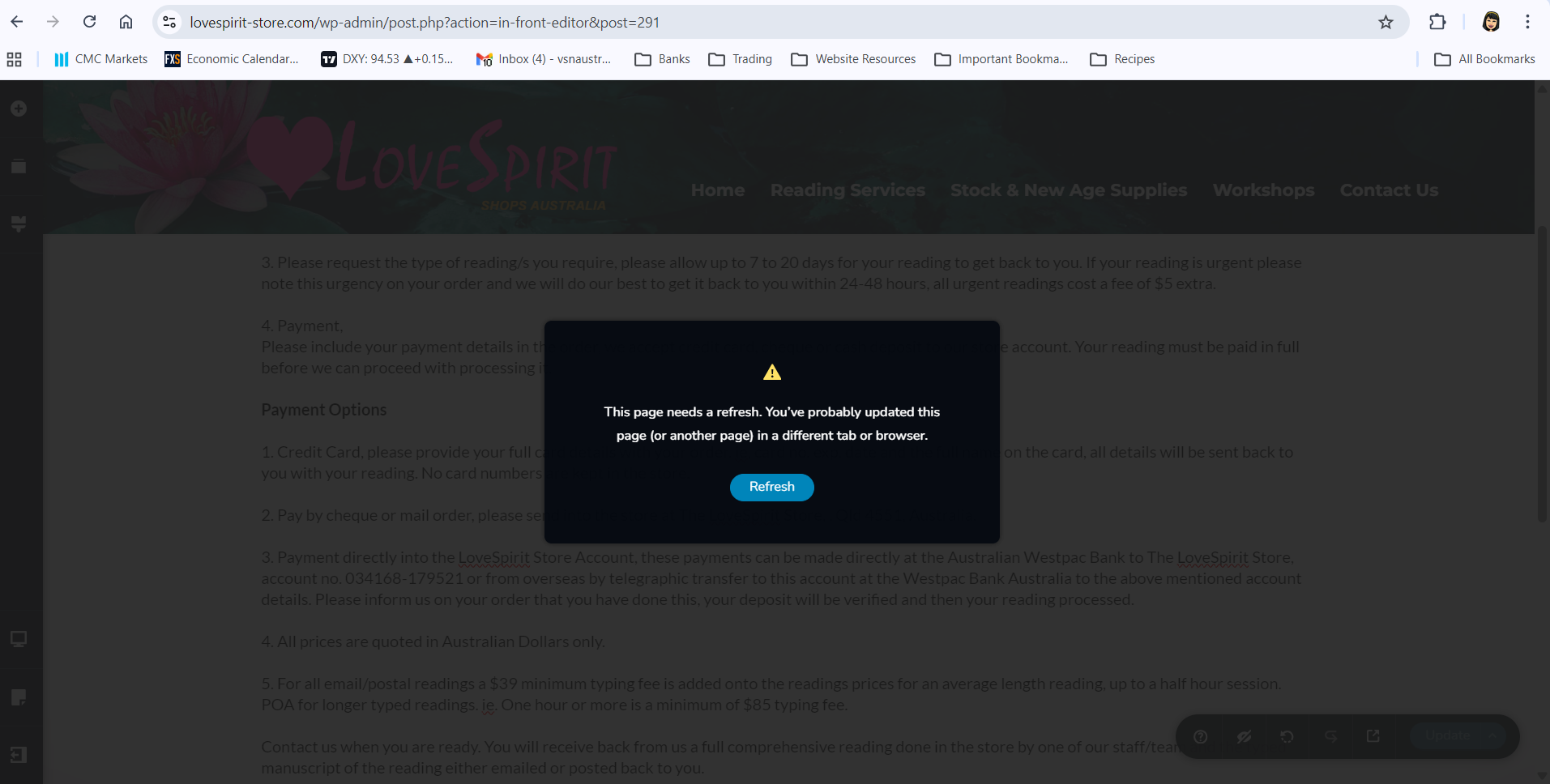
Error when updating a page: This page needs a refresh. You’ve probably updated this page (or another page) in a different tab or browser.

Hi,
I’ve encountered the error message below when attempting to update a page. I tried refreshing the page, but the same error continues to appear.
Could you please assist with this issue? I’m happy to provide my client site’s WordPress login details if needed. Please let me know the best way to send them securely.
Kind regards,
Ann
-

Hi Ann
Thank you for contacting us.
This issue often happens on sites using Wordfence or similar security plugins. Disabling the firewall or setting it to learning mode can usually resolve the problem. More information is available here: https://help.elegantthemes.com/en/articles/2395855-how-to-fix-saving-issues-while-wordfence-plugin-is-enabled.
If this is not the case, please confirm if you can replicate the issue with all other plugins besides Brizy and Brizy Pro disabled? Also, try using another theme and see if this makes any difference?
If the issue continues, this is something we need to inspect from your WP Admin page. Please add us as an Admin user to your WordPress Dashboard and send the following details to: communitysupport@brizy.io
Community Post https://support.brizy.io/hc/en-us/community/posts/32999956370194
WordPress Admin URL:
Username:
Password:Please make a full backup of your site as a precaution.
Best regards,
Ariel H.0 -
Hi Ariel,
Thank you for your prompt assistance. Wordfence was the culprit and setting it to "Learning Mode" fixed the issue. Salamat po!
Regards,
Ann S.
0
Please sign in to leave a comment.
Comments
2 comments