shop image unexpected zoom in the shop

Hi, I have an issue with my latest shop with the feature image of my product.
As you can see on the link below, if you clic on the image, it getting big and stay big
Any suggestions ?
https://comdeschampions.com/product/faconne-ton-image-et-ta-deuxieme-carriere-niv-pre-saison/
Thanx in advance
Gerald
-

Hi Gerald,
Thank you for contacting us.
Could you please confirm if you can replicate the issue with all other plugins besides Brizy and Brizy Pro disabled? Also, try using another theme and see if this makes any difference?
If the issue continues, this is something we need to inspect from your WP Admin page. Please add us as an Admin user to your WordPress Dashboard and send the following details to: communitysupport@brizy.io
Community Post link: https://support.brizy.io/hc/en-us/community/posts/32936307669906
WordPress Admin URL:
Username:
Password:Best regards,
Ariel H.0 -
Hi Gerald,
Thank you for your cooperation.
Unfortunately, the username and password provided don’t seem to be working on our end.
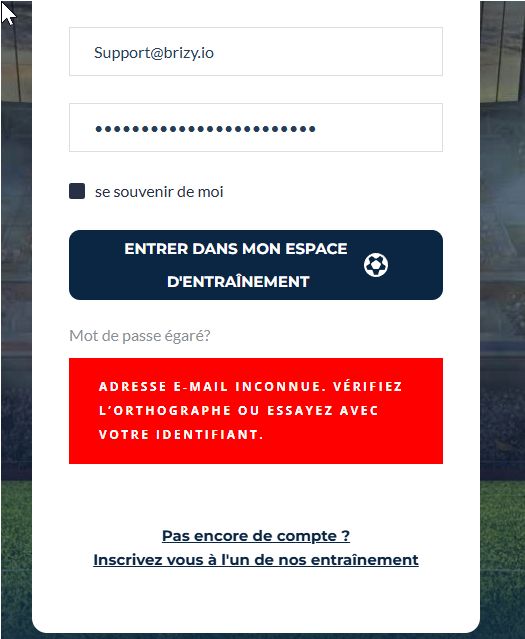
Could you please review and update the credentials, then send them again so we can access the site and check the issue right away?
Best regards,
Ariel H.0 -
Hi Gerald,
Thank you for your cooperation.
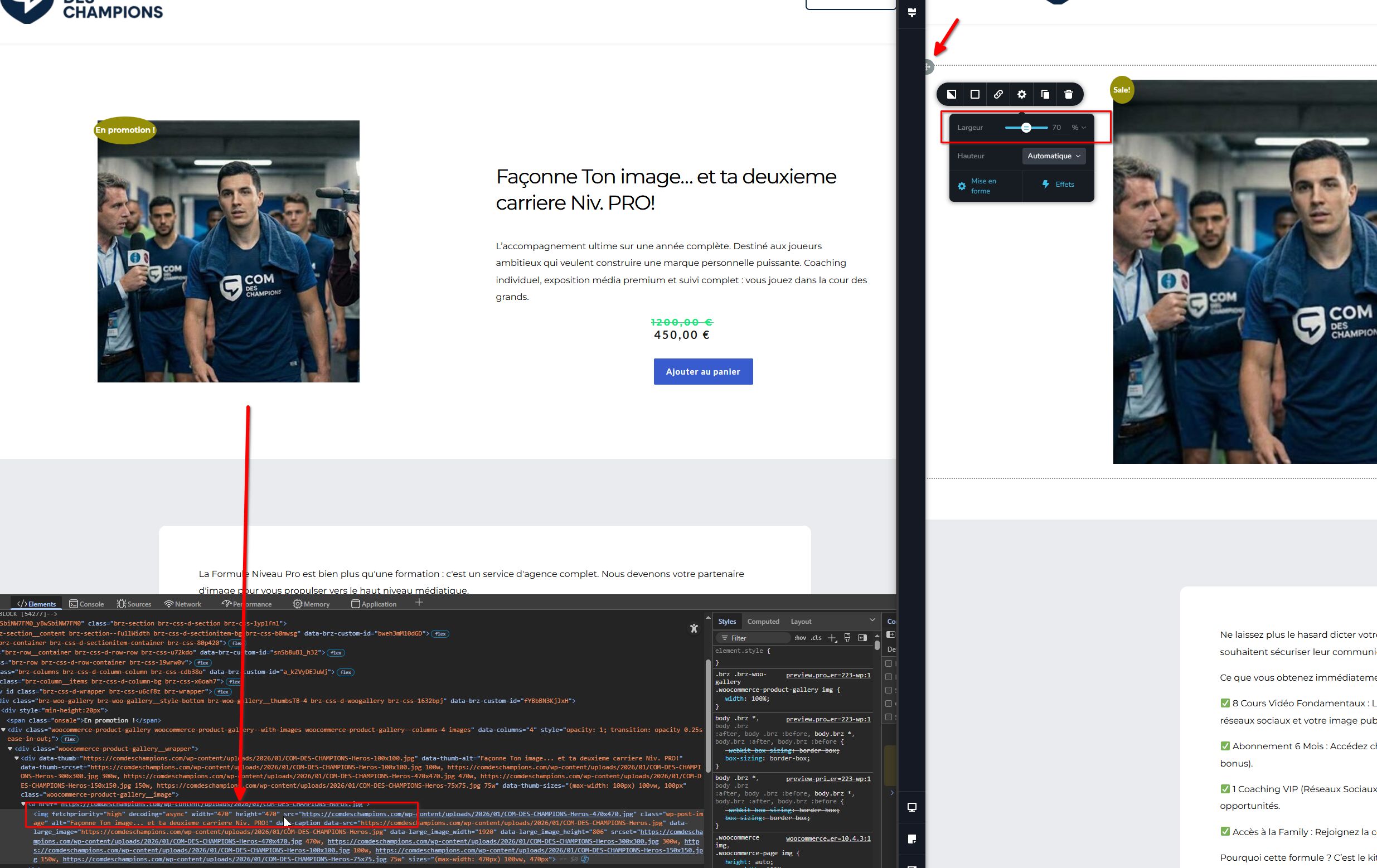
Upon checking, it appears that your theme is setting the product gallery image size to 470 × 470px. Because of this, when using a full-width layout, the image stays left-aligned, which results in a large empty gap.
To fix this, instead of placing the gallery inside a column, we recommend using a row. This way, even when the row is set to full width, you can adjust the column width to around 60–70% to reduce the extra spacing and keep the layout balanced.
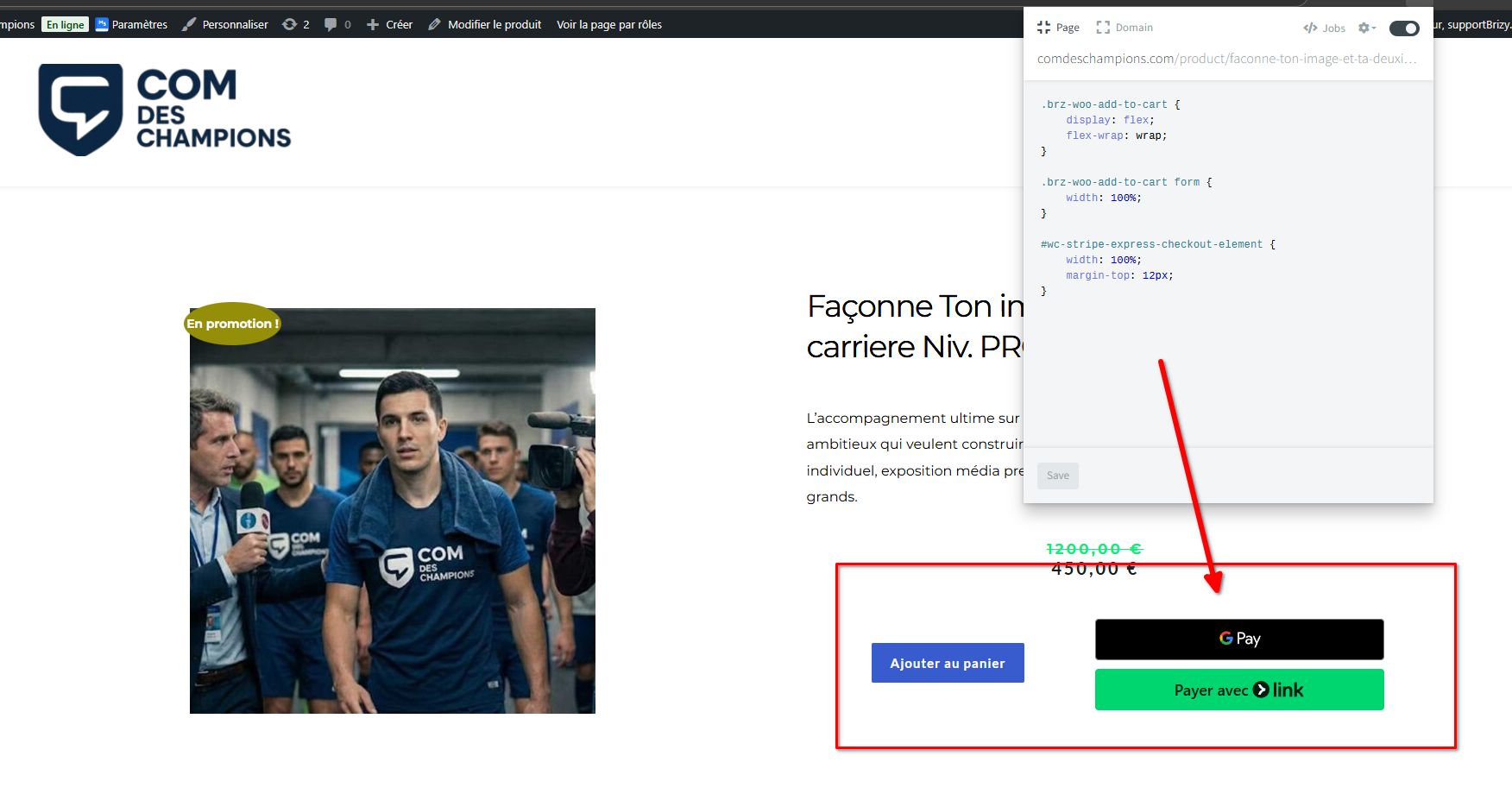
We also noticed that the payment add-ons are positioned very close to each other. To improve spacing and ensure they appear neatly next to the Add to Cart button, please try adding the following CSS:
.brz-woo-add-to-cart {
    display: flex;
    flex-wrap: wrap;
}

.brz-woo-add-to-cart form {
    width: 100%;
}

#wc-stripe-express-checkout-element {
    width: 100%;
    margin-top: 12px;
}
Let us know if you need any help applying this or if you have further questions.
Kind regards,
Ariel H.0
Please sign in to leave a comment.
Comments
3 comments