ACF Dynamic Content Font Colour

Hi,
On this website - https://www.dales30.co.uk/dales-30/baugh-fell/
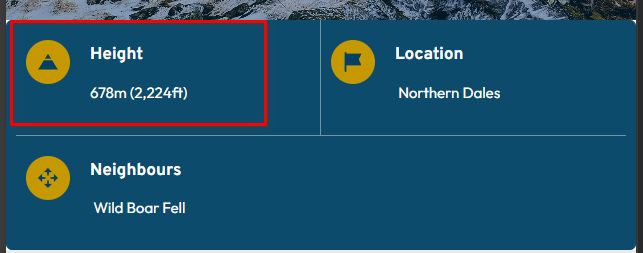
you can see that the stats on the header image all display as white, yet on mobile the Height shows as black. No matter what code I use I can't seem to get it to display as white.
This is dynamic content pulled through from ACFs and is on a Brizy template.
Thanks,
Eilidh
-

Hi Eilidh,
Please use the following CSS:@media (max-width: 1024px) {
.brz-text-btn span.text-population {
color: #fff !important;
}
}
If this is not the issue, please provide more details
Kind regards,
Ariel H.0 -
Hi Ariel,
This didn't work. In fact it turned the description and date text to white on this page which isn't ideal of course.
Do you have any other thoughts?
Thanks,
Eilidh
0 -
Hi Eilidh,
Could you please place the CSS inside the column where the affected text is located and check if that resolves the issue?
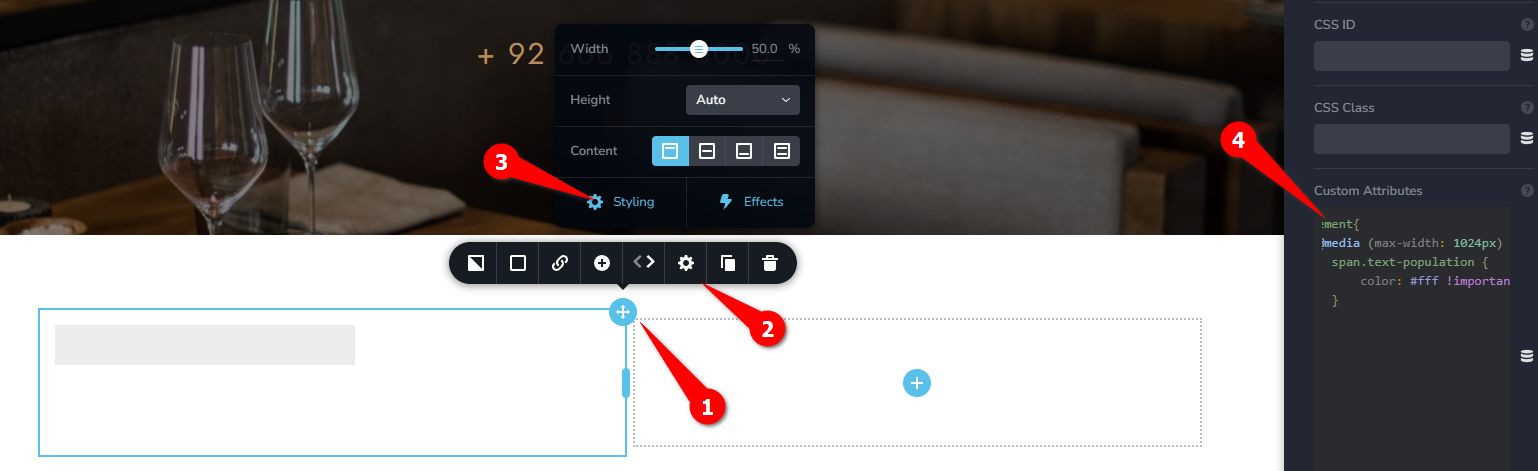
@media (max-width: 1024px) {
    span.text-population {
        color: #fff !important;
    }
}
If it still doesn’t work, please provide temporary access to your WP Admin and send the details to communitysupport@brizy.io, using ticket reference 32741693271826 in the subject line.
Best regards,
Ariel H.0 -
Hi,
Thank you. This has worked and doesn't seem to be impacting any other areas on the site.
Thanks again,
Eilidh
0 -
Hi Eilidh,
Upon checking, this block is currently hidden, which is why the color changes aren’t visible there.
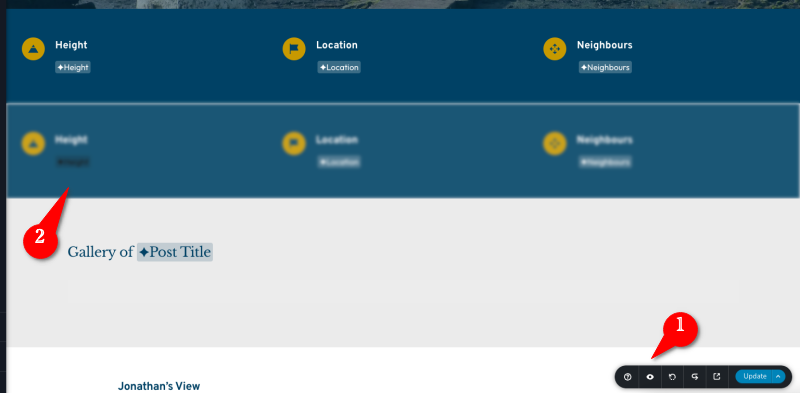
Could you please remove all the CSS that was previously added, then temporarily make the block visible on desktop so you can update the color directly? Once the changes are saved and confirmed, you can hide the block again as needed.
Best regards,
Ariel H.0 -
Hi Ariel,
Thanks for that. That's sorted it for us.
Thanks,
Darren0
Please sign in to leave a comment.
Comments
6 comments