Help with Multi-step Form: Navigation buttons missing on live site

Hi everyone,
I'm having a bit of trouble with the Multi-step form feature and I’m not sure if I’ve missed a setting or if it's a technical glitch.
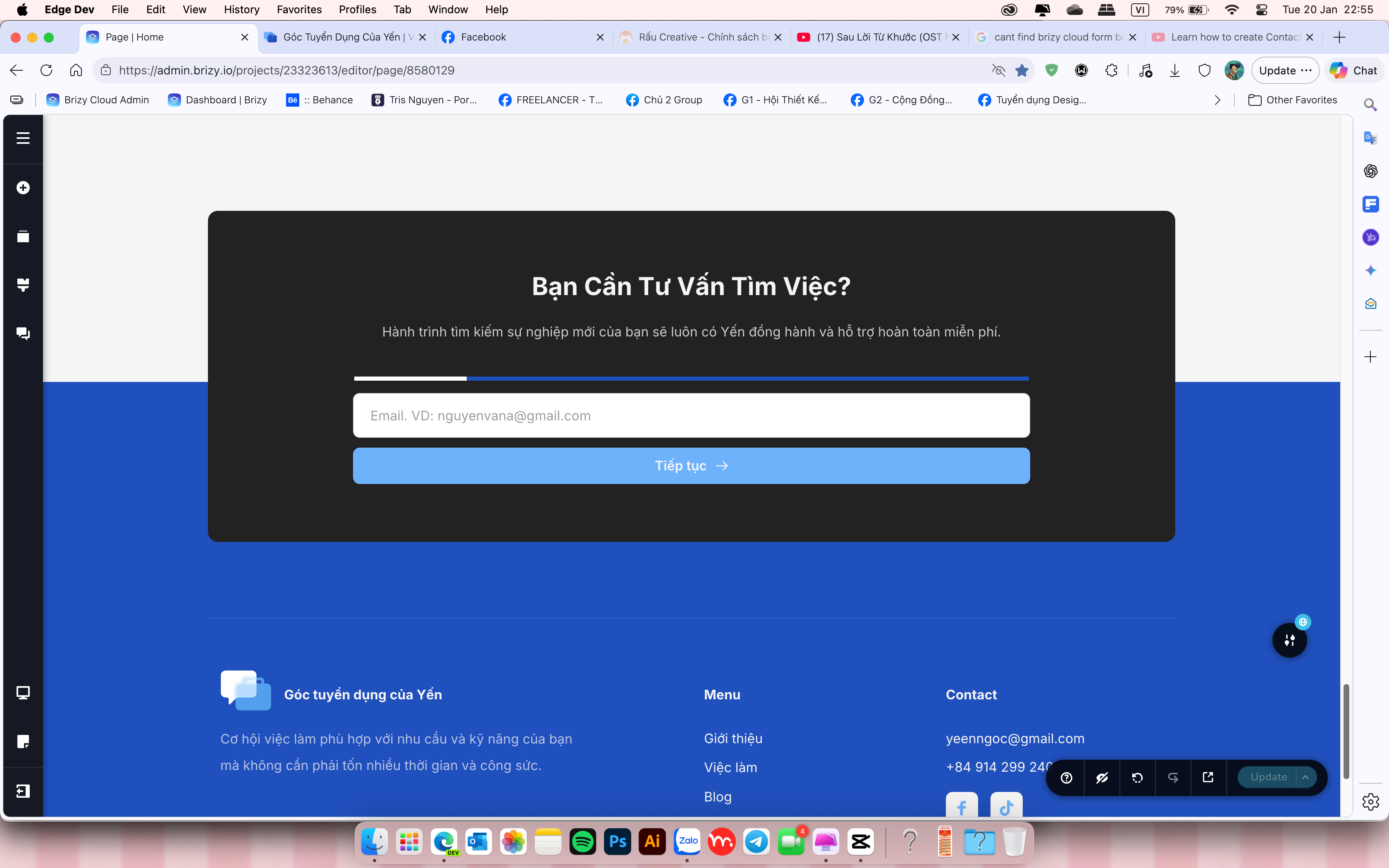
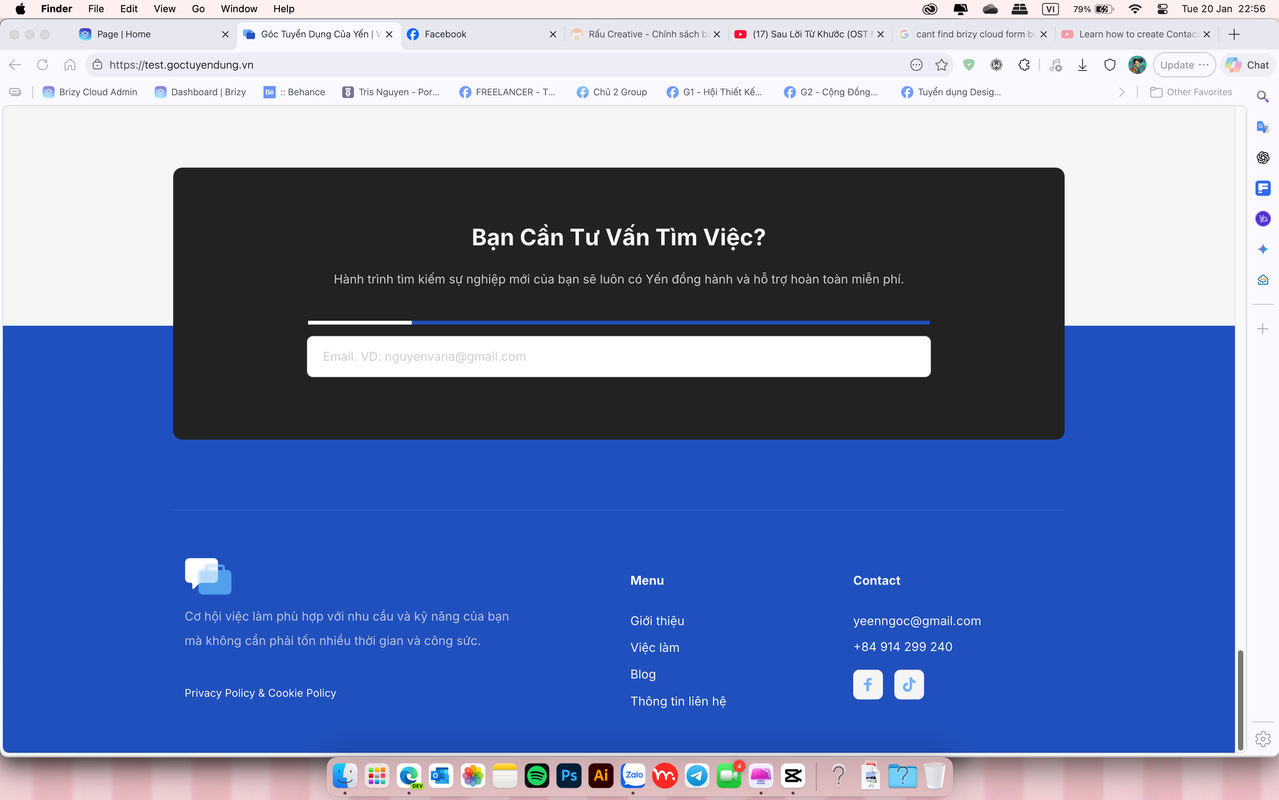
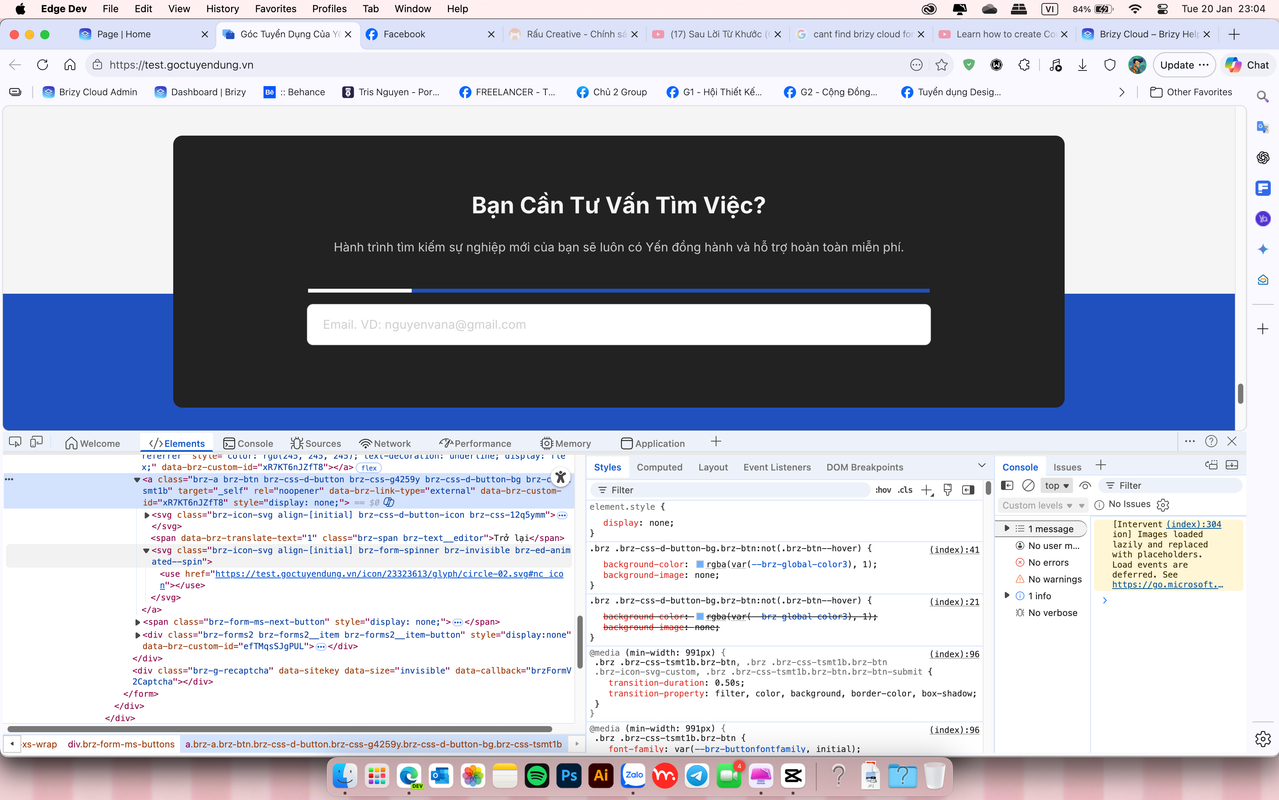
The Issue: I designed a Multi-step form for my homepage. Inside the Brizy editor, the "Next" and "Back" buttons show up perfectly. However, on the live published site, those buttons are nowhere to be found.
What I've noticed:
-
If I turn off "Multi-step" and let the form display in full, it works and looks fine.
-
I really want to use the Multi-step version to keep my homepage clean and professional.
-
I suspect I might have misconfigured something in the styling or the button settings, but I can't figure out what it is.
Has anyone experienced this before? Could you please point me in the right direction to fix this? I want to make sure the navigation buttons appear correctly for my visitors.
Thank you in advance for your time and help!
https://i.postimg.cc/4Xj5KVG4/screenshot-1768924537.png
https://i.postimg.cc/vmL9k1Dk/screenshot-1768924577.png
https://i.postimg.cc/6QNnMV5J/screenshot-1768925079.png
-

Hello Tri,
I have recreated the form for you. The navigation buttons and the progress indicators are clearly visible in the recreated form (in the editor and in the frontend). Kindly follow the procedure in the screen recording at https://jmp.sh/a0JAZIM0 to use the recreated form on your page. You may need to make appropriate design changes to the form to make it compatible with the rest of your page.
1 -
Hi KC George,
I appreciate your help. I have attempted to follow the steps to fix it, but the issue persists.
0 -
Hello Tri,
I have added the recreated form to https://test.goctuyendung.vn. Feel free to make necessary changes to the form according to your requirements.
0
Please sign in to leave a comment.
Comments
3 comments