Brizy Cloud Form Dropdown Colours / Selected option invisible

Dear Support,
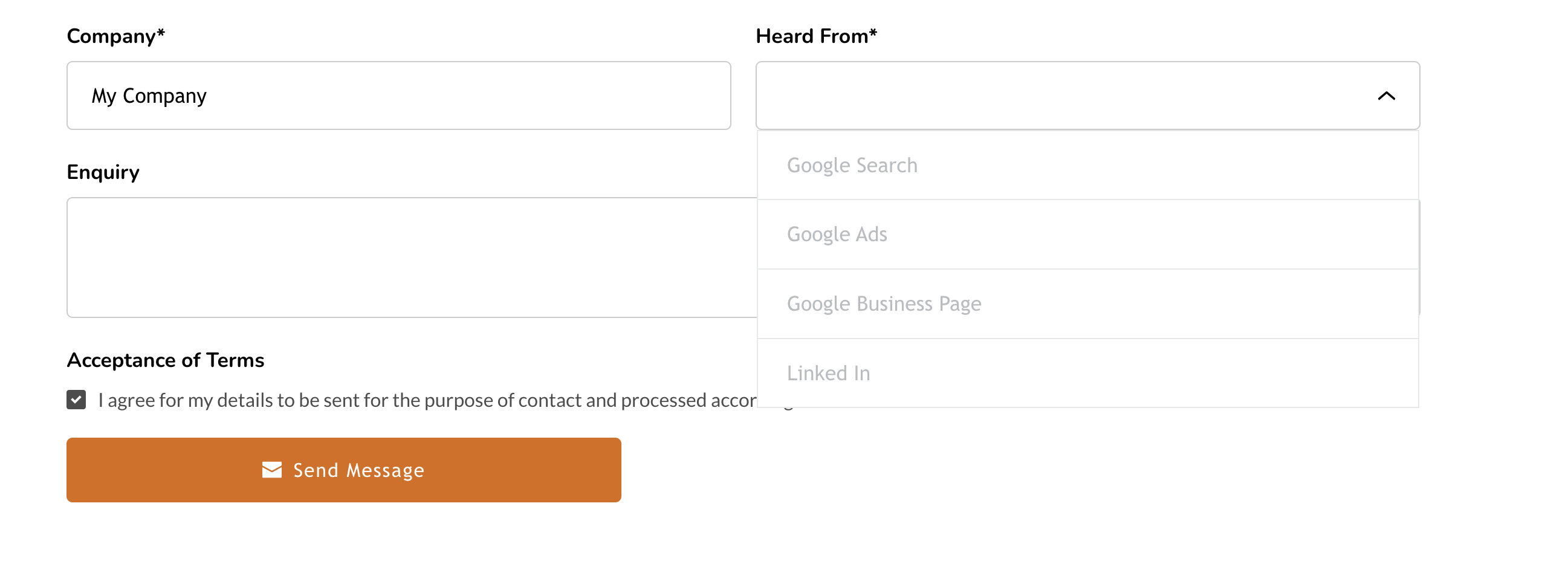
Could you please advise how amend the label colour for the dropdown menu for this form:
https://www.theradonconsultants.co.uk/contact
It's a standard form on a white background - text should be #000 for suitable contrast (like the text input boxes).
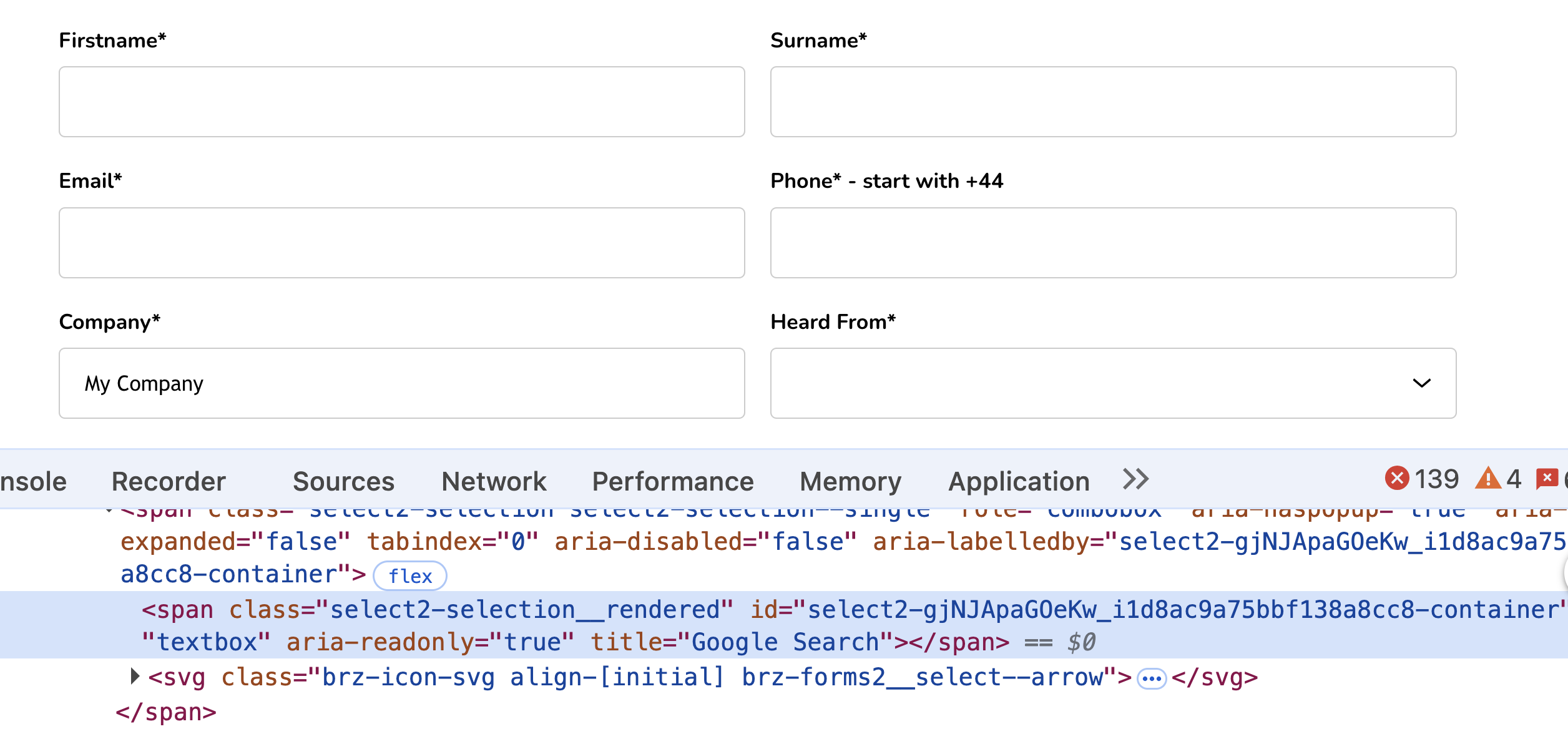
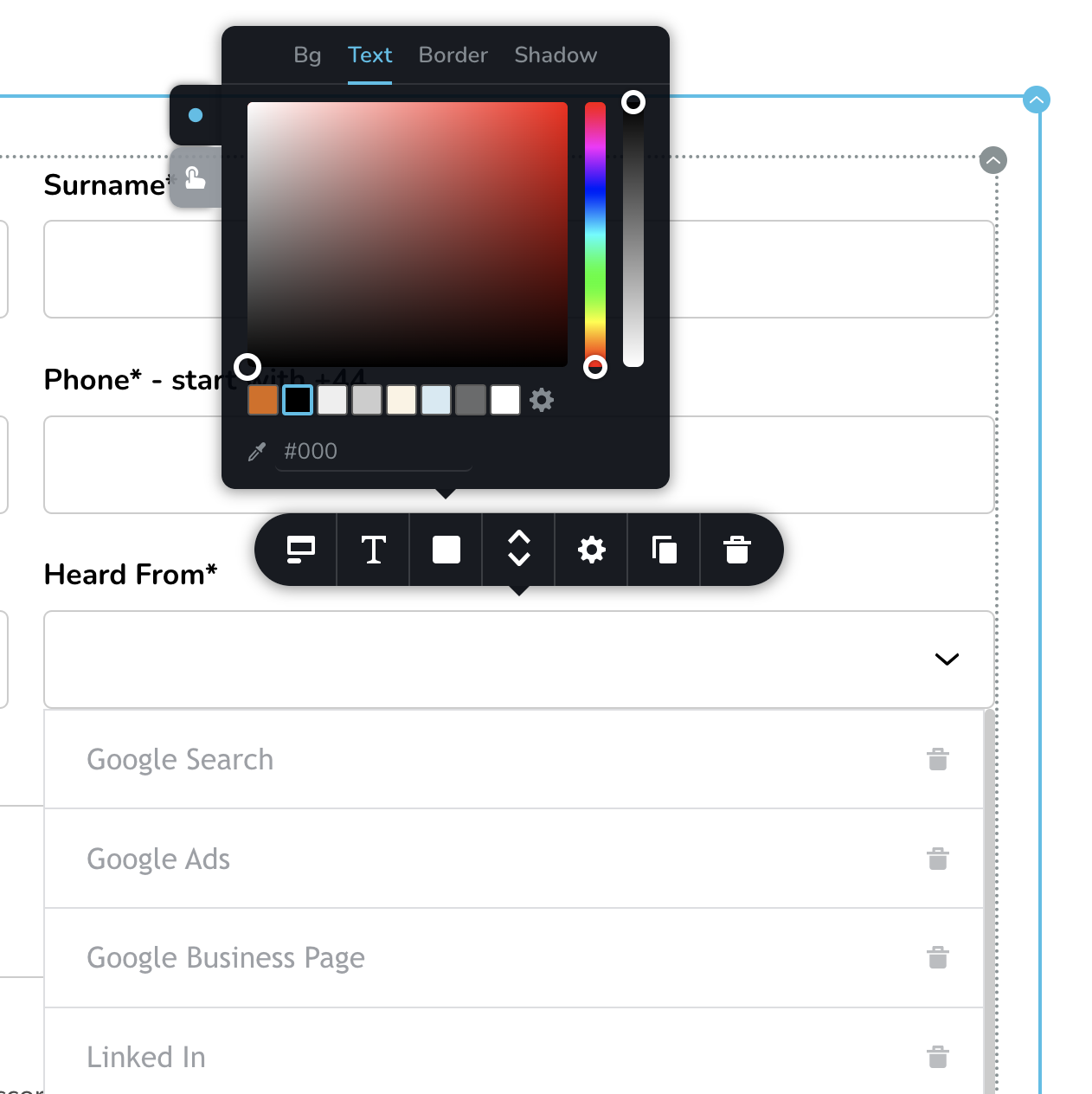
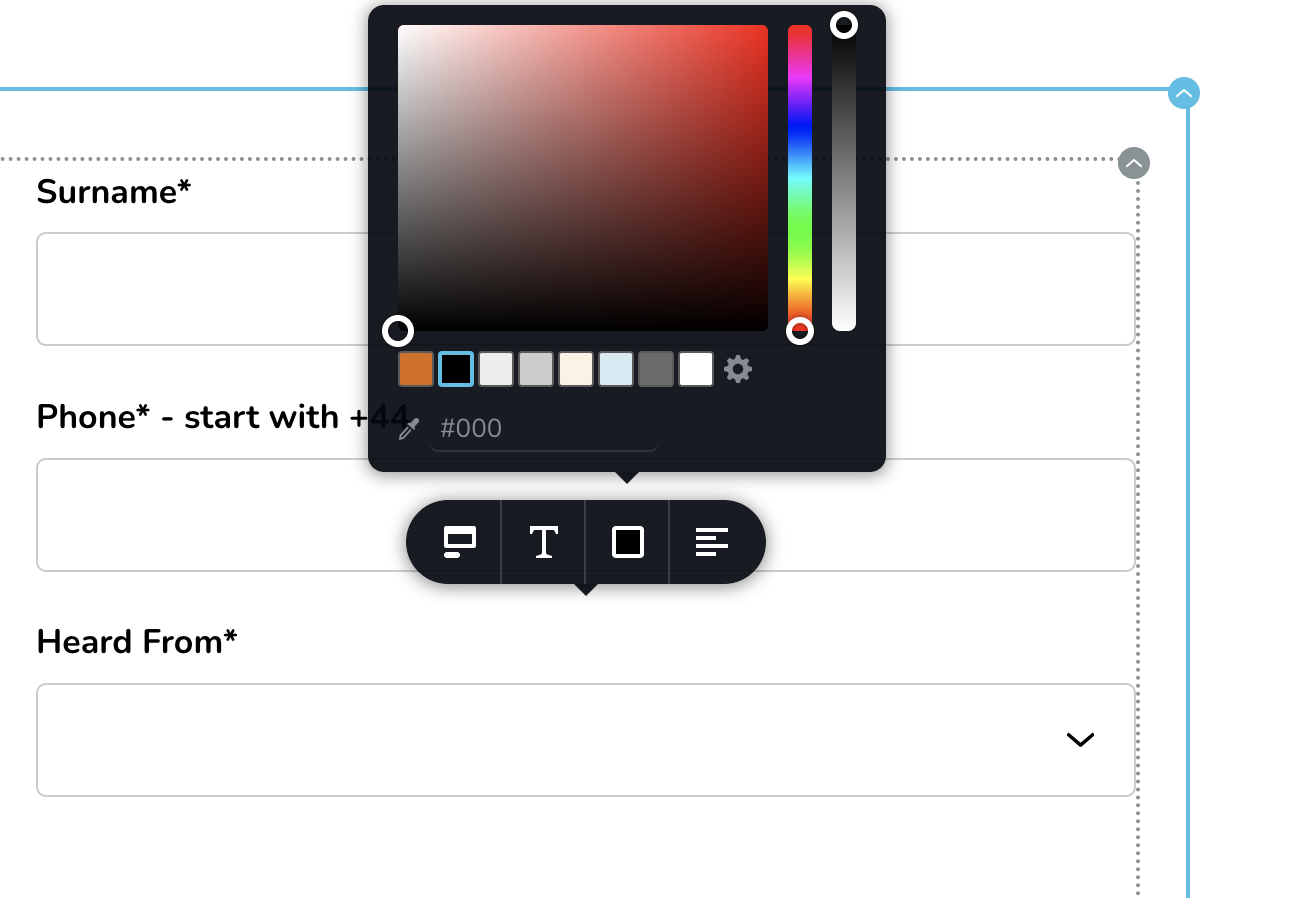
As you can see by my screenprints the option choices I've picked within the page editor don't seem to make any difference.
Without adding custom css the select items are grey - and the selected item turns white making it invisible.
I've tried to hack in some css from the Dev - so this time the items turn the right colour, but when selected it goes white (or invisible).
If this is a bug with select items specifically could you please look into this?
In the mean time could you supply some css that will resolve this as my current css (guessed) does not work when an item is picked.
.brz.brz:not(.brz-ed) .brz-forms2__field-select .select2-container--default .select2-results__option--highlighted[aria-selected] {
color: #000;
}
.brz.brz:not(.brz-ed) .brz-forms2__field-select .select2-results__option {
color: #000;
}
.brz.brz:not(.brz-ed) .brz-forms2__field-select .select2-selection--single .select2-selection__rendered, .select2-container--default .select2-selection--single .select2-selection__rendered {
color: #000;
}
Kind Regards,
Matt
-

Hi Matt,
Thank you for contacting us.
You can change the color of the select field’s dropdown text directly in the editor. Please click on the text inside the select field, and a formatting bubble should appear — from there, you can choose your preferred text color.
This is demonstrated on this screencast: https://streamable.com/a6zj7g
If you have any other questions, please feel free to let us know.
Kind regards,
Ariel H.0 -
Thanks Ariel, glad it was a simple fix.
Are there any plans to make the selected option visible in the dropdown?
After selecting an item it does not seem to be visible (or it's white).
Many thanks, Matt
0 -
Hi Matt,
Thank you for the update.
I tested this on my end by creating a new project from scratch, and the selected option is visible in the dropdown as expected. This behavior you’re seeing is most likely related to a style that was previously applied on your site. I recommend checking the Styles tab to see where the color might be coming from.
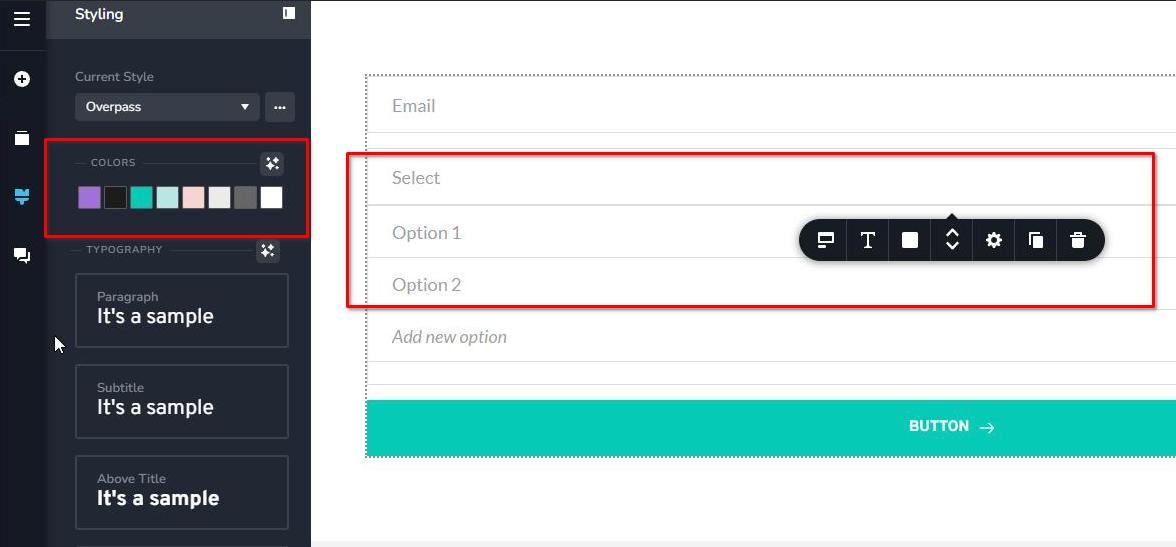
If you have any other questions, please feel free to let us know.
Kind regards,
Ariel H.0
Please sign in to leave a comment.
Comments
3 comments