Using Starter Templates

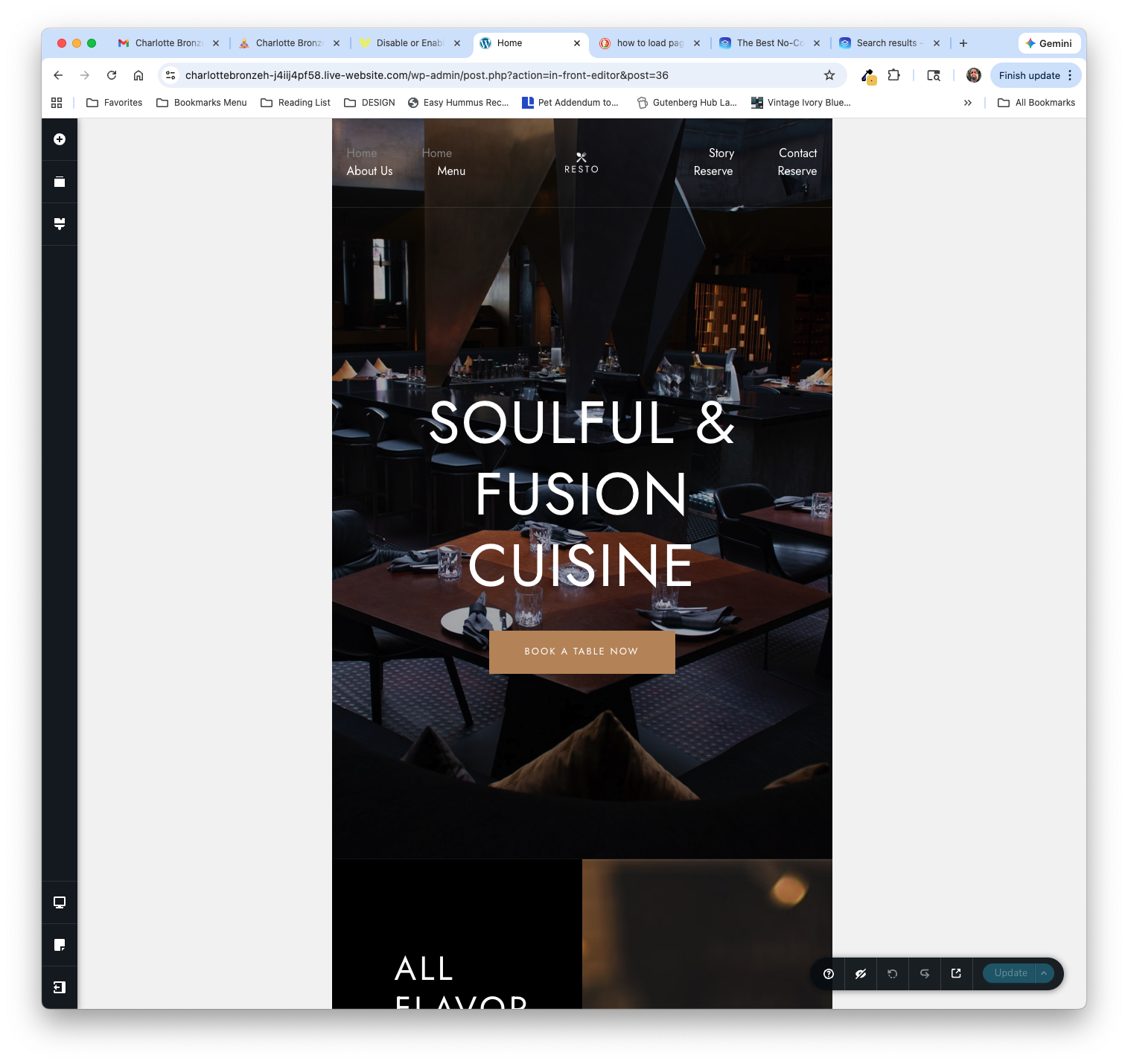
I'm trying to use the Resto starter template for a new site I'm creating, but when I try to edit the site, it displays with a ton of white space on the left and right of the pages. It automatically added the Extendable theme but the new Wordpress customizer makes it very difficult to remove the header and the footer that the theme adds by default. I've attached a screenshot of what the editor looks like when I try to edit the Home page from the starter template.
-

Hi Lawrence,
Thanks for contacting us.
The issue is caused by the current theme (Extendable), which applies its own layout constraints along with default header and footer styles. This results in the extra white space and affects how the starter template appears in the editor.
To resolve this, please change the page Template to Brizy Template, as shown in this screencast:
https://youtu.be/WHlE_nvHgRkYou may need to apply the same steps to the rest of the pages. Alternatively, switching to a theme like Blocksy, which is more compatible with Brizy, would also resolve the issue.
If you have any other questions, feel free to let us know.
Kind regards,
Ariel H.0
Please sign in to leave a comment.
Comments
1 comment