Pages broken

Hello Brizy team,
We’re facing a lot of new issues at www.jutekoffiezakken.nl.
1) On mobile our homepage suddenly has some grey blocks

And when scrolling down only white space appears…
2) On other pages (mobile) we can scroll to the right, this shouldn’t been possible…
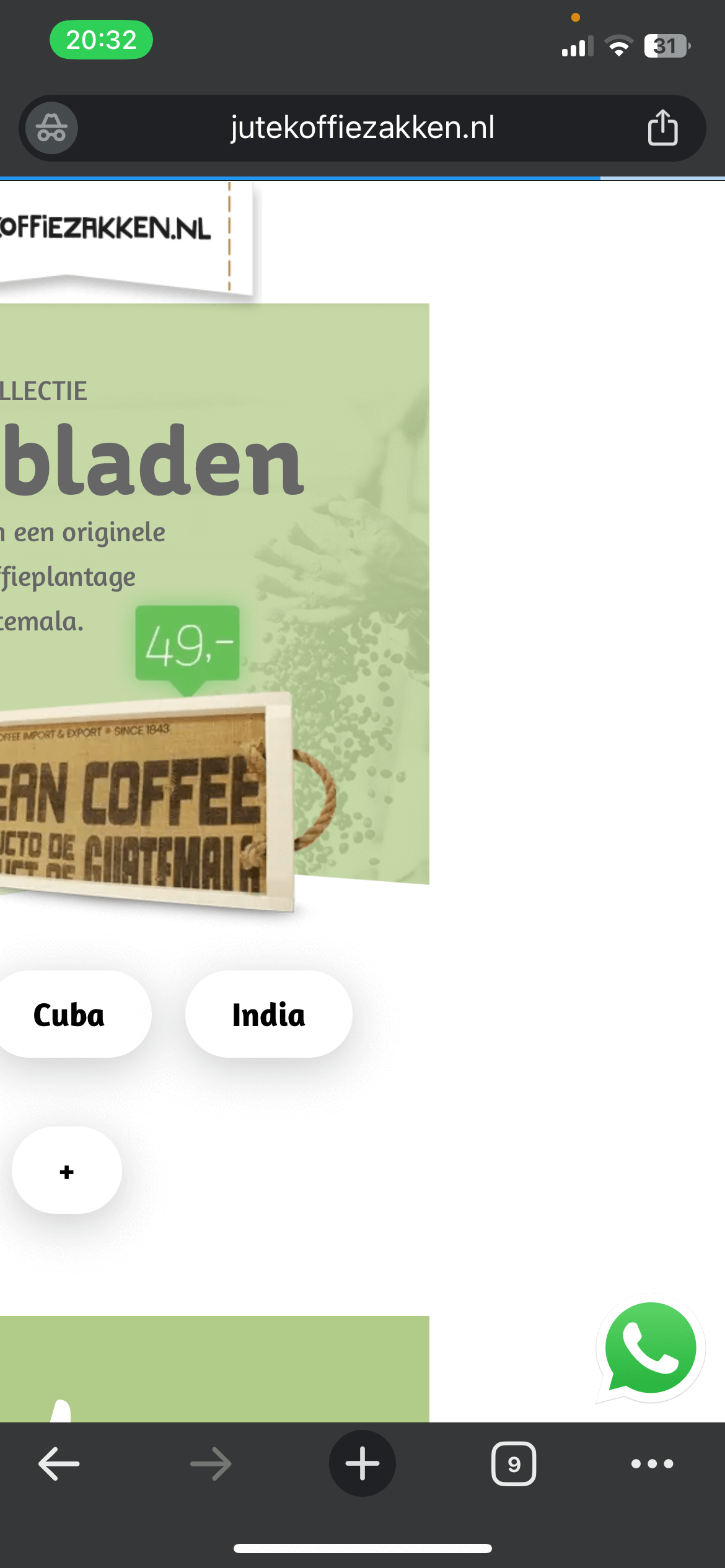
https://jutekoffiezakken.nl/dienbladen-medium_cp2/
3) On desktop the same page also is broken. For example both flipbox images are visible and at the bottom of the page all the pop ups on this page are visible and clustered together…
There are a lot of other pages who also have the same technical issues, what is happening….? Pages in the Brizy builder looks just fine and correct, but in the front end it’s all troubles.
Last days we’ve made some changes according to the social cover image of our pages. To make this work we’ve created 2 PHP snippets. Could this be related to this issues? We disabled the snippets, but no difference as result.
And also, on our homepage we renamed the WordPress post (Home > Webshop voor coffeelover), could this make all the troubles? I don’t think so? We renamed the homepage back to it’s original name “Home”.
To test the issue, we’ve copied our home-page and deleted the first herosections, but no mobile difference in the grey blocks and white space.
Please help. I also read your community post #31945349447442. Maybe the same solution could work for us?
All the best from The Netherlands 🇳🇱 Xander
-

Hi Xander,
Thank you for contacting us.
Please try making a small change to the affected blocks (the block that contains the navigation menu and the flipbox). For example, reduce the block width to 90%, then click Update to save the changes. After that, preview the front end and check if this fixes the issue. If it does, go back to the editor, revert the block width to 100%, and click Update again. This process forces the block to recompile, which can often resolve such issues.
If this didn't help, please provide temporary access to your WP Admin so we can take a closer look at your site? Kindly add us as an Admin user in your WordPress Dashboard and send the details to communitysupport@brizy.io:
Community Post link: https://support.brizy.io/hc/en-us/community/posts/32360239253138
WordPress Admin URL:
Username:
Password:Best regards,
Ariel H.0 -
Hello Ariel,
Thank you for the quick response, great Brizy support. We've made the changes you suggested, but it didn't help.... Please take a look at our backend.
Thank you so much, you have a mail with all the inlog data.
Best regards, Xander
0 -
Hi Xander,
Thank you for your cooperation.
While troubleshooting your site, we repeatedly encountered a 504 Gateway Timeout, which prevents us from continuing at this time.
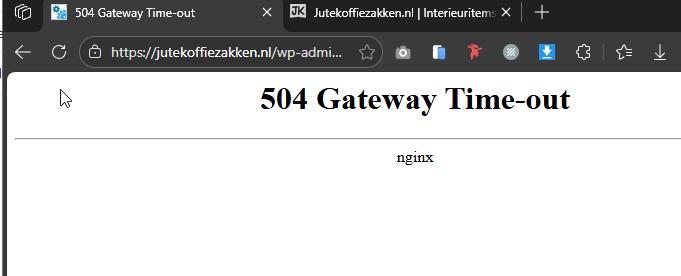
You may need to reach out to your hosting provider to help identify and resolve this server-related issue.
About the issues you are facing, these are often caused by optimization or caching plugins. Please try temporarily disabling any non-essential plugins, especially performance-related plugins. Also, check if OPCache is enabled on the server and purge or reset it if possible.
Once these steps are completed, please let us know so we can continue assisting you.
Kind regards,
Ariel H.0 -
Hello Ariel,
Thank you, I've disabled NitroPack (our caching plugin) and the pages seems normal. I didn't check all of our pages, but now I'll reach out to NP.
The change in OPCache didn't make any difference.
If there is any more support needed I'll get back to you 🙂
Best regards, Xander
0 -
Hello Ariel,
A short update: the issue seemed to be on the side of NP. Meanwhile the have fixed the issue. Thank you for pointing us in the right direction!
At this moment we've some new problems with the variable products in WooCommerce, but I will create a new ticket.
Thank you, Xander
0 -
Hi Xander,
Thanks for the update—glad to hear the issue has been resolved on NP’s side. Creating a new ticket for the WooCommerce variable product issue is a good idea so we can handle it separately.
Best regards,
Ariel H.0
Please sign in to leave a comment.
Comments
6 comments