Blocks are messed up (URGENT)

After my update on Brizy Version 2.7.21 & Brizy Pro Version 2.7.13
my blocks are messed up on my website. systemisches-institut-hamburg.de
please help me. urgent
-

Hi Soeren,
Thank you for contacting us.
Please try making a small change to the affected block. For example, reduce the block width to 90%, then click Update to save the changes. After that, preview the front end and check if this fixes the issue.
If it does, go back to the editor, revert the block width to 100%, and click Update again. This process forces the block to recompile, which can often resolve such issues.
If this didn't help, please provide temporary access to your WP Admin so we can take a closer look at your site? Kindly add us as an Admin user in your WordPress Dashboard and send the details to communitysupport@brizy.io:
Community Post link: https://support.brizy.io/hc/en-us/community/posts/32344366547474
WordPress Admin URL:
Username:
Password:Best regards,
Ariel H.0 -
Hi Ariel,
thanks. On this under page: https://systemisches-institut-hamburg.de/magazin/
two global blocks are displayed which should'nt be there. (The ones with the green background).
Changing the width of the existing blocks did'nt work. How can I fix it?
Also facing the issue of not being able to upload or change pictures. Please check!
Send you an email with login data as well.
Best
Soeren
0 -
Hi Soeren,
Thank you for your cooperation.
We’ve applied a manual fix to the page, and it should now be behaving correctly. To help us further investigate the root cause, we’d like to ask for your permission to duplicate your website into a secure staging environment for testing.
About the image upload issue, it appears to be caused by a conflict with the Flying Scripts plugin. When disabled, the issue no longer occurs.
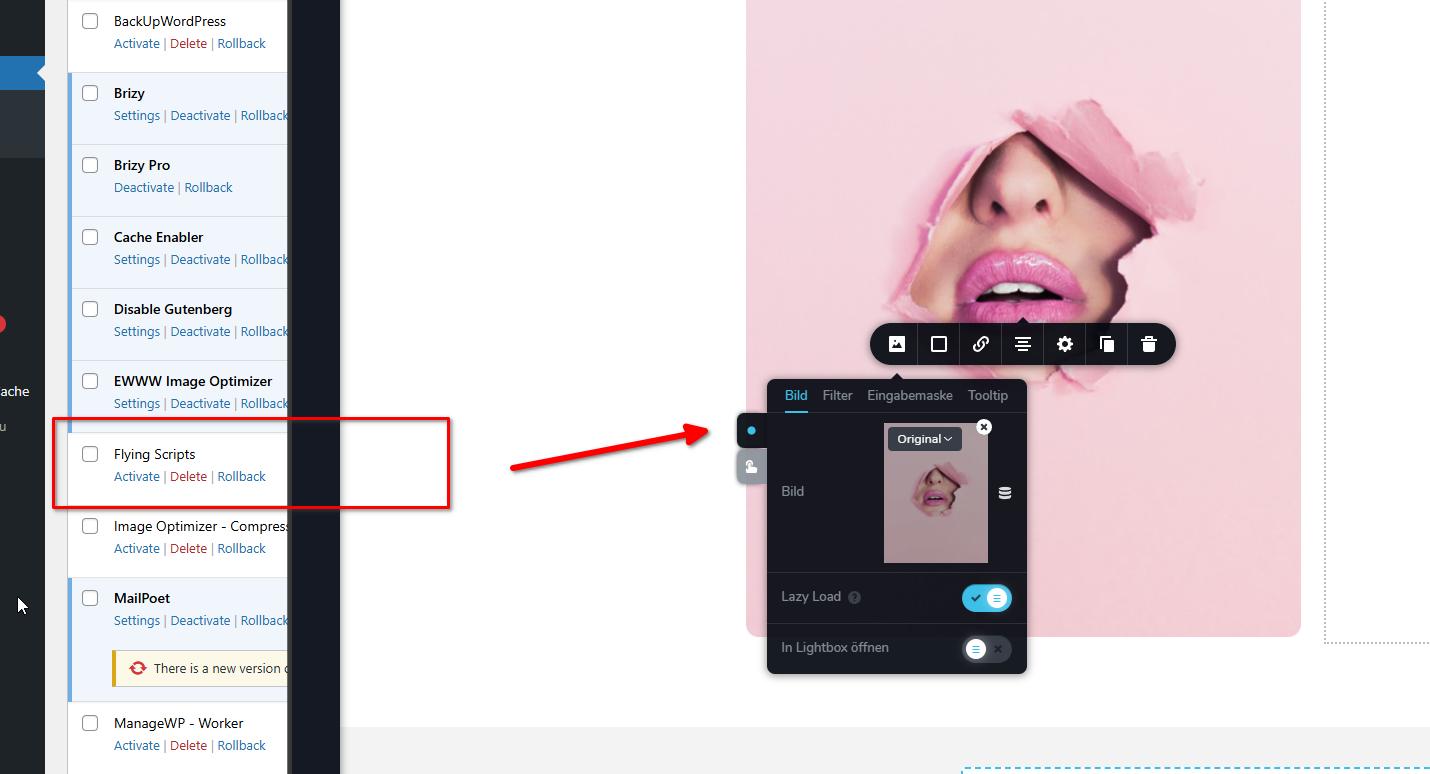
We recommend keeping this plugin disabled while editing pages or uploading images. Once you’ve published your changes, you can safely enable it again.
Please let us know if you’re okay with us proceeding with the staging copy, or if you have any questions.
Kind regards,
Ariel H.0 -
Hi Ariel,
yes, please proceed with the staging copy. Had the issue after each update within the last month. Would be great to fix and avoid it for the future.
Thanks. Looking forward for you guys updating me.
BR
Sören
0 -
Hi Sören,
Thank you for your patience.
At the moment, we’re unable to create a full duplicate of your site because the file size is too large. However, this appears to be the same issue that has already been escalated to our developers, and it is still under investigation.
As a temporary workaround, duplicating the affected page should help. The duplicated page is “test-3”. You can safely delete the original problematic page and then rename “test-3” to replace it.
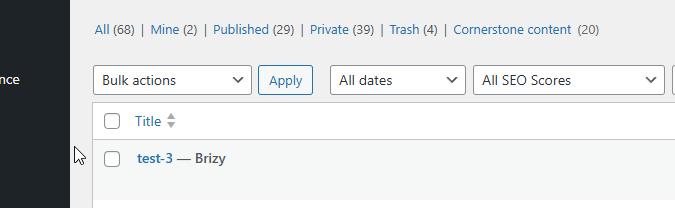
We understand this isn’t ideal, but it should allow you to continue working while the issue is being addressed. Please let us know if you need any assistance with the steps.
Kind regards,
Ariel H.0 -
Ok let's wait for an other solution. Changing images isn't that urgent. Will be important from next week on.
Please keep me posted. Would like to avoid the workaround.
0 -
Hi Sören,
Thank you for the update.
About uploading or changing images, this should work as long as the Flying Scripts plugin is disabled. As for the global blocks issue, the fix is still in progress, and we don’t have an ETA yet. In the meantime, if you encounter the same issue on another page, duplicating the page is currently the quickest workaround.
Kind regards,
Ariel H.0
Please sign in to leave a comment.
Comments
7 comments