Site layout breaks each time browser is reopened

Hi there,
I just developed a new site using the Brizy (v2.7.21) and Brizy Pro (v2.7.13) WordPress plugins, and I'm having an issue that I presume to be related to either cookies or caching where, each time I reopen the browser, the layout of the site just completely breaks. When I log into the admin account and refresh the browser, it "fixes" things temporarily for me, but each time I reopen the browser, it's broken again. When I view the site for the first time in a different browser (I'm a Firefox user but tried Safari as a second browser just for a quick glimpse. I've yet to try Chrome), it's also broken in Safari. I have included screenshots of the page the way it is supposed to look and the broken page for reference. I'm using Bluehost and disabled all the additional plugins that they provide, including the Bluehost plugin which provides its own caching service, and disabled the caching built into WordPress just to see if that would fix the problem, but still no dice. The only plugins currently enabled are Brizy and Brizy Pro. The URL is morgangiosaart.com. As I said, screenshots are attached.
Note that the layout of the 404 page doesn't appear to break, just the main page. It's a single-page brochure style website so I guess you could call it the home page but it's really the only page other than the 404 page.
I'm just providing this general, top-level information for now but I was a Drupal developer in the past so I have at least a little bit of "under the hood" knowledge of PHP code, Unix, and hosting infrastructure if you need me to look deeper and send more information. I just haven't done so yet because I've been using Brizy, WordPress, and Bluehost these days to try to make my life easier. In any case, I'd appreciate any and all support I could get. Thanks.
Screenshots:
Broken layout:
Correct layout: 
-

Hello Morgan,
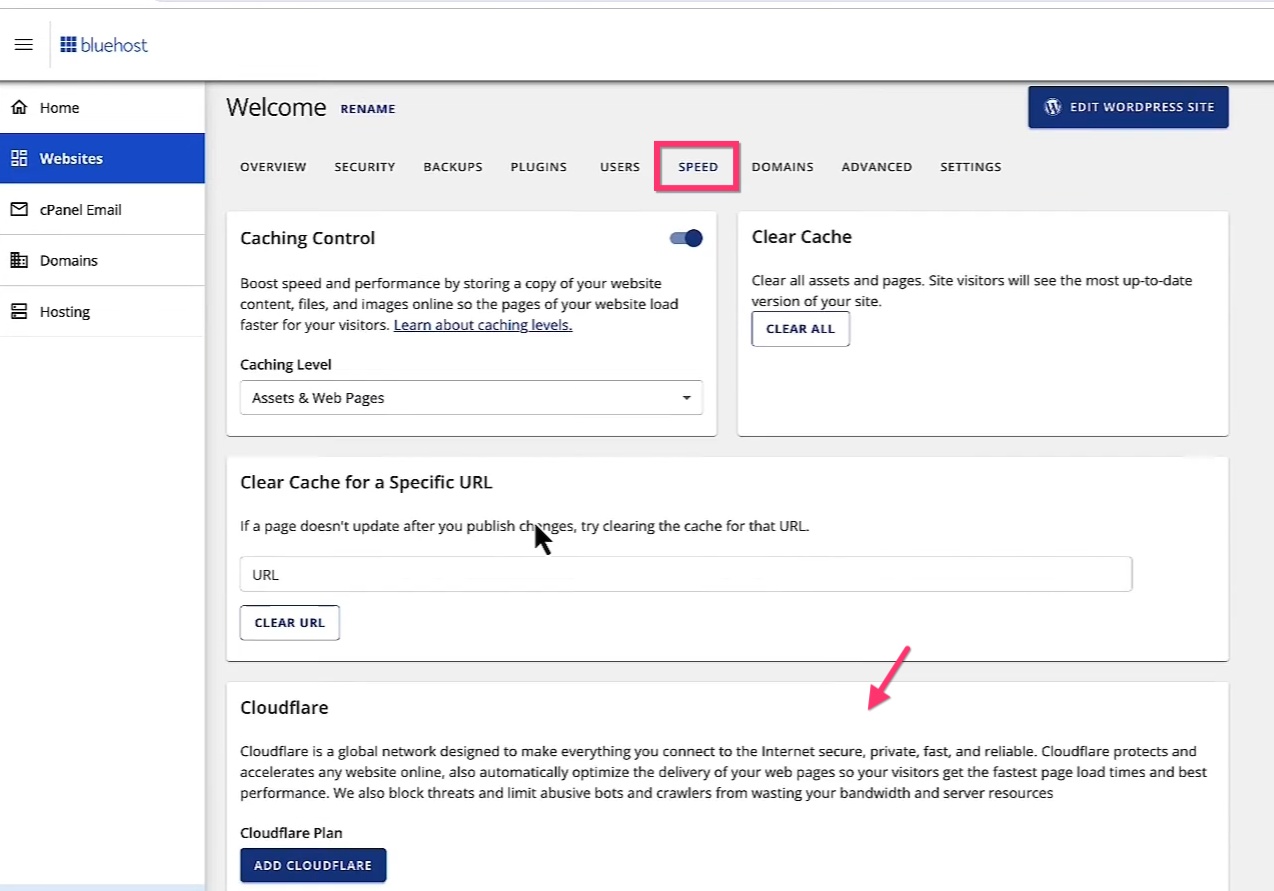
As the first step towards troubleshooting, please sign into your Bluehost account and check if you have enabled "Cloudflare" for your website? If you have, kindly disable Cloudflare and check if the issue resolves.
 0
0 -
Hi there,
Disabling Cloudflare seems to have done the trick, though I think there's something a bit buggy with this WordPress install in general and I might start from scratch down the line anyway. I used Bluehost's automated one-click WordPress installer when I really should've done it from scratch the way I usually do. It just came with too much bloat, too many unneeded plugins that Bluehost presumed were useful. I'll see how this works out but if I run into any more issues I'm going to start from scratch. Thanks.0
Please sign in to leave a comment.
Comments
2 comments