Trying to set empty alt tag

Hi guys,
WCAG specifies that decorative, adornment-only images on a webpage needs to have an empty alt tag. e.g. <img alt="">.
But I cannot enter a blank for the ALT value under advanced settings for the image. It requires something in the field or else the ALT tag will be some insane brizy-generarted garbage that fails on WCAG scans that looks like this when inspecting the rendered page: alt="{{brizy_dc_image_alt imageSrc=" wp-6fc034e3cbd8b45abcd55be855a54647.png"}}"=""
Is it possible to have a clean WCAG compliant empty/null ALT tag?
thanks.
-

Hello Robert,
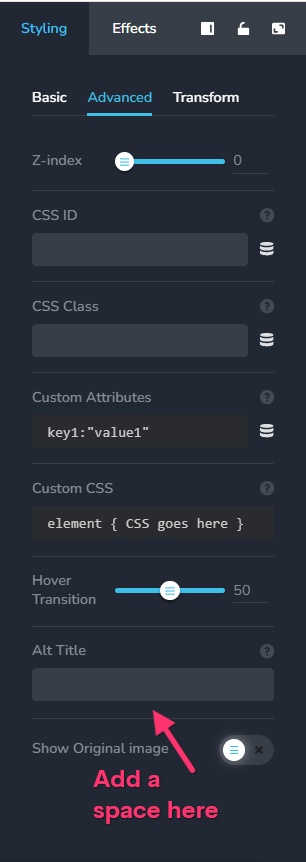
For images which are purely decorative and serve no informational purpose, you could add a space in the "Alt Title" filed and it will translate to <img alt=" "> in the page HTML. The screen readers are likely to skip the space in the "Alt Title".
 0
0
Please sign in to leave a comment.
Comments
1 comment