Viewing Different Blog Posts While Editing a Brizy Blog Template

Hi Brizy,
I’ve created a Custom Blog Template (for archive posts) using Brizy WordPress, and I want to preview how this template looks on different blog posts. Right now I only see one sample post — is there a way to flip through multiple posts while editing the template so I can check the layout on various posts without leaving the editor?
For example:
-
Can I choose which post the template displays while editing?
-
Or is there a built-in way to cycle through posts in the editor?
Thank you!
-

Hello Edwin,
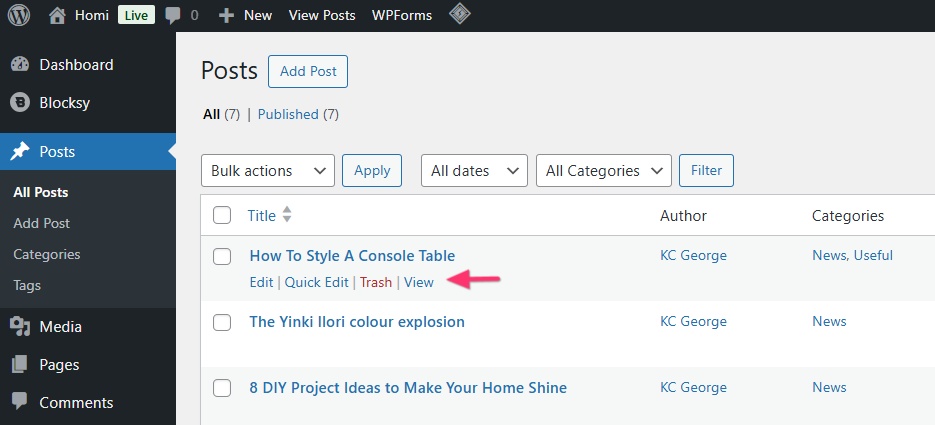
When designing a blog post template, you will only see only a single sample blog post in the template editor. If you would like check how the other blog posts appear, in your WordPress Dashboard, under "Posts", hover over any blog post and click on the "View" option that pops up.
 0
0
Please sign in to leave a comment.
Comments
1 comment