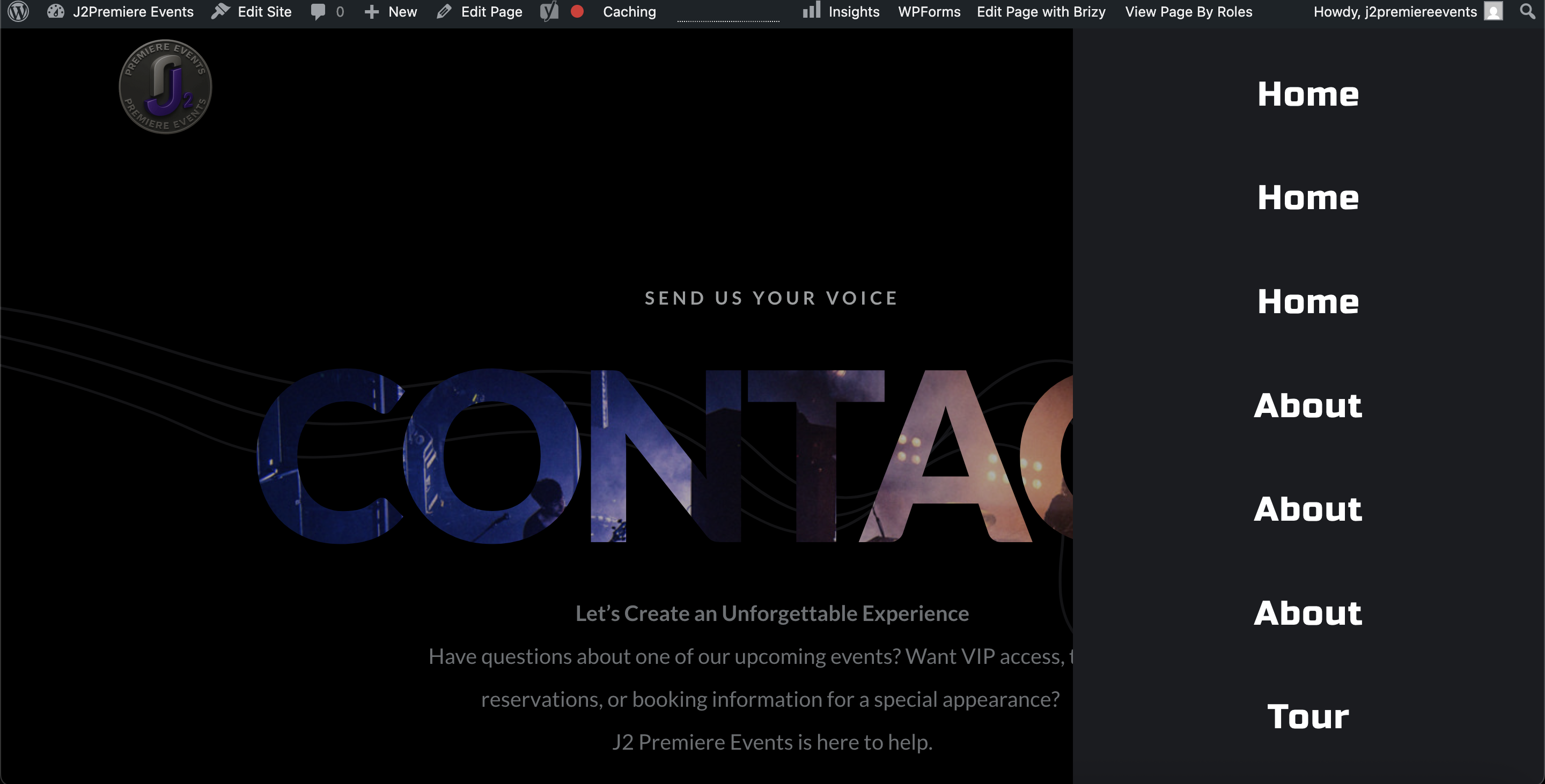
Hamburber menu has duplicate menu links and I can't edit the Menu.

-

Hi Derrick,
Thank you for contacting us.
Please try making a small change to the affected block (the block that contains your mobile navigation menu). For example, reduce the block width to 90%, then click Update to save the changes. After that, preview the front end and check if this fixes the issue.
If it does, go back to the editor, revert the block width to 100%, and click Update again. This process forces the block to recompile, which can often resolve such issues.
If this didn't help, please provide temporary access to your WP Admin so we can take a closer look at your site? Kindly add us as an Admin user in your WordPress Dashboard and send the details to communitysupport@brizy.io:
Community Post link: https://support.brizy.io/hc/en-us/community/posts/31891839081362
WordPress Admin URL:
Username:
Password:Best regards,
Ariel H.0 -
I fixed it myself. Here is the fix so you can keep this in your knowledge base. Install Code Snippets Plugin.
In the code snippets plugin use the code in the screen shot.
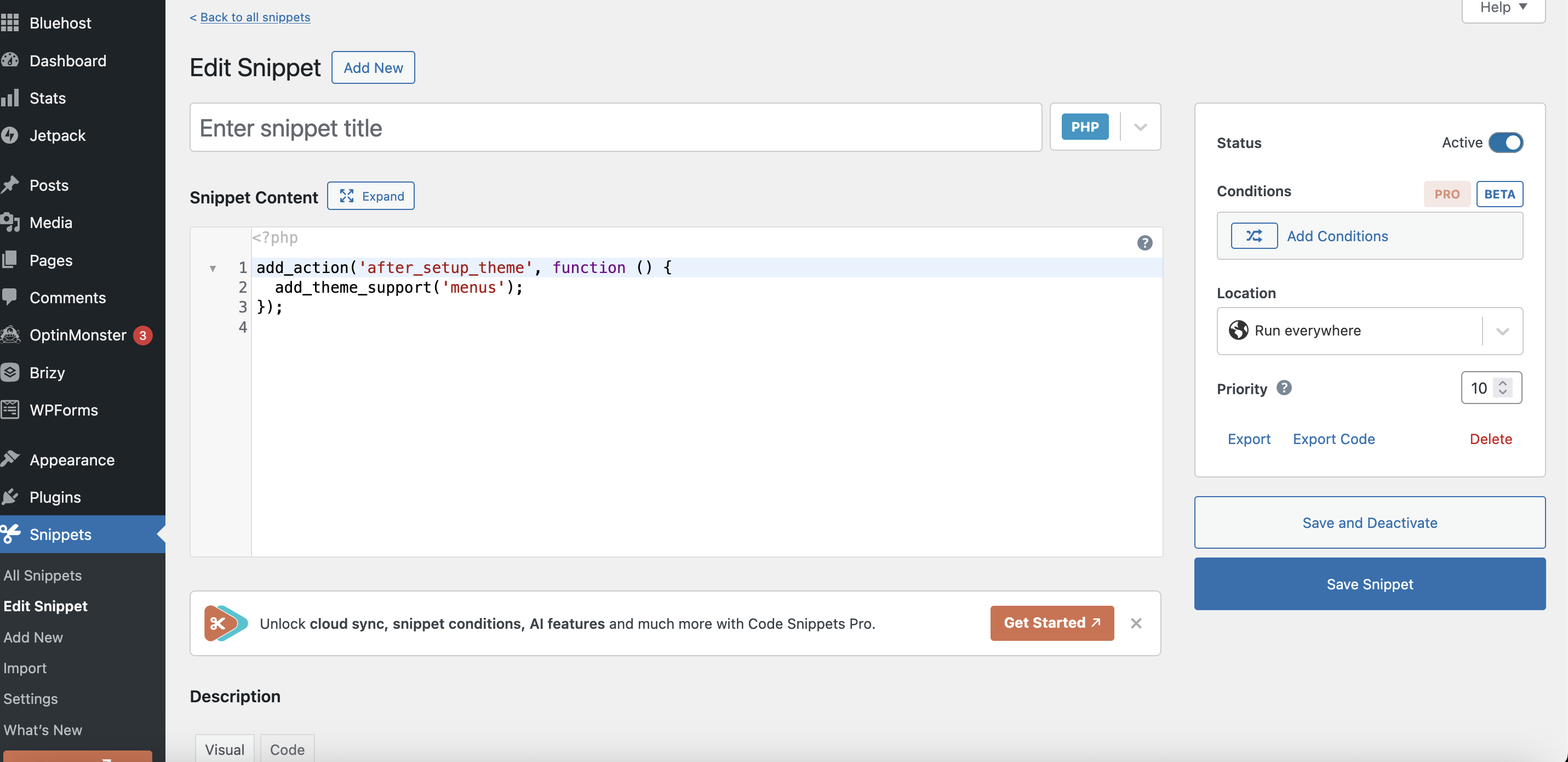
After you save and activate go the this url:
https://yourdomain/wp-admin/nav-menus.php, Then edit the menu and save.
0
Please sign in to leave a comment.
Comments
2 comments