Global Block

Hi Have created my header want to save it as a global block, but when I click on the block options widget on right your video says a hexagon menu option will show to create/save this as a global block, but am not seeing this option - how to proceed please? Thanks
Bill
0
-

Hello Bill,
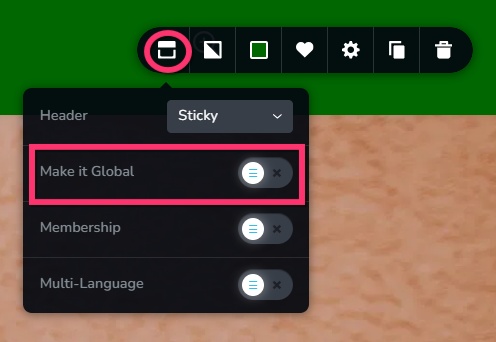
In the Block Settings menu, select the first icon on the left and you will see "Make it Global" toggle switch. Toggle the switch on to make the header a global block.
 0
0
Please sign in to leave a comment.
Comments
1 comment