Black frame when viewing a page

Hello
I'm using the latest version of Brizy.
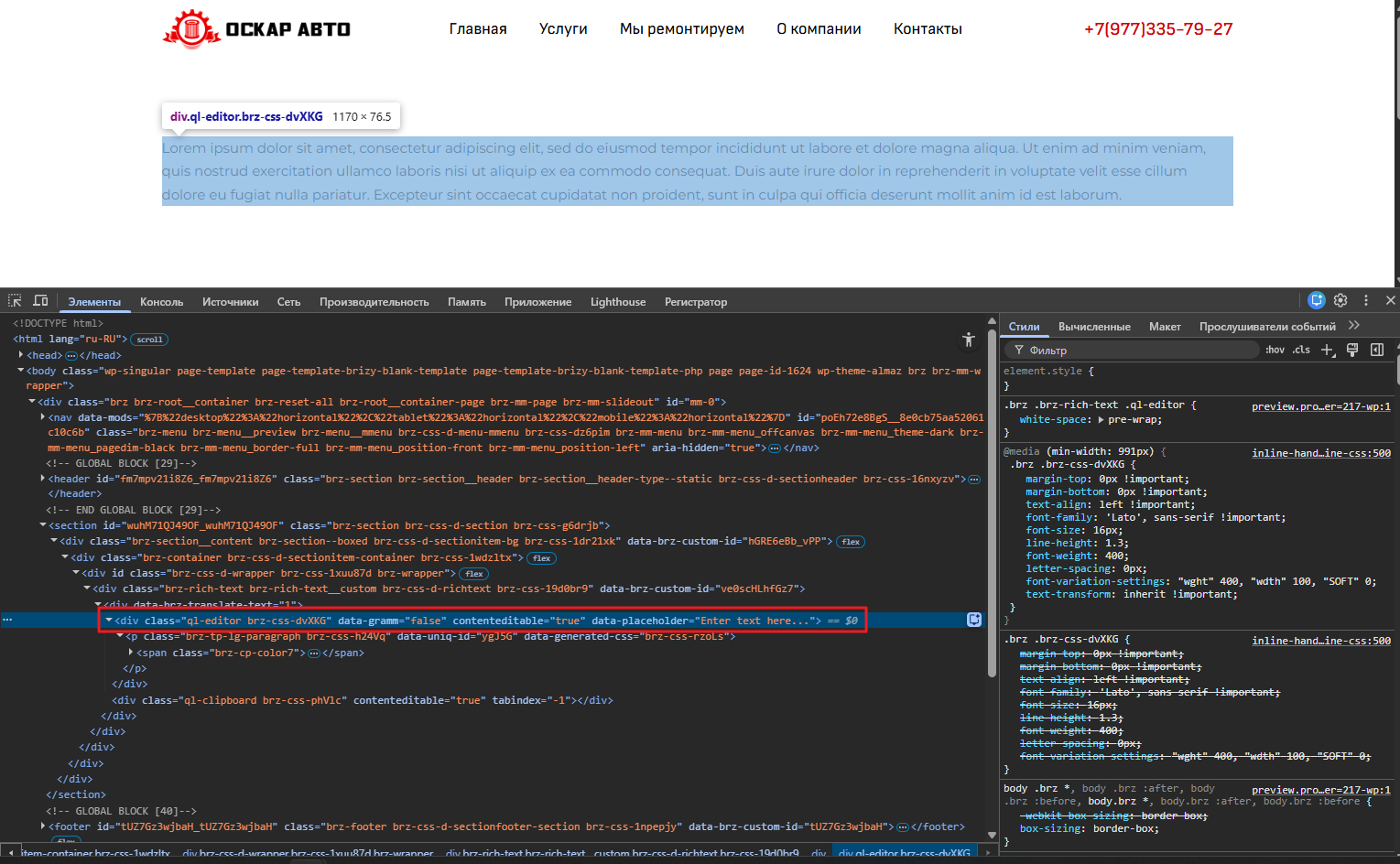
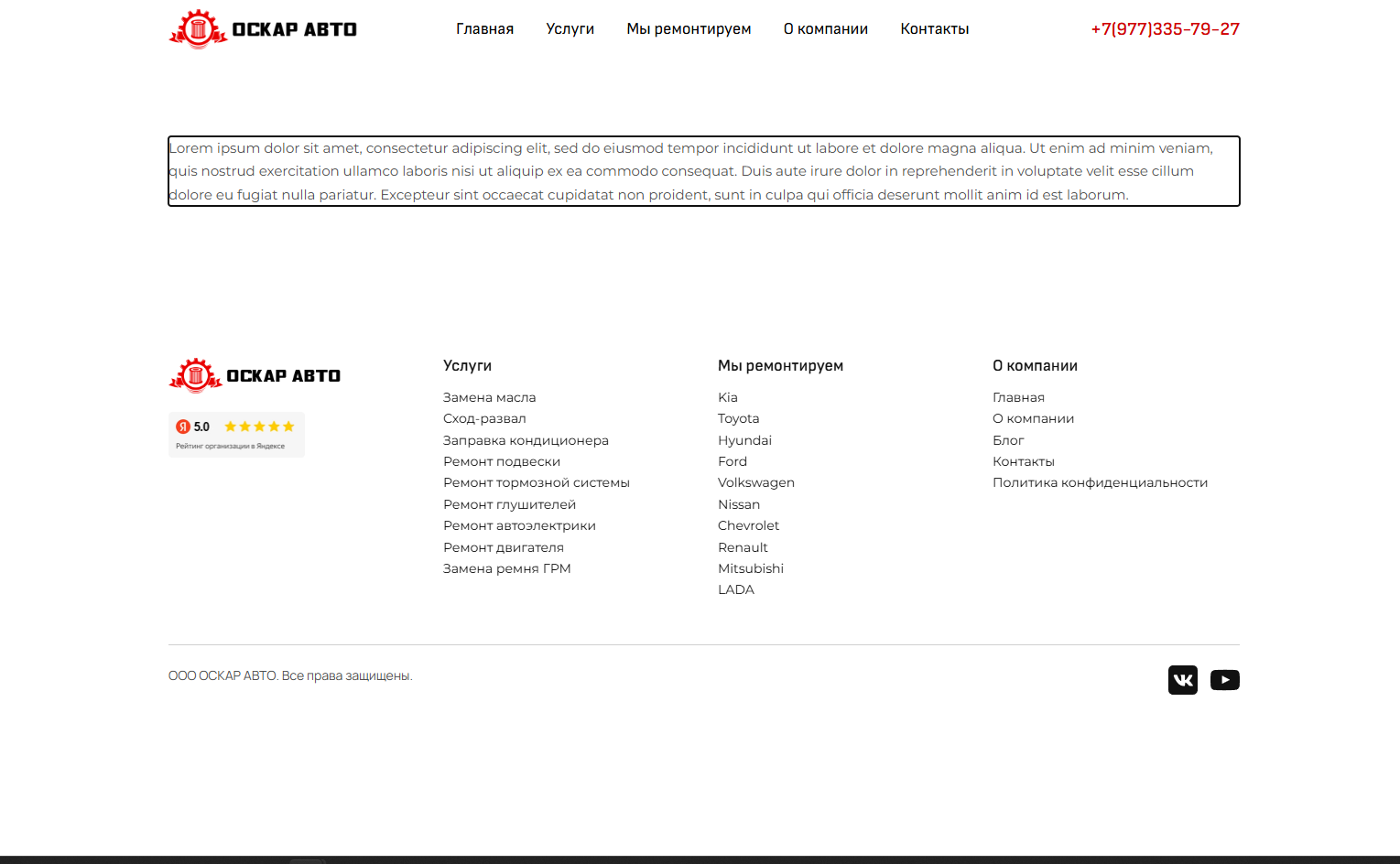
After updating Brizy and Brizy Pro to the latest version, I noticed that if I copy text from Notepad into a text element in the Brizy designer, when viewing the page in the browser, if I click on the text element where the text is pasted, a black border appears around the text element, and I can type text into it. If I add a space to the text element and save the page, the black border disappears.
At first, I thought it was a virus, but a virus scan didn't work. I disabled all Chrome add-ons, but that also didn't work. I think the black border appears due to a bug in Brizy.
Link to the website with the error: https://oskaravto.pro/test/
-

Hi Timur,
Thank you for contacting us.
Could you please try pasting your text without formatting to see if the issue persists?
You can do this by using the shortcut Ctrl + Shift + V (Windows) or Cmd + Shift + V (Mac).Alternatively, you can paste the text into Notepad first, then copy it again from there and paste it into the Brizy text element. This ensures the text is completely clean and free of hidden formatting.
Let us know if this helps.
Best regards,
Ariel H.0 -
Hello
This text on my page was pasted first into Notepad and then into Brizy. The text is unformatted.
Page: Test
0 -

Hello Timur,
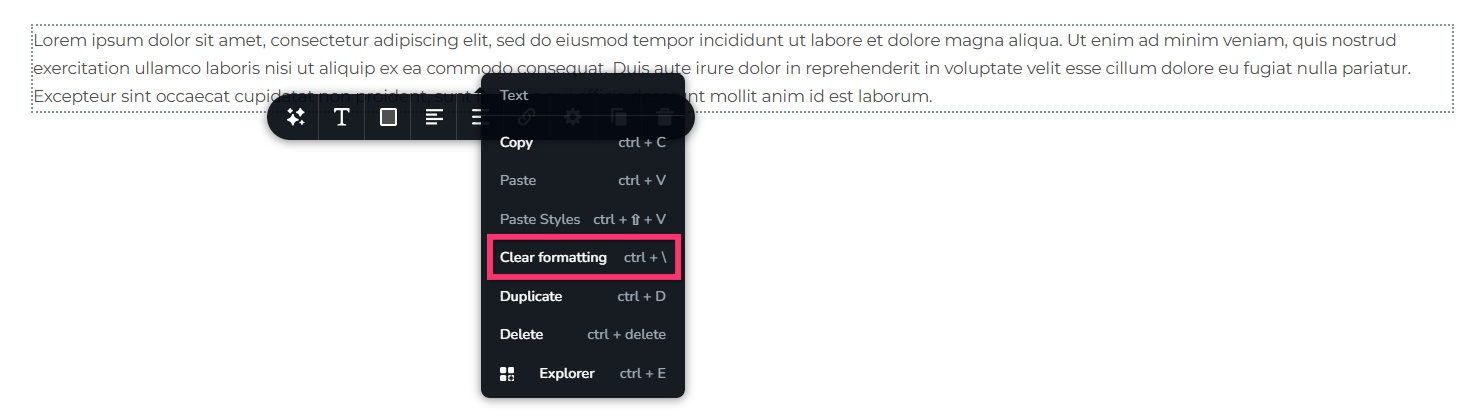
Right clicking the text and selecting the "Clear Formatting" option resolves the issue. Please check the page https://oskaravto.pro/test/ again.
 0
0 -
I know that clearing the formatting solves the problem.
Adding a space after the text and saving the pages after pasting text from a notebook also solves the problem.
But I didn't have these problems before. Now you're asking me to clear the formatting for each text element to which I added text from a notebook.
Can you fix this problem so that copying text from a notebook without formatting doesn't result in a black border?
0 -
Hello Timur,
Sure, I will report this issue and we will work on fixing it.
0
Please sign in to leave a comment.
Comments
5 comments