Cant save page

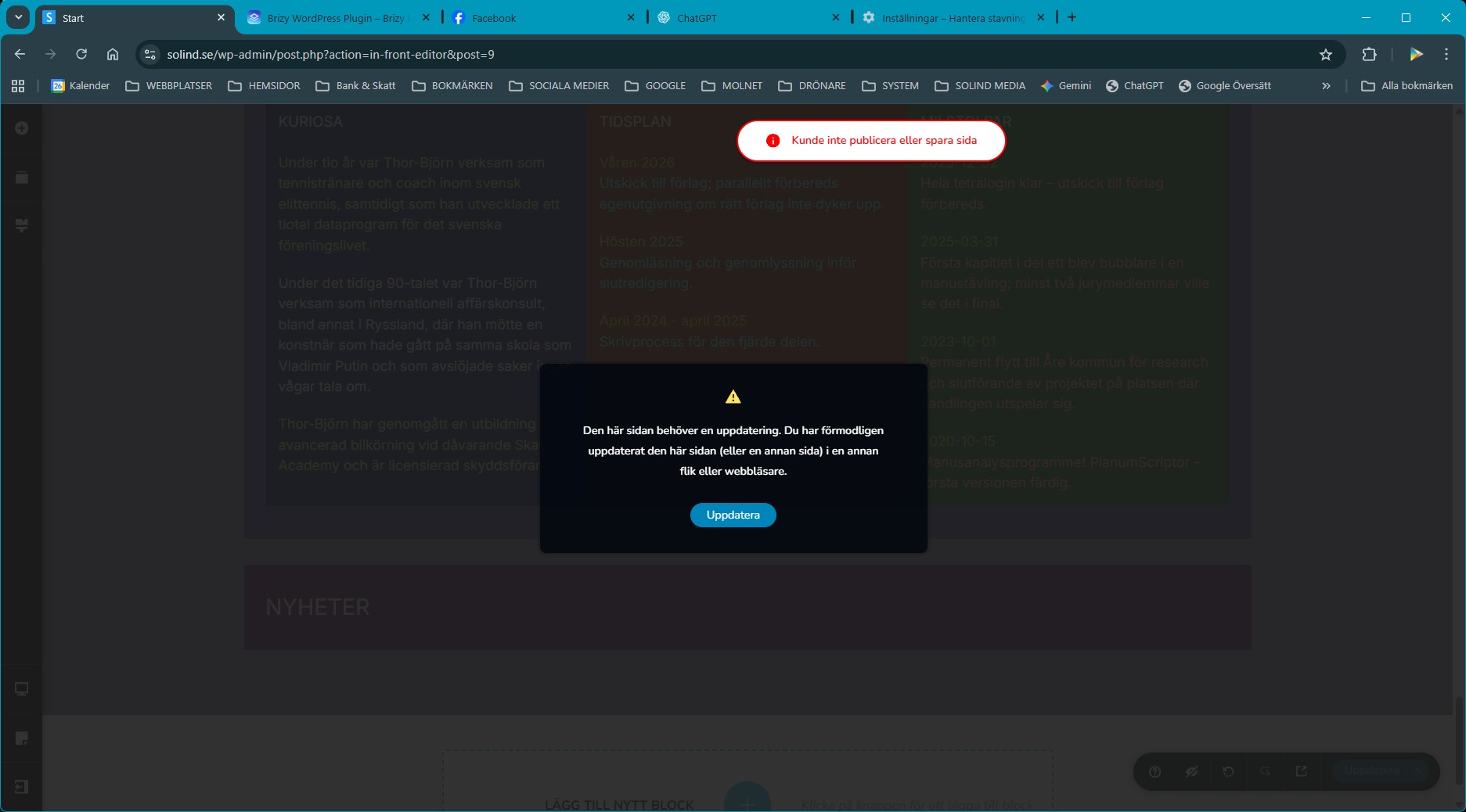
I’m having problems with Brizy Pro. As soon as I make a change and try to save, I get a message saying that the page cannot be published or saved. Right now I’m trying to adjust the last block so that it connects with the one above, but then it won’t save. Even the smallest change in the mobile layout gives the same result.
-

Hello Thor-björn,
We would like to take a look at your WordPress Dashbaord to troubleshoot this issue for you. Please add a new user to your WordPress Dashboard and send the following details to our email: communitysupport@brizy.io
- Support Forum link: https://support.brizy.io/hc/en-us/community/posts/31623050737682
- WordPress Admin URL:
- Username
- Password
Please let us know in this forum when you send us the email.
0 -
I have sent the email.
0 -

Hi Thor-björn,
Thank you for sending over the details.
We tried accessing your WordPress dashboard, but the login credentials you provided aren’t working. Could you please review and update them when you can? Once we have the correct access, we’ll be able to inspect your website further and continue assisting you.
Best regards,
Ariel H.0 -
The login credentials are correct, but I’m running the app Limit Login Attempts and it had blocked your login attempt because it was made from the Philippines. I have now allowed access from the Philippines. Please try again.
0 -
I have now allowed access from all countrys.
0 -
Hi Thor-björn,
Thank you for your cooperation.
We tried editing the page and making some changes on our end, but the issue didn’t occur, as you can see in the screencast: https://youtu.be/823ObEwmGec. We added a block with text, and it was saved normally.
When you get a chance, please try editing the page in an incognito/private window or using a different browser to see if the issue persists.
Best regards,
Ariel H.0 -
I have tested in incognito mode and with another browser, but with the same result. I can also add a new block and save, but I cannot change anything in certain other blocks. See video at https://youtu.be/p03oWPKjV8s
0 -
Hi Thor-björn,
Thank you for the update.
Upon checking, the 413 error in the console suggests that the AJAX request from the Brizy frontend editor is exceeding the server’s allowed data limits. This usually happens when saving a large page with numerous blocks or custom elements.
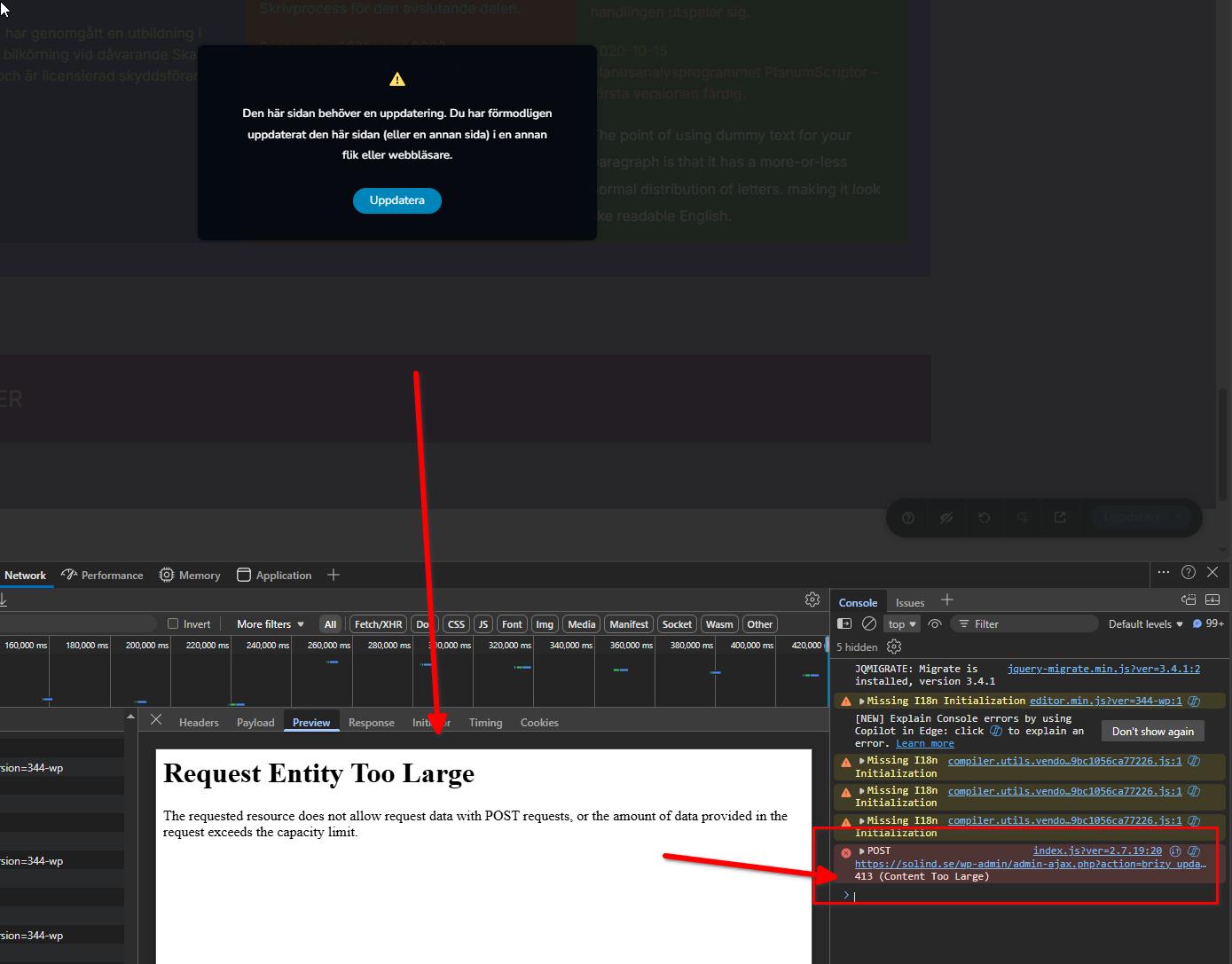
We’ve seen a similar case before where another user was able to resolve the issue by updating their server settings, specifically, increasing the body size limits in their ModSecurity configuration, which was blocking larger save requests. This may be something you could check with your hosting provider. For more details, please refer to this support thread: https://support.brizy.io/hc/en-us/community/posts/27240442687378
Please try this and let me know how it goes.
Best regards,
Ariel H.0 -
It’s working now. My provider added an exclusion for ModSec rule 77350344. Thank you!
0
Please sign in to leave a comment.
Comments
9 comments