envira gallery element no longer available

i have the Basic plan from Envira and have already added a bunch of galleries and then displayed them using the Envira element. the existing posts are fine, but if i try to add a new Envira gallery element, it is not available in the list of Brizy elements. the Envira plugin exists; i was able to create a new gallery. but the element has disappeared.
-

Hello T.A. Barnhart,
Have you considered the option of using the Envira Gallery shortcode to dispaly the gallery in a Brizy page? Your page will look like https://brizy.support/envira-gallery/. You can find the shortcode here
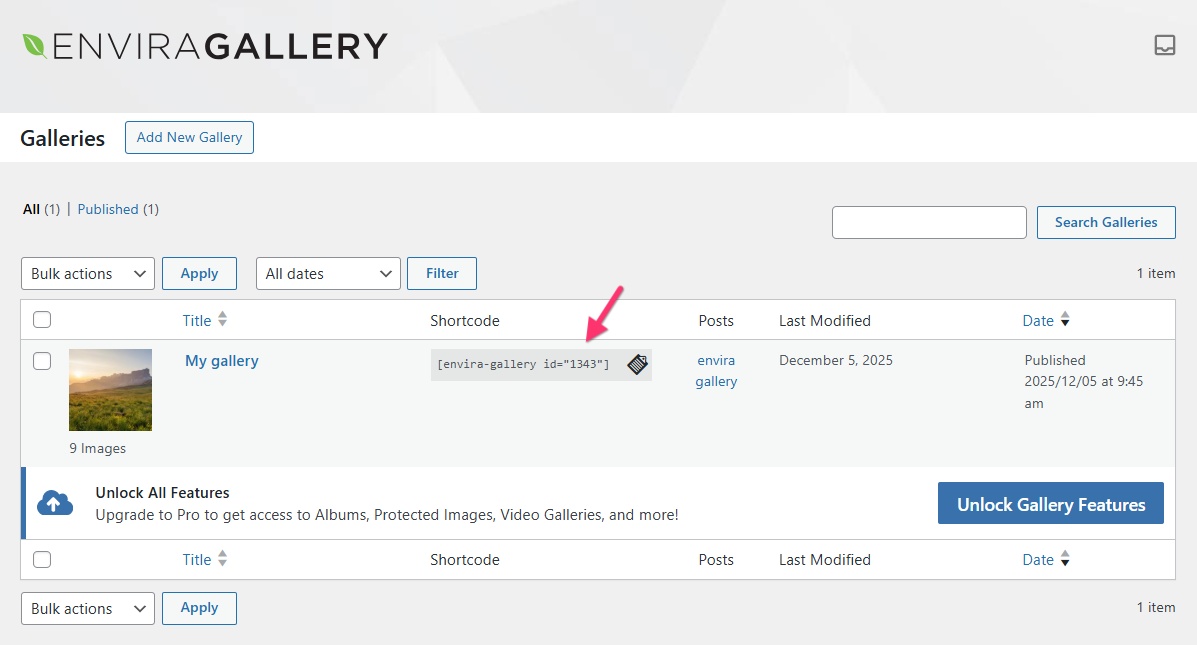
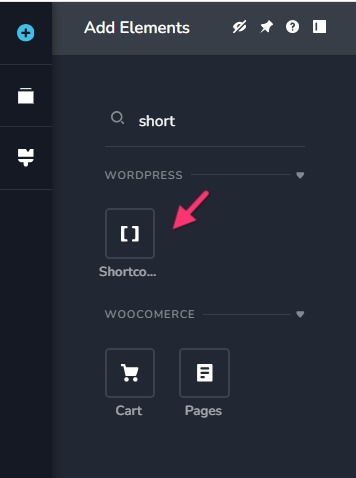
Drag the Brizy "Shortcode" element to a page and add the shortcode to it.
 0
0 -
no. my plugin should be available as an element. it was before, just a couple of weeks ago. now it's not? if Brizy has to resort to work-arounds like this – and it is a work-around, not merely an option – then it's not really very dependable.
0 -
Hello T.A. Barnhart,
You have mentioned that the Envira Gallery should be available as a Brizy element. Brizy does not create an element automatically every time you install a plugin in your WordPress Dashboard. We are not sure what you are referring to.
There are two standard approaches you can follow to display plugin content within a Brizy page and these are not work around procedures. The first and simpler approach is using the shortcode. The Envira Gallery gives you you a shortcode for each gallery. Drag the "Shortcode" element to a Brizy page and paste the gallery shortcode to the element. This will display the Envira gallery in your Brizy page.
The second approach is using a WordPress Widget Area: Kindly follow these steps
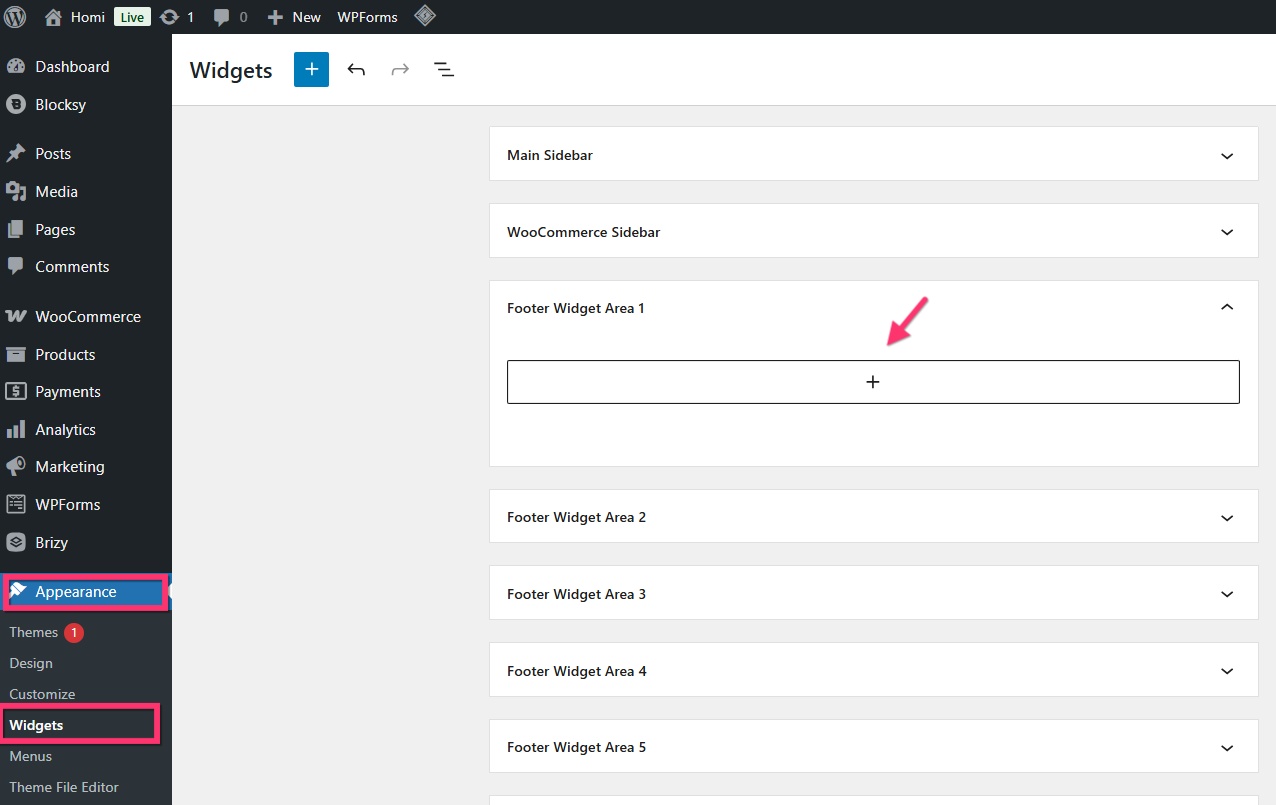
- In your WordPress Dashbaord under Appearance > Widgets, choose a blank widget area like "Footer Widget Area 1" and click on the + icon
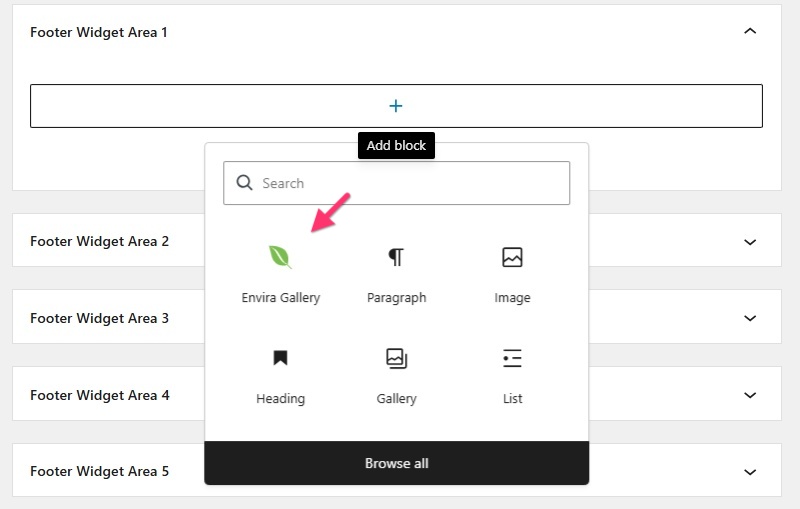
- Select the "Envira Gallery" widget
- Select the name of your Envira Gallery
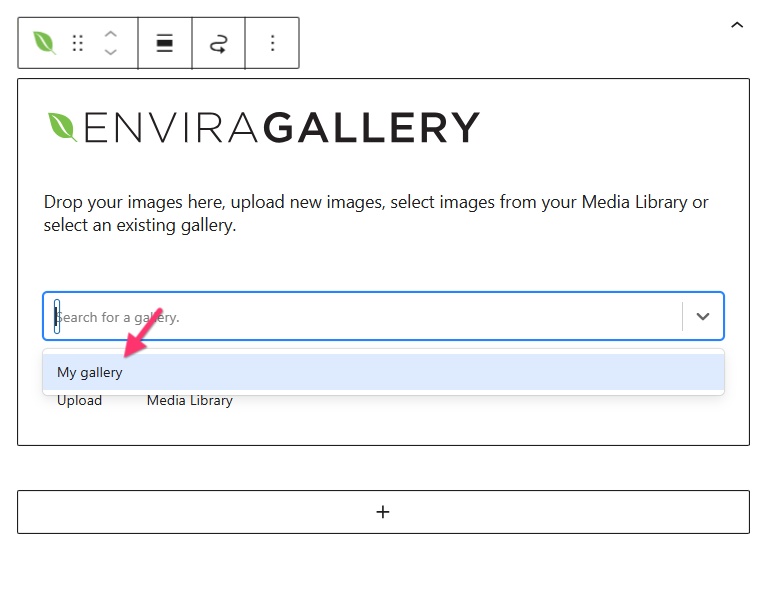
- The widget area will display your gallery images
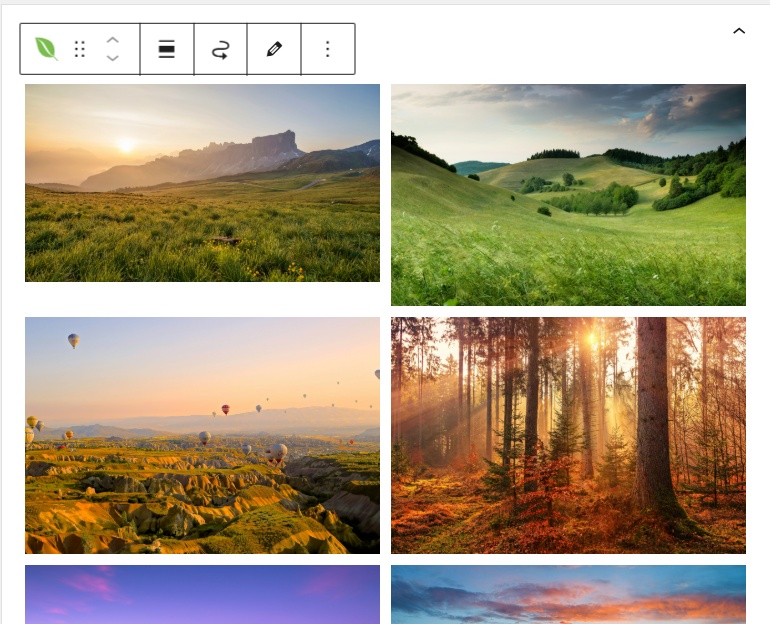
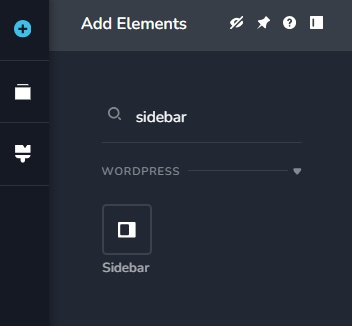
- In a Brizy page, drag the "Sidebar" element
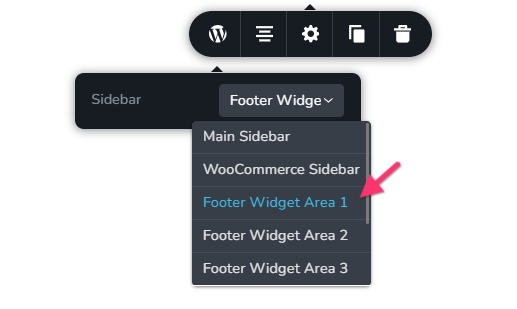
- In the Sidebar element, select the widget area that you had selected in step 1.
- Check the page preview. It should dispay the Envira Gallery
0 - In your WordPress Dashbaord under Appearance > Widgets, choose a blank widget area like "Footer Widget Area 1" and click on the + icon
-
apologies. sorry for the trouble. figured out the problem. thanks for your help.
0
Please sign in to leave a comment.
Comments
4 comments