Website project wrongly initialized as shop

Hello Brizy team,
I have a PRO subscription (Personal Cloud) and created a new Cloud website project under Websites & Landing Pages.
I tried multiple templates (Consultant, Voltmaster etc.) but the “Edit with Brizy” button never appears.
When I open any page, I only see the dashboard-style view - the Brizy Editor does not load.
There is also no Edit with Brizy icon in the list of pages.
I am using Brizy Cloud (not WordPress).
I did not activate a shop project, but the interface shows the shop structure (Products, Orders, Channels etc.).
It seems the project was not initialized correctly on your backend.
Please check and repair my account/project.
My account email:
Project name: Website Relaunch 2025
Thank you!
Best, Ilka
-

Hi Ilka,
Thank you for contacting us.
To edit any page in your Brizy Cloud project, please click the hamburger icon in the top-left corner, go to Pages, then select the page you want to edit. In the Actions column, the very first icon is the Edit with Brizy button.
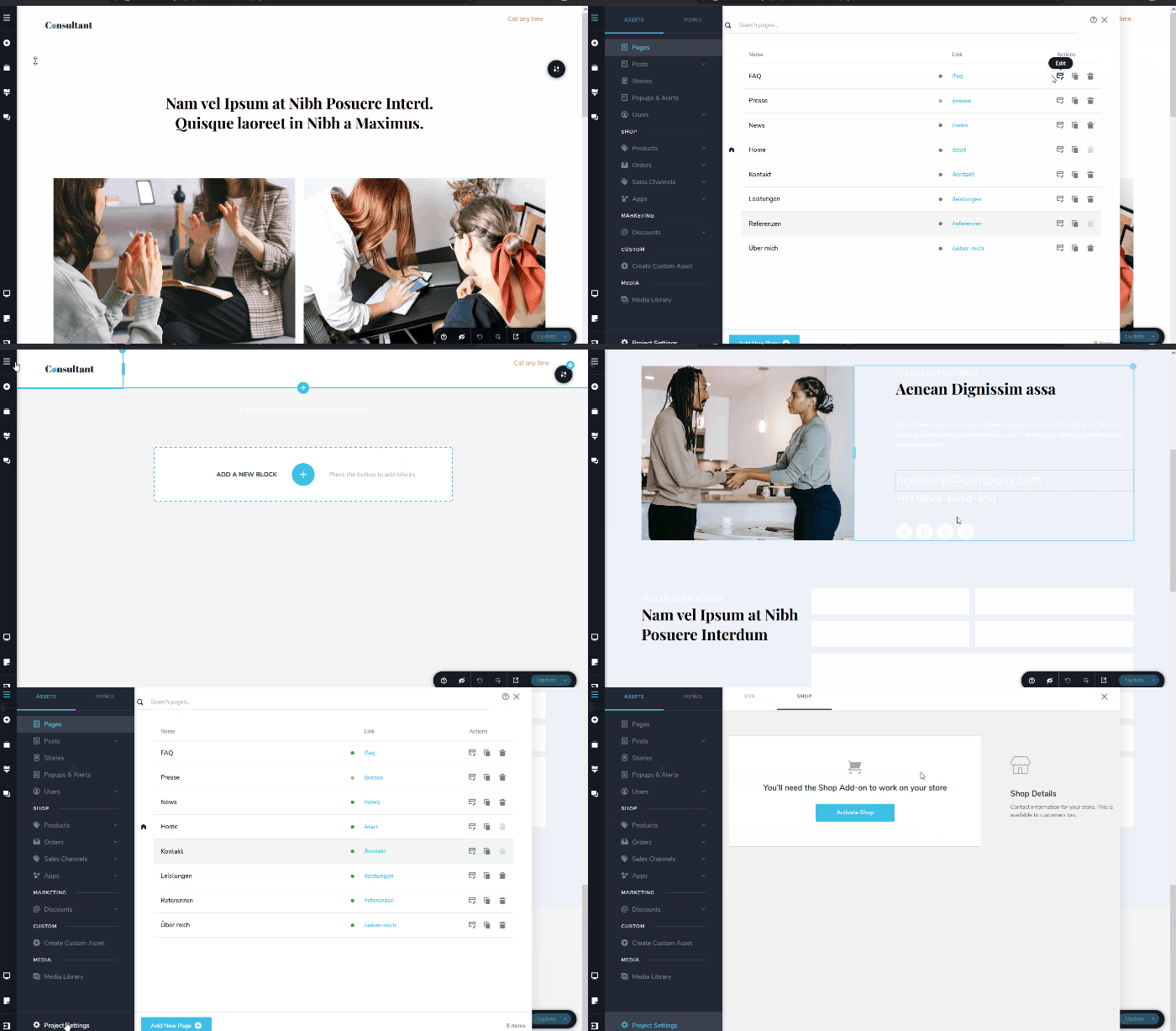
About the shop icons you’re seeing, those are displayed by design as placeholders. Since your project isn’t a shop project, the shop features are simply inactive. If you ever want to use them, just go to Project Settings → Shop and you’ll see that it’s currently not activated, along with a button to activate it.
If you have any further questions, please let us know.
Best regards,
Ariel H.0
Please sign in to leave a comment.
Comments
1 comment