Popup Not Working Properly in Mobil view

i will get Proper result in Windows View. but Mobile view not get Proper view
below Mention Screen Schot from Mobile view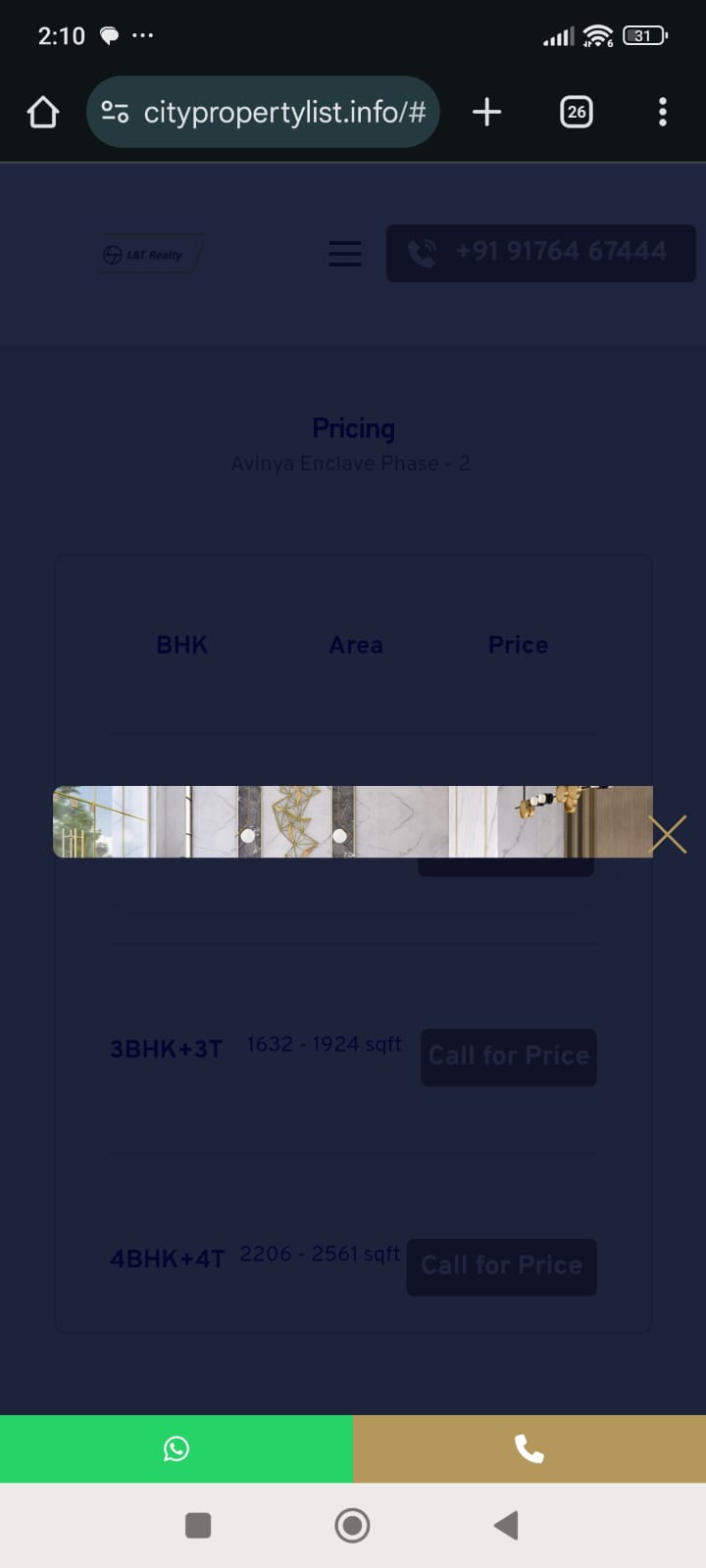
below Mention desktop view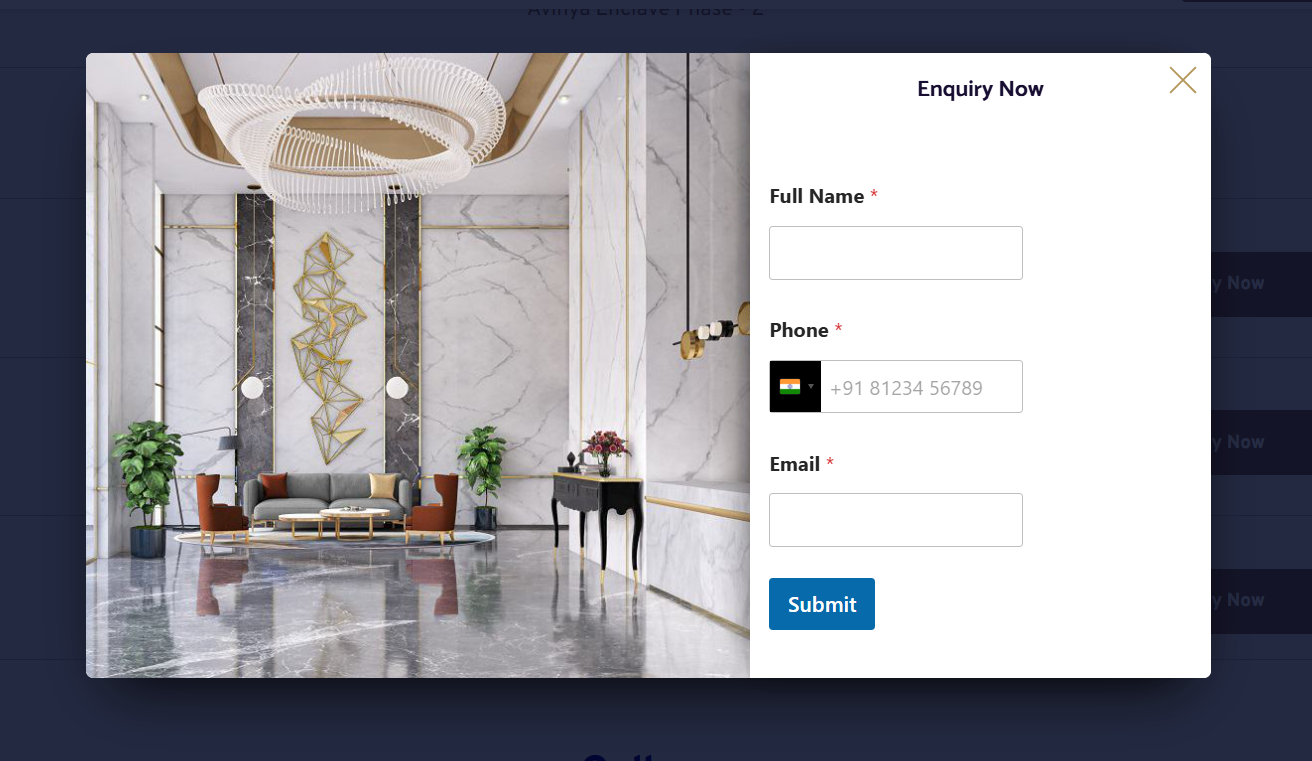
Need To adjust Right side Space. can you sent me some guidence too
-

Hi Sankar,
Thank you for contacting us.
The issue you’re seeing in the mobile view appears to be caused by caching. Could you please try temporarily disabling your cache plugin and check if the problem persists?
Regarding the spacing in the popup, you can add extra left padding to create more room so the form fields aren’t too close to each other. Let me know if you need help adjusting it.
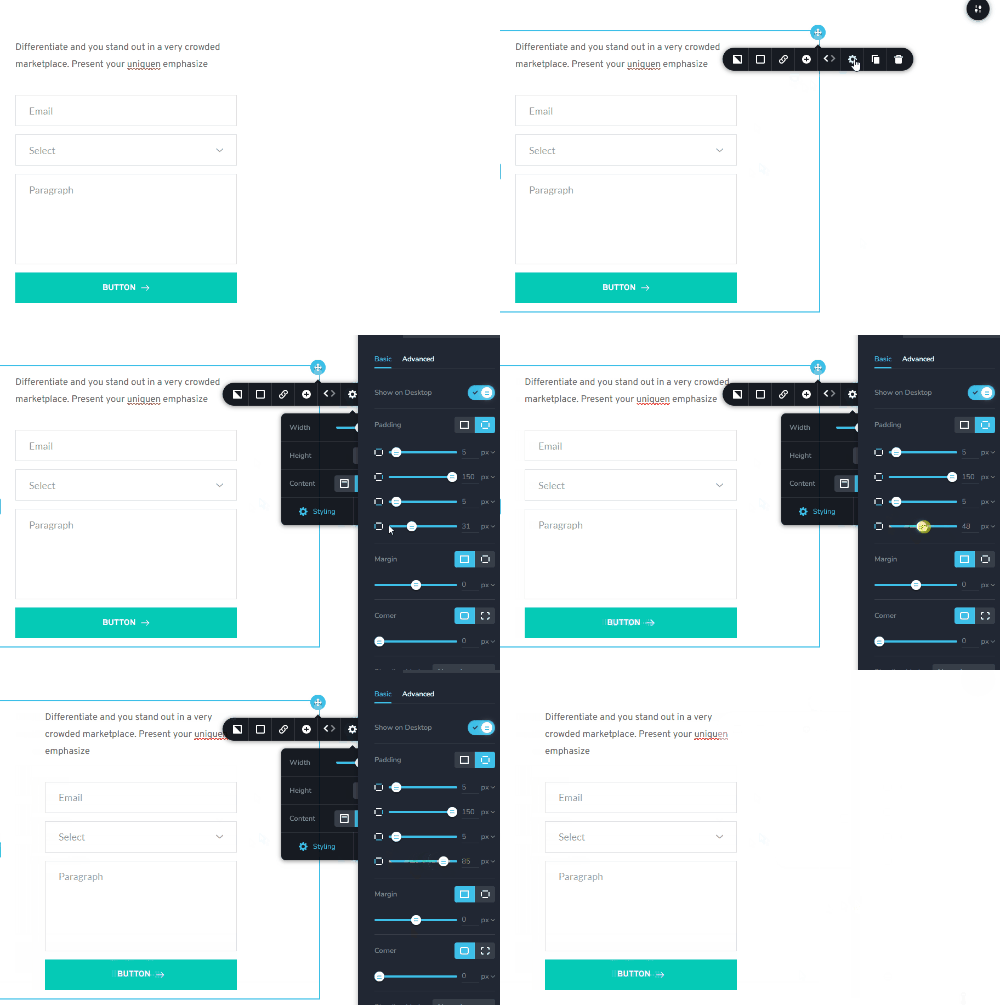
Please try this and let me know how it goes.
Best regards,
Ariel H.0 -
Hi
1. Removed "lite Speed Cach" but still Not Working
2. Space Problem Solved0 -
Hi Sankar,
Thank you for contacting us.
Please provide us with temporary access to your WordPress Admin so we can take a closer look. Kindly add us as an Administrator user and send the following details to communitysupport@brizy.io.
Community Post link: https://support.brizy.io/hc/en-us/community/posts/31547999167250
WordPress Admin URL:
Username:
Password:Looking forward to your reply.
Best regards,
Ariel H.0 -
WordPress Admin URL: deleted
Username:
Password:0 -

Hello Sankar,
The form was hidden in the mobile design view. Hence only the image is visible. I have made the column that contains the form visible. If there are multipe instances of the same popup, kindly repeat the same procedure in other popups.
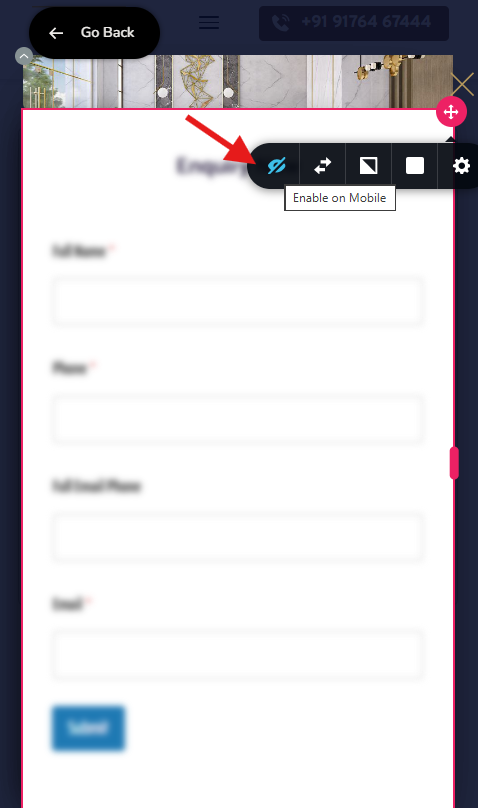 0
0
Please sign in to leave a comment.
Comments
5 comments