Landing Pages

Is there a way to join a separately created landing page to a seperate website?
-

Hello Ash,
Yes, you can join a separately created landing page to a separate website by either hosting the landing page under a subdomain of the main website (e.g., landing.example.com) or by using different pages (e.g., example.com/landing). For a truly independent landing page that appears as a separate site, you can use "single-site domain mapping" to point a custom domain to that specific landing page, making it seem like a standalone website.
If I didn't quite grasp what you were asking, could you perhaps elaborate?
0 -
Hi K C George
Thank you for the reply and apologies for my slow one. Ideally as per the attached picture I want to move a draft landing page under one of my published websites. Both of them have been created in in the Brizy Cloud environment.
Also what is and how do you do the "single-site domain mapping"?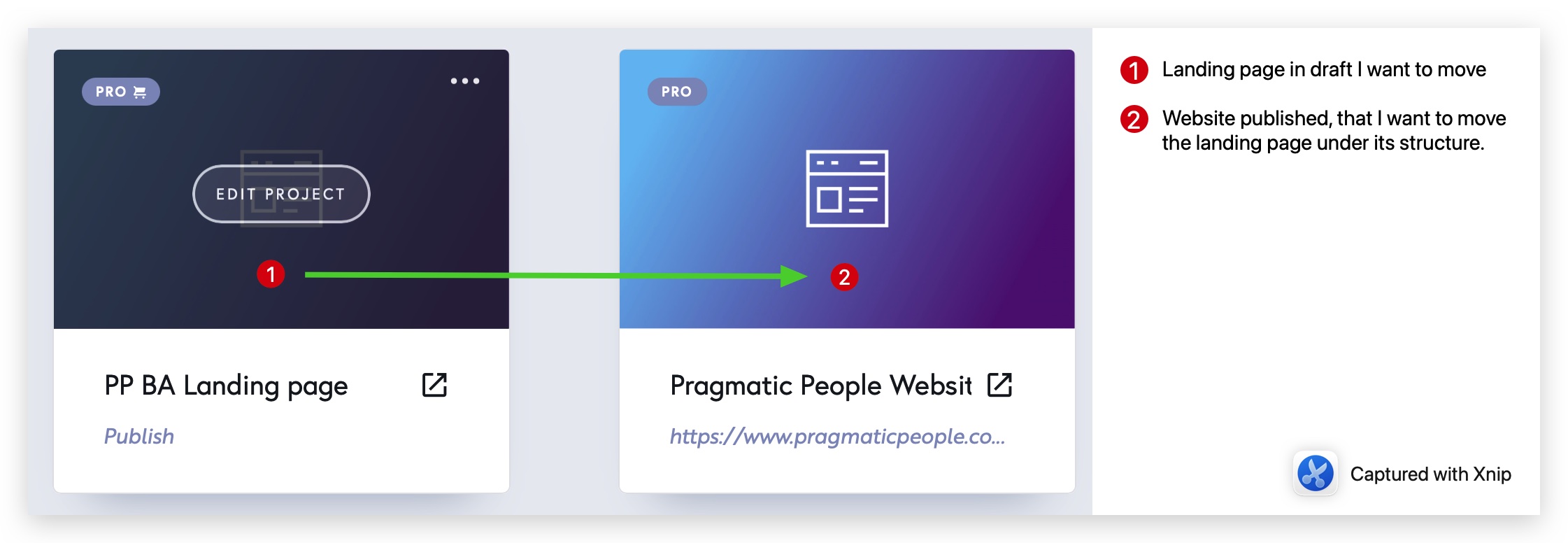
Thanks again
Ash
0 -
Hello Ash,
I have the saved the "PP BA Landing page" design as a "layout" by selecting the "Save Layout" option towards the bottom right corner of the Brizy editor.
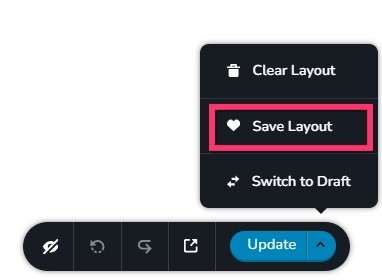
The landing page design is now available in your "Blocks and Layouts library" > "Saved" tab > "Layouts" library. To import the landing page design to the other project, kidnly follow these steps
- Open the "Pragmatic People Website" project in the editor.
- Add a new page and edit the page
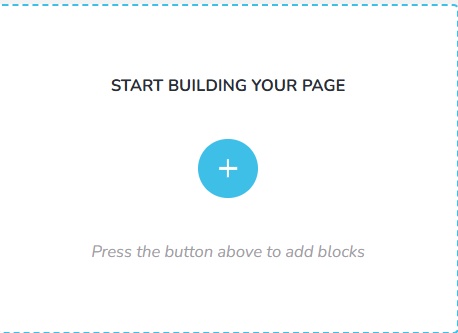
- In the "Start Building your page" screen, click on the + icon
- Select the "Saved" tab and the "Layouts" library on the left sidebar
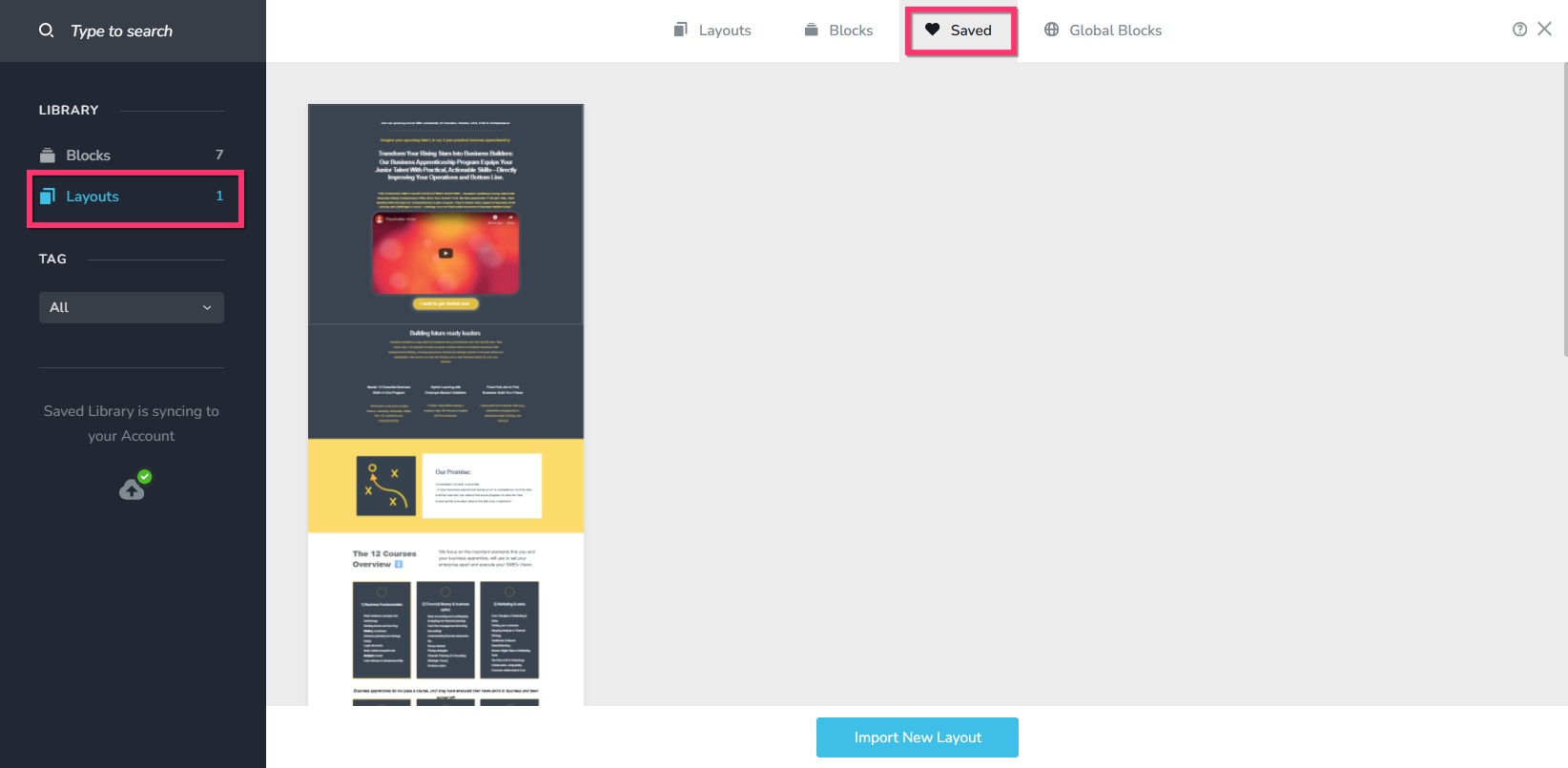
- Select the saved layout to import it to your project.
You have already pointed your project to a custom domain. There is nothing more to do here.
0 -
Hi K C George
Thanks a million that worked perfectly. I am new to this.
Chat soon
Ash
0
Please sign in to leave a comment.
Comments
4 comments