Can`t ad a row only colums

Hi there,
in the video https://www.youtube.com/watch?v=6cC3ZsOPBus you describe how to ad a row, but the 4 block button didn`t comes in wordpress plugin.
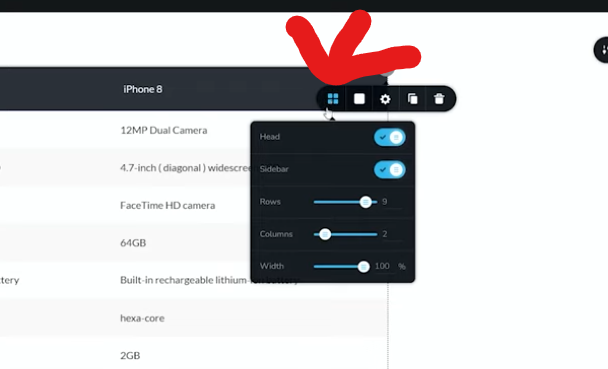
We ad a block from the premade build in brizy and want to have more row`s, how to do it?
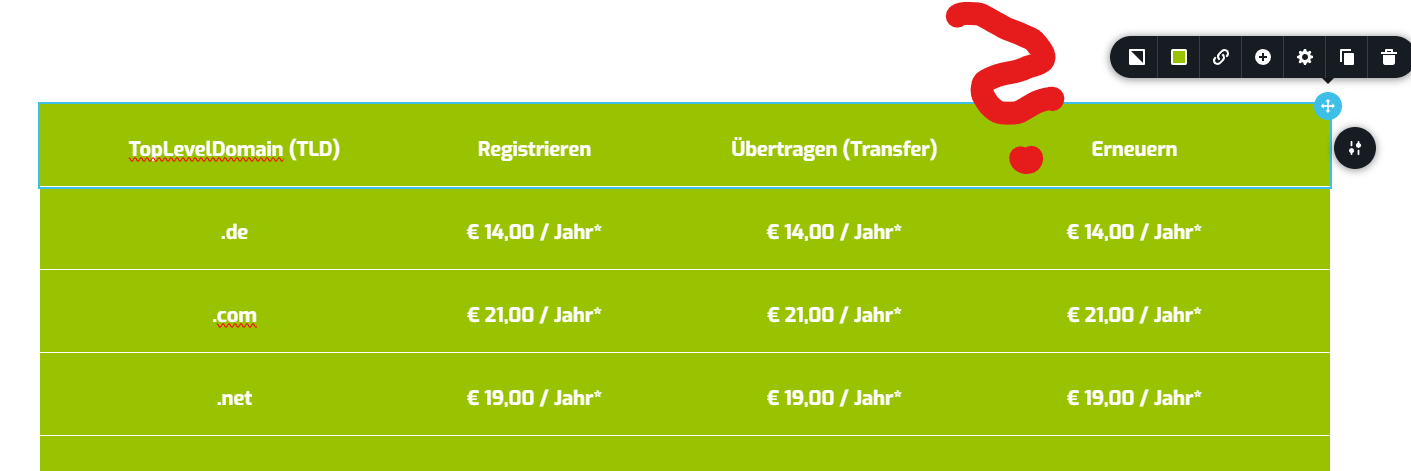
-

Hi Dj,
Thank you for contacting us. You can manually enter the number of rows, just as demonstrated in the screenshot you attached.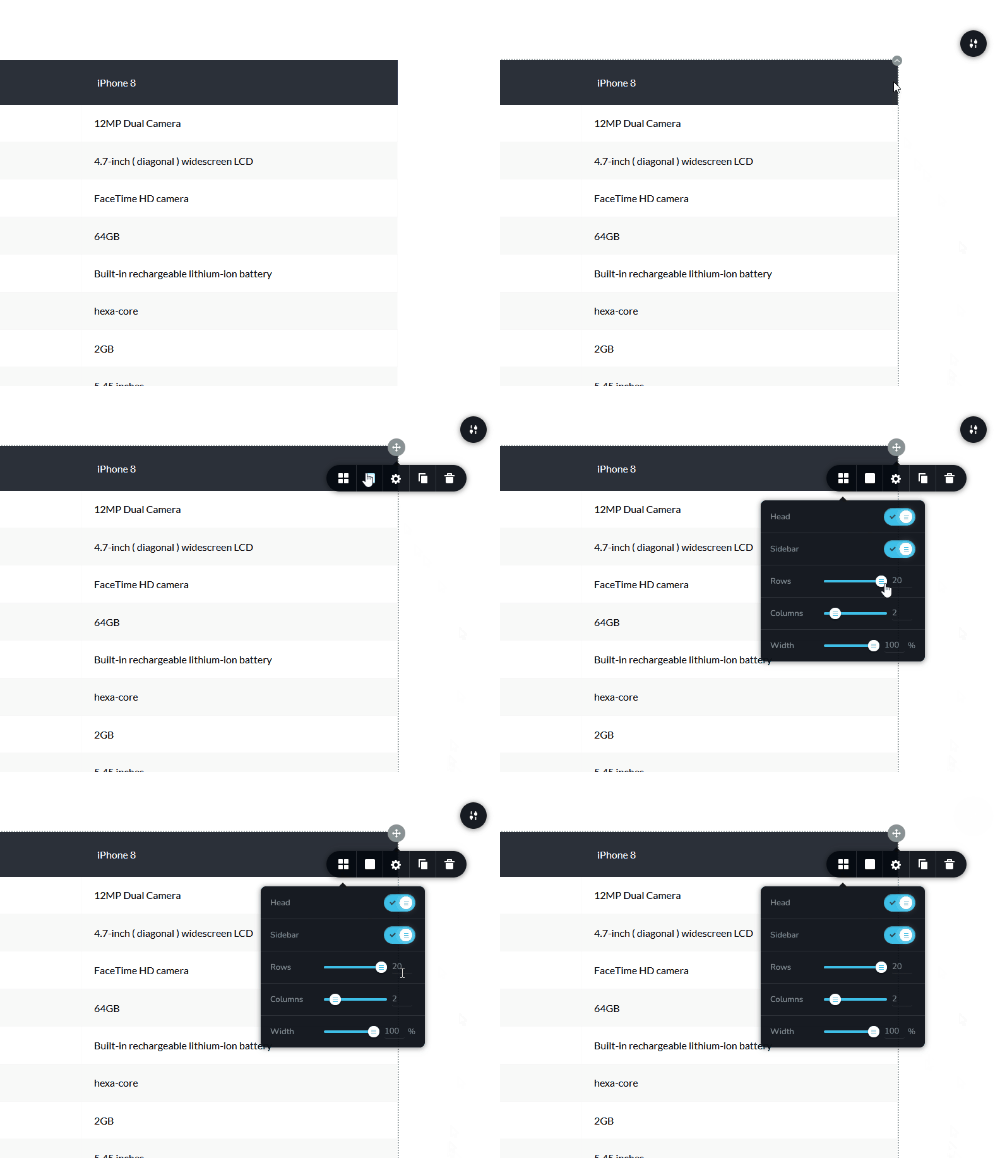
If the attached GIF don't play, please use this link instead - https://imgur.com/a/kTC4NCW
0 -
Hi Ariel,
thanks for coming back. You didn`t read my question. The Screenshot with the 4 boxes are fromt he Video. The Picture with the green rows are ours and there are NO Boxes, so no way to ad rows only a clum.
0 -
Hi Dj, sorry about that. It looks like the built-in template isn’t using a table element and is instead built with stacked rows. To add more rows, please check this screencast: https://youtu.be/MX0KgO1beok
After that, you can replace the text in the rows.0 -
Hi Ariel,
many thanks for fast answer and great viedo. Helps, a little bit more working, but works.
Thanks
Alex
0
Please sign in to leave a comment.
Comments
4 comments