Please migrate my project to the latest Brizy Cloud

My project O3 Baseball (https://o3training.brizy.site) is stuck on the legacy Brizy Cloud engine. I am getting the error: “The project is running a legacy version of Cloud and cannot be properly processed.”
There is no migration button in my dashboard.
Please manually move this project to the new Brizy Cloud infrastructure.
0
-

Hello Brandon,
Here are the steps to manually migrat the project.
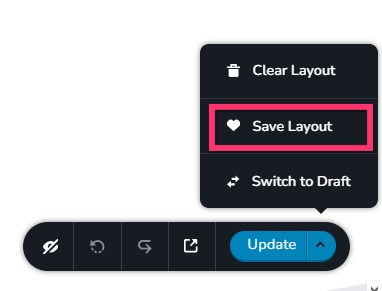
- Save the homepage as a design layout in the legacy project by selecting the "Save Layout" opiton towards the bottom right corner.
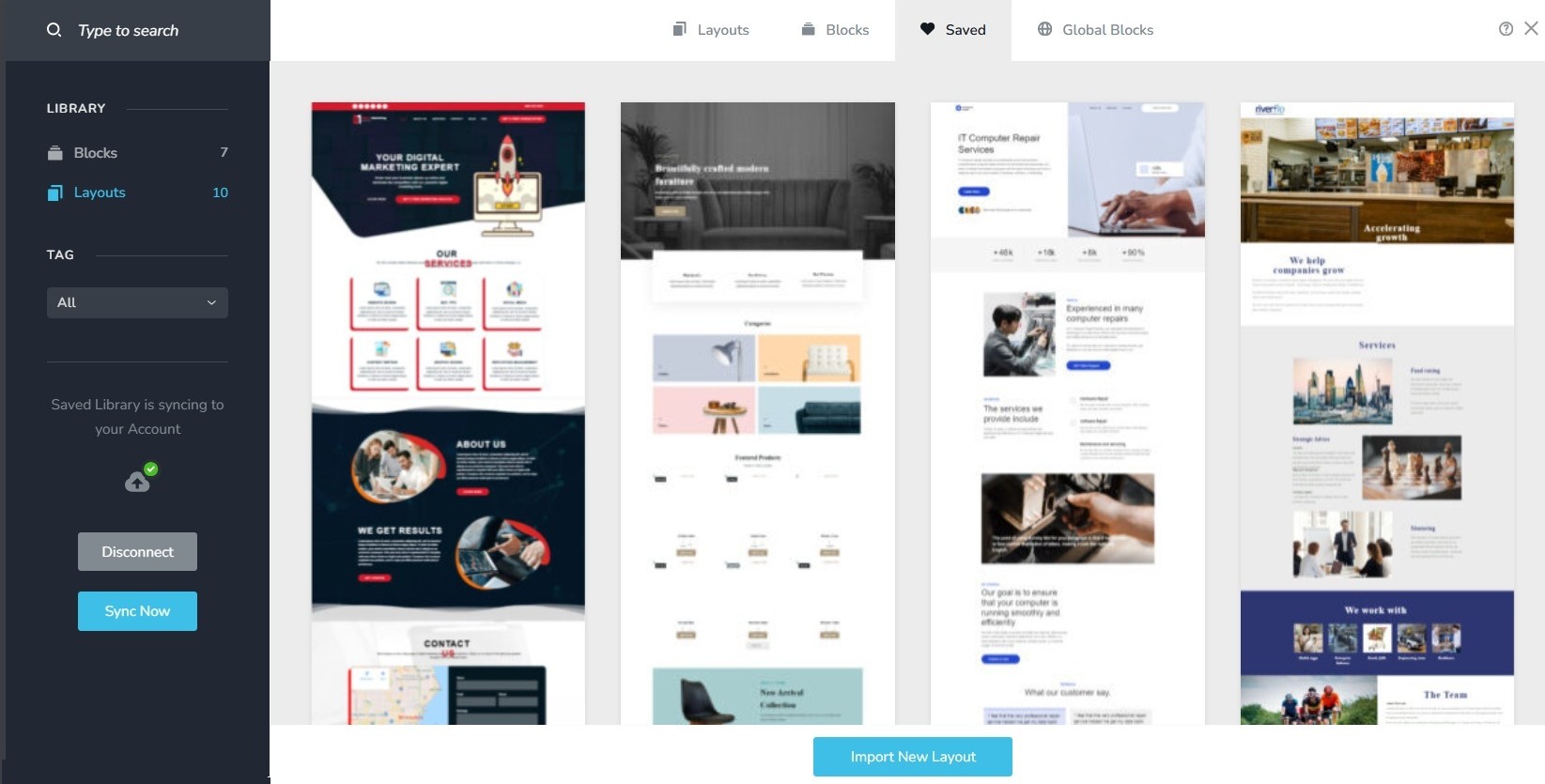
- In a new browser tab, open the Brizy Cloud dashboard and add a new project and and import the page layout saved in step 1, by selecting the appropriate design from the "Saved Blocks and Layout Library"
- Repeat steps 1 and 2 for all pages. While transferring content, please also transfer meta data like SEO title and description, social sharing images etc.
- Copy paste the global styles and typography from the deprecated to the new project
- Recreate menu, setup global blocks and display conditions ( if you were you using global blocks)
- Re-setup the email notifications for Brizy forms in the new project
You will lose the subdomain o3training when you migrate the projct, but you can publish on a similar subdomain like o3-training.brizy.site. If you want to retain the subdomain, kindly get back to us after migration. We will attempt to transfer the subdomain o3training to the the migrated project.
0 - Save the homepage as a design layout in the legacy project by selecting the "Save Layout" opiton towards the bottom right corner.
Please sign in to leave a comment.
Comments
1 comment