Cal.com

Hi!
I cannot figure out how to embed Cal.com instead of Calendly???/ Can anyone help?? Thank you!
Carole
0
-

Hello Carole,
To embed your Cal.com event to a Brizy page, kindly follow these steps
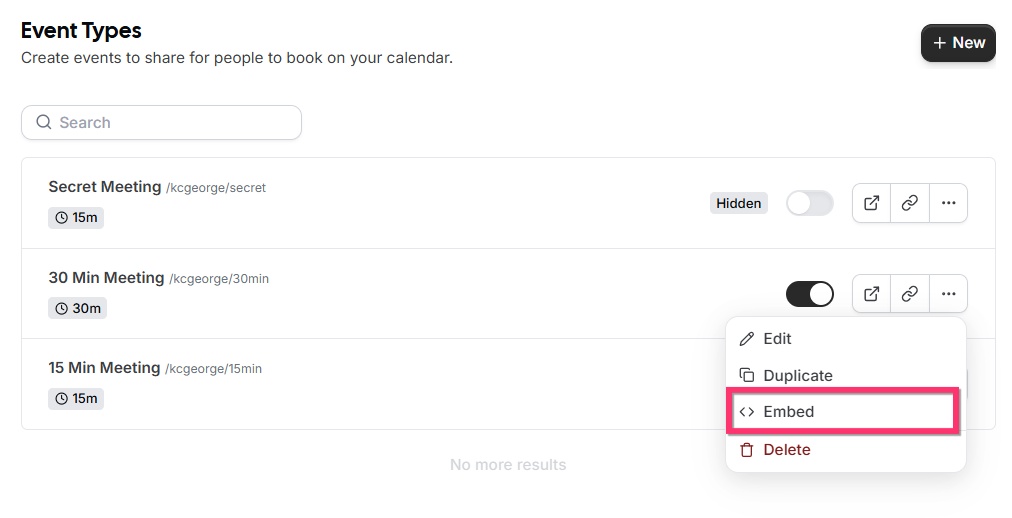
- In the list of events in your Cal.com account, next to the event (booking) you want to embed to your Brizy site, click on the 3 dots (...) and then the "Embed" option.
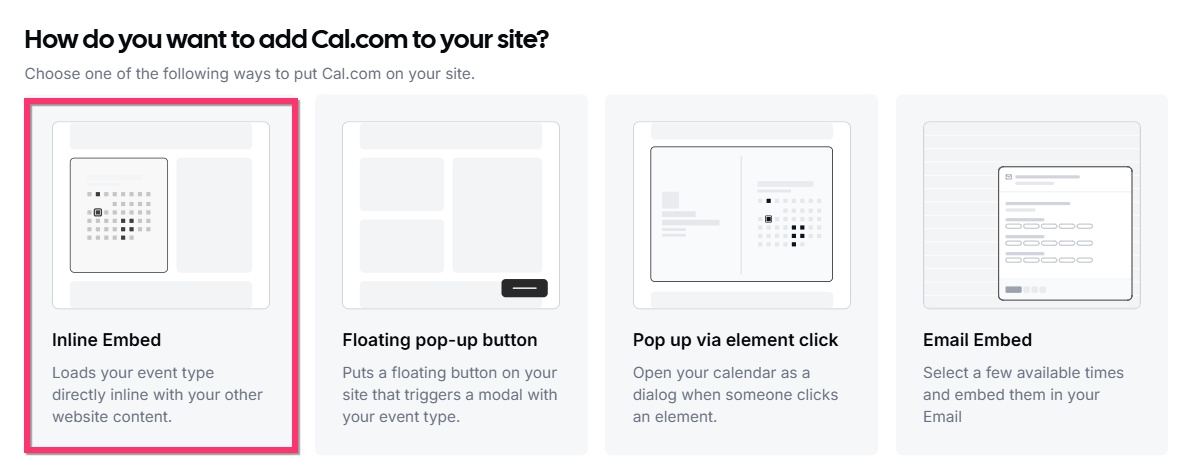
- Among the different embed options, select "Inline Embed"
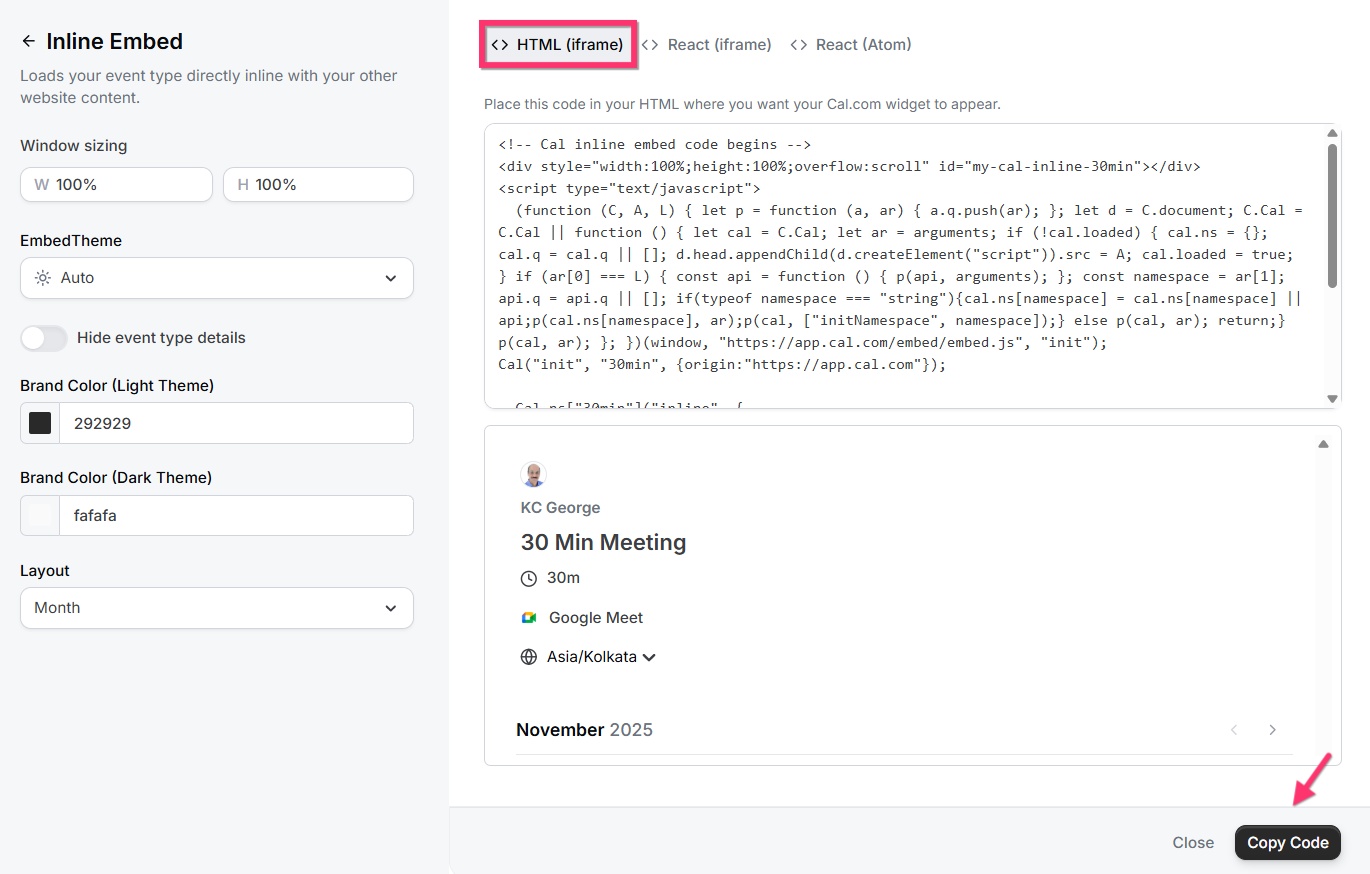
- Retain the HTML (Iframe) option that is selected for you by default and click on the "Copy Code" button towards the bottom right corner.
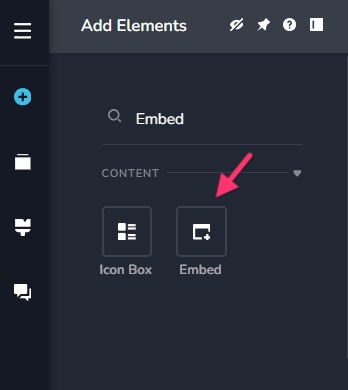
- Drag the "Embed" element to a Brizy page and paste the Cal.com embed code and save your work
- Your page preview should look like https://restaurant-1.brizy.site/cal-appointment
0 - In the list of events in your Cal.com account, next to the event (booking) you want to embed to your Brizy site, click on the 3 dots (...) and then the "Embed" option.
Please sign in to leave a comment.
Comments
1 comment