Can't connect domain to new site

I missed the October 15 site migration deadline for Brizy Cloud and am trying to do the migration manually.
When I put in the CNAME and TXT records Brizy Cloud recommended into my domain, Brizy did not make the connection. I've waited four days, and still nothing.
The help page for this does not provide any additional answers.
-

Hello Pamela,
Are you referring to your doman https://www.ascensionlutheranchurch.com/? If not, please let us know the correct domain name.
What are the steps you have followed to add the required DNS records? Looks like your DNS records are hosted with SquarespaceDNS. Kindly follow the instructions at https://support.squarespace.com/hc/en-us/articles/215744668-Pointing-a-Squarespace-domain under the heading "Point to a non-Squarespace site" to add the required DNS records.
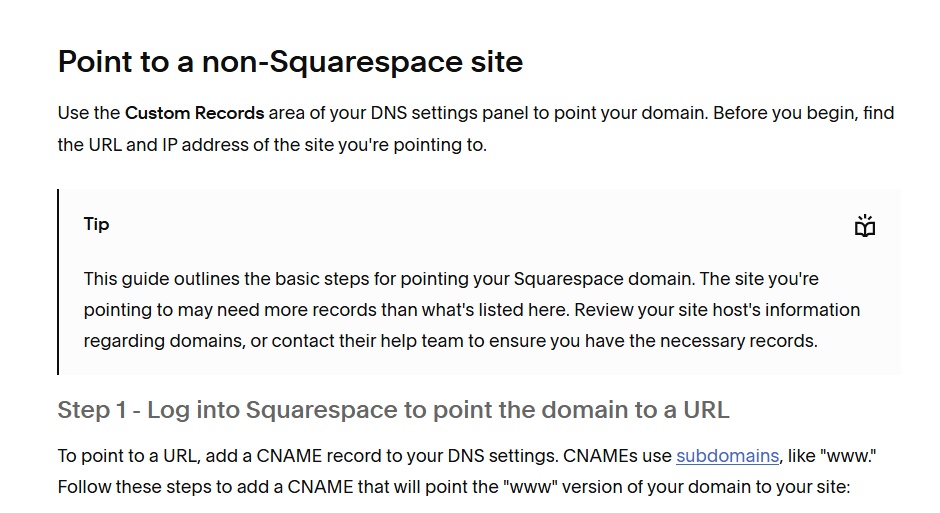
If this does not help, please get back to us with more details.
0 -
Sorry for the delay. Bad things happened in my life yesterday.
It's ascensionlutheranchurch.ca, not .com. I don't know where the .com came from. When I filled my settings into the manual migration tool, it filled in .com from somewhere, but that's not what I used.
It's also not a SquareSpace domain. It's hosted at Webnames.ca .
Here are the settings I inputted in my webnames DNS:
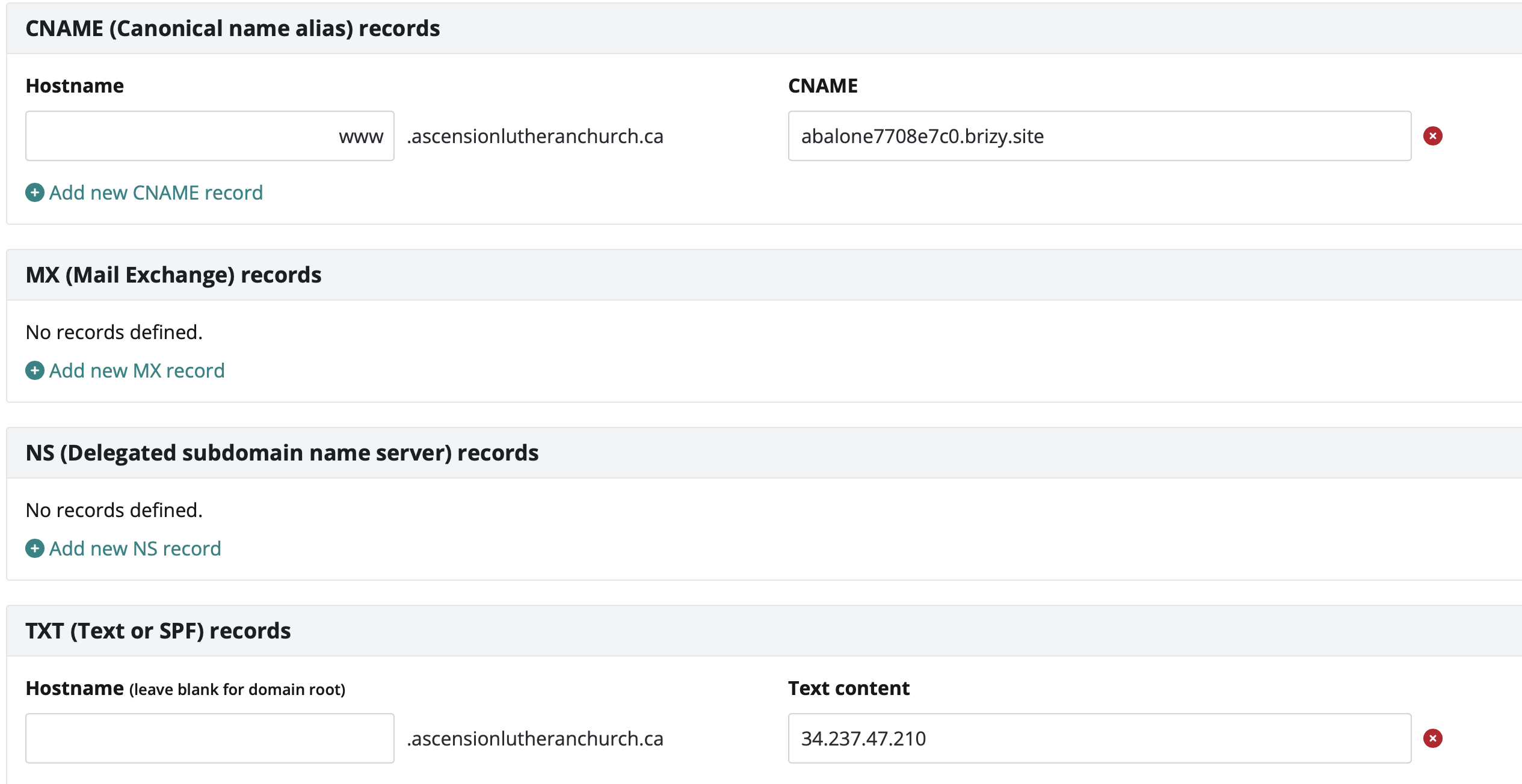
(The textname Brizy told me to use had ascensionlutheranchurch.com in the hostname before the .ca domain. I left it like that for two days and decided that might be the problem so took that out.)
Thanks.
0 -
Hello Pamela,
Among these two projects in your Dashboard,
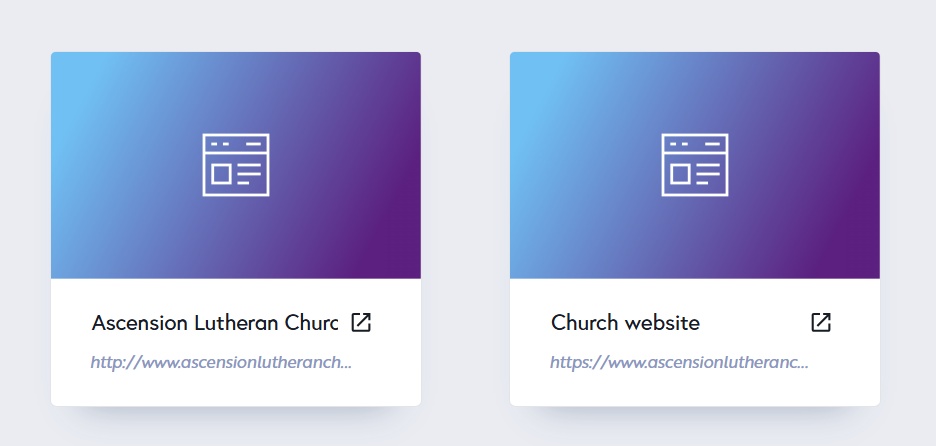
- Ascension Lutheran Church II is the migrated project and can be published. Custom domain: https://www.ascensionlutheranchurch.com/
- Church website: is the legacy project and cannot be published. Custom domain: https://www.ascensionlutheranchurch.ca/
To publish the migrated website on the domain ascensionlutheranchurch.ca, kindly follow these steps.
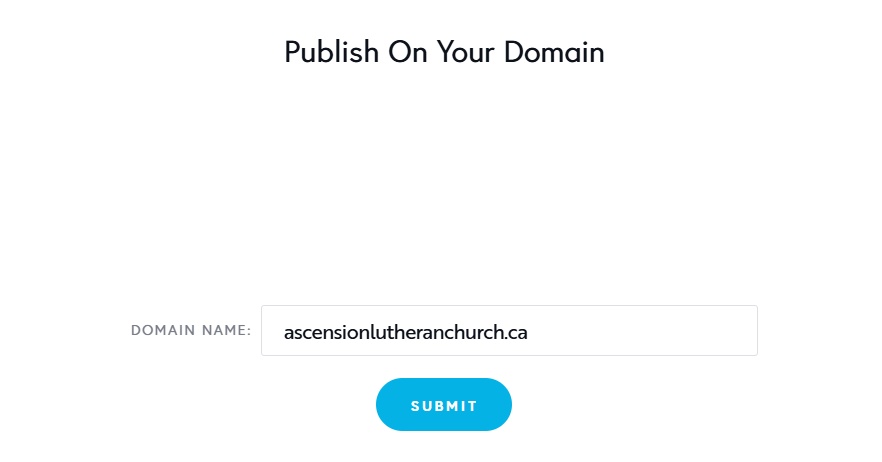
- Delete the custom domain added to the project, Ascension Lutheran Church II by selecting the "Delete Domain" option.
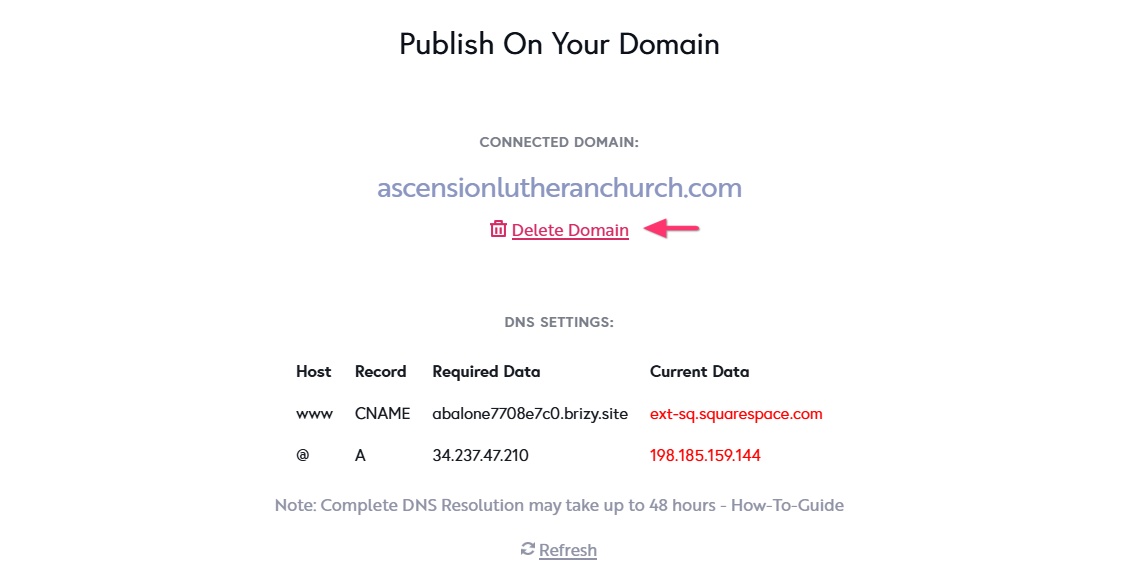
- Add the the custom domain ascensionlutheranchurch.ca to the project "Ascension Lutheran Church II" and add the required DNR records.
In the webnames.ca screenshot you have shared above, while the CNAME recocrd is correctly added, the A Record is missing. Please add the required A Record as well.
0 -
Oh! I had the A record information on a TXT record. I’ve moved it to A and deleted the domain from the legacy project. Hopefully in a few hours it will work.
Thank you!!! I don’t know how I missed that it was to be an A record.
0 -
24 hours later, A is working but CName is still Not Found. Are these settings in my DNS management correct?
I know it can take 48 hours for this to go through, but we've already been offline for weeks, so I don't want to waste more time if I've done something wrong.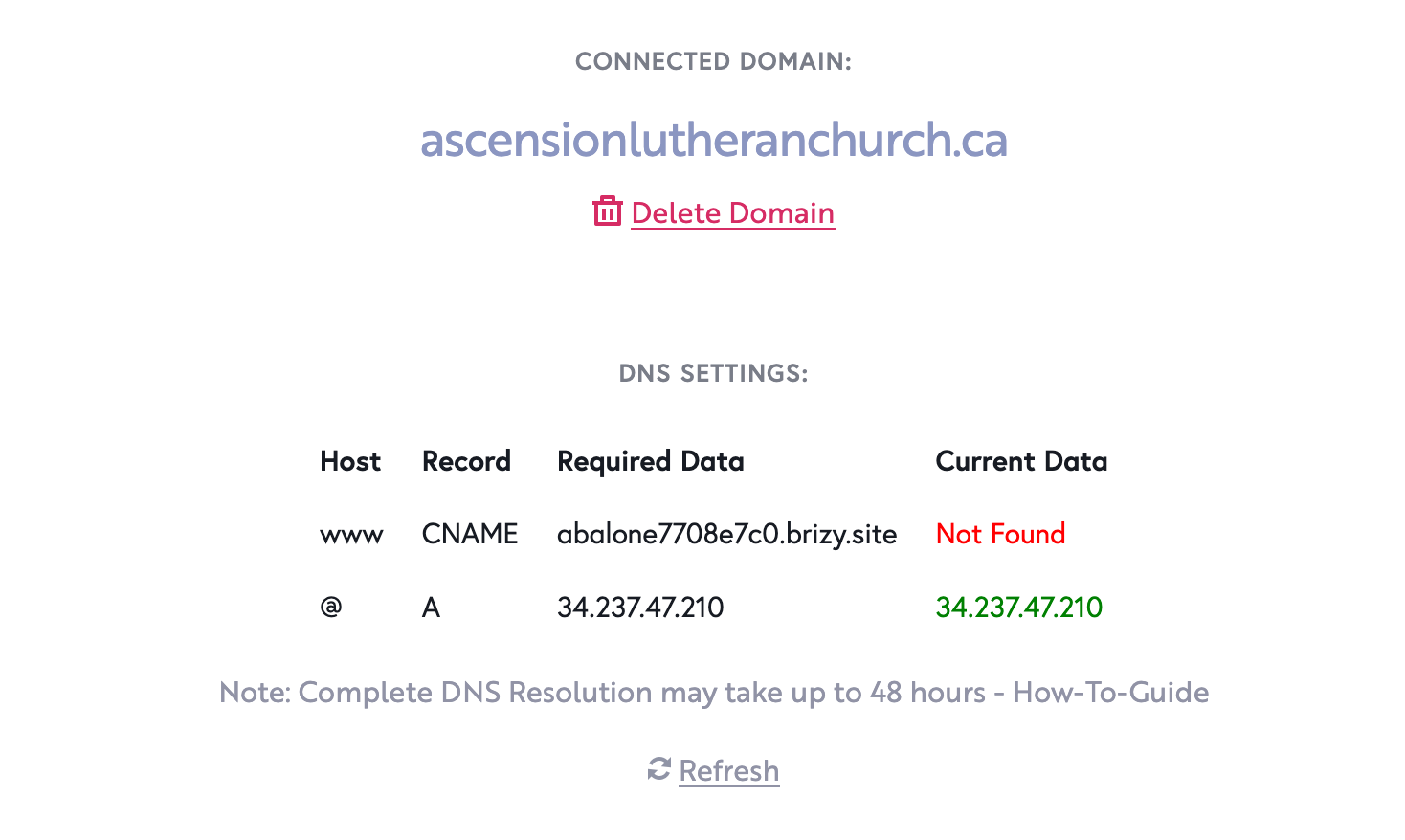
 0
0 -

Hi Pamela,
For the Hostname field, you only need to enter "www," there’s no need to include the full domain name (ascensionlutheranchurch.ca), as it’s already implied by your domain settings.

The CNAME value (abalone7708e7c0.brizy.site) looks correct, so once you save it, the record should work as expected.
Kind regards,
Ariel H.0 -
My site is finally online. Thank you so much, Ariel and KC George, for all your help.
0
Please sign in to leave a comment.
Comments
7 comments