Urgent: Brizy Cloud AppSumo 15 Workspace Plan – Pro Features Not Working

Dear Brizy Cloud Support Team,
I hope you are doing well.
We have purchased the Brizy Cloud AppSumo 15 Workspace plan, but currently we are unable to create new sites using Pro features. Only the free features are available, and the system does not recognize our Pro access.
Kindly look into this issue urgently and help us restore full Pro functionality on our account.
Please let us know if you need any additional details or proof of purchase from AppSumo to verify our plan.
Thank you for your quick attention and support.
-

Hi Noor,
Thank you for contacting us. To access the Pro features, you will need to activate it by selecting the three dots and hit Activate PRO.
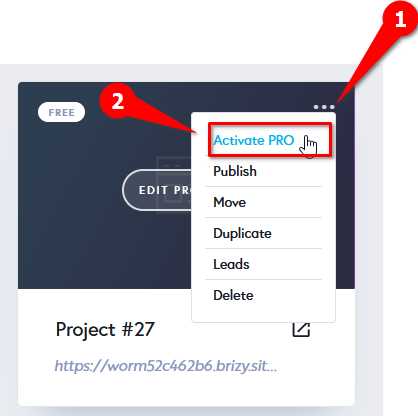
If you have any further questions, please let us know.
Best regards,
Ariel H.1 -
Hi Ariel,
Thank you for your reply.
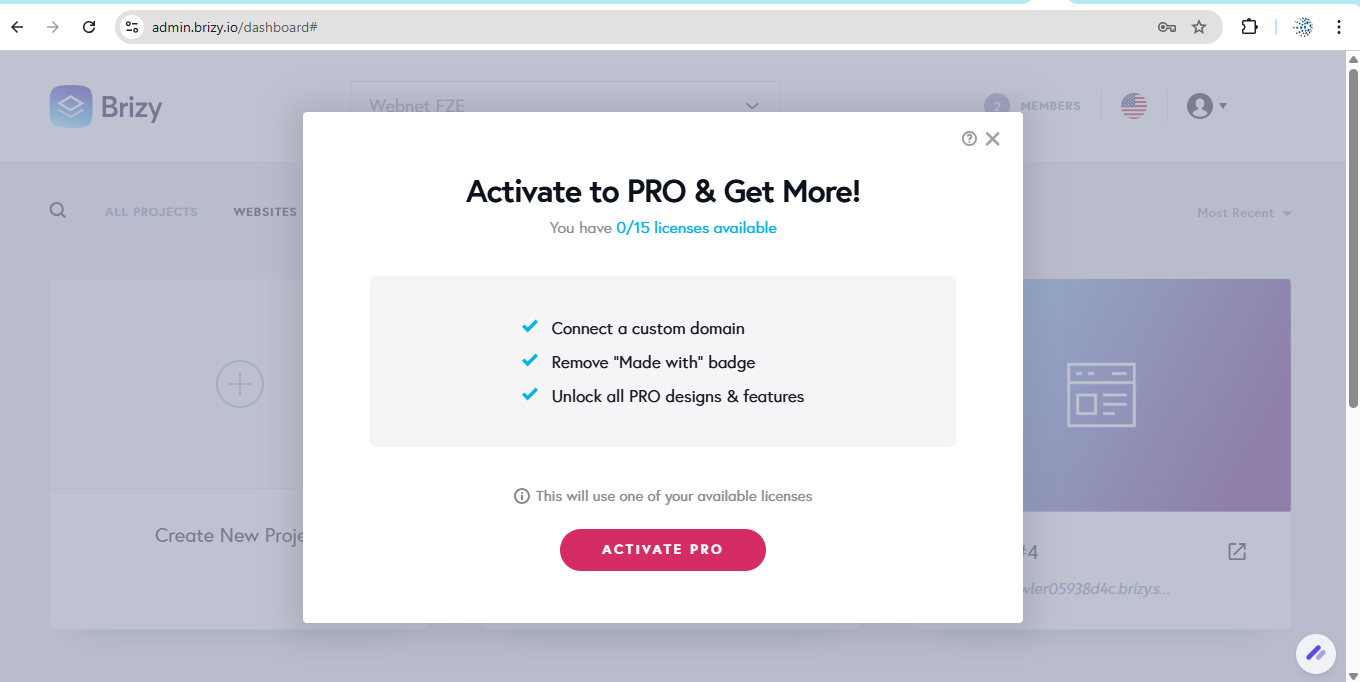
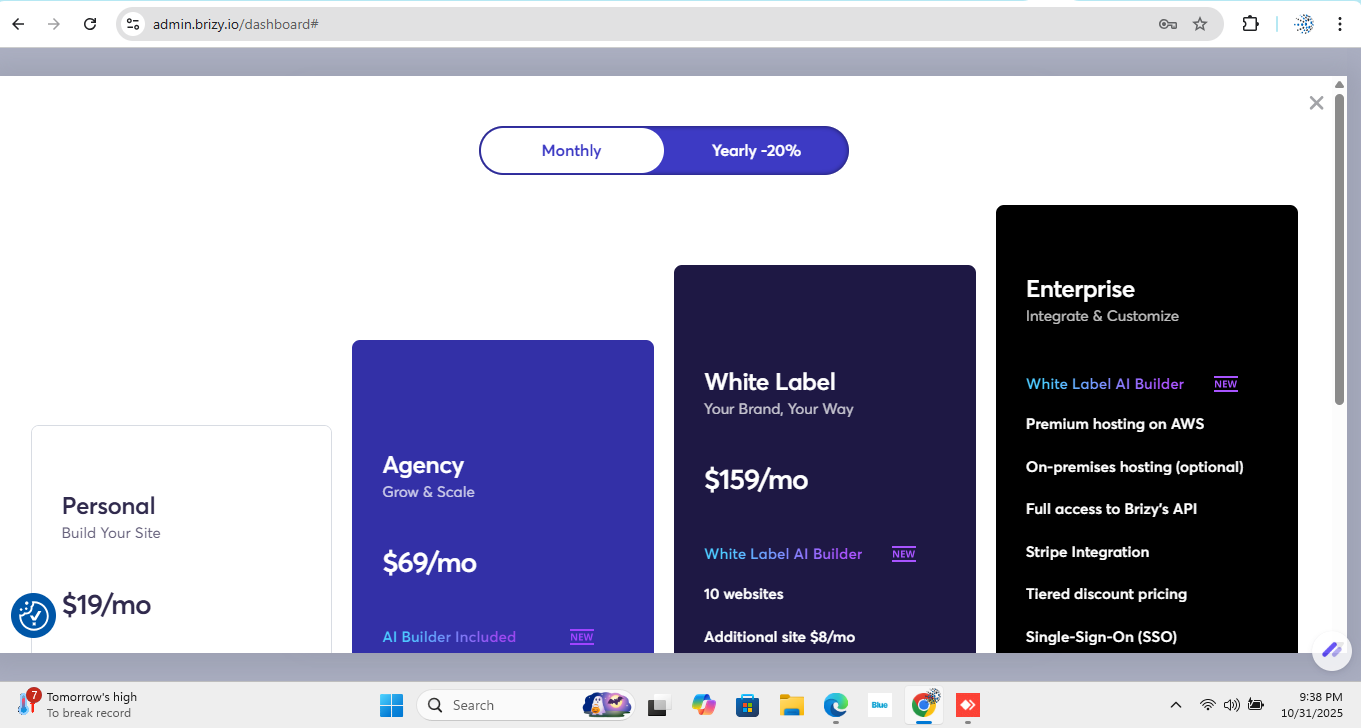
I’m currently unable to activate my Pro features. When I click “Activate PRO”, it redirects me to the pricing plans instead of activating the AppSumo Pro plan.
Please note that I purchased the AppSumo Lifetime Deal on October 16, 2024, which clearly included unlimited website creation with Pro features. My plan does not have any limits for syncing websites with Pro features.
Right now, my dashboard shows 0/15 licenses available, and I’m unable to activate any Pro sites even though I haven’t used any custom domains.
It seems that the plan structure may have changed recently, or there could be an issue syncing my AppSumo license with my account.
Kindly verify my AppSumo purchase and help restore my original unlimited Pro website creation access as per the lifetime plan.
 0
0 -

Hello Noor,
AppSumo Brizy Cloud 2024 plan you have purchased gives you access to 15 PRO websites and unlimited FREE websites. The PRO and FREE labels identify PRO and FREE projects in your account.
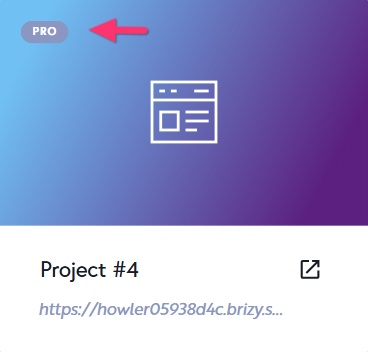
Currently in your account PRO features are activated in 15 projects.
- Webnet Projects: 13 PRO projects
- Webnet FZE : 2 PRO projects.
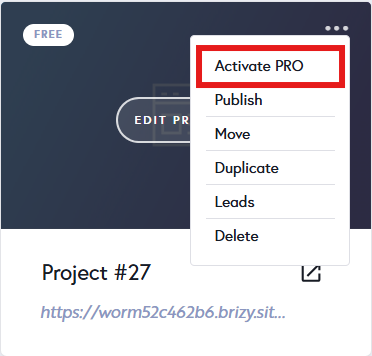
PRO licenses can be transferred from one project to another. Kindly deactivate PRO feature in one of your projects by selecting the "Deactiate PRO" option in the project thumbnail. This will free up one of your 15 PRO licenses.
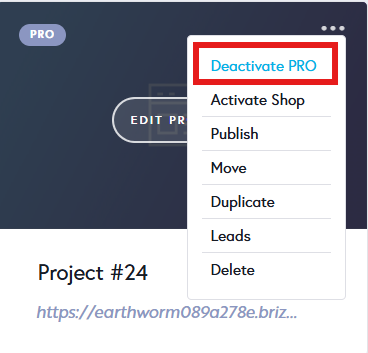
You can then activate the available license in another project by selecting the "Activate PRO" option.
 0
0
Please sign in to leave a comment.
Comments
3 comments